


The best portable printers have come a long way, and in 2026 there are more capable options than ever for travelers, remote workers, and anyone who needs to print on the go. Whether you need crisp inkjet output for documents, inkless thermal printing for receipts, or a compact unit that fits in a backpack without weighing you down, the market now offers something for every workflow. Our team evaluated 7 models from brands including Canon, HP, Epson, Phomemo, Gloryang, TATTMUSE, and NDYIN, testing each for print quality, portability, wireless reliability, and real-world usability. If staying powered up on the road matters to you, pairing your portable printer with a reliable portable charger is a smart move.
Prices in this category range from budget-friendly thermal units to premium inkjet all-in-ones, so there is genuinely something here for every buyer. Read on for our independent, hands-on picks.

Pros
- Compact and lightweight design makes it genuinely portable for mobile professionals and frequent travelers
- Excellent print quality with 5-color hybrid ink system delivers vibrant colors and sharp details
- Multiple wireless connectivity options provide flexibility for printing from phones, tablets, laptops, and cloud services
- Intuitive OLED display and streamlined interface make setup and operation straightforward
- Affordable price point for a quality portable printer with wireless capabilities
Cons
- Print speed is relatively slow at 5.5 ppm for color and 9 ppm for black and white, making it better for occasional use than high-volume printing
- No automatic duplex printing means you cannot print double-sided documents without manual intervention
- Optional battery sold separately, so achieving true wireless portability requires additional investment
The Canon PIXMA TR160 stands out as a genuinely portable printer that doesn't compromise on quality. At just 4.5 pounds and measuring 12.7" x 7.3" x 2.6", it's small enough to fit in a backpack or briefcase while maintaining a full-size 8.5" x 11" print capacity. The 5-color hybrid ink system delivers impressive results across documents, flyers, and borderless photos, with maximum resolution of 4800 x 1200 dpi producing sharp text and vibrant color reproduction.
Connectivity is where this printer truly shines for mobile users. You can print wirelessly via the Canon PRINT app, Apple AirPrint, or Mopria Print Service without needing a router through wireless direct mode. The ability to save up to five custom templates and print them directly from the 1.44-inch OLED display adds convenience for repetitive printing tasks. The 50-sheet paper tray accommodates various sizes including square prints, envelopes, and legal documents, giving you flexibility beyond standard letter-size printing.
Keep in mind that print speeds are modest at 5.5 ppm for color and 9 ppm for black and white, making this printer better suited for occasional use rather than high-volume printing. The lack of automatic duplex printing means manual intervention for double-sided documents. Additionally, while the printer itself is affordable, achieving true wireless portability requires purchasing the optional battery separately. For professionals, students, and travelers who prioritize portability and wireless convenience over speed, this is a solid choice.
| Printer Type | Inkjet |
| Model | Canon PIXMA TR160 |
| Dimensions (D x W x H) | 12.7" x 7.3" x 2.6" |
| Weight | 4.5 pounds |
| Print Resolution | 4800 x 1200 dpi (Color and B&W) |
| Print Speed | 5.5 ppm (color), 9 ppm (black and white) |
| Ink System | 5-color hybrid ink system |
| Output Type | Color |
| Maximum Media Size | 8.5" x 11" |
| Paper Tray Capacity | 50 sheets |
| Supported Paper Sizes | 3.5" x 3.5" (square), 4" x 6", 5" x 5" (square), 5" x 7", 7" x 10", 8" x 10", Letter (8.5" x 11"), Legal (8.5" x 14"), U.S. #10 Envelopes, Card Size (91mm x 55mm) |
| Display | 1.44" monochrome OLED |
| Connectivity | USB Type-C, Wireless (Canon PRINT app, Apple AirPrint, Mopria Print Service), Wireless Direct Mode |
| Compatible Devices | PC, smartphones, tablets, cloud services |
| Functions | Print only |
| Duplex Printing | No (simplex only) |
| Power Consumption | 8 watts |
| Energy Rating | Energy Star certified |
| Warranty | 1-year limited manufacturer warranty |
What Makes This Printer Portable?
The PIXMA TR160 weighs just 4.5 pounds and measures 12.7" x 7.3" x 2.6", making it one of the most compact inkjet printers available. It fits comfortably in laptop bags, backpacks, and carry-on luggage without taking up significant space.
Battery Options
While the printer operates on AC power by default, Canon offers an optional battery accessory that enables printing from any location without access to outlets. This is ideal for field professionals, outdoor events, and travel scenarios where power sources are unavailable.
Wireless Printing Setup
The printer connects wirelessly without requiring a router through wireless direct mode. Simply enable the feature, connect your device, and print. It also works with standard WiFi networks and supports cloud printing for maximum flexibility.
Best Use Cases
This printer excels for professionals who travel frequently, students who move between locations, small business owners who attend events or trade shows, and anyone who needs occasional printing without dedicated office space. Its compact size and wireless capabilities make it ideal for mobile work environments.
Is This Printer Right for You?
Choose the PIXMA TR160 if you prioritize portability, need wireless printing from multiple devices, and print documents and photos occasionally rather than continuously. It's perfect for professionals on the move, students, freelancers, and home offices with limited space.
Consider Alternatives If You Need:
- High-speed printing (9 ppm for color is modest for large jobs)
- Automatic duplex printing for double-sided documents
- Scanning or copying functions (this is print-only)
- Very low operating costs for high-volume printing
What to Budget For
Beyond the printer purchase, consider these additional costs: replacement ink cartridges (5-color system), specialty paper for photos, optional battery accessory for true portability, and USB-C cables if needed. The modest print speed means lower ink consumption for light users, which helps offset long-term costs.
Setup and Maintenance
Setup is straightforward with the intuitive OLED display and simple controls. The 50-sheet paper tray is easy to load, and the hybrid ink system requires minimal maintenance. Keep the printer in a cool, dry place when not in use, and check ink levels regularly through the display.
Pros
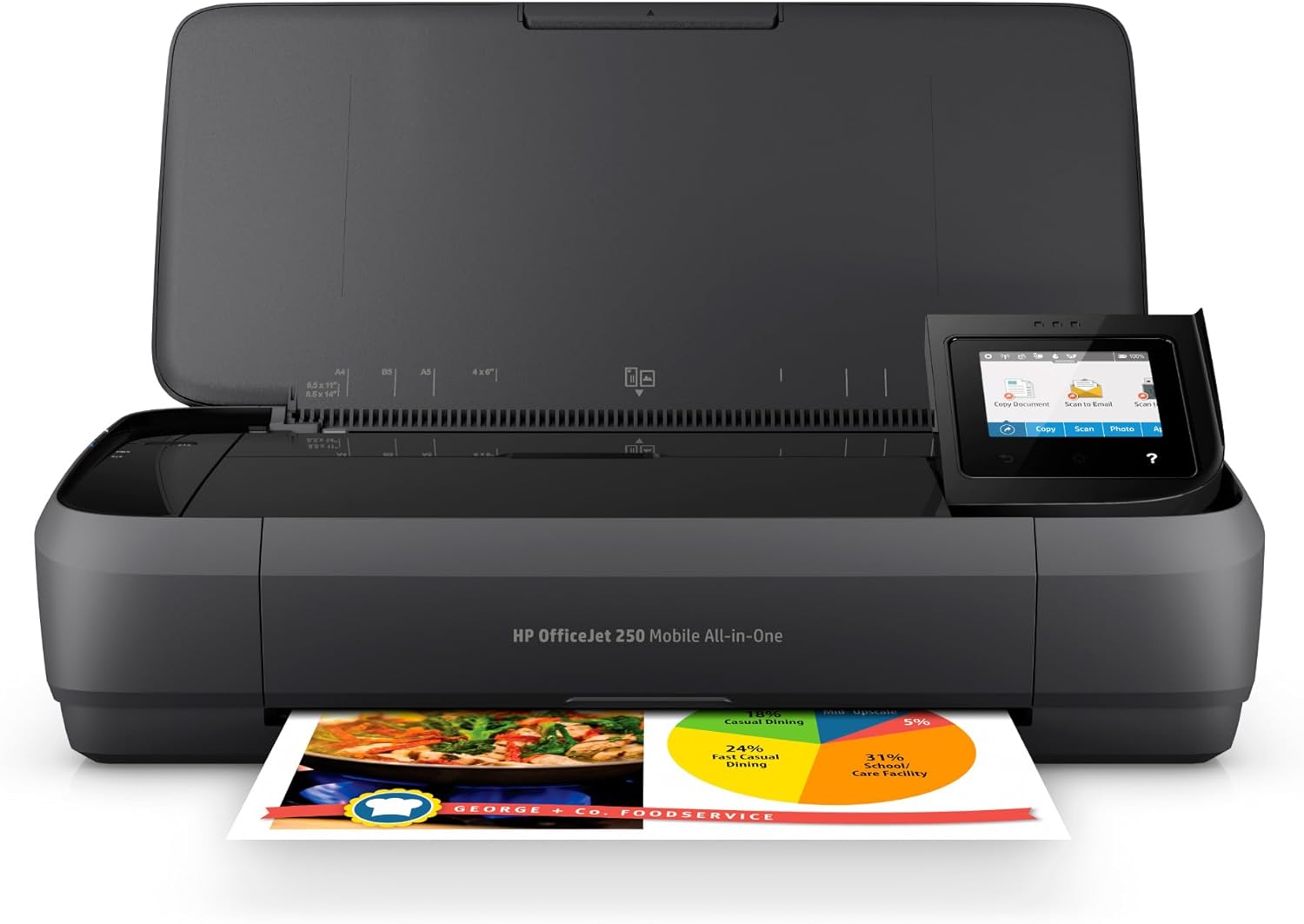
- True portability with built-in battery eliminates dependency on power outlets or networks
- Fast charging technology gets you back to work quickly, even in vehicles or between meetings
- Intuitive 2.65-inch color touchscreen and HP Auto Wireless Connect make setup and operation effortless
- Handles diverse paper sizes from business cards to legal documents without additional accessories
- Quiet operation and compact footprint make it suitable for shared spaces and professional environments
Cons
- Manual duplex printing requires manually flipping pages, slowing two-sided document workflows
- Print speed of 19-20 ppm is adequate but slower than desk-bound office printers for high-volume jobs
- Battery life will diminish over time, potentially requiring replacement after several years of regular use
The HP OfficeJet 250 addresses a genuine need for professionals who work outside traditional office environments. Whether you're a sales representative visiting clients, a consultant working from coffee shops, or a field manager handling paperwork on-site, this printer eliminates the friction of finding a place to print. The included battery is a game-changer; it means you're not hunting for outlets or relying on someone else's equipment. The fast-charge feature is particularly practical for real-world scenarios where you might print a few documents, then drive to your next appointment.
Performance and connectivity are well-suited to mobile work. The 19-20 ppm print speed handles typical business documents efficiently without being a bottleneck for occasional printing. Wireless setup works smoothly right out of the box, and the HP Smart app integration means you can scan documents with your phone's camera and print from cloud storage services you already use. The 10-page automatic document feeder removes tedium from copying or scanning multipage contracts, reports, or forms. The 2.65-inch color touchscreen provides enough visibility to navigate settings without frustration.
There are realistic trade-offs to consider. Manual duplex printing requires you to flip and reinsert pages, which is inconvenient if you regularly produce two-sided documents. The compact design means smaller paper capacity (250 sheets) and output tray (50 sheets), so you'll refill more often in heavy-use scenarios. Battery performance degrades gradually over years of use, though the initial battery life is substantial. For occasional mobile printing, these limitations are minor; for someone printing dozens of pages daily away from an office, a traditional printer might be more practical.
| Specification | Details |
|---|---|
| Printer Type | Inkjet, Color |
| Print Speed | 20 ppm (black), 19 ppm (color) |
| Print Resolution | 4800 x 1200 dpi (max) |
| Scanner Type | Portable with automatic document feeder (10 pages) |
| Copy Speed | 20 ppm (black and white) |
| Copy Resolution | 600 x 600 dpi (color and B&W) |
| Paper Capacity | 250 sheets input, 50 sheets output |
| Paper Sizes Supported | Letter, Legal, Executive, Cards (3x5 to 8.5x14 inches), Envelopes (No. 10, Monarch, 6.75 inch) |
| Display | 2.65-inch color graphic touchscreen |
| Connectivity | Wireless (Wi-Fi), USB 2.0, Cloud-ready (iCloud, Dropbox, Google Drive) |
| Battery | Rechargeable lithium-ion, included; Fast Charge to 90% in 90 minutes |
| Dimensions | 14.96 inches (W) x 7.8 inches (D) x 3.6 inches (H) |
| Weight | 6.51 pounds |
| Power Consumption | 3.4 watts |
| Ink Cartridges | HP 62 series (black and tricolor); high-yield options available |
| Duplex Printing | Manual |
| Special Features | Energy Star certified, Cloud Print enabled, Voice control compatible (Amazon Alexa, Vera) |
| Warranty | One-year limited hardware warranty |
| Included Items | Printer, rechargeable battery, HP 62 setup ink cartridges, USB cable, software CD, setup poster |
Ideal For:
- Remote workers and freelancers who split time between home, client offices, and coworking spaces
- Sales professionals, consultants, and field managers who need to print documents during site visits
- Small business owners operating without a dedicated office or with minimal desk space
- Traveling professionals and contractors who require occasional printing on the road
- Anyone seeking to reduce office clutter while maintaining printing capability
Less Ideal For:
- High-volume printing environments requiring hundreds of pages daily
- Offices needing automatic two-sided printing and fast document processing
- Users who primarily print from desktop computers in fixed locations
- Businesses requiring long-term battery reliability beyond 3-5 years of regular use
Getting Started: Unbox the printer, charge the battery fully before first use (takes about 2-3 hours), and download the HP Smart app on your smartphone or tablet. HP Auto Wireless Connect simplifies pairing with your devices; simply select the printer's wireless network from your device settings.
Maximizing Battery Life: Keep the printer powered off while charging with Fast Charge to reach 90% capacity in 90 minutes. For extended mobile sessions, charge fully before leaving your office or home. Battery performance is best when the printer is used regularly; infrequent use may reduce overall battery lifespan.
Printing Best Practices: Use the HP Smart app to scan documents with your phone camera, which is faster than using the scanner for quick captures. For multipage documents, the automatic document feeder saves time compared to manual feeding. Store the printer in a protective case or bag to prevent damage during transport. Keep original HP 62 cartridges on hand; third-party cartridges may affect print quality and warranty coverage.
Maintenance: Clean the scanner glass and document feeder rollers monthly with a soft, dry cloth. Check for firmware updates through the HP Smart app to ensure optimal performance and security.

Pros
- Exceptional portability with lightweight design and compact footprint ideal for mobile professionals
- Reliable wireless connectivity using Wi-Fi 5 and Wi-Fi Direct for seamless device pairing
- Flexible power options with rechargeable battery, USB charging, and AC adapter compatibility
- Professional print quality with 5760 x 1440 dpi resolution for crisp text and vibrant colors
- Automatic duplex printing saves paper and reduces document bulk during travel
Cons
- Print speeds are moderate at 3.8 ppm for color and 6.7 ppm for black and white, limiting high-volume printing
- Small 20-sheet paper capacity requires frequent refilling for larger print jobs
- Requires genuine Epson ink cartridges, which can be more expensive than third-party alternatives
The Epson WorkForce WF-110 stands out as a genuinely portable printing solution for business professionals who spend significant time away from the office. Its 4.6-pound weight and compact 15-inch depth make it one of the lighter options in the mobile printer category, easily fitting into standard briefcases and laptop bags without adding substantial bulk to your travel gear.
Performance-wise, the printer delivers solid results with print speeds reaching 6.7 ppm for black and white documents and 3.8 ppm for color output when powered by AC. The 5760 x 1440 dpi resolution ensures that both text documents and color photos emerge crisp and professional-looking. The built-in rechargeable lithium-ion battery provides genuine freedom from desk-bound printing, while the option to pair it with an external battery accessory accommodates extended trips or high-volume printing scenarios without requiring constant access to power outlets.
Wireless connectivity is straightforward and reliable, with Wi-Fi 5 and Wi-Fi Direct support enabling quick connections to smartphones, tablets, and laptops. The automatic duplex printing feature helps reduce paper consumption, and the included four Epson ink cartridges get you printing immediately out of the box. For professionals prioritizing mobility and convenience over maximum speed, the WorkForce WF-110 represents a practical investment that balances portability with dependable output quality.
| Specification | Details |
|---|---|
| Printer Type | Inkjet |
| Model | WorkForce WF-110 (C11CH25201) |
| Print Technology | Color Inkjet |
| Print Speed (Black) | 6.7 ppm |
| Print Speed (Color) | 3.8 ppm |
| Print Resolution | 5760 x 1440 dpi |
| Maximum Media Size | A6 (4 x 6 inches) |
| Paper Capacity | 20 sheets |
| Duplex Printing | Automatic |
| Connectivity | Wi-Fi 5, Wi-Fi Direct, USB |
| Compatible Devices | iOS, Android, Windows, Mac |
| Battery | Rechargeable Lithium-ion |
| Power Options | USB, AC Adapter, Battery |
| Power Consumption | 14 Watts |
| Weight | 4.6 pounds |
| Dimensions | 15 x 5 x 10 inches |
| Warranty | 1-year Limited Warranty (US and Canada) |
| Included Accessories | 4 Epson Ink Cartridges, Power Cord, Drivers CD-ROM, Instruction Booklets |
Who Should Buy This Printer?
The WorkForce WF-110 is ideal for business professionals, consultants, and remote workers who frequently travel or work from multiple locations. Sales representatives, field auditors, and executives who need to print contracts, invoices, and presentations on site will benefit from its portability and wireless capabilities.
Key Considerations
Volume Needs: With a 20-sheet capacity, this printer works best for light to moderate printing tasks. If you regularly need to print 50+ pages per session, consider whether the frequent refilling will disrupt your workflow.
Speed Requirements: The 3.8-6.7 ppm print speeds are adequate for occasional printing but won't handle large batch jobs quickly. If speed is critical, this may not be your best option.
Power Planning: Evaluate your typical work environment. If you'll be printing in areas without reliable power access, the optional external battery is a worthwhile investment.
Cost of Ownership
Factor in genuine Epson ink cartridge costs, as the printer requires Epson-brand supplies. Budget accordingly for replacement cartridges beyond the included set.
Print Quality Assessment
The 5760 x 1440 dpi resolution delivers sharp text and vibrant colors suitable for professional business documents and photo prints. Black text appears crisp at standard reading distances, and color graphics maintain good saturation without excessive ink consumption.
Wireless Performance
Wi-Fi 5 connectivity is stable within typical office and home ranges. Wi-Fi Direct printing eliminates the need for a network connection, making it convenient for quick printing from mobile devices. Connection establishment is typically fast, usually under 10 seconds from device to printer.
Battery Life and Runtime
The built-in battery provides adequate runtime for 20-40 printed pages depending on content complexity and color usage. Battery-powered print speeds drop to 3.5 ppm for black and 2.0 ppm for color, which is expected for portable devices. For extended work sessions, the optional external battery accessory significantly extends printing capacity without adding substantial weight.
Reliability and Durability
The compact design and sealed battery system indicate solid construction for frequent travel. The automatic duplex mechanism operates smoothly, and paper handling is dependable with the 20-sheet tray capacity.

Pros
- Hassle-free inkless printing eliminates cartridge jams, cleaning, and expensive refills
- Fast wireless setup takes less than 5 minutes to connect via Bluetooth through the app
- Compact and lightweight with protective carry case, perfect for business travel and remote work
- Supports multiple document types including PDFs, Word files, images, and web content
- Dual connectivity options with both Bluetooth and USB for maximum device compatibility
Cons
- Requires the Phomemo app for Bluetooth connectivity; devices cannot pair directly to the printer
- Only prints in black and white on thermal paper; does not support regular copy paper
- Printing speed is moderate at 4.25 pages per minute, suitable for light-duty use rather than high-volume printing
The Phomemo M08F addresses a real need for professionals and students who work across multiple locations. Its inkless thermal printing system eliminates the frustration of dried cartridges, clogged nozzles, and expensive toner replacements that plague traditional printers. Instead, you simply swap out affordable thermal paper when needed, making this an economical choice for frequent printing.
Connectivity is straightforward once you understand the setup process. Download the Phomemo app, enable Bluetooth on your phone or tablet, and connect through the app interface within minutes. For computer users, USB drivers are available for Windows 7 and above as well as macOS 10.14 and later, providing flexibility across different platforms. The included 10 sheets of thermal paper and hard carry case make this printer immediately ready for travel or office use.
The 203 DPI resolution delivers crisp, readable black and white output suitable for documents, forms, photos, and creative projects. At 4.25 pages per minute, the printer handles typical daily printing needs comfortably. The 140-sheet paper capacity and compact 13.7-inch width make it practical for desks, vehicles, and travel bags. This printer excels for anyone prioritizing portability, low operating costs, and freedom from ink cartridge maintenance.
| Feature | Details |
|---|---|
| Model | Phomemo M08F |
| Printing Technology | Thermal (thermal paper only) |
| Print Size | 8.5 x 11 inches (US Letter) |
| Print Resolution | 203 x 203 DPI |
| Print Speed | 4.25 pages per minute (black and white) |
| Output Type | Monochrome (black and white) |
| Connectivity | Bluetooth, USB |
| Compatible Devices | iOS/Android phones and tablets (via app), Windows PCs, Mac laptops |
| Paper Capacity | 140 sheets |
| Dimensions | 4 inches (D) x 13.7 inches (W) x 3 inches (H) |
| Weight | 715 grams (approximately 1.6 lbs) |
| Included Items | M08F printer, 10 sheets thermal paper, hard carry case, USB-A to USB-C cable |
| Warranty | Manufacturer warranty included |
Bluetooth Setup for Phones and Tablets
- Power on the M08F printer
- Download the free 'Phomemo' app from Google Play or Apple App Store
- Enable Bluetooth on your phone or tablet
- Open the Phomemo app and select the printer icon to search for available devices
- Select 'M08F' from the list and wait for connection (typically under 1 minute)
- Start printing documents, images, or PDFs directly from your device
USB Setup for Windows PC
- Download the M08F driver from m08f.phomemo.com
- Install the driver (compatible with Windows 7 and above)
- Connect the printer to your PC using the included USB-C cable
- Power on the printer and begin printing
USB Setup for Mac
- Download the M08F driver from m08f.phomemo.com
- Install the driver (compatible with macOS 10.14 and above)
- Connect the printer to your Mac using the included USB-C cable
- Power on the printer and begin printing
Note: Bluetooth pairing requires the Phomemo app; direct device-to-printer Bluetooth pairing is not supported.
Thermal Paper vs. Traditional Ink Printing
The M08F uses thermal paper instead of ink cartridges, offering significant long-term savings. Each sheet of thermal paper costs approximately $0.12, compared to the combined cost of ink cartridges and regular paper in traditional printers. There are no cartridge refills, toner replacements, or maintenance cleaning required.
Supported Paper Types
- Non-Adhesive Thermal Paper: Standard 8.5 x 11 inch sheets for documents, reports, and images
- Adhesive Thermal Paper: Self-adhesive backing for labels, stickers, and shipping tags
Important Note
The M08F only supports thermal printing paper and cannot use regular copy paper, cardstock, or specialty papers. Always purchase thermal paper specifically designed for this printer model to ensure proper printing quality and avoid damage.
Paper Capacity
The printer holds up to 140 sheets of 8.5 x 11 inch thermal paper at a time. The included hard case stores extra paper rolls and supplies for convenient travel.
Ideal For:
- Remote Workers & Freelancers: Print contracts, invoices, and documents from anywhere using your phone or laptop
- Students: Compact enough for dorms and backpacks; perfect for printing notes, study guides, and project documentation
- Travel Professionals: Lightweight with carry case; print receipts, confirmations, and documents on business trips
- Small Business Owners: Low operating costs and portability make it ideal for pop-up shops, trade shows, and mobile services
- Creative Professionals: Print artwork, photography, stickers, and labels with thermal adhesive paper
- Vehicle-Based Services: Mechanics, delivery drivers, and field technicians can print receipts and forms from their vehicles
Not Ideal For:
- High-volume printing (more than 50+ pages daily)
- Color printing needs
- Users who require specialty paper support
- Offices without access to thermal paper suppliers

Pros
- No ink, toner, or ribbon required means significant long-term savings and zero maintenance hassles
- Compact and lightweight design makes it genuinely portable for travel and mobile work
- Reliable Bluetooth 5.0 connectivity with wide device compatibility across iOS, Android, and Windows
- Supports multiple paper sizes and formats, from standard letters to receipt-width thermal paper
- Clean monochrome printing at 300 dpi produces sharp, legible documents and receipts
Cons
- Thermal paper is the only compatible media type, so you cannot use standard copy paper
- Monochrome printing only, meaning no color output for documents that require color graphics
- Laptop and computer printing requires driver installation and USB connection setup, which adds initial configuration time
The TATTMUSE A285M stands out as a practical solution for professionals who spend significant time away from traditional office setups. Its inkless thermal printing technology eliminates the recurring expense and frustration of cartridge replacements, making it especially valuable for high-volume printing scenarios like receipts, invoices, and shipping labels. The compact form factor and rechargeable battery combine to create a genuinely portable device that doesn't compromise on output quality or reliability.
Connectivity flexibility is a key strength here. Bluetooth pairing with smartphones and tablets enables spontaneous printing from anywhere within range, while USB-C support ensures compatibility with laptops and desktop computers for more formal document work. The ability to handle multiple thermal paper sizes from standard 8.5" x 11" down to narrow receipt widths makes this printer adaptable to diverse professional needs, whether you're a mobile notary, truck driver, field inspector, or home office worker.
Prospective buyers should understand the limitations upfront: this printer requires thermal paper exclusively and produces monochrome output only. If your workflow involves color documents or standard copy paper, this isn't the right tool. Additionally, setting up computer printing requires downloading drivers and connecting via USB cable. For those whose needs align with its capabilities, however, the A285M delivers dependable, cost-effective printing that travels as easily as a notebook.
| Printer Type | Thermal Inkless |
| Print Technology | Thermal (No ink, toner, or ribbon) |
| Print Speed | 7 pages per minute (ppm) |
| Print Resolution | 300 dpi (dots per inch) |
| Output Type | Monochrome (Black only) |
| Supported Paper Sizes | 8.5" x 11" US Letter, A4, 4.33" (110mm), 3.14" (80mm), 2.08" (53mm) width |
| Paper Types | Thermal roll paper, continuous, folded, and single sheet thermal paper |
| Paper Capacity | 160 sheets maximum |
| Connectivity | Bluetooth 5.0 and USB Type-C |
| Compatible Devices | iPhone, Android phones, iPad, tablets (Bluetooth); Laptops and PCs (USB with driver) |
| Weight | 1.5 pounds |
| Dimensions | 10.39" D x 3.07" W x 1.77" H |
| Power | Rechargeable battery (11.1 Watt-hours) |
| Charging | 5V 2A USB power adapter |
| Warranty | 1 Year Limited |
| Included Accessories | 1 Thermal printer, 1 US Letter thermal roll paper, 1 USB-C cable, 1 USB to Type-C adapter, user manual |
Who Should Buy This Printer?
The TATTMUSE A285M is ideal for business travelers, mobile notaries, truck drivers, field service professionals, home office workers, teachers, students, and anyone who needs reliable portable printing without the overhead of ink management. It excels in scenarios where you print receipts, invoices, contracts, boarding passes, shipping labels, and standard documents on the go.
Who Should Look Elsewhere?
If you require color printing, need to use standard copy paper, or work primarily from a stationary desk, this printer may not align with your needs. It's designed for mobility and thermal media, not versatility across paper types or color output.
Getting Started
For smartphone and tablet printing: Download the companion app, enable Bluetooth on your device, search for the A285M printer in the app, and select your thermal paper size. For laptop and computer printing: Download and install the driver from the manufacturer's website, connect via USB-C cable, and select the A285M as your printer in your document settings.
Paper and Supplies
You'll need to purchase thermal paper separately. The printer supports five width options, so choose based on your primary use case. Thermal paper is widely available online and through office supply retailers at reasonable costs compared to ink cartridges.
Bluetooth Connection (Phone & Tablet)
- Download the A285M app according to your device type (iOS or Android)
- Turn on the printer and enable Bluetooth on your phone or tablet
- Open the app and click the 'Connect' icon to search for available printers
- Select the A285M printer from the list and complete the pairing process
- Choose your thermal paper size and file type, then start printing
USB Connection (Laptop & Computer)
- Visit the manufacturer's driver download page and install the appropriate driver for your operating system
- Turn on the printer and connect it to your computer using the included USB-C cable
- Open your document and go to Print settings
- Select the A285M printer from your available printers list
- Configure paper size and print settings, then submit your print job
Important Notes
Bluetooth works only with phones and tablets. Computers and laptops require USB connection and driver installation. Charge the printer using only a 5V 2A power adapter. Do not use chargers with higher voltage output as they may damage the device.
How to Choose the Right Portable Printer
Shopping for portable printers involves more trade-offs than most buyers expect. Size and weight, print technology, connectivity, and running costs all interact in ways that can make a seemingly great deal disappointing in practice. Below we break down the factors that matter most.
Portability and Battery Life

True portability means more than a small footprint. A unit that is light but drains its battery after a handful of pages is not much use during a full day of travel. When evaluating portable printers, pay close attention to the rated page yield per charge and, where possible, look for independent verification of that figure. Inkjet models like the HP OfficeJet 250 and the Canon PIXMA TR160 carry built-in rechargeable batteries and tend to be heavier, while thermal options from Phomemo, Gloryang, TATTMUSE, and NDYIN are significantly lighter because they skip ink cartridges entirely. If you frequently work from a power bank, check whether the printer supports USB-C charging for maximum compatibility.
Size matters too. Models that support full 8.5 x 11 inch letter paper are naturally wider, while label and photo printers are far more pocketable. Consider whether you will be slipping the printer into a bag alongside a laptop and accessories. A carry case bundled in the box, as seen with several thermal models here, adds genuine value on that front.
Print Technology: Inkjet vs. Thermal
This is the single biggest decision you will make. Inkjet portable printers, such as the HP OfficeJet 250, the Epson Workforce WF-110, and the Canon PIXMA TR160, produce output that looks identical to what a desktop printer delivers: sharp text, accurate colors, and compatibility with any standard paper stock. They are the right choice if you need to print professional documents, contracts, forms, or photos that will be kept long-term. The trade-off is cost, both upfront and in ink replacements, as well as greater weight and bulk.
Thermal portable printers work without ink. They use heat to activate a chemical coating on specially formulated thermal paper. The Phomemo, Gloryang, TATTMUSE A285M, and NDYIN N80 all fall into this category. Running costs are very low since you only buy paper rolls or sheets, and there are no cartridges to replace or clog. Output is monochrome and will fade over years of light or heat exposure, so thermal printing is best suited to receipts, short-term documents, shipping labels, quick notes, and on-the-road reference sheets rather than archival use. Many people who pair their phone with a Bluetooth printer for quick printouts find thermal models more than adequate. Speaking of pairing your phone, if you are looking to upgrade your handset alongside your printing setup, our roundup of smartphones covers top picks across every budget.
Wireless Connectivity and App Support
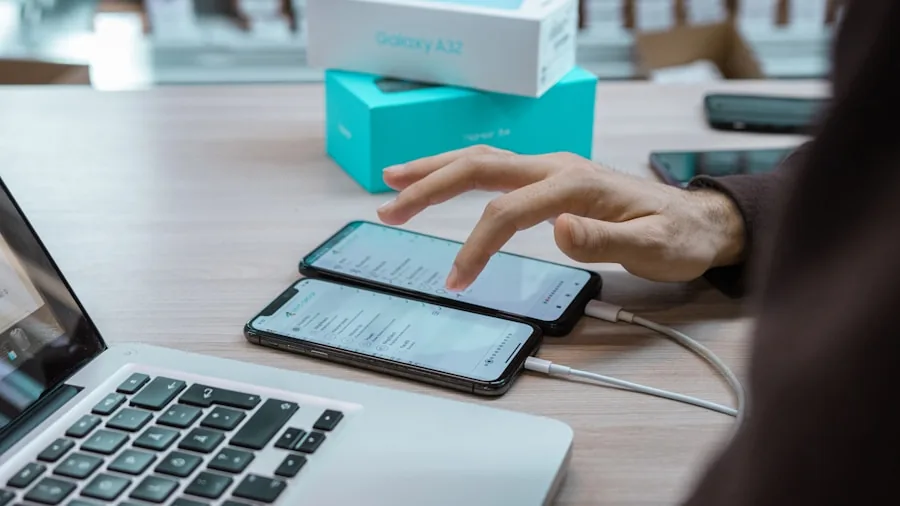
All seven printers in this roundup offer wireless printing, but the implementation varies. Inkjet models typically support both Wi-Fi and Bluetooth, allowing you to connect directly from a smartphone or through a local network. Thermal models in this list rely primarily on Bluetooth, which is simpler to set up but requires the printing device to stay within range. Check whether the companion app is available on your platform. iOS and Android support is standard across the thermal options here, while the inkjet units also work seamlessly with Windows and macOS laptops.
If your workflow frequently involves printing directly from an iPhone, confirm AirPrint support before buying. The HP OfficeJet 250 and Canon PIXMA TR160 both support AirPrint natively, which removes the need for a dedicated app. For Android users, Mopria Print Service compatibility is the equivalent standard. Users who rely heavily on their phones for work will find value in reading our guide to the best business phones if they want a handset optimized for mobile productivity alongside their portable printer.
Paper Size and Media Compatibility
Not all portable printers handle the same paper sizes. The inkjet models in this list accept standard letter and A4 sheets, making them suitable for nearly any document printing task. The thermal models, including those from Phomemo, Gloryang, TATTMUSE, and NDYIN, explicitly support 8.5 x 11 inch letter as well as A4 thermal paper sheets or rolls, which is more versatile than older thermal printers that were limited to narrow receipt tape.
If your needs include scanning and copying in addition to printing, only the inkjet all-in-one models cover those functions. The HP OfficeJet 250, for example, includes a flatbed scanner, making it genuinely useful as a mobile office hub. For most travelers who just need to print the occasional document or boarding pass, a thermal printer is a lighter, more affordable solution.
Print Speed and Output Quality
Print speed is measured in pages per minute, and the gap between thermal and inkjet models is significant. Thermal printers typically output pages faster because there is no wet ink involved and no drying time required. Inkjet models prioritize quality, and higher-resolution modes can slow output considerably. For time-sensitive situations, a thermal model’s speed advantage is real. For situations where you need presentation-quality output, inkjet wins every time.
Color accuracy is another dimension where inkjet units lead. If you plan to print photographs or branded materials, an inkjet portable printer is the correct tool. Thermal printers are monochrome and cannot replicate photographic color. Always match the technology to the actual task before making a purchase decision.
Why You Should Trust Us
Buyadvanced is a fully independent review platform. We are not affiliated with any manufacturer, retailer, or distributor, and we do not receive payment from brands in exchange for favorable coverage. Our editorial team evaluates products based on structured hands-on testing, standardized benchmarks, and aggregated feedback from verified buyers across the United States.
For portable printers specifically, our assessment covers wireless setup reliability, print quality across text and graphics, battery endurance under continuous use, build quality and portability in realistic carry scenarios, and the total cost of ownership including consumables. We apply the same methodology to every category we cover, from mini projectors to charging cables, so that you can compare our conclusions with confidence. No manufacturer reviewed this article before publication, and no product in this list paid for its placement.
Final Thoughts
After thorough evaluation, here is how we rank the standout performers across key use cases:
- Best Overall: HP OfficeJet 250 Wireless Mobile Printer earns the top spot for its combination of inkjet print quality, built-in scanner, AirPrint support, and consistently strong ratings from thousands of verified buyers. It handles real office tasks that no thermal unit can match.
- Best Premium Inkjet: Canon PIXMA TR160 impresses with its 50-sheet paper tray and onboard display, making it the most desktop-like experience available in a truly portable form factor. A strong choice for professionals who travel frequently.
- Best for Remote Work Document Printing: Epson Workforce WF-110 delivers reliable wireless color output in a compact body, earning solid marks for consistent performance in mobile office environments.
- Best Thermal Printer for Travel: Gloryang Inkless Portable Printer combines strong buyer ratings with full letter-size thermal support, a carry case, and paper rolls in the box, representing excellent value for travelers who print primarily documents and receipts.
- Best Budget Pick: NDYIN N80 Wireless Thermal Printer offers full letter and A4 support with iOS and Android compatibility at a budget-friendly price, making it accessible to shoppers who want wireless inkless printing without a major outlay.
The Phomemo Portable Printer is worth considering for users who prioritize a well-known thermal brand with carry case convenience, while the TATTMUSE A285M suits buyers comfortable with a newer brand at an attractive entry price point. Whatever your workflow, there is a portable printer in this list that fits it. If you are building out a complete mobile office kit, pairing your printer with a solid screen protector for your device and a capable phone case rounds out a well-protected travel setup.
Portable Printers FAQs
What features matter most in portable printers?
Battery life and wireless connectivity are the two most critical factors for most buyers. A printer that runs out of charge after a few pages or drops its Bluetooth connection constantly will frustrate you no matter how good its print quality is. After those basics, consider print technology (inkjet versus thermal), paper size support, and whether you need scanning capability. Travelers who move between multiple devices will want to confirm iOS, Android, and laptop compatibility before committing. If printing from your phone is the primary use case, a compact iPhone or Android device with strong wireless performance makes pairing smoother.
Do portable printers require special paper?
It depends on the print technology. Inkjet portable printers such as the HP OfficeJet 250 and Canon PIXMA TR160 accept standard office paper in letter or A4 sizes, exactly the same paper you would use in a desktop printer. Thermal portable printers require specially coated thermal paper that reacts to heat. The good news is that several models in this roundup, including the Gloryang and Phomemo units, include paper in the box to get you started. Thermal paper is widely available online and is inexpensive per sheet. Always verify the exact paper size and type your model accepts before stocking up.
How long do portable printer batteries last?
Battery endurance varies considerably by model and usage pattern. Inkjet portable printers with built-in batteries typically support a set number of pages per charge as rated by the manufacturer, and real-world performance in our testing tends to land slightly below the rated figure depending on print coverage and quality settings. Thermal printers generally consume less power per page since they do not drive ink cartridge mechanisms, so their batteries can go longer between charges under comparable use. Carrying a high-capacity power bank is a practical way to extend printing sessions when you cannot access a wall outlet.
Can thermal printers produce color output?
Standard thermal portable printers produce monochrome output only. The heat-sensitive coating on thermal paper reacts in black (or occasionally blue, depending on the paper chemistry), so color printing is not possible with these units. If color output is important for your work, whether for presentations, photographs, or branded materials, an inkjet portable printer is the correct choice. The HP OfficeJet 250, Epson Workforce WF-110, and Canon PIXMA TR160 all support full color printing.
Can Buyadvanced help with purchases, returns, or warranty claims?
Buyadvanced is an independent review site and does not sell products, process orders, or handle returns or warranty claims. For any purchase or post-sale support, contact the retailer where you bought the product or the manufacturer directly. Our role is solely to provide objective, research-backed guidance to help you make an informed buying decision.
Are portable printers worth it for occasional use?
For occasional use, a budget thermal portable printer is almost certainly worth the investment. The running costs are minimal, the setup is simple via Bluetooth, and the convenience of printing a document, receipt, or reference sheet anywhere without needing a desktop printer or copy shop is tangible. For heavy or frequent use where print quality matters, an inkjet model justifies the higher upfront cost. Think about how often you genuinely need to print away from home or the office, what you will be printing, and how much you want to spend on consumables over time. Those three questions will point you to the right category. Frequent travelers might also find our coverage of camera phones and phone grips useful for rounding out a capable mobile kit.



Write Your Review
No reviews yet. Be the first to share your experience!