


Understand Your TV’s Streaming Capabilities
Modern televisions come equipped with built-in apps for popular streaming platforms, but not all TVs support the same services. Before purchasing a new television, verify which streaming applications it includes natively. Some older models may require external devices to access certain platforms. Check the manufacturer’s specifications to ensure your TV can handle the streaming services you plan to use regularly. This foundational step prevents frustrating compatibility issues down the road.
Invest in a Reliable Internet Connection

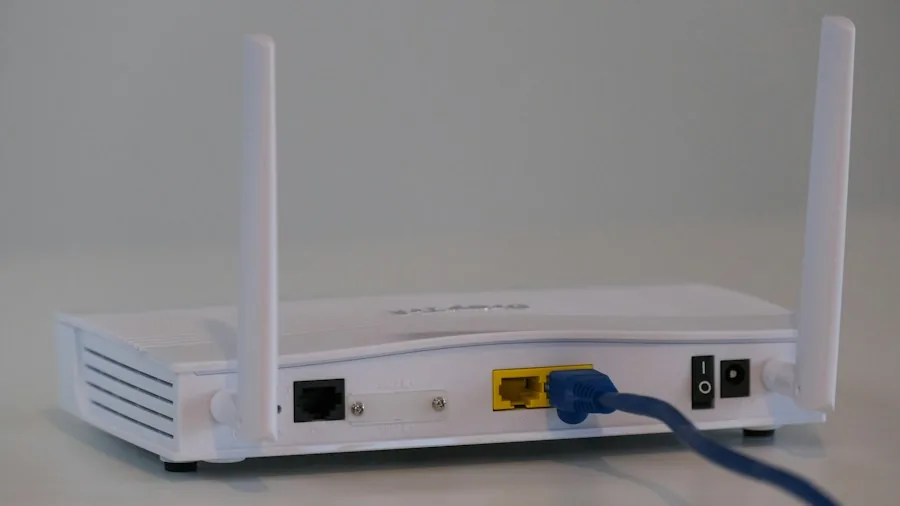
Streaming high-definition or 4K content demands consistent, fast internet speeds. A weak connection results in buffering, pixelation, and interrupted viewing experiences. Most streaming services recommend minimum download speeds of 25 Mbps for 4K content and 5 Mbps for standard HD. Test your current connection speed and consider upgrading your internet plan if necessary. Position your router near your TV or use a mesh network system to ensure strong signal strength throughout your viewing area.
Consider Using a VPN for Geographic Flexibility
Streaming content availability varies by region, and certain shows or movies may only be accessible in specific countries. A Virtual Private Network allows your device to appear as though it’s located in a different region, potentially unlocking additional content. This proves particularly useful when traveling abroad or relocating temporarily. Research reputable VPN providers that prioritize speed and reliability, as video streaming requires consistent performance. Many quality VPN services offer substantial discounts and include money-back guarantees.
Choose the Right Display Size and Resolution
Your viewing distance and room size determine the ideal TV dimensions and resolution. Sitting too close to a smaller screen or too far from a large one diminishes the viewing experience. For most living rooms, a television between 55 and 75 inches offers excellent immersion. Resolution matters equally: 4K displays provide sharper images than 1080p, especially on larger screens. Consider the content you’ll watch most frequently and match your TV’s capabilities to your typical viewing habits.
Optimize Your TV Settings for Streaming Quality
Out-of-the-box settings rarely deliver optimal picture quality for streaming content. Access your TV’s settings menu and adjust brightness, contrast, and color saturation to suit your room’s lighting conditions. Enable motion smoothing features if your TV supports them, though some viewers prefer the natural frame rate of original content. Many streaming apps offer quality settings you can adjust directly; select the highest quality option your internet speed can reliably support. Calibrating these settings takes time but dramatically improves your viewing pleasure.
Select an Appropriate External Device if Needed
If your television lacks built-in streaming apps or you want advanced features, external streaming devices extend your options significantly. Popular external devices range from affordable basic models to premium options with enhanced performance. These devices connect via HDMI and provide access to streaming applications your TV might not natively support. Compare features, user interfaces, and content library compatibility before deciding. Installing an external device is straightforward and opens doors to a broader entertainment ecosystem.
Protect Your Setup with Proper Equipment Care
Maintaining your TV ensures years of reliable streaming enjoyment. Avoid placing your television in direct sunlight or near heat sources, which can damage internal components. Use a surge protector to shield against electrical spikes that could harm your device. Clean your TV screen gently with a microfiber cloth and appropriate cleaning solution designed for displays. Ensure adequate ventilation around your TV to prevent overheating during extended streaming sessions. Regular maintenance preserves picture quality and extends your television’s lifespan significantly.
By implementing these strategies, you’ll create a superior streaming environment tailored to your preferences and technical requirements. Whether you’re watching in your home or accessing content while traveling, these tips ensure consistent, high-quality entertainment across any device or location.





Write Your Review
No reviews yet. Be the first to share your experience!