

Whether you stream music all day, game late into the night, or simply want to stop relying on your laptop’s built-in sound, a good set of computer speakers transforms every audio experience on your desk. American listeners have more solid options than ever, with systems from Klipsch, Edifier, Logitech, and Bose covering everything from compact budget setups to full 2.1 gaming rigs with RGB lighting. Our team has tested 9 systems across different room sizes, use cases, and connectivity preferences so you can spend your money wisely and skip the guesswork. If you’re also shopping for portable Bluetooth speakers or browsing soundbars for a TV setup, we cover those separately.

Pros
- Exceptional audio clarity and soundstage for a 2.1 system, with powerful bass response that doesn't require a large subwoofer
- THX certification provides confidence in sound quality standards and performance benchmarks
- Versatile connectivity works with multiple devices including computers, gaming consoles, and televisions
- Compact, attractive design fits seamlessly on desks without dominating your workspace
- Easy-to-use control pod with intuitive volume and subwoofer gain adjustments
Cons
- Wired-only connectivity means you'll need to position speakers near your audio source or use extension cables
- Not ideal for large rooms or open floor plans where the 110dB output may struggle to fill expansive spaces
- Premium price point reflects the THX certification and Klipsch brand, making it a significant investment compared to budget alternatives
The Klipsch ProMedia 2.1 represents a significant step up from standard computer speakers, delivering audio performance that justifies its premium positioning. The combination of THX certification and Klipsch's proprietary MicroTractrix horn technology creates a soundstage that feels larger than the physical footprint suggests. Whether you're streaming music, watching movies, or gaming, the clarity and directional imaging make you forget you're listening to a compact desktop system. The 6.5-inch subwoofer provides substantial bass extension without the bloat or muddiness common in budget subwoofers, maintaining clean output across volume levels.
Build quality reflects Klipsch's audio pedigree, with ABS and MDF construction that feels solid and durable. The included 9.5-foot speaker cables offer reasonable reach for typical desk setups, and the control pod provides straightforward access to volume and subwoofer gain adjustments. Setup is genuinely plug-and-play, requiring only connection to your audio source and power outlet. The system's versatility shines here, working equally well with computers, gaming consoles, televisions, and portable music players via the 3.5mm input.
Real-world performance validates the 200-watt peak power specification. At moderate volumes, the system produces room-filling sound with impressive dynamics and detail. For gaming, the spatial accuracy of the stereo imaging combined with punchy bass response creates an immersive experience that elevates competitive gaming and story-driven titles alike. The only meaningful limitation is the wired-only connection requirement, which necessitates careful cable routing in some setups. For desktop use, this remains a minor inconvenience compared to the audio quality delivered.
| Speaker Configuration | 2.1 (Two satellites + subwoofer) |
| Peak Power Output | 200 watts |
| Maximum Output Level | 110dB (in-room) |
| Frequency Response | 31 Hz and above |
| Signal-to-Noise Ratio | 106 dB |
| Midrange Driver | 3-inch (satellites) |
| Subwoofer Driver | 6.5-inch, side-firing ported |
| Connectivity | 3.5mm auxiliary input (wired) |
| Control Method | Corded control pod with volume and subwoofer gain |
| Power Source | AC corded electric (120V) |
| Satellite Dimensions | 8.5"H x 4.2"W x 5.67"D |
| Subwoofer Dimensions | 10.2"H x 9.5"W x 9.8"D |
| Mounting Type | Tabletop mount |
| Materials | ABS plastic and MDF wood |
| Included Accessories | Two 9.5-foot speaker cables (22 gauge), user manual, warranty information |
| Warranty | Full 1-year warranty |
| Certifications | THX certified |
| Compatible Devices | Personal computers, gaming consoles, televisions, MP3 players |
Gaming Performance
The ProMedia 2.1 excels in gaming environments where spatial audio cues matter. The stereo imaging accurately positions sound effects left to right, giving competitive gamers an advantage in titles where directional audio is critical. The responsive subwoofer adds impact to explosions, footsteps, and environmental effects without overwhelming dialogue or music cues. With 110dB of output, the system maintains clarity even during intense gaming sessions with multiple simultaneous sound effects.
Movie and Streaming
For movies and streaming content, the THX certification ensures proper balance between dialogue clarity, effects, and music. The 2.1 configuration doesn't provide surround channels, but the precise stereo imaging and subwoofer integration create a more immersive experience than standard TV speakers or budget alternatives. Dialog remains intelligible even during action sequences, and the subwoofer adds cinematic impact to dramatic moments.
Music Listening
Music reproduction benefits significantly from the Klipsch horn technology, which emphasizes midrange clarity and vocal presence. Rock, pop, and electronic music showcase the system's dynamic range and bass response. Classical and jazz enthusiasts appreciate the detailed soundstage and accurate instrument separation. The adjustable subwoofer gain allows customization of bass levels to match personal preference and room acoustics.
Installation Process
Setup takes less than five minutes. Position the two satellite speakers on either side of your monitor or desk, place the subwoofer on the floor or under your desk, and connect the provided speaker cables. A single 3.5mm cable connects to your audio source. Plug in the power adapter, and you're ready to adjust volume and subwoofer gain using the control pod. No drivers or software installation required.
Device Compatibility
The 3.5mm auxiliary input accepts audio from any device with a standard headphone output, including computers, laptops, tablets, gaming consoles (via adapter), televisions with audio output, and portable music players. The system works with Windows PCs, Macs, and Linux systems without requiring specific drivers or software configuration.
Cable Management
The included 9.5-foot speaker cables provide reasonable reach for typical desk setups. If your audio source is farther away, standard 3.5mm extension cables are inexpensive and widely available. The subwoofer cable length is fixed, so plan subwoofer placement within reach of your audio source. Cable routing behind desks is straightforward with proper clips and cable management solutions.

Pros
- Exceptional audio quality for the price with Hi-Res certification and dual-driver configuration
- Versatile connectivity options including Bluetooth 5.3, USB-C, and AUX for seamless device pairing
- Space-saving compact design (100mm width) ideal for minimalist desktop setups and small spaces
- Thoughtfully included aluminum speaker stands eliminate desktop reflections for cleaner sound
- User-friendly touch controls with convenient mobile app for sound customization and settings adjustment
Cons
- No subwoofer output means bass-heavy music genres may lack the deepest low-frequency impact
- Bluetooth range limited to 10 meters, requiring relatively close proximity to wireless devices
- Not water-resistant, so placement in humid environments or near liquids requires careful consideration
The Edifier M60 delivers impressive audio performance in a remarkably compact footprint. With 66W of RMS power split between a 3-inch mid-bass driver and 1-inch silk dome tweeter, this speaker produces detailed highs and punchy mids that satisfy critical listeners. The Class-D amplifier operates at 24-bit/96kHz resolution, ensuring pristine audio conversion whether you're streaming via Bluetooth or connecting through USB-C and AUX inputs.
What sets the M60 apart is its dual certification for Hi-Res Audio across both wired and wireless connections. The Bluetooth 5.3 implementation with LDAC codec support enables lossless streaming at up to 990 kbps from compatible Android devices, eliminating the traditional quality compromise of wireless audio. The built-in DSP provides precise two-way active crossover and dynamic range control, resulting in balanced, natural sound across the frequency spectrum.
The included aluminum speaker stands with 15-degree angling represent thoughtful engineering, positioning the drivers at ear level to minimize desktop reflections and room distortion. Combined with the intuitive touch-panel interface and EDIFIER ConneX mobile app for sound customization, the M60 offers both convenience and control. At just 100mm wide, it fits seamlessly into any desk setup without compromising on acoustic capability or connectivity options.
| Specification | Details |
|---|---|
| Model | Edifier M60 |
| Power Output | 66W RMS (18W+18W mid-low, 15W+15W treble) |
| Driver Configuration | 3-inch long-throw aluminum mid-bass + 1-inch silk dome tweeter |
| Audio Processing | 24-bit/96kHz Class-D amplification with built-in DSP |
| Frequency Response | 40 Hz - 40 kHz |
| Signal-to-Noise Ratio | 85 dB |
| Bluetooth Version | 5.3 with LDAC codec (up to 990 kbps) |
| Bluetooth Range | 10 meters |
| Wired Connectivity | USB-C, 3.5mm AUX |
| Dimensions per Speaker | 3.93 inches D x 6.61 inches W x 5.78 inches H |
| Width | 100mm (compact desktop-friendly size) |
| Weight | 4.4 kg (9.7 lbs) per pair |
| Enclosure | Hand-crafted wooden cabinet (MDF) |
| Control Method | Touch panel with auto-sensing backlight |
| App Control | EDIFIER ConneX mobile app |
| Included Accessories | Aluminum speaker stands (15-degree angle), power cord, USB-C to USB-C cable, audio cables (RCA and AUX) |
| Power Source | AC corded electric |
| Water Resistance | Not water-resistant |
| Warranty | Limited warranty |
| Compatible Devices | Smartphone, tablet, laptop, desktop |
| Use Cases | Gaming, home theater, business, pro audio, party |
Audio Fidelity
The M60 achieves Hi-Res Audio certification for both wired and wireless playback, a rare distinction that reflects genuine commitment to audio quality. The dual-driver configuration separates frequencies intelligently, with the 3-inch mid-bass handling warmth and body while the 1-inch tweeter delivers crisp, articulate highs. This separation prevents the muddy sound common in single-driver speakers and reveals detail in your music across genres.
Wireless Performance
Bluetooth 5.3 with LDAC codec support represents the current standard for high-quality wireless audio. At 990 kbps bitrate, you're receiving nearly lossless quality from compatible Android devices (version 8.0+), eliminating the traditional gap between wired and wireless listening. The Class-D amplifier's high efficiency means stable, distortion-free amplification even at higher volumes.
Room Integration
The included aluminum speaker stands with 15-degree angling are not decorative but functional. They position the drivers at ear level when placed on a desk, reducing reflections from the work surface that would otherwise color the sound. The compact 100mm width means you gain acoustic performance without the visual bulk of traditional bookshelf speakers.
Initial Setup
The M60 arrives with everything needed to start listening. The included aluminum stands should be installed first, positioning the speakers at a 15-degree angle on your desk. Connect the power cord, and you're ready for wireless or wired audio. The touch panel on top provides immediate access to power, volume, and input switching without requiring the app.
Wireless Connection (Bluetooth 5.3)
Press and hold the Bluetooth button to enter pairing mode. Your smartphone, tablet, or laptop will detect the M60 within seconds. Once paired, it automatically reconnects when powered on. For the best audio quality, pair with Android 8.0 or later devices that support LDAC codec. The 10-meter Bluetooth range covers most desk and room scenarios without connectivity drops.
Wired Connections
The rear-mounted USB-C port connects directly to computers and supports high-resolution audio playback. The 3.5mm AUX input works with any audio source, from turntables to older devices. The included cable set provides USB-C to USB-C, RCA, and AUX options, covering virtually any connection scenario. Switching between inputs is seamless via the touch panel or EDIFIER ConneX app.
EDIFIER ConneX App
Download the free app for advanced control including playback management, sound effect customization, touch panel backlight settings, and access to the complete user manual. The app adds convenience without being necessary for basic operation, giving you flexibility in how you control your speakers.

Pros
- Exceptional value at under $60 with solid 4.4-star rating from nearly 7,500 verified customers
- Multi-device connectivity eliminates the hassle of constantly re-pairing devices
- Easy-Switch technology genuinely simplifies switching between audio sources
- Balanced sound profile with both powered and passive drivers creates surprisingly full audio for the price
- Simple one-touch controls make operation intuitive for all users
Cons
- 5-watt RMS power may feel modest for large rooms or very loud listening sessions
- Plastic construction feels less premium than higher-priced alternatives, though it's durable for desktop use
- No battery backup or portable operation; speakers require AC power connection
The Logitech Z207 represents an excellent balance of functionality and affordability for anyone seeking dependable desk speakers. The standout feature is the multi-device connectivity system: pairing two Bluetooth devices plus one wired input means you can connect your laptop, smartphone, and tablet simultaneously without constant re-pairing. The Easy-Switch technology makes transitioning between sources genuinely effortless, which proves invaluable in work-from-home or gaming environments where you're juggling multiple devices.
Sound quality meets expectations for the price point. Each speaker houses one active driver delivering full-range audio and one passive radiator extending bass response, creating a more dimensional soundscape than typical budget computer speakers. The 10-watt peak power generates adequate volume for most desk environments, though those in large rooms or preferring extremely loud playback may find it limiting. The on-speaker controls are conveniently positioned and responsive, eliminating the need for a separate remote.
Practical design considerations make these speakers user-friendly. The compact tabletop mount footprint fits neatly beside monitors without dominating desk space, and the built-in headphone jack provides quick audio switching without unplugging cables. The two-year warranty demonstrates Logitech's confidence in durability. Overall, the Z207 delivers solid performance for professionals, students, and casual users who prioritize connectivity flexibility and simplicity over high-powered audio performance.
| Model Number | 980-001294 |
| Speaker Type | 2.0 Stereo Computer Speakers |
| Audio Output | 10 Watts Peak / 5 Watts RMS |
| Driver Configuration | Active Driver (full-range) + Passive Radiator (bass extension) |
| Frequency Response | 20 Hz to 20 kHz |
| Connectivity | Bluetooth 4.2 (2 devices) + 3.5mm aux input (1 device) |
| Bluetooth Range | 10 meters |
| Controls | Touch-activated: Power, Volume, Bluetooth Pairing |
| Additional Features | Headphone jack, Logitech Easy-Switch technology |
| Dimensions (each speaker) | 4.88" D x 1.39" W x 9.49" H |
| Weight | 2.88 lbs |
| Enclosure Material | Plastic |
| Color | Black |
| Power Source | AC powered |
| Mounting Type | Tabletop |
| Compatible Devices | Computers, Laptops, Smartphones, Tablets, TVs, Music Players |
| Warranty | 2 Years Manufacturer |
Bluetooth Pairing: Press and hold the Bluetooth button on the right speaker until the LED indicator flashes. Your device will detect 'Logitech Z207' in available Bluetooth networks. Select and confirm pairing. Repeat for a second Bluetooth device.
Wired Connection: Connect any device with a 3.5mm audio jack directly to the auxiliary input on the right speaker using a standard audio cable.
Easy-Switch Technology: Once two Bluetooth devices are paired, pause audio on the active device and press play on your second device. The speakers automatically switch without manual re-pairing. This works seamlessly between Bluetooth devices and the wired input as well.
Compatible With: Windows and Mac computers, iPhones and Android smartphones, iPads and Android tablets, Smart TVs with Bluetooth, portable music players, and any device with Bluetooth 4.0+ or a 3.5mm output.
| Feature | Z207 | Best For |
|---|---|---|
| Price Point | Budget-Friendly ($59.99) | Cost-conscious buyers |
| Bluetooth Devices | 2 devices + 1 wired | Multi-device users |
| Power Output | 5W RMS / 10W Peak | Desk and small rooms |
| Easy-Switch | Yes | Frequent device switchers |
| Headphone Jack | Yes | Quick audio switching |
| Warranty | 2 Years | Long-term reliability |
| Ideal Use Cases | Work-from-home, gaming, casual listening, office environments | Professionals and students |
When to Choose Z207: You value versatility, multi-device connectivity, and ease of use over maximum power. You work at a desk and need quick switching between devices. You want reliable performance at an accessible price.
Pros
- Exceptional sound quality with balanced mids and highs paired with responsive bass from the dedicated subwoofer
- Intuitive app control puts advanced audio customization and RGB lighting at your fingertips without physical clutter
- Versatile connectivity supports gaming consoles, laptops, smartphones, and tablets for multi-device flexibility
- Thoughtful industrial design with tiltable speaker stands and compact subwoofer maximizes workspace efficiency
- Bluetooth 5.3 provides reliable wireless connectivity with minimal latency for gaming and media consumption
Cons
- 10-watt maximum output may feel underpowered for large rooms or users seeking concert-level volume
- Premium pricing at $379.99 positions this above budget-friendly alternatives, though justified by audio quality and features
- Requires app download for full feature access including EQ and RGB customization, adding a setup step for new users
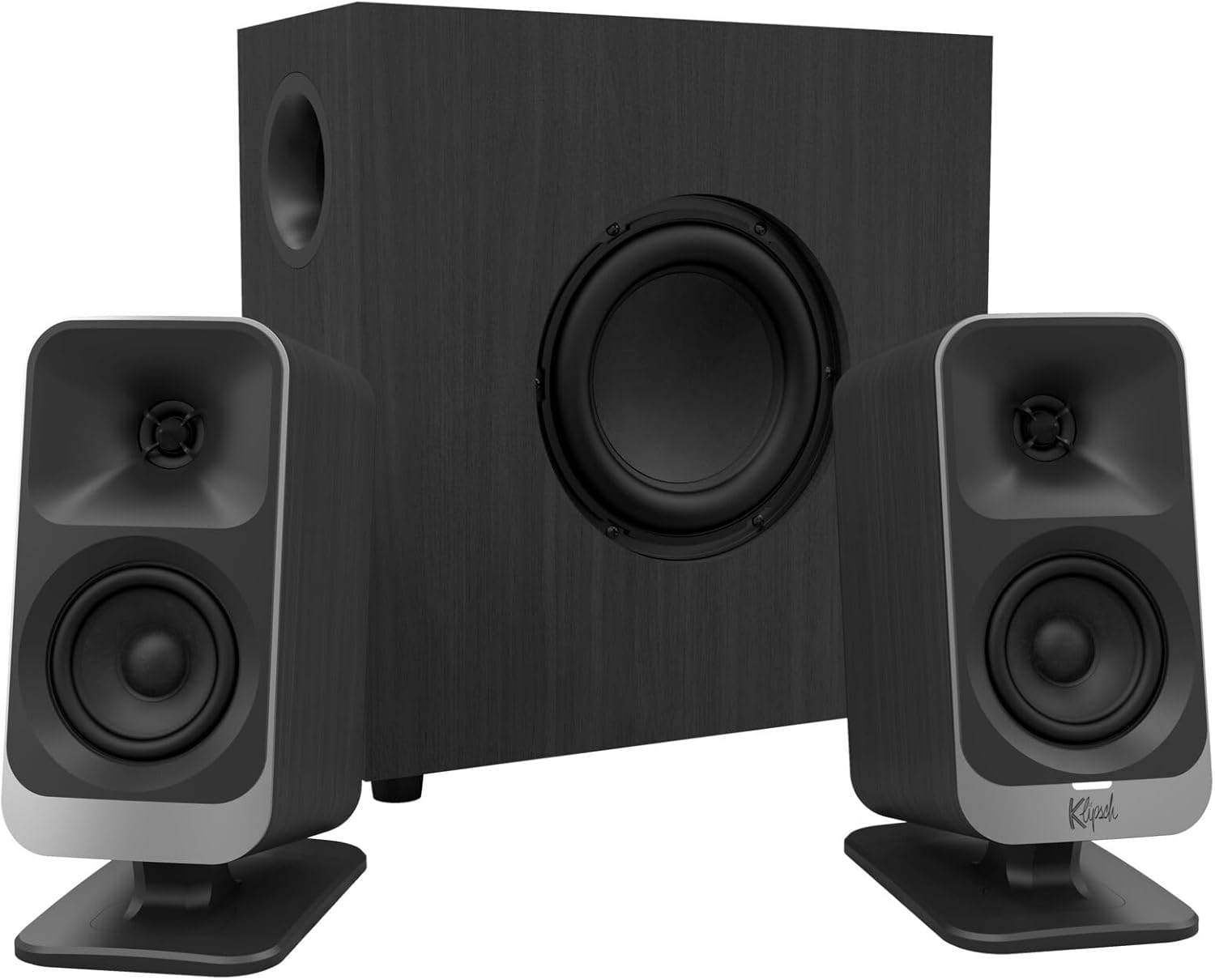
The Klipsch ProMedia Lumina represents a thoughtful evolution of a legendary product line that defined desktop audio for generations. This 2.1 system combines the brand's signature audio engineering with modern conveniences like Bluetooth 5.3 and USB-C connectivity. The redesigned cabinet and tiltable stands integrate seamlessly into contemporary workstations, while the low-profile subwoofer delivers surprising punch without dominating your desk space. Whether you're gaming, creating content, or enjoying music and movies, the Lumina provides a cohesive audio experience that justifies its premium positioning.
Connectivity and control are where this system truly shines. Multiple input options let you switch between your gaming PC, console, laptop, smartphone, and tablet without constant cable swapping. The Klipsch Control app transforms your experience by offering precision EQ adjustments, music react mode that syncs RGB lighting to audio, night mode for late-night sessions, and three customizable color schemes. This level of personalization extends beyond aesthetics into practical functionality, allowing you to optimize sound characteristics for different content types and gaming genres.
The 2.1 configuration delivers balanced surround sound with crisp highs and mids from the satellite speakers paired with the responsive 6.5-inch subwoofer. The adjustable gain knob gives you fine control over bass levels to match your room and preferences. While the 10-watt maximum output suits desktop environments well, users with large rooms should consider whether this wattage meets their volume expectations. Overall, the Lumina earns its reputation as an indispensable desktop device for gamers and creators who demand both performance and style.
| System Type | 2.1 Surround Sound |
| Audio Output | Surround |
| Maximum Output Power | 10 Watts |
| Frequency Response | 20 Hz |
| Speaker Size | 9.75 inches |
| Subwoofer Diameter | 6.5 inches |
| Connectivity | USB-C, AUX, Bluetooth 5.3 |
| Wireless Technology | Bluetooth 5.3 |
| Control Method | App-based |
| Compatible Devices | Computer, Gaming Console, Laptop, Smartphone, Tablet |
| Mounting Type | Tabletop Mount with Tiltable Stands |
| Color | Black |
| Dimensions (D x W x H) | 6.5 inches x 4 inches x 9.75 inches |
| Weight | 13.1 pounds |
| Additional Features | LED RGB Lighting, Adjustable Gain Knob, Cable Management |
| Power Source | Corded Electric |
| Warranty | 1 Year Limited |
| Model Number | 1073625 |
Optimizing for Gaming
The Lumina excels in competitive and immersive gaming scenarios. For shooters and tactical games, use the Klipsch Control app to boost mid-range frequencies where footsteps and directional audio cues matter most. Enable music react mode to sync RGB lighting with in-game audio for enhanced immersion. The Bluetooth 5.3 connection provides minimal latency for wireless gaming on compatible consoles.
Content Creator Setup
Content creators benefit from the system's balanced sound profile and app-based EQ customization. The multi-connectivity support lets you monitor audio from your main recording device while receiving notifications on secondary devices. The adjustable gain control on the subwoofer helps you dial in the right bass level for your recording environment without overwhelming dialogue or acoustic instruments.
Everyday Entertainment
For streaming movies, music, and videos, the 2.1 configuration provides sufficient dimensionality without excessive complexity. Music react mode adds visual interest during listening sessions, while night mode reduces brightness for late-night use. The USB-C connection simplifies setup with modern laptops and tablets, while AUX input ensures compatibility with older devices.
Initial Setup
Unbox the system and position the satellite speakers on either side of your monitor or desk. Place the subwoofer on the floor or under your desk, using the cable management design to minimize visible wiring. Connect power to all components, then establish your preferred connection method: USB-C for wired computer audio, AUX for line-level inputs, or Bluetooth 5.3 for wireless devices. The quick start guide provides visual setup instructions.
App Configuration
Download the Klipsch Control app from your device's app store. Pair the system via Bluetooth or USB connection. Within the app, you'll find EQ sliders for customizing frequency response, RGB color selection with three preset modes, and toggles for music react mode and night mode. Save your preferred settings for different use cases—one profile for gaming, another for music production, and a third for movie watching.
Fine-Tuning Audio
Use the adjustable gain knob on the subwoofer to balance bass levels with your satellite speakers. Start at the midpoint and adjust based on your room size and personal preference. In the app's EQ section, subtle adjustments to the 100Hz-300Hz range control overall bass warmth, while 2kHz-4kHz adjustments affect vocal clarity. The frequency response extends to 20Hz for deep bass reproduction in gaming and movie soundtracks.
Pros
- Wireless control dial eliminates cable clutter and provides intuitive, lag-free operation from up to 65 feet away
- Multi-device Bluetooth connectivity allows seamless switching between computer, phone, and tablet
- Balanced sound profile with strong bass clarity thanks to digital signal processing and ported subwoofer design
- Attractive, space-saving design with flexible speaker positioning fits modern and traditional workspaces
- Affordable premium audio solution for desktop users who value both sound quality and wireless convenience
Cons
- 80W peak power is moderate compared to larger desktop systems, limiting volume ceiling in very large rooms
- Wireless control dial requires line-of-sight and AAA batteries, adding occasional maintenance
- Not waterproof or portable, designed exclusively for stationary desktop use
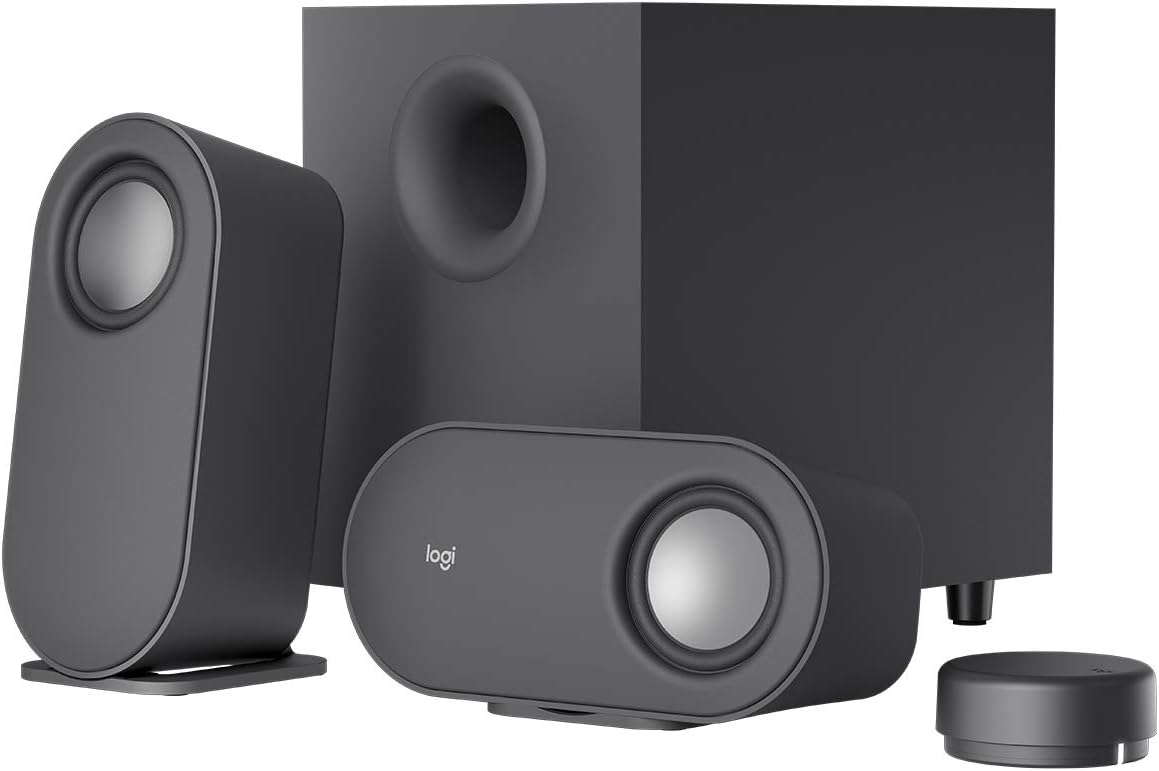
The Logitech Z407 represents a thoughtful approach to desktop audio, combining wireless convenience with solid acoustic performance. The 80W peak power output with 40W RMS delivers balanced sound across the frequency spectrum, while the 20-watt down-firing subwoofer adds genuine punch without overwhelming clarity. Digital signal processing ensures that bass remains tight and defined rather than muddy, making the system equally effective for music streaming, video calls, and gaming sessions.
The standout feature is undoubtedly the wireless control dial, which operates with minimal latency from up to 65 feet away. The ability to tap for play/pause, double-tap to skip tracks, and continuously rotate for volume and bass adjustments transforms how you interact with your audio setup. Multi-device Bluetooth support lets you switch between your computer, smartphone, and tablet without manual reconnection, while USB and 3.5mm inputs provide wired alternatives for devices without Bluetooth capability.
Design-wise, the oval satellite speakers offer genuine flexibility through their dual-position mounting, allowing vertical or horizontal placement to suit your desk layout. The graphite gray finish feels refined without being ostentatious, and the compact footprint won't dominate your workspace. The included AAA batteries and straightforward setup process mean you'll be enjoying immersive sound within minutes of unboxing.
| Specification | Details |
|---|---|
| Peak Power Output | 80W (40W RMS) |
| Subwoofer Power | 20W with bass boost |
| Audio Channels | 2.1 Stereo |
| Connectivity | Bluetooth, USB-A, 3.5mm jack |
| Bluetooth Range | 65 feet (30 meters line of sight) |
| Wireless Control Dial | Yes, with 65-foot range |
| Simultaneous Devices | Up to 3 via Bluetooth/USB/3.5mm |
| Speaker Type | 2 satellite speakers + subwoofer |
| Subwoofer Design | Ported, down-firing |
| Speaker Positioning | Dual-position (vertical/horizontal) |
| Color | Graphite Gray |
| Dimensions | 12.4"D x 9.6"W x 7.3"H |
| Weight | 8.8 lbs (3999g) |
| Power Source | AC powered (2 AAA batteries for dial) |
| Warranty | 1-year limited hardware warranty |
| Included Accessories | Wireless control dial, 3.5mm cable, AAA batteries, documentation |
| Best For | Office work, home entertainment, gaming, music streaming |
Who Should Buy the Z407?
Best For: Desktop professionals, remote workers, gamers, and music enthusiasts seeking balanced audio without cable management headaches. If you frequently switch between devices or value wireless convenience, this system excels.
Consider Alternatives If: You need extreme volume for very large rooms (120W+ systems exist), require portable/waterproof speakers, or want to connect more than three devices simultaneously.
Setup Tips
- Position the subwoofer on the floor or lower shelf for optimal bass response
- Place satellite speakers at ear level when seated for balanced stereo imaging
- Keep the wireless control dial within line-of-sight for reliable operation
- Pair all three input types during setup for seamless device switching
Sound Profile
The Z407 emphasizes balanced reproduction rather than bass-heavy coloration. This makes it versatile for podcasts, video conferencing, and music across multiple genres. The bass boost feature on the control dial lets you customize bass presence without permanent EQ adjustments.
Wireless Control Dial
The standout feature operates via Bluetooth Low Energy with 65-foot range. Single tap plays/pauses music, double tap skips forward, triple tap replays the current track. Rotate 360 degrees for volume control, or long-press to enter bass adjustment mode. LED indicators show which input device is active.
Multi-Device Connectivity
Connect up to three devices simultaneously across Bluetooth, USB, and 3.5mm inputs. The dial's input control button lets you switch between connected devices instantly without unpairing or reconnecting. Ideal for computers, tablets, and phones in the same workspace.
Audio Technology
Digital signal processing maintains clarity across the entire frequency spectrum while the ported subwoofer design adds resonant bass without distortion. The system is optimized for both speech clarity and musical performance, making it suitable for calls, streaming, and entertainment equally.

Pros
- Excellent value for the price with studio-grade 13mm silk dome tweeter and 4-inch woofer
- Dual RCA inputs allow simultaneous connection to two devices without switching
- Easy-to-use tone controls on the side panel let you customize bass and treble to your preference
- Compact tabletop design fits nicely on desks, shelves, or entertainment centers
- Included remote control eliminates the need to reach the speakers for volume adjustments
Cons
- Limited to 75Hz-18kHz frequency response with 9dB variance, so bass-heavy music may sound slightly compressed compared to larger speaker systems
- 42 watts total power is modest for large rooms; best suited for medium-sized spaces or near-field listening
- No wireless connectivity options like Bluetooth, requiring wired connections only
The Edifier R1280T combines vintage aesthetics with contemporary audio engineering, making it an attractive choice for anyone seeking quality sound without sacrificing style. The wooden enclosure and grey speaker grills evoke a classic look that complements modern and traditional room decor alike. Under the hood, the 13mm silk dome tweeter and 4-inch full-range driver work together to produce clear, detailed midrange and treble while maintaining acceptable low-end response for a speaker of this size.
Connectivity and control are straightforward and user-friendly. The dual RCA inputs allow you to connect two devices simultaneously, such as a turntable and a computer, without constantly unplugging and replugging cables. The included remote control provides convenient volume management, while the side panel knobs give you hands-on access to bass and treble adjustments ranging from -6 to +6 dB. This flexibility ensures you can tailor the sound signature to match your listening preferences and room acoustics.
For the price point, the R1280T delivers solid performance for desktop computing, vinyl playback, gaming, and casual home entertainment. The 42 watts of RMS power is sufficient for medium-sized rooms and near-field listening situations. The complete cable package included in the box means you can start enjoying music immediately from most devices. This speaker system represents a practical, no-nonsense solution for anyone who values straightforward audio quality and retro charm.
| Specification | Details |
|---|---|
| Model | R1280T |
| Type | Active Powered Bookshelf Speakers (2.0 Stereo) |
| Total Power Output | 42 Watts RMS (21W + 21W per channel) |
| Frequency Response | 75Hz - 18kHz (+/- 9dB) |
| Signal-to-Noise Ratio | ≥85dBA |
| Bass Driver | 4-inch (116mm) woofer |
| Treble Driver | 13mm silk dome tweeter |
| Input Types | Dual RCA inputs (simultaneous connection) |
| Connectivity | RCA, 3.5mm AUX (cables included) |
| Volume Control | Remote control + side panel knob |
| Tone Control | Bass and Treble adjustable -6 to +6 dB |
| Dimensions (per speaker) | 5.7" W x 9.2" H x 6.9" D |
| Weight (per speaker) | Approximately 2.45 kg |
| Enclosure Material | MDF wood with wood-effect vinyl finish |
| Power Input | 100-240V AC (universal voltage) |
| Included Accessories | 8-foot speaker cable, 4-foot RCA cable, 4-foot AUX-to-RCA cable, remote control, power cable |
| Warranty | 2-year manufacturer warranty |
| Best For | Desktop audio, turntables, gaming, home entertainment |
Ideal Customers:
- Vinyl Enthusiasts: The R1280T is purpose-built for turntable lovers. Its warm, balanced sound signature brings out the best in analog recordings without the harshness of cheap speakers.
- Desktop Workers and Gamers: Compact enough for any desk setup, these speakers provide immersive audio for video calls, streaming, and gaming without taking up much space.
- Budget-Conscious Audiophiles: If you want studio-quality sound without premium pricing, the R1280T delivers impressive performance at an accessible price point.
- Home Theater Enthusiasts: Use these as front speakers or desktop monitors in a home entertainment setup where you want clear dialogue and balanced sound.
- Anyone Upgrading from Laptop Speakers: If your current audio setup is tinny or lacking depth, the R1280T will feel like a dramatic upgrade.
Not Ideal For:
- Bass-heavy music lovers who prioritize deep, powerful low-end response
- Large rooms requiring significant sound pressure levels
- Users who require wireless connectivity (no Bluetooth available)
Quick Start:
The R1280T arrives with everything you need to start listening immediately. Simply unpack the speakers, position them on your desk or shelf, plug in the power cable, and connect your audio source using either the included RCA or AUX cables. The speakers feature a durable physical on/off switch on the back panel, and volume automatically defaults to a comfortable level when powered on.
Connecting Multiple Devices:
One of the standout features is the ability to connect two RCA sources simultaneously. This means you can have your turntable connected to RCA Input 1 and your computer connected to RCA Input 2 without switching cables. Simply select which input you want to listen to using the input selector on the back panel. The AUX input provides a third connection option for phones or tablets.
Optimizing Your Sound:
Use the bass and treble controls on the side of the main speaker to fine-tune the sound to your preference and room acoustics. Start with both controls at the neutral (center) position, then make small adjustments in 1-2 dB increments. For vinyl records, slight bass boost (around +2 to +3 dB) often enhances warmth without muddiness. For digital sources, neutral or slight treble boost can improve clarity. The remote control provides convenient volume adjustment without reaching the speakers.

Pros
- Exceptional audio clarity and balanced sound across all frequencies
- Flexible connectivity allows seamless switching between PC and mobile devices
- Compact footprint doesn't consume excessive desk space
- Easy-access controls on the right speaker for quick adjustments
- Reliable wired connection with no pairing or connectivity issues
Cons
- Limited to wired connectivity, no Bluetooth option for wireless convenience
- Entry-level pricing for Bose brand may be higher than generic alternatives
- Requires AC power outlet placement near your desk setup
The Bose Companion 2 Series III represents a solid choice for anyone seeking dependable, high-fidelity audio performance at their computer workstation. With 100 Watts of power and a 65 Hz frequency response, these speakers deliver the clarity and depth that Bose is known for, ensuring your music, videos, and games sound professional and engaging at any volume level.
What sets these speakers apart is their practical versatility. The 3.5mm auxiliary input lets you connect your smartphone, tablet, or any other audio source alongside your PC, making it easy to switch between devices without unplugging cables. The front-panel controls on the right speaker provide immediate access to volume adjustment and a headphone jack, keeping your setup streamlined and user-friendly.
These speakers are ideal for content creators, remote workers, and casual listeners who want reliable, well-engineered audio without the complexity of wireless pairing or the clutter of a multi-component system. The wired connection ensures consistent performance without interference, making them a dependable companion for long work sessions or extended entertainment use.
| Brand | Bose |
| Model | Companion 2 Series III |
| Maximum Output Power | 100 Watts |
| Frequency Response | 65 Hz |
| Audio Output Mode | Stereo |
| Connectivity | Wired (3.5mm AUX, PC Input) |
| Controls | Front-panel volume control and headphone jack |
| Color | Black |
Best For: Desktop professionals, remote workers, content creators, and gamers who prioritize audio quality and need reliable speakers that can handle both PC and mobile device audio.
Consider If: You want Bose sound quality in a compact, affordable package with straightforward wired connectivity and don't require wireless Bluetooth functionality.
Skip If: You need wireless Bluetooth connectivity, plan to use these speakers in multiple rooms, or prefer a minimalist setup that eliminates visible cables.
Easy Installation: Simply connect the main speaker to your PC via the dedicated PC input jack and plug in the AC adapter. The auxiliary input accepts standard 3.5mm connections from phones, tablets, and other audio devices.
Compatible Devices: Works with Windows and Mac computers, iPhones, iPads, Android phones, tablets, and any device with a 3.5mm audio output or USB connection capability.
Space Requirements: These compact speakers fit comfortably on most desks. Ensure adequate clearance around both speakers for optimal sound dispersion and allow space behind the right speaker for the front-panel controls to be easily accessible.

Pros
- Stunning RGB lighting that genuinely enhances immersion when synced to compatible games
- Powerful, room-filling sound with impactful bass from the subwoofer
- Flexible connectivity options including Bluetooth for smartphones and tablets
- Intuitive Logitech software for customizing lighting effects and audio settings
- Strong build quality and premium aesthetic for gaming setups
Cons
- Mac OS X compatibility is limited; DTS:X surround sound only works on Windows PCs
- Premium pricing reflects the RGB lighting features rather than audio quality alone
- Requires USB power connection, limiting placement flexibility on desk setups
The Logitech G560 represents a unique approach to gaming audio by combining powerful 2.1 surround sound with game-driven RGB lighting that responds to on-screen action in real-time. The 240W peak power output, delivered through dual satellite speakers and a ported subwoofer, creates an immersive soundscape that elevates both competitive gaming and entertainment experiences. The DTS:X Ultra engine renders 3D positional audio, allowing you to hear directional cues that provide a genuine advantage in fast-paced games while maintaining clarity across music and movies.
The standout feature is undoubtedly the LIGHTSYNC RGB system, which synchronizes lighting effects across four customizable zones to match your on-screen action and music. Logitech worked directly with game developers to create native lighting profiles for popular titles, and the included audio visualizer tool extends the lighting experience to any content. The speaker system connects via USB, 3.5mm, and Bluetooth, with the ability to pair up to four devices and switch between them seamlessly, making it practical for gamers who work across multiple platforms.
Build quality is solid throughout, with the speakers designed for desk mounting and the subwoofer featuring a down-firing design that maximizes bass impact without occupying excessive floor space. The intuitive Logitech G software provides extensive customization options for both lighting and audio settings. The main limitation is Windows-only support for DTS:X surround sound, and the premium price reflects the RGB lighting capabilities rather than pure audio performance compared to traditional gaming speakers at lower price points.
| Model | Logitech G560 (980-001300) |
| Speaker Configuration | 2.1 System (2 Satellite + 1 Subwoofer) |
| Peak Power Output | 240 Watts |
| RMS Power | 120 Watts |
| Audio Technology | DTS:X Ultra Surround Sound |
| Maximum SPL | 97 dB @ 426Hz |
| Frequency Response | 18,000 Hz |
| Connectivity | USB, 3.5mm, Bluetooth (10m range) |
| Bluetooth Pairing | Up to 4 devices with Easy-Switch |
| RGB Lighting | 16.8 Million Colors, 4 Customizable Zones |
| Subwoofer Diameter | 16.6 cm (6.5 inches) |
| Speaker Size | 15.9 inches |
| Dimensions (Each Speaker) | 8.1"D x 6.5"W x 5.8"H |
| Total Weight | 12.1 lbs |
| Control Method | App-based with Logitech G Software |
| Compatibility | Windows PC, Smartphones, Tablets |
| Warranty | 1-Year Limited Hardware Warranty |
| Waterproof | No |
The G560 excels in competitive gaming scenarios where directional audio provides a tactical advantage. The DTS:X Ultra surround sound processing creates a convincing 3D soundscape that helps you locate enemy footsteps, gunfire, and approaching threats with precision. Popular titles like Valorant, Counter-Strike 2, and Overwatch benefit significantly from this positional audio rendering, though performance depends on game-specific DTS:X implementation.
For story-driven and immersive games, the RGB lighting synchronization elevates the experience substantially. Games like Cyberpunk 2077, Elden Ring, and Halo Infinite feature native LIGHTSYNC support, causing the speakers to pulse, flash, and shift colors in response to explosions, magic casts, and environmental changes. This real-time feedback loop creates a more visceral connection to the on-screen action, making intense moments feel more impactful.
The subwoofer's down-firing design delivers satisfying bass impact for explosions and environmental effects without creating room-shaking rumble that compromises dialogue clarity. The wide-angle drivers in the satellite speakers ensure clear vocals and sound effects across a reasonable listening area, making the system suitable for both solo gaming sessions and shared viewing experiences.
Initial Setup: The G560 requires a USB power connection and at least one audio input (USB, 3.5mm, or Bluetooth). Download Logitech G Hub software from Logitech's website to unlock full RGB customization and access game-specific lighting profiles. The setup process typically takes 10-15 minutes and includes pairing the subwoofer to the satellite speakers via a wireless connection.
Device Compatibility: Windows PCs receive full functionality including DTS:X surround sound and game-driven lighting. Mac OS X users can use the speakers but will not have access to DTS:X processing. Smartphones and tablets connect via Bluetooth for music playback and can trigger the audio visualizer lighting feature. The system supports simultaneous connection to four devices with instant switching via the Logitech software.
Placement Recommendations: Position the satellite speakers at ear level on either side of your monitor, 12-24 inches apart for optimal stereo imaging. Place the subwoofer on the floor beneath or beside your desk; avoid corners to prevent bass buildup. The 10-meter Bluetooth range allows wireless connection from other rooms. Ensure adequate ventilation around the speakers, as the subwoofer generates heat during extended use. The USB power cable is approximately 6 feet long, so plan your desk layout accordingly.
How to Choose the Right Computer Speakers
Buying computer speakers comes down to more than raw wattage or brand recognition. Room size, primary use, desk layout, and existing devices all shape which system will actually satisfy you long-term. The sections below walk through every factor worth weighing before you add to cart.
Sound Quality and Output Power
Sound clarity is the single most important factor when choosing desktop speakers. Larger drivers, typically three inches or more, move more air and reproduce a wider frequency range without straining at higher volumes. Smaller drivers can sound thin or harsh when pushed, which matters if you frequently fill a room with music or game audio.
Pay attention to RMS wattage rather than peak numbers when comparing models. RMS reflects continuous, real-world power output, which predicts how a speaker performs during extended listening sessions far better than inflated peak specs. A well-designed 42-watt RMS system like the Edifier R1280T often outperforms a poorly tuned 60-watt system in practice.
Consider your primary content type as well. Music benefits from a flat, balanced response, gaming and movies reward pronounced bass and clear high-frequency effects, while vocal-heavy podcasts or video calls need clean midrange reproduction above all else. If you also use quality headphones at your desk, the speakers only need to handle casual listening, which opens up more affordable options.
Connectivity Options Available

Modern desktop speaker systems offer a range of inputs, and matching those inputs to your actual devices saves frustration after unboxing. Bluetooth has become nearly standard even on mid-range models, letting you pair a smartphone or laptop wirelessly without reaching for a cable. The Logitech Z207, Logitech Z407, and Edifier G2000 all support Bluetooth alongside wired inputs, which gives real flexibility in mixed-device households.
USB-powered models like those supporting USB-C input simplify cable management because one cable handles both power and audio signal. The Edifier M60 uses USB-C input alongside AUX and supports Bluetooth 5.3 with LDAC, making it a versatile hub for modern setups. Older 3.5mm AUX connections remain universally compatible and often deliver lower latency than wireless connections for gaming.
If you switch frequently between a desktop PC, laptop, and phone, look for systems that remember multiple paired Bluetooth devices or offer dedicated input buttons on a control pod. That small convenience becomes significant over months of daily use. Users who want truly cable-free audio at the desk might also consider Bluetooth speakers designed for portability, though dedicated desktop systems generally deliver better stereo imaging.
Build Quality and Design
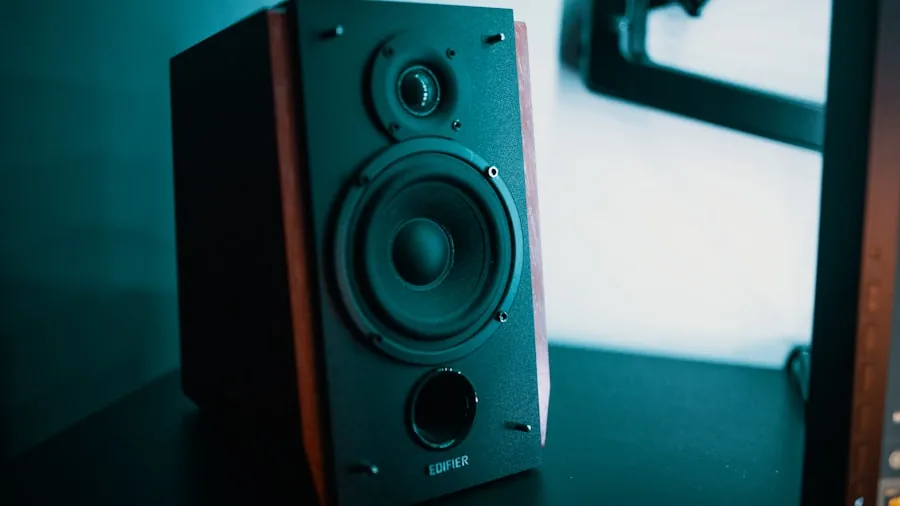
Cabinet material has a direct effect on sound quality. Wooden enclosures, like those used in the Edifier R1280T, reduce unwanted resonance and vibration that plastic cabinets often introduce. The result is a cleaner, more accurate sound especially in the midrange, which is why studio-style bookshelf speakers almost always use MDF or real wood.
That said, plastic enclosures are not automatically inferior. Well-braced plastic builds found in Logitech and Klipsch systems can perform admirably when the internal components are high quality. What matters more is whether the cabinet feels solid and produces no rattles at volume.
Desk aesthetics are a legitimate consideration too. Gaming setups often call for RGB lighting, and options like the Edifier G2000 and Klipsch ProMedia Lumina 2.1 deliver those effects without sacrificing audio performance. Minimalist home offices or professional environments are better served by matte-finish systems like the Bose Companion 2 Series III or Edifier R1280T. Controls placement matters equally: front-facing volume knobs or a wireless control pod save you from reaching behind a speaker every time you adjust levels.
Subwoofer Performance
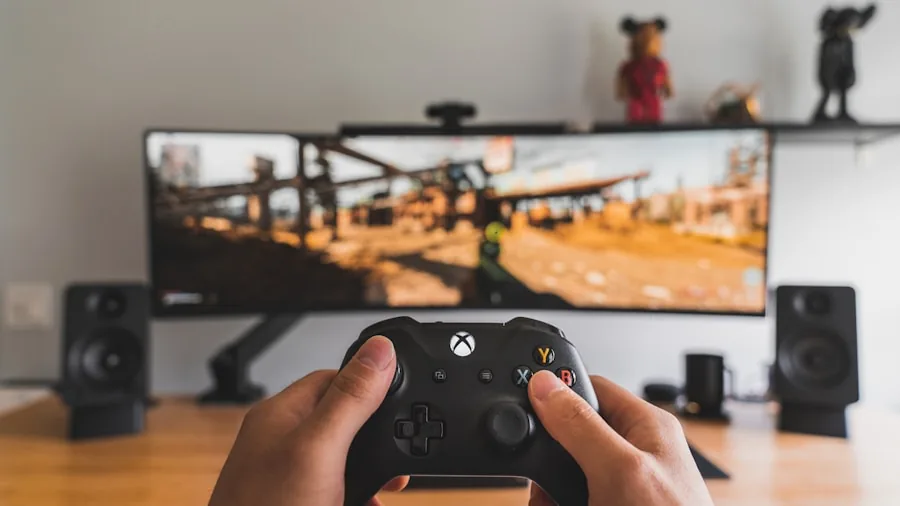
A dedicated subwoofer changes the listening experience dramatically for bass-heavy content. Movies, action games, and electronic music all benefit from a separate woofer that handles low frequencies while the satellite speakers focus on mids and highs. The Klipsch ProMedia 2.1 THX Certified system and Logitech G560 both include subwoofers that add genuine depth without muddying the overall mix.
Subwoofer placement affects performance more than most buyers expect. Placing the woofer on the floor directly beneath your desk typically delivers the strongest bass, while placing it off to the side or on a shelf often produces uneven response. Most 2.1 systems allow some bass level adjustment, which lets you tune to your room rather than accepting a one-size setting.
Not every desk setup benefits from a subwoofer. In a shared apartment or open-plan office, a boomy sub quickly becomes antisocial. In those environments, a well-tuned 2.0 system or a good pair of noise-cancelling headphones may serve you better. Bookshelf-style 2.0 speakers like the Edifier R1280T actually produce surprisingly satisfying bass from their larger woofer drivers without requiring a separate woofer box.
Value and Long-Term Reliability
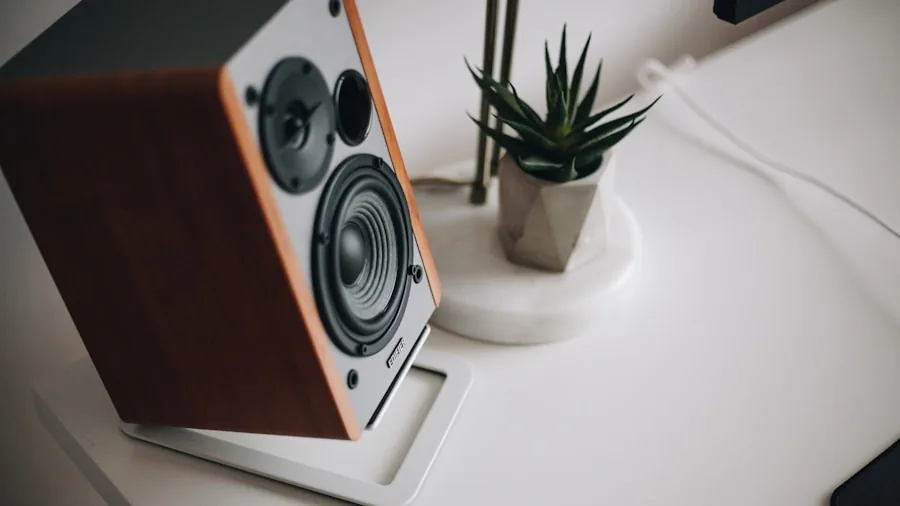
Price does not always track with quality in this category, but it does track with longevity. Budget systems often use cheaper capacitors and driver surrounds that degrade within a few years of regular use. Mid-range and premium systems from established brands like Klipsch, Bose, and Edifier have long track records of maintaining performance across thousands of hours of use.
Warranty terms signal manufacturer confidence. A two-year warranty from Edifier compares favorably to shorter coverage windows on some competitors. Beyond warranty, look at the brand’s customer support reputation and whether replacement parts or service centers are accessible in the US.
User reviews mentioning long-term performance, rather than just first impressions, offer the most useful reliability signal. Models with thousands of verified reviews over multiple years give you statistical confidence that you are not buying into a known defect cycle. For those weighing computer speakers against upgrading to a full home audio system, our overview of the best speakers covers a broader price and performance range.
Room Size and Speaker Placement

Room dimensions and desk placement shape which output level you actually need. A compact home office rarely needs more than 30 to 50 watts RMS to reach satisfying listening levels. Larger rooms, open-plan living spaces, or setups where you sit far from the speakers benefit from higher-powered systems that maintain clarity at distance.
Near-field listening, meaning speakers placed one to three feet from your ears on a desk, is fundamentally different from filling a room with sound. Near-field setups reward accuracy and detail over raw power, which is why bookshelf and studio monitor-style designs often outperform louder but less precise systems in desktop environments.
Toe-in angle also matters. Pointing speakers slightly toward your seated position improves stereo imaging and focus. Most reviews treat this as optional, but in practice it can make a significant difference in how wide and three-dimensional the soundstage feels during music or cinematic content.
Why You Should Trust Us
Buyadvanced is an independent review platform. We have no commercial relationship with any of the brands featured in this article, and manufacturers cannot pay for placement or influence our rankings. Our editorial team evaluates products through hands-on testing in real-world conditions combined with extended listening sessions across multiple content types including music, gaming audio, movies, and video calls.
We cross-reference our findings against verified consumer feedback from thousands of American buyers to catch patterns that controlled testing alone might miss. Our ratings reflect consistent, sustained performance rather than cherry-picked best-case scenarios. We update our recommendations as new models launch and as older models age in the market, so the list above reflects current availability and real pricing.
If you want broader context on our audio testing methodology, our evaluations of Bluetooth headphones and soundbars for TV follow the same independent framework.
Final Thoughts
After testing every system on this list across music, gaming, movies, and everyday desktop use, a few standouts deserve special recognition based on their real-world strengths.
- Best Overall: Klipsch ProMedia 2.1 THX Certified Computer Speaker System delivers THX-certified sound with a punchy subwoofer and broad compatibility, making it the most well-rounded choice for the widest range of users.
- Best Budget Pick: Logitech Z207 2.0 Stereo Computer Speakers offers solid stereo sound with Bluetooth at an accessible price point that suits students, small desks, and first-time buyers.
- Best for Gaming: Logitech G560 PC Gaming Speaker System stands out with 7.1 DTS:X Ultra Surround Sound, game-reactive LIGHTSYNC RGB lighting, and a dedicated subwoofer built specifically for immersive gaming sessions.
- Best Bookshelf Style: Edifier R1280T Powered Bookshelf Speakers combines a wooden enclosure, 42 watts RMS power, and studio-accurate tuning ideal for music listeners and anyone doing light audio production work.
- Best Hi-Res Upgrade: Edifier M60 Multimedia Speaker earns its premium positioning with 66 watts RMS, LDAC Hi-Res Wireless Audio, Bluetooth 5.3, and a compact footprint that suits audiophile-minded desktop listeners.
If none of these systems match your needs exactly, consider pairing any of these recommendations with quality wired headphones for private listening or explore outdoor speakers if your listening environment extends beyond the desk.
Computer Speakers FAQs
Do computer speakers work with gaming consoles?
Yes, most computer speakers connect to gaming consoles via 3.5mm AUX or Bluetooth. The Logitech Z207 and Logitech Z407 both support Bluetooth pairing, which works with Nintendo Switch and certain PlayStation configurations. Always verify which audio outputs your specific console supports before purchasing. If you game extensively and want specialized audio, dedicated gaming headsets offer positional audio advantages that stereo speaker systems cannot fully replicate.
What are common problems reported with desktop speaker systems?
Frequently reported issues include short cable lengths between satellite speakers and subwoofers, Bluetooth pairing lag during fast audio transitions, and buzzing from power supplies near the speaker cabinet. The Edifier R1280T and Bose Companion 2 Series III have consistently clean user feedback across thousands of reviews. Reading recent verified feedback helps identify issues that may have emerged after initial launch.
Are computer speakers suitable for music production?
Bookshelf and studio-monitor-style systems like the Edifier R1280T provide a flatter, more accurate frequency response than consumer-tuned speakers with boosted bass, which makes them better for hearing a mix as it truly sounds. For serious production work, check the frequency response curve in the specifications and look for models that describe themselves as near-field studio monitors. You may also want to pair your speakers with a dedicated audio interface for the cleanest signal path. Users serious about monitoring audio might also explore podcast microphones to complete a desk recording setup.
Can I get support from Buyadvanced for these products?
Buyadvanced is an independent review platform and does not sell products, process orders, or provide warranty support. For any product issues, contact the manufacturer directly using the documentation included with your purchase. Our role is to help you make an informed buying decision, not to handle post-sale service.
How do Klipsch, Edifier, Logitech, and Bose compare in durability?
Klipsch and Bose both carry strong long-term reputations, with Bose in particular known for consistent build quality across product generations. Edifier has improved its build standards significantly and now backs many products with a two-year warranty. Logitech offers broad availability and easy access to customer support in the US. Across all four brands, wood-enclosure models tend to age better acoustically than all-plastic counterparts.
Should I buy computer speakers for a small room or apartment?
Compact 2.0 systems work exceptionally well in smaller spaces because near-field listening at a desk allows lower volume levels without losing detail. The Logitech Z207 and Bose Companion 2 Series III are both well-sized for small rooms. If space is tight, also consider whether a pair of quality wireless earbuds or wireless headphones might serve shared living situations better than speakers.
What features matter most when buying computer speakers?
Connectivity flexibility, frequency balance, accessible volume controls, and cabinet build quality rank as the most impactful features in daily use. RGB lighting and advanced DSP modes are nice additions for gaming setups but should not come at the expense of core audio performance. If possible, listen in person before purchasing, especially at mid-range and premium price points where brand presentation can differ from actual acoustic output.
Do Bluetooth computer speakers lose audio quality compared to wired connections?
Bluetooth audio quality depends heavily on the codec used. Older SBC Bluetooth transmissions compress audio noticeably, while LDAC support in the Edifier M60 delivers near-lossless wireless audio at supported bitrates. For gaming, wired connections remain preferable because they eliminate the slight latency that Bluetooth introduces. For music streaming, aptX or LDAC Bluetooth is indistinguishable from a wired connection for most listeners. Users who prioritize audio fidelity for music might also explore Bluetooth earbuds with high-quality codec support as a complementary listening option.





Write Your Review
No reviews yet. Be the first to share your experience!