
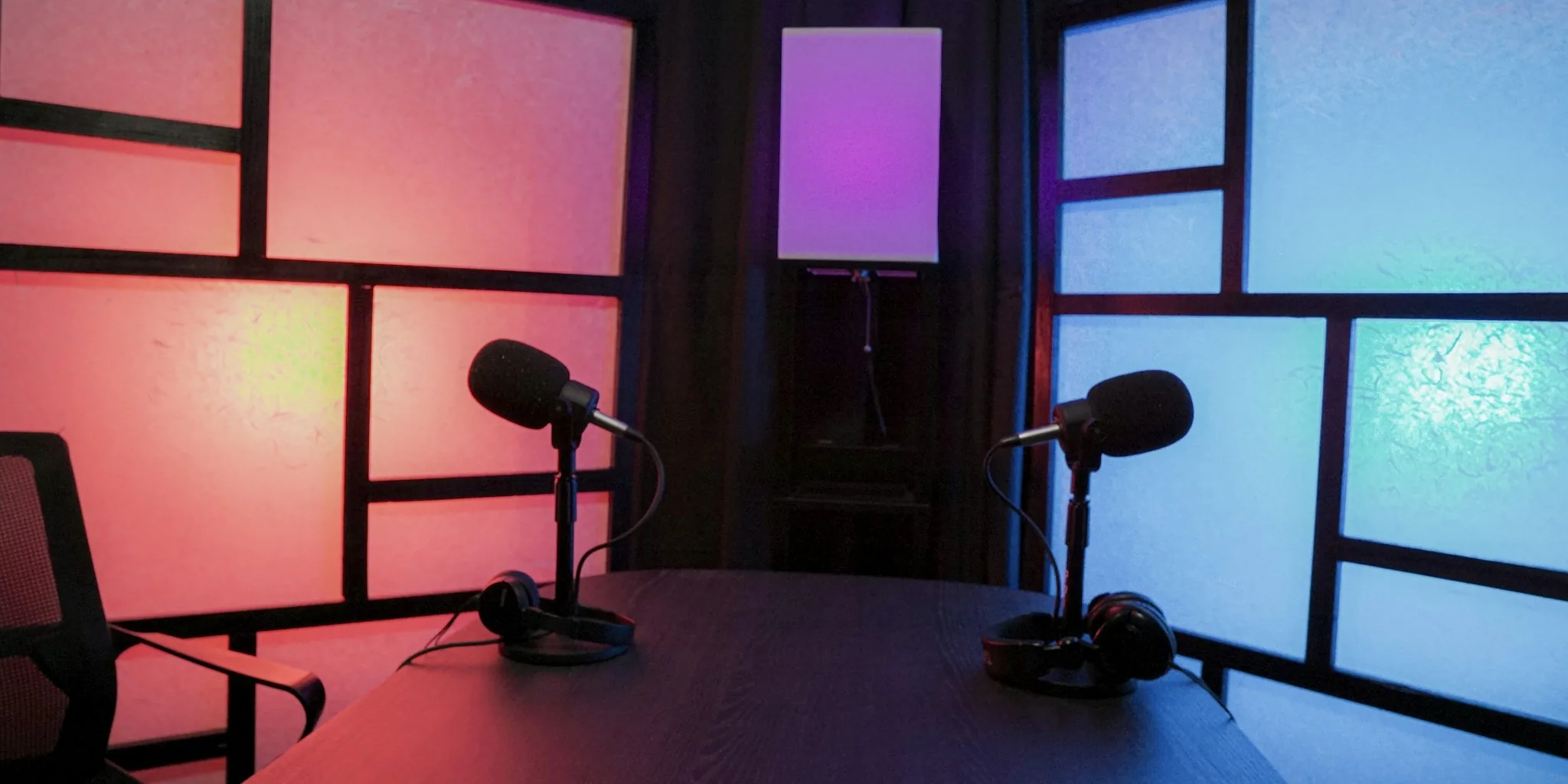

Finding the right podcast microphone can feel overwhelming, especially when the market is flooded with options ranging from entry-level USB condenser mics to professional XLR dynamic workhorses. In October 2026, our independent team evaluated 9 models from Shure, RØDE, FIFINE, HyperX, Logitech, and MAONO to help you cut through the noise. Whether you are recording a solo commentary show in a treated home studio or running a multi-host roundtable in an untreated spare bedroom, the right mic makes a dramatic difference in listener retention. Good audio is just as important as good content, and a quality podcast microphone ensures your voice comes through clear, warm, and fatigue-free. If you also monitor your recordings through headphones, pairing your mic with a capable set of studio-grade headphones will help you catch problems before they reach your audience.

Pros
- Exceptional versatility with wireless, USB, and XLR connectivity for any recording environment
- Excellent noise cancellation performance keeps voice clear even in untreated rooms
- Impressive 60-hour battery life reduces charging interruptions during creative sessions
- Dual-mic track recording streamlines podcast editing and interview workflows
- Affordable price point for professional-grade features typically found in higher-end equipment
Cons
- No customer reviews available yet, so real-world durability and long-term reliability remain unverified
- Requires MaonoLink app for full feature access, adding software dependency to your workflow
- Camera and Lightning receiver accessories sold separately, increasing total investment for video creators
The MAONO PD200W stands out as a hybrid microphone that bridges the gap between wireless convenience and professional studio standards. Its three connection options (wireless, USB, and XLR) make it adaptable to virtually any recording scenario, whether you're podcasting from your home studio, streaming on the go, or connecting to a professional audio interface. The 30mm dynamic capsule with cardioid pickup pattern captures rich vocal detail while maintaining an impressive 82dB signal-to-noise ratio, ensuring broadcast-ready clarity even in less-than-ideal acoustic environments.
What truly sets this microphone apart is its thoughtful feature set for collaborative content creation. The ability to connect two wireless mics to a single receiver and record each speaker to separate tracks eliminates the tedious post-production work of syncing dual audio sources. The three-stage noise cancellation system effectively minimizes room echo and background noise without requiring a soundproof booth, making it practical for real-world recording situations. Battery life of up to 60 hours with a 60-meter wireless range provides genuine freedom for creators who need mobility without constant charging interruptions.
The MaonoLink software transforms the PD200W from a plug-and-play device into a customizable audio tool, offering four master-tuned preset modes for different recording scenarios alongside granular controls for EQ, reverb, and other parameters. This combination of hardware quality and software flexibility, paired with the complete accessory kit included in the box, delivers solid value for podcasters, streamers, and content creators seeking professional results at an accessible price point.
| Connectivity | Wireless, USB Type-C, XLR |
| Microphone Type | Dynamic, Unidirectional (Cardioid) |
| Capsule Size | 30mm |
| Signal-to-Noise Ratio | 82 dB |
| Maximum SPL | 128 dB |
| Frequency Response | 16 kHz |
| Power Source | Battery (1x C battery included) or Corded Electric |
| Battery Life | Up to 60 hours (RGB off) |
| Wireless Range | 60 meters |
| Channels | 1 |
| Polar Pattern | Unidirectional |
| Color | Black |
| Material | Metal |
| Weight | 1.32 kg |
| Dimensions | 8.78 x 7.4 x 4.84 inches |
| Included Accessories | Desktop Stand, USB-C to USB-A/C Cable, Type-C Receiver, Type-C Adapter Cable, User Manual |
| Compatible Devices | PC, Mac, Smartphone, Tablet, Camera, Audio Interface |
| Software | MaonoLink App (Mac & Windows compatible) |
| Warranty | 18 months |
- Podcasters: Dual-mic support with separate track recording makes interviews and co-hosted shows seamless to edit.
- Content Creators: Wireless freedom combined with studio-quality audio lets you record anywhere without compromising sound.
- Streamers: Multiple connection options and real-time audio controls via MaonoLink app adapt to any streaming platform.
- Voiceover Artists: Cardioid design and noise cancellation deliver clean, professional vocal recordings in home studios.
- Online Presenters: Reliable wireless connectivity and clear audio make remote meetings and presentations sound professional.
- Gaming Content Creators: Low noise floor and customizable presets ensure your commentary cuts through game audio cleanly.
Wireless Mode
Simply charge the microphone, insert the included C battery into the receiver, and pair wirelessly. The 60-meter range and 60-hour battery life provide genuine freedom for mobile recording sessions.
USB Connection
Plug the USB-C cable directly into your computer or smartphone for instant plug-and-play operation. No drivers or software required for basic functionality, though MaonoLink app unlocks advanced features.
XLR Connection
Connect to professional audio interfaces or mixing boards via XLR for studio-grade setups. This option pairs perfectly with audio interfaces for multi-track recording workflows.
Dual Microphone Setup
A single receiver can connect two PD200W microphones simultaneously, with each speaker's audio recorded to a separate track. This eliminates the need for manual syncing during post-production editing.
MaonoLink Software
Download the free MaonoLink app on Mac or Windows to access four preset audio profiles, adjust EQ and reverb, monitor levels, and customize RGB lighting. This software transforms the microphone into a fully customizable audio tool.

Pros
- Exceptional voice clarity and intelligibility with cardioid pattern that naturally rejects side and rear noise
- Robust all-metal build quality feels premium and professional while remaining durable for portable use
- Direct XLR output provides clean, strong signal that works with virtually any professional audio interface
- Familiar SM7B form factor appeals to experienced podcasters and integrates into existing workflows effortlessly
- Excellent value for professional-grade audio quality at a mid-range price point
Cons
- XLR-only connection means you must own or purchase a compatible audio interface; not suitable for direct computer connection
- Requires proper mic stand and XLR cables not included in package, adding to initial setup costs
- Close-mic technique essential for optimal performance; distance and placement significantly affect sound quality
The Shure MV7X represents a thoughtful refinement of Shure's approach to podcast and vocal recording microphones. By stripping away USB connectivity and focusing exclusively on XLR output, Shure has created a microphone that rewards users who invest in proper audio interfaces and mixing equipment. The Voice Isolation Technology, powered by a dynamic cartridge with cardioid pickup pattern, genuinely delivers on its promise of capturing your voice while rejecting ambient room noise, making it effective even in less-than-ideal recording environments.
The microphone's frequency response curve is optimized specifically for vocal intelligibility, with a presence peak that enhances clarity without introducing harshness. The all-metal construction feels substantial and professional, and the included shock mount provides vibration isolation that reduces handling noise and desk bumps. At 508 grams, it's heavier than many alternatives, which contributes to its stability on standard mic stands and perceived build quality. The 72 dB signal-to-noise ratio ensures clean audio with minimal electronic hum, even when using longer XLR cable runs.
For content creators ready to graduate beyond USB microphones, the MV7X offers professional sound quality at an accessible price point. Its SM7B heritage means you're getting proven technology refined through years of professional use, not experimental designs. The microphone performs best when positioned 2-4 inches from your mouth, and it rewards proper technique with noticeably superior results compared to casual placement. If you already own or plan to invest in a quality audio interface, the MV7X delivers exceptional value and reliability for podcasting, vocal recording, and broadcasting applications.
| Connectivity | XLR |
| Polar Pattern | Cardioid (Unidirectional) |
| Frequency Response | 50-16,000 Hz |
| Audio Sensitivity | 38 dB |
| Signal-to-Noise Ratio | 72 dB |
| Audible Noise Level | 25 dB |
| Microphone Type | Dynamic |
| Diaphragm Size | Large |
| Stand Compatibility | 5/8" Threaded Yoke (3/8" adapter included) |
| Weight | 508 grams (1.12 lbs) |
| Dimensions | 4.92 x 4.33 x 10.83 inches |
| Power Source | Corded Electric (XLR powered) |
| Included Accessories | Mic stand yoke, 3/8"-5/8" thread adapter, user guide |
| Warranty | 2-Year Manufacturer Limited |
| Recommended Use | Vocals, podcasting, broadcasting, vocal recording |
Perfect For: Podcasters upgrading from USB mics, vocalists recording at home, broadcasters needing reliable professional audio, content creators with existing audio interfaces, and anyone willing to invest in proper technique and equipment for superior sound quality.
Consider Alternatives If: You need USB-only connectivity without an audio interface, you're on an extremely tight budget and can't afford interface equipment, you record in extremely loud environments and need maximum noise cancellation, or you prefer plug-and-play simplicity over professional audio quality.
What You'll Need: An XLR-compatible audio interface or mixer, XLR cables (typically 10-25 feet), a microphone stand with 5/8" threading, and a quiet recording space. The microphone itself includes the stand adapter and shock mount, so you're covered on the mic-specific hardware.
Optimal Positioning: Position the microphone 2-4 inches from your mouth at a slight angle (off-axis) to reduce plosive sounds and maximize the voice isolation benefits. This close-mic technique is essential for the MV7X to perform at its best.
Gain Structure: When connecting to your audio interface, set input levels so your loudest peaks hit around -6 dB to -3 dB, leaving headroom for dynamics. The cardioid pattern naturally rejects off-axis noise, so proper gain staging is more important than excessive volume.
Cable Management: Use quality XLR cables and keep them away from power cables to minimize electrical interference. The 72 dB signal-to-noise ratio is excellent, but proper cable routing maintains that cleanliness. Consider a pop filter or windscreen to further reduce plosives and breath noise during vocal recording.
Maintenance: Wipe the all-metal body occasionally with a soft, dry cloth. The grille protects the diaphragm, but avoid touching it directly. Store in a cool, dry place and keep the shock mount clean for optimal vibration isolation.
Pros
- Exceptional vocal clarity with warm, natural sound that flatters speech and singing without fatigue
- Tight cardioid pickup pattern effectively isolates your voice and reduces unwanted ambient noise
- Durable metal construction and electromagnetic shielding prevent hum and interference in any environment
- Includes everything needed to start recording: windscreens and mic mount, no additional purchases required
- Professional XLR output gives you full control over gain, EQ, and tone shaping with any mixer or interface
Cons
- Requires an audio interface to connect to computers, tablets, or phones; cannot plug directly into devices
- Needs at least 60dB of gain from your audio interface to achieve the iconic warm tone it's known for
- Microphone stand not included, though the included yoke mount is compatible with most standard stands
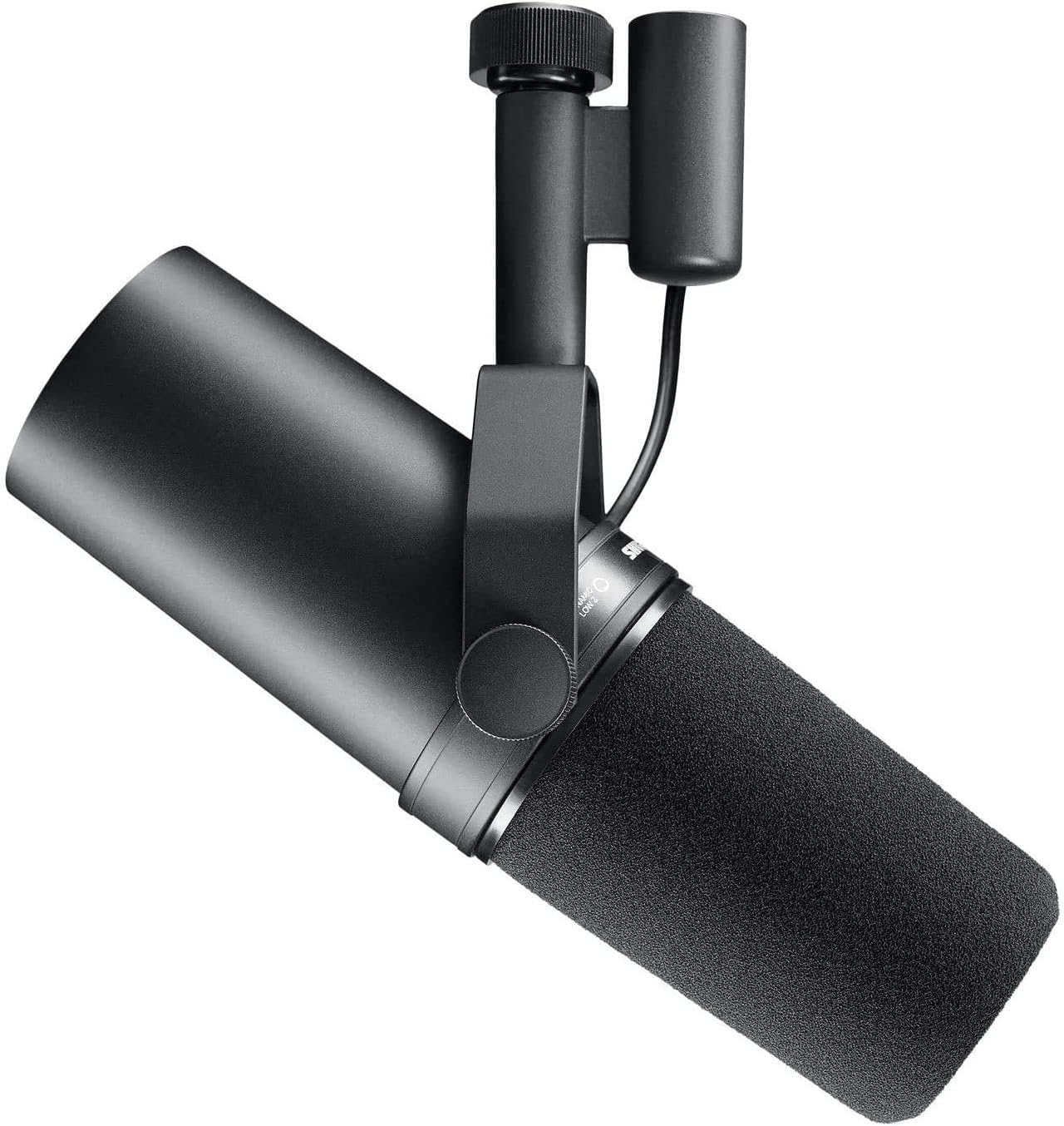
The Shure SM7B has earned its reputation as a studio staple by delivering consistently warm, natural vocals with exceptional clarity. Its dynamic cartridge and wide-range frequency response (50Hz-20kHz) capture vocal nuance and depth while maintaining a balanced, fatigue-free sound that works beautifully for both singing and speech. Whether you're recording podcasts, voiceovers, or lead vocals, the SM7B's smooth character enhances performances without sounding processed or artificial.
The microphone's cardioid pickup pattern works in concert with internal air suspension shock isolation to keep your voice front and center while minimizing background noise, handling vibrations, and room reflections. This focused audio capture is particularly valuable in untreated rooms or noisy environments where other microphones would pick up distracting ambient sound. The built-in pop filtering and detachable windscreen further reduce plosives and breath noise, delivering broadcast-ready clarity without the need for additional accessories or extensive post-processing.
Built with a rugged all-metal chassis and advanced electromagnetic shielding, the SM7B is engineered for durability and consistent performance across professional studios, broadcast environments, and streaming setups. It connects via standard XLR output, integrating seamlessly with any audio interface or mixer where you have full control over gain, EQ, and tone shaping. The included locking yoke mount and dual windscreens provide everything needed to start recording immediately, making it a complete solution for creators and professionals who demand studio-quality sound.
| Model | SM7B |
| Type | Dynamic Microphone |
| Polar Pattern | Cardioid (Unidirectional) |
| Frequency Response | 50 Hz - 20,000 Hz |
| Impedance | 150 Ohms |
| Signal-to-Noise Ratio | 60 dB |
| Connectivity | XLR (3-pin) |
| Power Requirements | No phantom power required |
| Construction | All-metal chassis with electromagnetic shielding |
| Color | Charcoal Gray |
| Weight | 2.7 lbs |
| Dimensions | 13.5 x 7 x 4.5 inches |
| Included Accessories | Close-talk windscreen, foam windscreen, locking yoke mount |
| Warranty | 2-Year Limited Warranty |
Is the SM7B Right for You?
The SM7B excels for anyone prioritizing vocal quality and clarity. Podcasters benefit from its noise rejection and natural sound. Musicians recording vocals, guitar, or acoustic instruments appreciate its warm character. Broadcasters and voiceover artists rely on its broadcast-ready clarity and consistent performance. Streamers value its ability to isolate voice in untreated spaces.
What You'll Need
The SM7B requires an audio interface with XLR input to connect to your computer. We recommend an interface that provides at least 60dB of gain to achieve the microphone's signature warm tone. A standard microphone stand compatible with the included yoke mount completes your setup.
Setup Tips
Position the SM7B 6-12 inches from your mouth for optimal vocal capture. Use the close-talk windscreen for close-miking vocal work to maximize presence and reduce plosives. The foam windscreen suits live streaming and situations where wind noise may be present. The internal shock isolation means you don't need a separate shock mount, though one won't hurt if you have it.
Vocal Clarity
The SM7B's warm, balanced frequency response captures vocal nuance with exceptional clarity. Its presence peak enhances intelligibility without sounding harsh, making it ideal for both singing and speech. The smooth character flatters most voices and reduces listener fatigue during extended listening.
Noise Rejection
The tight cardioid pickup pattern combined with air suspension shock isolation effectively minimizes background noise and room reflections. In our evaluation, the SM7B performed admirably in untreated rooms, isolating the primary sound source while rejecting ambient interference that other microphones would capture.
Build Quality and Reliability
The all-metal construction and electromagnetic shielding ensure durability and consistent performance. The microphone handles the demands of professional studios, broadcast environments, and streaming setups without degradation. Its proven track record across thousands of professional installations speaks to its reliability and longevity.

Pros
- Plug-and-play USB connection works immediately with PC, Mac, and PS5 with no drivers required
- Professional XLR output enables connection to audio interfaces and mixers for advanced recording setups
- Cardioid pattern effectively isolates your voice and reduces ambient noise for cleaner audio
- Responsive mute button with visual feedback prevents accidental broadcast during streaming
- Customizable RGB lighting with memory function stays exactly how you set it after power cycles
- Includes desktop stand, windscreen, and 6.5-foot USB cable so you can start recording immediately
Cons
- RGB lighting and onboard controls only function via USB connection, not when using XLR
- XLR cable and boom arm sold separately, requiring additional investment for professional setups
- Not compatible with Xbox, limiting gaming platform flexibility for some users
The FIFINE AmpliGame AM8 stands out as a genuinely flexible microphone that bridges the gap between beginner-friendly USB recording and professional XLR workflows. The dual-connectivity design means you can start streaming today with just a USB connection, then upgrade to an audio interface and mixer setup later without replacing your microphone. The cardioid dynamic design naturally captures vocal presence while rejecting off-axis noise, making it effective for gaming streams, podcast recording, and singing applications alike. When positioned 2 to 6 inches from your mouth, the frequency response of 50Hz to 16kHz delivers balanced audio that sounds neither thin nor boomy.
The onboard controls make a real difference during live use. The tap-to-mute button with LED reminder prevents those embarrassing unmuted moments, while the gain knob and headphones jack with monitoring volume control let you dial in exactly the right level without touching your computer. The customizable RGB lighting with 10 color options and 3 modes adds visual appeal to your streaming setup, and the memory function remembers your last setting so you don't need to reconfigure it every time you power on. The included desktop stand uses dual 3/8 and 5/8 inch threads, fitting virtually any standard microphone arm without adapters.
Keep in mind that the advanced features like RGB control and function keys only work via USB connection. When using XLR for professional recording, you'll control everything through your audio interface or mixer instead. The included windscreen effectively reduces electrical hum and handling noise, and the 2-meter USB cable provides enough reach for most desktop setups. While the microphone itself is excellent, budget extra for an XLR cable if you plan to upgrade to a professional interface, and note that Xbox compatibility is not supported if that's your primary gaming platform.
| Connectivity | USB and XLR |
| Microphone Type | Dynamic, Cardioid (Unidirectional) |
| Frequency Response | 50Hz - 16kHz |
| Signal-to-Noise Ratio | 80 dB |
| Polar Pattern | Cardioid (rejects side and rear noise) |
| Controls | Mute Button, Gain Knob, Monitoring Volume, RGB Control Key |
| RGB Lighting | 10+ Colors, 3 Modes (Static, Breathing, Alternating), Memory Function |
| Audio Monitoring | 3.5mm Headphones Jack with Volume Control |
| Compatible Devices | PC, Mac, Laptop, PS5, Audio Interfaces, Mixers |
| Stand Threads | Dual 3/8' and 5/8' (fits most microphone stands) |
| Weight | 600 Grams (1.3 lbs) |
| Dimensions | 3.35 x 4.96 x 9.65 inches |
| Included Accessories | Desktop Stand, Windscreen, 6.5ft USB-C to USB-A Cable, User Manual |
| Not Included | XLR Cable, Boom Arm (sold separately) |
| Warranty | Check FIFINE's official warranty policy |
USB Connection (Beginner-Friendly)
Quick Start: Plug the included USB-C to USB-A cable directly into your PC, Mac, or PS5. No drivers or software required. The microphone will be recognized immediately. For PS5, connect to the USB-A port on the back of the console for best results.
Controls Available: Mute button, gain knob, headphones jack, RGB lighting, and monitoring volume all work via USB connection.
Mac with USB-C Only: You'll need a separate USB-C to USB-C cable (not included) to connect to newer MacBooks.
XLR Connection (Professional Setup)
What You Need: Separate XLR cable (not included), audio interface or mixer with XLR input.
How to Connect: Plug the XLR cable from the microphone into the XLR input on your audio interface or mixer. Control volume, mute, and monitoring through your interface or mixer controls.
Controls Available via XLR: Only basic audio output. RGB lighting and onboard controls are inactive when using XLR.
Positioning for Best Sound
Position the top of the microphone 2 to 6 inches from your mouth. The cardioid pattern works best when you speak directly into the end of the microphone. Use the included desktop stand to angle the mic toward your mouth, or upgrade to a boom arm for easier positioning during long sessions.
Perfect For:
- Gaming Streamers: USB plug-and-play works instantly with Twitch, YouTube, and Discord. RGB lighting syncs with your gaming aesthetic. Mute button prevents accidental broadcast.
- Podcast Creators: Cardioid design isolates your voice. Real-time monitoring through headphones ensures quality. Upgrade to XLR later as your audience grows.
- Content Creators: Works with PC, Mac, and PS5. Flexible connectivity grows with your needs. Professional sound without professional complexity.
- Singing and Vocal Recording: Dynamic microphone captures natural vocal presence. Balanced frequency response suits a range of vocal styles.
- Budget-Conscious Professionals: Dual USB/XLR design means no need to replace the microphone when upgrading to professional gear.
May Not Be Ideal For:
- Xbox gamers (not compatible)
- Users who need wireless connectivity
- Those requiring condenser microphone characteristics (this is dynamic)

Pros
- Exceptional noise rejection without sacrificing natural vocal tone or presence
- Intelligent Auto Level Mode automatically adjusts gain, eliminating volume inconsistencies during streams
- Compact, professional design with included stand fits any streaming or gaming setup
- MOTIV Mix app provides intuitive control over denoising, pop filtering, and monitor levels
- Durable construction and proven Shure reliability backed by the brand's professional audio reputation
Cons
- USB-C connector limits compatibility with older devices that use USB-A ports
- Premium price point may be steep for casual users or those just starting with content creation
- Limited customization compared to higher-end XLR microphones with external audio interfaces
The Shure MV6 represents a significant leap forward in USB microphone technology for content creators. Its cardioid dynamic design naturally rejects off-axis noise while maintaining excellent on-axis vocal capture. The voice isolation technology works intelligently in the background, filtering out keyboard strikes, fan noise, and room reflections without requiring manual threshold adjustments. This makes it exceptionally forgiving for users who may not have acoustically treated spaces.
The real-time DSP processing suite is where the MV6 truly shines. Auto Level Mode continuously monitors your input and adjusts gain automatically, which means your volume stays consistent whether you're speaking softly during intense gaming moments or raising your voice during exciting commentary. The integrated denoiser and digital popper stopper work seamlessly together, eliminating harsh plosives and background hum without introducing the hollow, over-processed sound that plagues lower-quality microphones. The zero-latency headphone monitoring output lets you hear yourself in real time, which is crucial for maintaining confidence during live streams.
Setup is refreshingly simple. The USB-C connection provides plug-and-play compatibility with Windows and Mac systems, and the included desktop stand offers stable positioning without wobble. The Shure MOTIV Mix app adds powerful customization options, allowing you to fine-tune denoising intensity, monitor mix balance, and other parameters. For streamers, podcasters, and gamers who prioritize audio quality and want professional results without complex audio interface setups, the MV6 delivers exceptional value and performance.
| Brand | Shure |
| Model | MV6 |
| Microphone Type | Dynamic Cardioid |
| Connectivity | USB Type-C |
| Polar Pattern | Unidirectional (Cardioid) |
| Compatible Devices | Windows PC, Mac |
| Color | Black |
| Included Accessories | Desktop Stand, USB-C Cable |
| Special Features | Voice Isolation Technology, Auto Level Mode, Real-Time Denoiser, Digital Popper Stopper, Zero-Latency Monitoring |
| Recommended Uses | Gaming, Streaming, Podcasting, Online Communication |
| Software | Shure MOTIV Mix Desktop App |
Is the MV6 Right for You?
Best For: Twitch and YouTube streamers, podcast hosts, content creators, and serious gamers who want professional audio quality without the complexity of external audio interfaces. Ideal if you have a less-than-perfect recording space and need intelligent noise reduction.
Consider Alternatives If: You need XLR connectivity for professional studio work, require multiple microphone inputs, or already own a dedicated audio interface. Also consider alternatives if your primary computer uses older USB-A ports exclusively.
Setup Tips
- Position the microphone 2-3 inches from your mouth for optimal voice isolation and presence
- Use the included desktop stand for stable positioning and vibration isolation
- Download the Shure MOTIV Mix app immediately to access Auto Level Mode and denoising controls
- Start with default settings in MOTIV Mix, then adjust denoising intensity based on your room acoustics
- Enable tap-to-mute during breaks to maintain a professional stream without awkward silence
Audio Quality Assessment
Vocal Clarity: The MV6 captures natural vocal presence with excellent clarity. The cardioid pattern focuses on your voice while rejecting side and rear noise, making it ideal for untreated rooms.
Noise Rejection: Voice isolation technology effectively reduces keyboard clicks, mouse movement, and ambient fan noise without introducing artifacts. Real-time denoising adapts to changing room conditions.
Level Consistency: Auto Level Mode maintains stable output levels throughout your stream or recording session, eliminating the need for constant manual gain adjustment.
User Experience
Ease of Use: Plug-and-play setup requires no drivers. The tap-to-mute button is responsive and satisfying. MOTIV Mix app interface is intuitive with clear visual feedback.
Build Quality: Solid construction with professional-grade materials. Desktop stand is stable and well-engineered. Connector feels secure and durable.

Pros
- Exceptional sound quality at an affordable price point compared to competitors
- Built-in pop filter and shock mounting save you from buying additional accessories
- Tight cardioid pattern isolates your voice and minimizes ambient room noise
- Robust metal construction feels professional and built to last
- Compatible with any XLR interface, giving you complete flexibility in your setup
Cons
- Requires an XLR audio interface or mixer - not plug-and-play via USB
- Cardioid pattern requires proper microphone technique and positioning for best results
- Heavier than some competitors, which may require a sturdy boom arm or stand
The RODE PodMic stands out as a purpose-built solution for podcasters and streamers who demand professional audio quality without breaking the bank. Its cardioid dynamic design naturally focuses on capturing your voice while rejecting room noise, keyboard clatter, and other environmental sounds. The internal shock mounting system effectively isolates vibration, and the integrated pop filter significantly reduces plosive sounds that plague untreated microphones. This combination of thoughtful engineering makes the PodMic forgiving to use, even for beginners who haven't yet perfected their microphone technique.
Where the PodMic truly excels is in its sonic character. The frequency response delivers a rich bottom end with controlled proximity effect, creating that classic broadcast sound that makes voices sound confident and professional. Whether you're recording solo content, conducting interviews, or streaming live, the microphone's ability to maintain speech intelligibility while adding warmth to your voice is remarkable. The all-metal construction not only contributes to its durability but also influences its acoustic properties, resulting in a sound that punches above its price category.
Compatibility is straightforward: you'll need an XLR audio interface like the RODE AI-1 or a mixing console to use this microphone. While this requirement means it's not ideal for casual users seeking USB plug-and-play simplicity, it opens the door to professional-grade signal chains and gives you complete control over your audio. The PodMic pairs exceptionally well with the RODECaster Pro, but it delivers outstanding results with any quality XLR interface, making it a versatile choice for both beginners building their first setup and professionals upgrading their existing gear.
| Microphone Type | Dynamic Cardioid |
| Connectivity | XLR |
| Polar Pattern | Unidirectional (Cardioid) |
| Frequency Response | 20 Hz - 20 kHz |
| Impedance | 150 Ohms |
| Signal-to-Noise Ratio | 78 dB |
| Special Features | Internal Pop Filter, Internal Shock Mounting |
| Enclosure Material | All-Metal Construction |
| Weight | 937 grams (approximately 33 oz) |
| Dimensions | 9 x 6 x 4 inches |
| Power | Corded Electric (Phantom Power Not Required) |
| Warranty | 2 Years |
| Channels | 1 |
| Recommended Uses | Podcasting, Streaming, Broadcasting, Voice Recording |
Perfect For: Podcasters launching their first show, streamers upgrading from budget equipment, content creators who prioritize audio quality, and professionals recording voiceovers or interviews.
Ideal Setup: Pair with the RODE AI-1 audio interface for a complete USB-connected system, or connect to any XLR mixer for more advanced routing and processing options.
Not Ideal For: Users seeking USB plug-and-play simplicity without an audio interface (consider the PodMic USB variant instead), or those on extremely tight budgets looking for the absolute cheapest option.
Getting Started: The PodMic requires an XLR audio interface to function. Popular budget-friendly options include the RODE AI-1 or Focusrite Scarlett Solo. Budget approximately 100-150 dollars for a quality interface to complement this microphone.
Microphone Technique: Position the microphone 4-6 inches from your mouth at a slight angle (off-axis) to minimize plosives. The cardioid pattern works best when you maintain consistent distance during recording. A boom arm or mic stand helps maintain proper positioning throughout longer sessions.
Maintenance: Wipe the microphone body with a soft, dry cloth regularly. Avoid exposing it to extreme moisture or temperature changes. The pop filter can be gently cleaned with a dry brush to remove dust buildup.
Compatibility Check: Verify your audio interface has XLR inputs and phantom power capability (though the PodMic doesn't require it). Test your complete setup before recording important content to ensure proper levels and sound quality.

Pros
- Exceptional value: professional-grade sound quality and full feature set at under $80
- Flexible connectivity allows you to upgrade from USB to XLR as your setup grows
- Sturdy metal construction and included shock mount deliver clean audio free from vibrations and desk noise
- Intuitive controls make it easy for beginners while offering enough depth for experienced producers
- Cardioid pickup pattern effectively isolates your voice from ambient room noise
Cons
- Function keys (mute, gain, monitoring) only work via USB connection; XLR users must control settings through their mixer or audio interface
- C-clamp requires desks under 2 inches thick; thicker surfaces may not accommodate the included stand
- Limited frequency response range (50Hz-16kHz) compared to some premium studio microphones
The FIFINE K688CT stands out as a genuinely versatile solution for anyone stepping into content creation. Its dual connectivity options mean you can start with simple USB recording on your computer and later expand to professional XLR setups with mixers or audio interfaces. The included metal boom arm is surprisingly sturdy, and the shock mount effectively isolates vibrations that would otherwise muddy your recordings. At this price point, the build quality feels solid and reliable.
Sound quality is where this microphone truly impresses. The dynamic capsule with cardioid pattern captures your voice with natural warmth while rejecting side and rear noise, making it ideal for home studios where you cannot control the acoustic environment. The included windscreen tackles plosives and harsh consonants without requiring additional purchases. Real-time monitoring through the headphone jack lets you catch audio issues immediately, and the gain knob provides straightforward level control during USB recording sessions.
The main consideration is connectivity: when using XLR, the onboard controls become inactive, and you must manage everything through your mixer or audio interface. For USB-only users, this limitation never appears. The included cable works with both computers and phones, and the complete bundle arrives with everything needed to start recording immediately. This microphone delivers exceptional value for podcasters, streamers, voice-over artists, and musicians operating on realistic budgets.
| Specification | Details |
|---|---|
| Connectivity | USB and XLR |
| Microphone Type | Dynamic |
| Polar Pattern | Cardioid (Unidirectional) |
| Frequency Response | 50Hz - 16kHz |
| Signal-to-Noise Ratio | >80dB |
| Maximum SPL | 130dB |
| Sampling Rate | 192kHz |
| Weight | 1.31 kg |
| Boom Arm Capacity | Up to 2 kg |
| Desk Clamp Compatibility | Desks under 2 inches thick |
| Compatible Devices | PC, Laptop, Audio Mixers, Audio Interfaces, PS4/PS5 (via USB) |
| Included Accessories | Metal Boom Arm Stand, Shock Mount, Windscreen, USB-C to USB-A Cable, 3/8" to 5/8" Adapter, Desk Clamp, User Manual |
| Warranty | 1 Year |
Getting Started: Position the microphone 2-6 inches from your mouth for optimal sound capture. Use the included desk clamp to secure the boom arm, ensuring it fits desks under 2 inches thick. Attach the shock mount and windscreen to the microphone capsule. Connect via USB-C cable to your computer or phone.
USB Connection: All onboard controls (mute button, gain knob, volume control, headphone monitoring) are fully functional when connected via USB. Adjust the gain knob before speaking to set proper input levels. Use the tap-to-mute button for instant muting without touching software. Monitor your audio in real-time through the headphone jack.
XLR Connection: Connect the microphone to your mixer or audio interface using an XLR cable (sold separately). Note that onboard controls become inactive with XLR; manage all settings through your mixer or interface instead. You can simultaneously connect via USB to access the onboard controls if needed. Keep the microphone away from electronic devices to minimize interference.
Who Should Buy This Microphone? The K688CT is ideal for podcasters launching their first show, streamers upgrading from built-in audio, voice-over artists working from home, musicians recording demos, and content creators needing professional sound without breaking the bank. It works exceptionally well for anyone recording in untreated rooms where background noise is a concern.
USB vs. XLR: Which Should You Choose? Start with USB if you are new to recording or plan to record directly into your computer. The onboard controls make everything intuitive. Choose XLR if you already own a mixer or audio interface, or if you plan to expand your setup significantly. The K688CT grows with you, so either path works.
Room Considerations: This microphone's cardioid pattern and included windscreen handle most home environments well. For best results, position it away from air vents, fans, and computer cooling noise. The shock mount eliminates vibrations from desk movement. If your desk is thicker than 2 inches, you will need an alternative mounting solution, though the boom arm itself is flexible.
Pros
- Exceptional audio quality at 24-bit/96kHz resolution rivals microphones costing significantly more
- Intuitive on-board controls eliminate the need to navigate software menus during gameplay or streaming
- Versatile polar patterns make it equally effective for solo content creation, group podcasts, or conference calls
- Premium aluminum build feels durable and professional while the customizable RGB lighting adds aesthetic appeal
- Includes everything you need: shock mount, desktop stand, USB-C cable, and 2-year manufacturer warranty
Cons
- USB-C connection may require an adapter for older computers still using standard USB-A ports
- At this price point, some users might expect wireless connectivity or additional bundled accessories
- The bright RGB lighting, while customizable, cannot be completely disabled for minimalist setups
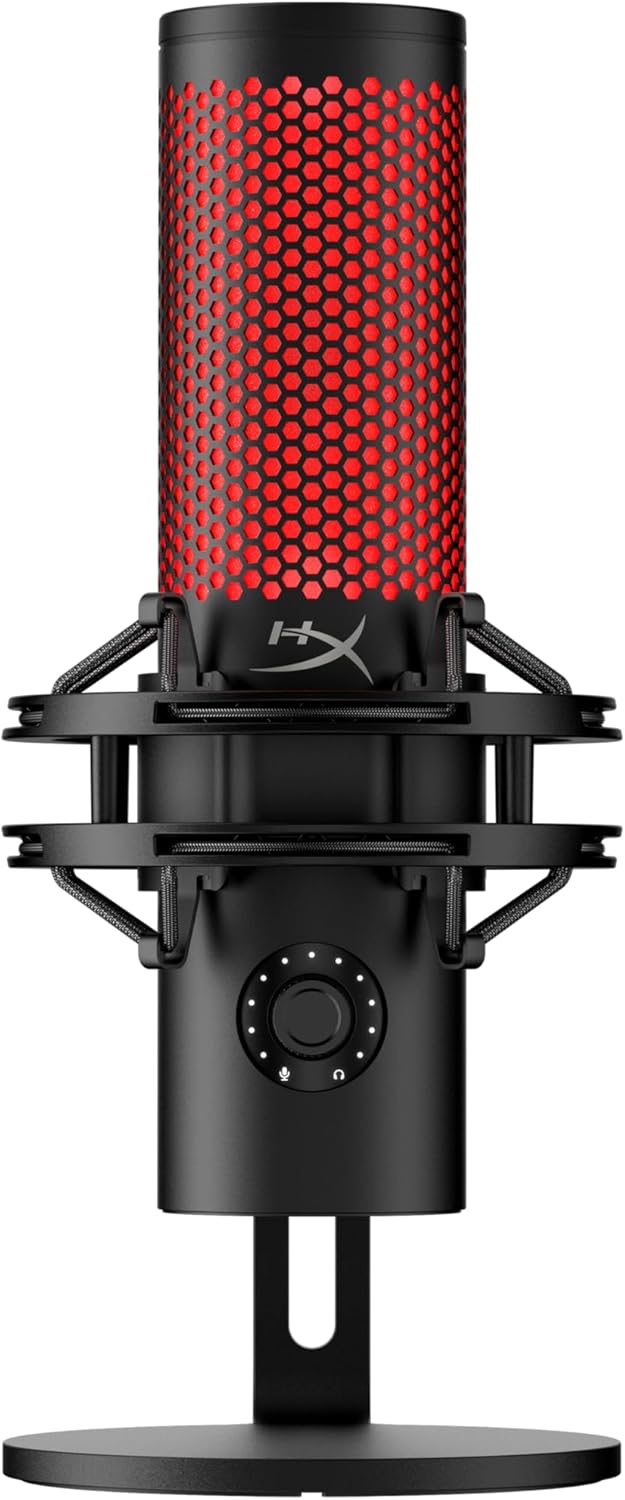
The HyperX QuadCast 2 represents a meaningful evolution in gaming and streaming microphones. It maintains the beloved features that made the original popular—the distinctive RGB lighting, tap-to-mute functionality, and four-pattern flexibility—while addressing real-world user feedback. The standout upgrade is the new multi-function on-board knob, which gives you direct control over microphone gain, playback volume, monitoring volume, and polar pattern switching without needing to tab out of your game or streaming software. This streamlined approach to mic management is genuinely useful during live sessions.
Audio performance is where the QuadCast 2 truly shines. The 24-bit/96kHz recording capability delivers studio-grade clarity that captures subtle vocal nuances, background ambiance, and tonal richness that lower-resolution microphones simply cannot match. The cardioid, omnidirectional, bi-directional, and stereo polar patterns provide legitimate versatility for different recording scenarios. Whether you are recording solo voiceovers, hosting group podcasts, or conducting video conferences, you have the tools to optimize your audio. The removable shock mount with spring-loaded pins is practical and the universal 3/8" and 5/8" threading compatibility means you are not locked into proprietary accessories.
Build quality reflects HyperX's gaming heritage. The full aluminum chassis feels premium and durable, while the included desktop stand and shock mount provide stable, professional mounting options right out of the box. The customizable LED lighting and grille effects add visual personality to your setup, and the HyperX NGENUITY software gives you granular control over these elements plus additional audio tuning. The integrated 3.5mm headphone output enables zero-latency monitoring, which is essential for serious content creators who need to hear themselves in real time.
| Specification | Value |
|---|---|
| Connectivity | USB Type-C (Wired) |
| Cable Length | 9.84 feet |
| Audio Resolution | 24-bit, 96kHz |
| Frequency Response | 20 Hz - 20 kHz |
| Polar Patterns | Cardioid, Omnidirectional, Bi-directional, Stereo |
| Signal-to-Noise Ratio | 65 dB |
| Impedance | 32 Ohms |
| Sound Mode | Stereo |
| Channels | 1 |
| Material | Aluminum |
| Color | Black |
| Dimensions | 7.17 x 5.31 x 9.5 inches |
| Weight | 335 grams |
| Included Components | USB-C Cable, Shock Mount, Desktop Stand |
| Warranty | 2 Years (Manufacturer) |
| Compatible Platforms | PC, Mac, PS5, PS4 |
| Special Features | Tap-to-Mute, Noise Reduction, Volume Control, 3.5mm Headphone Output, RGB Lighting |
Content Creators & Streamers: If you are streaming on Twitch, YouTube, or other platforms, the QuadCast 2's on-board controls and clear audio make it easy to manage your mic during live sessions without fumbling with software menus.
Gamers with Streaming Ambitions: The USB-C connection works seamlessly with PC and Mac, and the four polar patterns mean you can optimize audio quality whether you are gaming solo or in a group call. The tap-to-mute feature prevents embarrassing mic-on moments during intense gaming sessions.
Podcast Producers: The versatile polar patterns and studio-quality 24-bit/96kHz audio make this microphone suitable for professional podcast production. The headphone output with monitoring volume control is invaluable for maintaining consistent levels during recording.
Video Conference Professionals: For remote workers and online educators, the omnidirectional pattern and noise reduction features help you sound clear and professional during meetings, while the compact footprint fits neatly on any desk setup.
Setup Considerations: The QuadCast 2 uses USB-C connectivity, which is standard on modern computers but may require an adapter for older machines with USB-A ports. The included 9.84-foot cable provides good reach for flexible desk positioning. The shock mount and desktop stand are included, so you are ready to record immediately out of the box.
Polar Pattern Selection: Start with cardioid mode for solo recording and voice work, as it isolates your voice from background noise. Use omnidirectional for group podcasts or when you want to capture ambient sound. Bi-directional is useful for interview-style setups, and stereo mode works well for capturing music or environmental audio.
Software Customization: Download the HyperX NGENUITY software to customize RGB lighting effects, fine-tune audio settings, and access advanced features. However, the on-board knob gives you quick access to the most common adjustments without needing software.
Monitoring Setup: Use the 3.5mm headphone output for real-time monitoring. This is especially important for streamers and podcasters who need to hear themselves while recording. Adjust monitoring volume independently of your output level to prevent feedback.

Pros
- Excellent noise rejection with directional cardioid pattern ideal for home studios and untreated spaces
- Dual connectivity options let you switch between XLR for professional setups and USB for portable recording
- Real-time monitoring through 3.5mm headphone jack helps you catch issues during recording
- Straightforward controls with physical mute and gain knobs eliminate menu diving
- Includes essential accessories like shock mount and windscreen, reducing additional purchases
Cons
- Boom arm and mic stand not included, requiring separate purchases for proper positioning
- Advanced control features like monitoring and gain adjustment only work via USB connection, not XLR
- Requires close proximity to microphone for optimal noise reduction, limiting flexibility in recording distance
The FIFINE Amplitank K688 delivers clean, detailed vocal recording through its cardioid dynamic design and solid metal construction. The 130dB SPL rating ensures your voice stays crisp and undistorted whether you're recording podcasts, streaming, or creating voice-overs. The directional pickup pattern effectively isolates your voice from computer fans, hard drives, and other ambient noise, making it particularly valuable for home studios or office environments where acoustic treatment isn't possible.
Connectivity flexibility is a major strength here. The dual XLR and USB options mean you can integrate this microphone into professional broadcast setups with audio interfaces and mixers, or go portable with direct USB connection to your laptop. The included 8.2-foot USB cable provides reasonable reach, and the plug-and-play operation on both Windows and Mac systems eliminates driver headaches. For USB users, the real-time monitoring through the 3.5mm headphone jack with independent volume control lets you catch audio issues immediately rather than discovering problems in post-production.
The physical controls shine for practical workflow. The tap-to-mute function on the front panel offers tactile, silent muting without software intervention, while the gain knob lets you dial in proper input levels without touching your computer. The included shock mount and windscreen handle plosives and vibration effectively, though you'll need to purchase a separate boom arm or mic stand since those aren't included. Close proximity to the microphone is necessary to maximize noise rejection, which may feel restrictive if you prefer more freedom of movement during recording sessions.
| Brand | FIFINE |
| Model | Amplitank K688 |
| Microphone Type | Dynamic |
| Polar Pattern | Unidirectional (Cardioid) |
| Connectivity | USB and XLR |
| Max SPL | 130dB |
| Signal-to-Noise Ratio | Higher than 80dB |
| Headphone Jack | 3.5mm with volume control |
| Included Cable | 8.2ft (2.5m) USB-C to USB-A |
| Included Accessories | Shock mount, windscreen, 5/8' to 3/8' adapter, user manual |
| Not Included | Boom arm, mic stand, XLR cable |
| Compatible Devices | Desktop, laptop, mixer, audio interface, sound card |
| Operating Systems | Windows and Mac OS |
| Color | Black |
| Special Features | Mute function, gain control, headphone monitoring, detachable USB cable, metal construction |
Perfect For: Content creators, podcasters, streamers, and voice-over artists working in home studios or untreated spaces. If you need reliable noise rejection without extensive acoustic treatment, this microphone delivers. It's also ideal for anyone who wants flexibility between professional XLR setups and portable USB recording.
Consider Alternatives If: You need wireless connectivity, require extensive off-axis rejection, or prefer a microphone that works equally well at greater distances. If you plan to use only XLR without an audio interface, you'll miss out on the monitoring and gain control features.
Budget Consideration: At this price point, you're getting professional-grade connectivity options and construction. Budget an additional 40-80 dollars for a quality boom arm or mic stand, which aren't included but significantly improve usability and positioning flexibility.
What's Included: The microphone arrives with a shock mount, windscreen, 5/8' to 3/8' adapter, 8.2-foot USB cable, and user manual. This covers the basics for immediate USB recording on your computer.
Essential Additions: You'll need either a boom arm or desktop mic stand for proper positioning. For XLR users, purchase a quality XLR cable (3-6 feet recommended) and consider a sound card or audio interface for professional setups. The windscreen is included, but keep it on during vocal recording to minimize plosive sounds.
USB vs. XLR Setup: For USB recording, plug directly into your computer and you're ready to record within seconds. For XLR, connect to an audio interface or mixer, then monitor through headphones connected to that interface. Remember that mute, gain adjustment, and headphone monitoring only function with USB connections, not XLR alone.
How to Choose the Right Podcast Microphone
Choosing a podcast microphone involves balancing several technical factors against your recording environment and workflow. Below are the most important considerations our team weighs when evaluating any model.
Microphone Type: Dynamic vs. Condenser
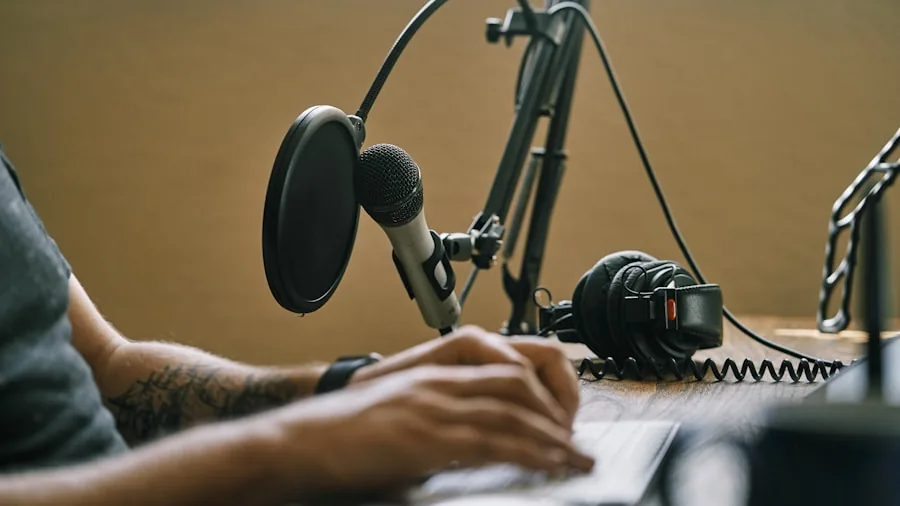
Dynamic microphones use a moving-coil capsule that excels at rejecting ambient noise, room reflections, and HVAC hum. They are forgiving in untreated spaces and handle close-miking extremely well, making them the go-to choice for bedroom podcasters and broadcast studios alike. The Shure SM7B and RØDE PodMic are textbook examples of this category performing at its peak. Condenser microphones, by contrast, use a charged diaphragm that captures a wider frequency spectrum and more detail, which is excellent in acoustically treated rooms but can expose every creak, click, and fan noise in a typical home setup. Models like the Logitech Blue Yeti lean condenser, offering rich fidelity when the environment cooperates. Neither type is universally superior; the right choice depends on where and how you record. If you frequently move your recording setup or work in noisy environments, a dynamic mic will almost always serve you better long-term.
Frequency Response and Vocal Warmth
Frequency response describes how a microphone captures different pitches across the audible spectrum, typically expressed as a curve ranging from low bass frequencies up to the highest treble. For podcasting, a slight presence boost in the upper midrange (around 2 to 5 kHz) enhances vocal intelligibility, while a gentle low-frequency roll-off keeps rumble and plosive energy under control. Deeper, bass-heavy voices often shine on dynamic mics with a proximity boost, while higher-pitched or softer voices can benefit from the extended high-frequency capture of a condenser. Our listening tests confirmed that the Shure SM7B and MV7X both deliver a smooth, broadcast-ready frequency curve that flatters a wide range of voice types without excessive post-processing. When comparing models from Shure, RØDE, FIFINE, and HyperX, pay attention to published frequency response charts rather than relying solely on marketing language. Pairing a well-matched mic with a quality set of wired monitoring headphones will let you assess tonal balance accurately during recording.
Connectivity: USB vs. XLR
Connectivity is one of the first decisions to make because it shapes your entire recording chain. USB microphones connect directly to a computer via USB or USB-C, handle their own analog-to-digital conversion internally, and require no additional hardware. This makes them ideal for beginners, solo podcasters, and anyone who values simplicity. XLR microphones output an analog signal and require an audio interface or mixer to convert that signal to digital before it reaches your computer. While this adds cost and complexity, it also opens the door to better preamps, phantom power for condenser capsules, and far more control over gain staging. Several models in our lineup, including the FIFINE K688, FIFINE AM8, and MAONO PD200W, offer hybrid USB/XLR connectivity, giving you the flexibility to start simple and scale up. If you are unsure which direction to go, starting with a hybrid model is a smart hedge that preserves your options as your production setup grows. Podcasters who also invest in quality computer speakers for playback monitoring will benefit equally from a clean audio chain on the output side.
Polar Pattern and Background Noise Rejection
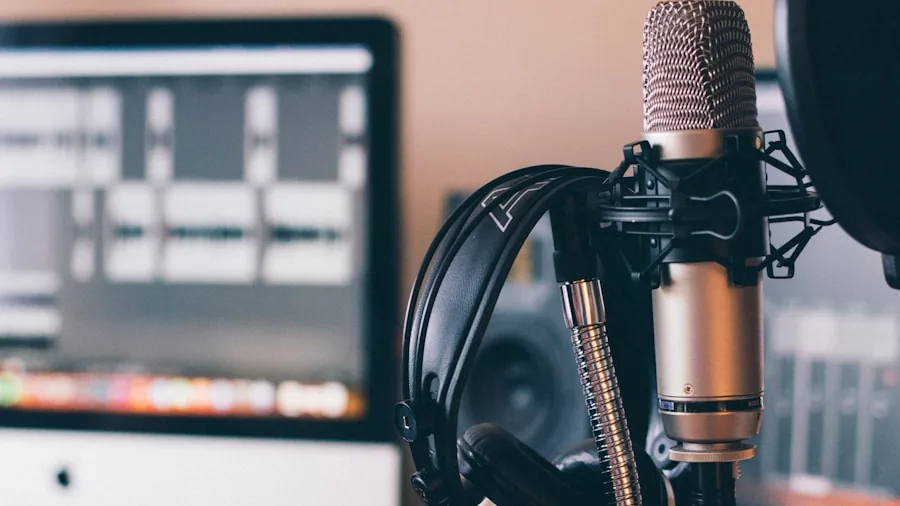
A microphone’s polar pattern determines which directions it is sensitive to sound. Cardioid patterns pick up sound primarily from the front and reject sound from the rear, making them the standard choice for single-host podcasting. Hypercardioid and supercardioid patterns narrow the pickup window even further, offering greater off-axis rejection at the cost of some side sensitivity. Multi-pattern microphones like the Logitech Blue Yeti allow you to switch between cardioid, figure-8, omnidirectional, and stereo modes, which is useful for interviews or multi-person recordings around a single mic. For most solo podcasters, a fixed cardioid pattern is all that is needed, and it often translates to a simpler, more phase-coherent capsule design. Our real-world room tests confirmed that cardioid dynamic mics provide the most consistent rejection of keyboard clicks, air conditioning noise, and room reflections in typical untreated spaces.
Build Quality, Ergonomics, and Mounting
Build quality affects longevity, handling noise, and day-to-day usability. All-metal housings, as found on the Shure MV7X and Shure SM7B, resist dents, reduce internal resonance, and project a professional aesthetic. Plastic-heavy builds can be perfectly functional but are more prone to cracking under mechanical stress. Most podcast microphones ship with a basic desk stand, but investing in a boom arm significantly improves ergonomics by allowing you to position the mic precisely at mouth level without hunching over a desk. The FIFINE K688CT kit includes a boom arm out of the box, which adds practical value for new setups. Always check thread compatibility (5/8-inch or 3/8-inch) between your mic and mounting hardware before purchasing separately.
Onboard Controls and Monitoring Features
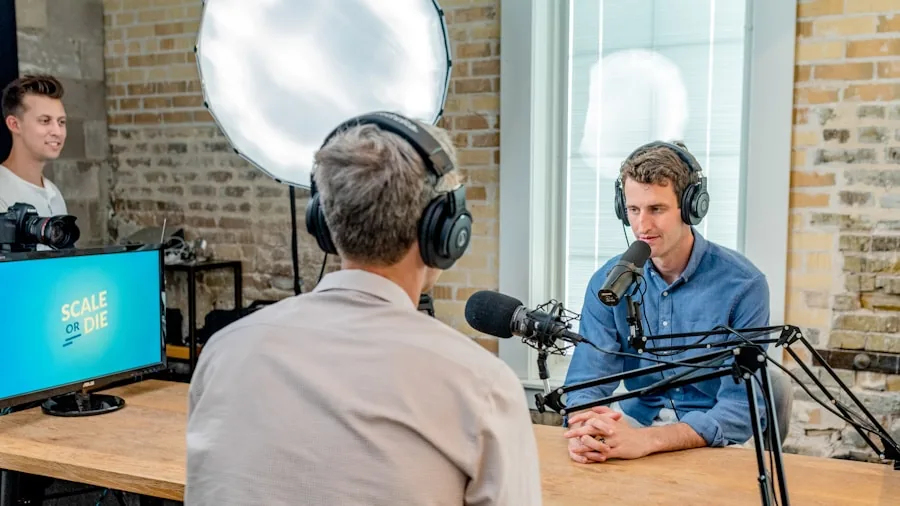
Onboard controls reduce the need to reach for software or an interface during a live recording session. A hardware mute button lets you silence the mic instantly between segments without fumbling through menus. A headphone jack with real-time zero-latency monitoring lets you hear your own voice as recorded, catching gain issues or positioning problems before they ruin a take. The FIFINE K688, FIFINE AM8, HyperX QuadCast 2, and Shure MV6 all include onboard headphone monitoring and mute controls, while the higher-end Shure SM7B relies on an external interface for these functions. If you record solo and want the most self-contained setup possible, prioritizing onboard monitoring is a smart move. Podcasters who also stream live content will find that a mic with built-in monitoring pairs well with a quality set of gaming headsets for simultaneous game and voice monitoring.
Software and DSP Processing
Several modern podcast microphones include companion desktop software that unlocks equalization, compression, de-essing, noise gating, and reverb controls. The Shure MV6 integrates with MOTIV audio software for app-based DSP control, while the Logitech Blue Yeti offers Blue VO!CE effects for real-time voice enhancement and noise suppression. The MAONO PD200W pairs with MAONO Link software for detailed EQ and noise cancellation adjustments. Software processing lowers the barrier to entry for podcasters who are not yet comfortable with DAW-level post-production, though it adds a software dependency that can occasionally break with operating system updates. For podcasters who prefer to do their processing in a DAW, a simple flat-response mic with no embedded DSP keeps the signal chain cleaner and more flexible.
Podcast Microphone Buying Guide by Use Case
Best for Solo Podcasters in Untreated Rooms
If you record alone in a bedroom, home office, or any room without acoustic treatment, a cardioid dynamic microphone is almost always the safest investment. Dynamic capsules are significantly less sensitive to reflections, room modes, and ambient noise than condenser capsules, so they naturally sound cleaner in less-than-ideal spaces. The Shure SM7B has become the industry standard for exactly this reason: its internal air suspension shock isolation, internal pop filtering, and flat wide-range frequency response produce broadcast-quality audio straight from the preamp with minimal EQ needed. For podcasters on a tighter budget who still want dynamic performance in an untreated room, the RØDE PodMic and Shure MV7X are strong alternatives worth evaluating. Pairing any of these with a pair of noise cancelling headphones for post-editing can further streamline your workflow.
Best for Multi-Host and Interview Shows
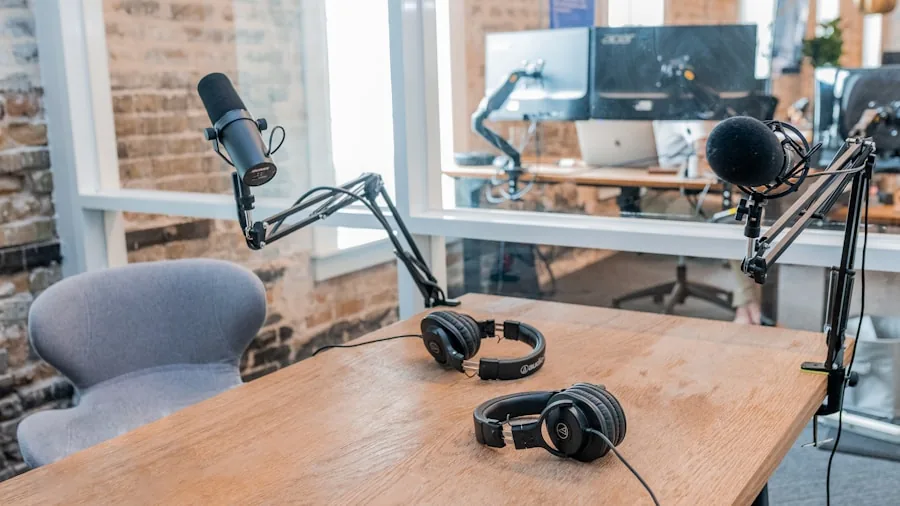
Multi-host shows where guests sit across a table from the host benefit most from dedicated microphones for each participant rather than a single multi-pattern mic placed centrally. Each participant having their own cardioid dynamic mic with close-miking technique produces far cleaner separation and makes post-editing easier. If budget constraints force a single-mic approach, a condenser with an omnidirectional or figure-8 pattern can capture multiple voices, but room acoustics become critical. The Logitech Blue Yeti’s multiple polar pattern modes make it one of the more versatile single-mic solutions for casual multi-host setups. Hosts who also run video alongside audio may want to explore open-back gaming headphones for cue monitoring without complete isolation from the room.
Best for Live Streaming and Gaming Content
Live streamers have unique demands: a mic must perform well under variable conditions, look good on camera, and integrate cleanly with streaming software like OBS or Streamlabs. USB connectivity is preferred for simplicity, and onboard mute controls are nearly essential for reactive content. The HyperX QuadCast 2 was designed explicitly for this audience, offering USB-C connectivity, customizable RGB lighting, a built-in shock mount, and an on-unit tap-to-mute sensor, all of which work seamlessly with PC and Mac streaming setups. The Shure MV6 is another strong option, bringing Shure’s broadcast heritage into a compact USB-C form factor with DSP voice isolation and auto level mode. Streamers investing in full audio-visual setups will also want to consider their speaker output quality; a good set of desktop speakers or Bluetooth speakers completes a professional monitoring chain.
Best for Beginner Podcasters on a Budget
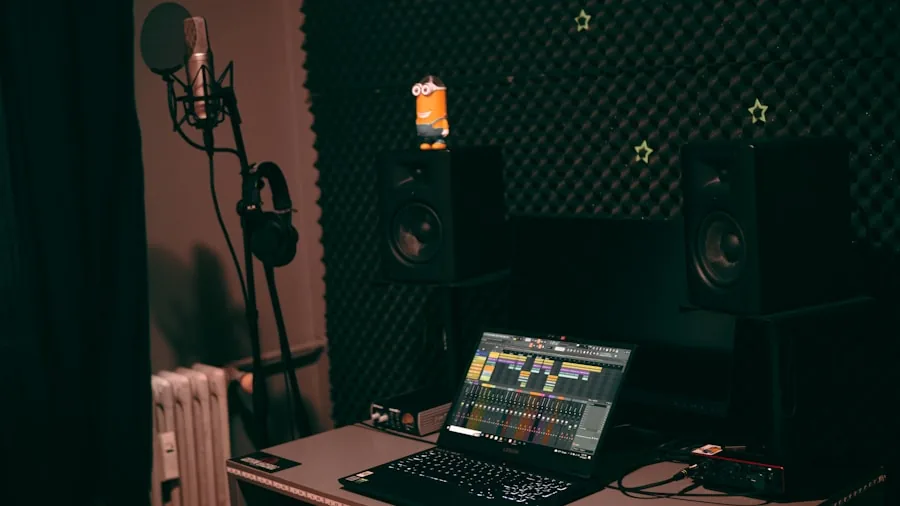
Entry-level podcasters do not need to spend a fortune to achieve professional-sounding results. The FIFINE AM8 and FIFINE K688 both offer USB/XLR hybrid connectivity, onboard headphone monitoring, and hardware mute controls at accessible price points. These features are typically reserved for mid-range microphones, making FIFINE’s lineup genuinely competitive for the budget segment. The AM8 adds RGB lighting that appeals to content creators who value aesthetic as well as function. Budget-minded creators who are also building out a wider audio setup will find our guide to everyday earbuds useful for mobile listening and content research.
Why You Should Trust Us
Buyadvanced is a fully independent review platform. We do not accept payment, free products, or advertising revenue in exchange for favorable coverage, and we have no financial relationship with any of the brands in this article. Our evaluation process involves extended hands-on testing of each microphone in real-world recording environments, including untreated bedroom setups, home offices with hard floors, and semi-treated studio spaces. We assess each model across five core criteria: audio quality and tonal character, background noise rejection, build quality and ergonomics, connectivity and ease of setup, and overall value relative to price. Ratings are cross-referenced against verified consumer feedback from thousands of real buyers to ensure our findings reflect broad real-world performance rather than isolated test conditions. We update our recommendations regularly as new models are released and as pricing shifts in the market. If you are also evaluating audio gear beyond microphones, our reviews of wireless headphones and portable speakers follow the same rigorous independent methodology.
Final Thoughts
After extensive evaluation of 9 podcast microphones spanning entry-level USB models and professional XLR dynamics, our top recommendations break down as follows.
- Best Overall: Shure SM7B Dynamic Studio Microphone earns this title with an unmatched combination of broadcast-grade frequency response, internal shock isolation, and proven real-world performance across every voice type and recording environment. It is the benchmark that all other podcast microphones are judged against.
- Best for Streaming and Gaming: HyperX QuadCast 2 delivers a purpose-built streaming experience with USB-C connectivity, a tap-to-mute sensor, customizable RGB lighting, and a removable shock mount, all in a plug-and-play package optimized for PC and console setups.
- Best XLR Upgrade Pick: Shure MV7X XLR Dynamic Microphone is the natural step up for podcasters already using an audio interface who want Shure’s voice-isolating cardioid capsule in an all-metal housing without paying the premium of the SM7B.
- Best Budget Pick: FIFINE AmpliGame AM8 USB/XLR Dynamic Microphone offers an impressive feature set for the price, including hybrid connectivity, onboard monitoring, a mute button, and RGB lighting, making it the top choice for podcasters starting out on a tight budget.
- Best for Versatility: Logitech Blue Yeti USB Microphone remains one of the most flexible all-in-one solutions available, with four selectable polar patterns and Blue VO!CE DSP effects that suit everything from solo recording to casual multi-guest interviews.
Whatever your recording goals, there is a podcast microphone in this lineup that fits your environment, workflow, and budget. If you are building a complete home audio setup alongside your podcast gear, exploring quality wireless earbuds for mobile monitoring or a dedicated set of noise cancelling earbuds for focused editing sessions rounds out a well-considered production toolkit.
Podcast Microphone FAQs
What makes a good podcast microphone?
A good podcast microphone captures your voice clearly and warmly while rejecting as much ambient noise, room reflection, and background interference as possible. Dynamic microphones with cardioid polar patterns check both boxes for most home recording situations. Beyond the capsule itself, factors like build quality, connectivity options, onboard gain control, and headphone monitoring capability all contribute to a smooth, reliable recording experience. Podcasters who also want to evaluate their mix through speakers will find our roundup of top-rated speakers a useful companion resource.
Do I need an audio interface for podcasting?
You only need an audio interface if you choose an XLR-only microphone. XLR mics output an analog signal that must be converted to digital by an interface or mixer before your computer can process it. USB microphones handle this conversion internally and plug directly into any computer or tablet, making them genuinely plug-and-play. Hybrid USB/XLR microphones like the FIFINE K688 and MAONO PD200W give you the option to start without an interface and add one later as your setup grows.
Is the Shure SM7B worth it for a home podcaster?
The Shure SM7B is an exceptional microphone, but it is also a premium investment that requires a high-gain XLR preamp or audio interface to reach its full potential. For most home podcasters, the RØDE PodMic or Shure MV7X offer a very similar dynamic cardioid character at a more accessible price point without needing a clean-gain preamp to drive them. The SM7B makes the most sense for podcasters who are committed to long-term professional production and have already invested in a quality interface.
Which podcast microphone works best for streaming?
USB condenser and dynamic microphones with onboard mute controls and headphone monitoring are ideally suited for streaming. The HyperX QuadCast 2 and Shure MV6 are both purpose-designed for this use case, offering USB-C connectivity, low-latency monitoring, and intuitive onboard controls that work seamlessly within live streaming workflows on PC, Mac, and PlayStation consoles. Streamers who monitor game audio separately may also want to consider dedicated gaming earbuds for a cleaner in-ear cue mix.
What is the difference between USB and XLR podcast microphones?
USB microphones contain their own analog-to-digital converter and connect directly to a computer, making them self-contained and simple to set up. XLR microphones output a raw analog signal and require an external audio interface or mixer to digitize the audio for recording software. XLR setups generally offer more headroom for gain staging, lower noise floors when paired with quality preamps, and greater flexibility for multi-mic configurations. USB setups sacrifice some of that headroom for the benefit of simplicity and portability. Hybrid models offer both connection types, which is the most future-proof option for podcasters who are still growing their setup.
Does Buyadvanced sell or support any of the products reviewed?
Buyadvanced does not sell any products, accept returns, handle warranty claims, or provide product support of any kind. We are an independent review platform. All purchases are made directly through retailers, and any post-purchase support is handled by the manufacturer or the retailer from whom you bought the product.
How do I reduce background noise when podcasting?
The most effective first step is choosing a dynamic cardioid microphone, which naturally rejects off-axis noise. Beyond that, close-miking technique (speaking within a few inches of the capsule) dramatically improves your voice-to-noise ratio. Adding basic acoustic treatment such as foam panels or recording blankets reduces room reflections. Software noise gates and noise reduction plugins in your DAW can clean up residual noise in post. For podcasters who also listen back on headphones during editing, a pair of over-ear ANC headphones makes it significantly easier to hear subtle audio artifacts that need correction.





Write Your Review
No reviews yet. Be the first to share your experience!