
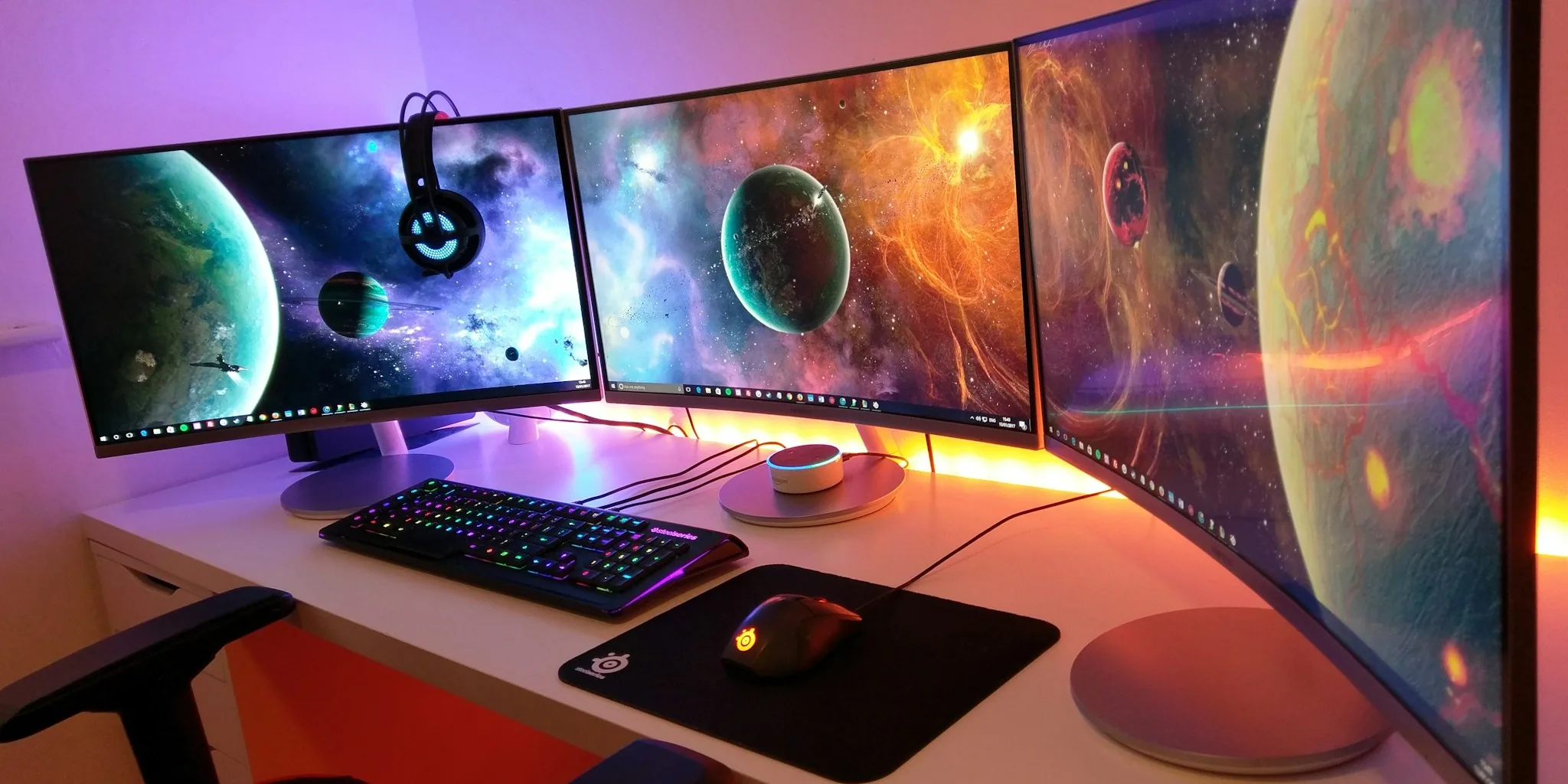

Finding the right curved monitor means cutting through a sea of specs, marketing claims, and panel types to land on a display that genuinely improves your daily experience. Our 2026 curved monitor reviews cover seven carefully selected screens from Samsung, LG, and Dell, tested across gaming, productivity, and creative use cases. Whether you need a budget-friendly FHD option or a premium ultrawide with HDR1000, this guide gives you the honest breakdown you need before spending your money.
If you are also building or upgrading a full workstation, pairing a great curved panel with a capable graphics card and a sturdy computer desk makes a meaningful difference in day-to-day comfort and performance.

Pros
- Exceptional screen real estate with 21:9 aspect ratio transforms productivity workflows and gaming experiences
- Versatile USB-C connectivity with 65W power delivery simplifies setup for modern laptops and workstations
- Outstanding color accuracy and contrast ratio make it suitable for professional content creation and editing
- Integrated speakers with enhanced audio quality reduce the need for external peripherals
- Curved design with 178-degree viewing angles minimizes eye strain during long work sessions
- Dell Display and Peripheral Manager software enables custom window tiling and app profile memory for streamlined workflows
Cons
- Premium pricing reflects the ultrawide format and professional-grade features, which may exceed casual users' budgets
- Ultrawide resolution (3440x1440) requires compatible graphics hardware and may not scale optimally with all older software applications
- Limited to 300 nits brightness, which may be inadequate for brightly lit environments or outdoor viewing
The Dell S3425DW represents a significant step forward in ultrawide monitor technology, combining professional-grade color accuracy with gaming-oriented responsiveness. The 3440x1440 resolution on a 34-inch curved panel creates an immersive viewing experience that justifies the premium price point. Whether you're arranging multiple windows for productivity work or enjoying cinematic content, the expansive 21:9 aspect ratio delivers tangible benefits that standard monitors simply cannot match. The VA panel technology ensures exceptional contrast and color depth, making it equally capable for photo editing, video production, and casual entertainment.
Connectivity is where this monitor truly excels. The single USB-C cable with 65W power delivery eliminates the cable clutter that plagues traditional setups, allowing you to power your laptop while simultaneously displaying content. The additional HDMI ports and USB Type-A connections provide flexibility for multi-device setups. The integrated speakers have been re-engineered with improved frequency response and output power, delivering surprisingly competent audio for a monitor. ComfortView Plus technology effectively reduces blue light emissions to 35% or less, making extended work sessions more comfortable without compromising color accuracy, which is critical for professionals who cannot afford color shifts.
The 0.03ms response time paired with 120Hz refresh rate and AMD FreeSync Premium support creates a fluid experience for both gaming and fast-paced creative work. The curved design and 178-degree viewing angles minimize eye strain and accommodate side-by-side seating. Dell's Display and Peripheral Manager software enables advanced window management across the ultrawide canvas, allowing you to save and restore custom app layouts automatically. The monitor's ENERGY STAR certification and recyclable packaging reflect a commitment to sustainability. At 20.7 pounds and requiring desk space of approximately 31.78 inches wide, installation is straightforward with included height and tilt adjustment options.
| Screen Size | 34 inches |
| Resolution | 3440 x 1440 pixels |
| Aspect Ratio | 21:9 ultrawide |
| Panel Type | VA with curved design |
| Refresh Rate | 120 Hz |
| Response Time | 0.03 milliseconds |
| Brightness | 300 nits |
| Contrast Ratio | 3000:1 |
| Color Gamut | 99% sRGB, 95% DCI-P3 |
| Viewing Angles | 178 degrees |
| Screen Surface | Matte anti-glare |
| Adaptive Sync | AMD FreeSync Premium |
| Ports | 2x HDMI, 1x USB-C upstream (65W Power Delivery), 1x USB-C downstream (15W), 2x USB-A |
| Built-in Audio | Integrated speakers with enhanced sound quality |
| Power Consumption | 31 watts typical |
| Dimensions (W x H x D) | 31.78 x 16.2 x 8.73 inches |
| Weight | 20.7 pounds |
| Adjustments | Height adjustment, tilt adjustment |
| Warranty | 1-year Advanced Exchange Service & Premium Panel Exchange |
| Certifications | ENERGY STAR, 4-star certified for eye comfort |
| Color | Ash White |
| Model Number | S3425DW |
Ideal For:
- Professional Content Creators: Photo and video editors benefit from the 99% sRGB and 95% DCI-P3 color accuracy, allowing confident color grading and editing without external calibration tools.
- Productivity Power Users: Financial analysts, software developers, and designers leverage the ultrawide real estate to display multiple applications simultaneously, reducing window switching and boosting efficiency.
- Gaming Enthusiasts: The 120Hz refresh rate, 0.03ms response time, and FreeSync Premium support deliver competitive advantages in fast-paced games, while the curved design creates an immersive environment.
- Remote Workers: The USB-C power delivery simplifies laptop charging while providing a expansive workspace, and the blue light reduction minimizes eye fatigue during all-day virtual meetings.
Less Ideal For:
- Budget-conscious buyers seeking basic monitor functionality
- Users with limited desk space or those preferring compact displays
- Casual web browsers who won't fully utilize the ultrawide format
Productivity & Multitasking:
The 3440x1440 resolution provides approximately 33% more horizontal screen space than a standard 16:9 monitor, enabling seamless side-by-side window arrangement. Dell's Display and Peripheral Manager software enhances this capability by allowing you to save custom window layouts and restore them automatically, streamlining repetitive workflows. The 178-degree viewing angles ensure that content remains visible and accurate even when viewed from the side, making it ideal for collaborative work environments.
Creative Professional Work:
The 99% sRGB and 95% DCI-P3 color coverage, combined with the 3000:1 contrast ratio and HDR readiness, delivers the color accuracy demanded by photographers, video editors, and graphic designers. The VA panel technology ensures consistent colors across the wide viewing angles, critical when working with clients or teams. The matte finish eliminates reflections that could interfere with color assessment.
Gaming & Entertainment:
The 120Hz refresh rate, 0.03ms response time, and AMD FreeSync Premium support create a smooth, tear-free gaming experience. The ultrawide 21:9 aspect ratio immerses you in gaming environments, particularly in titles with ultrawide support. The curved design enhances this immersion by directing your visual focus toward the center of the screen. For movie watching, the exceptional contrast ratio and color accuracy deliver cinematic quality.
Connectivity Flexibility:
The USB-C upstream port with 65W power delivery eliminates the need for separate power adapters when connecting compatible laptops, reducing cable clutter and simplifying setup. The additional HDMI and USB-A ports accommodate legacy devices and multi-source setups, ensuring compatibility across your technology ecosystem.

Pros
- Excellent screen size-to-price ratio with a spacious 32-inch curved display at an entry-level price
- Smooth gaming performance with 100Hz refresh rate and AMD FreeSync for reduced motion blur and stuttering
- Comfortable for long work sessions with Reader Mode, Flicker Safe technology, and wide 178-degree viewing angles
- Simple customization with OnScreen Control software allows easy window splitting and display adjustments
- Lightweight and compact design with flexible tilt adjustment for optimal ergonomic positioning
Cons
- 1080p resolution on a 32-inch screen results in lower pixel density, which may appear slightly less sharp than smaller high-resolution monitors
- 5ms response time is adequate for casual gaming but slower than competitive 1-2ms panels for fast-paced esports
- Glossy screen finish can produce reflections in bright rooms, requiring proper lighting management
The LG 32MR50C-B stands out as an excellent value proposition for anyone seeking a large curved monitor without premium pricing. The 32-inch curved VA panel creates an immersive viewing experience that wraps around your peripheral vision, making it ideal for multitasking in a home office or enjoying immersive gaming sessions. The 1920x1080 resolution delivers clear, vibrant colors thanks to the VA technology's superior contrast ratio of 3000:1, though pixel density is moderate on such a large screen.
Performance-wise, the 100Hz refresh rate paired with AMD FreeSync technology ensures smooth motion during gaming and video playback with minimal stuttering and tearing. The Black Stabilizer feature is particularly useful for competitive gaming, brightening dark scenes to give you visibility advantages. Additional features like Reader Mode, which reduces blue light and adjusts color temperature, and Flicker Safe technology make this monitor genuinely comfortable for extended work sessions. The ergonomic stand offers tilt adjustment for proper viewing angles, and the OnScreen Control software provides convenient workspace management options like window splitting.
Build quality is solid with a lightweight design at 11.3 pounds, and the monitor includes practical connectivity with two HDMI ports and a D-Sub input. The 1-year manufacturer warranty provides standard protection. While the 5ms response time is slightly slower than competitive gaming monitors and the glossy finish can reflect light, these trade-offs are reasonable given the affordable price point and the monitor's strong performance across work and casual gaming scenarios.
| Screen Size | 32 inches |
| Display Type | Curved VA Panel |
| Resolution | 1920 x 1080 (Full HD) |
| Refresh Rate | 100 Hz |
| Response Time | 5 milliseconds |
| Brightness | 250 cd/m2 |
| Contrast Ratio | 3000:1 |
| Viewing Angle | 178 degrees |
| Pixel Pitch | 0.3637 mm |
| Aspect Ratio | 16:9 |
| Screen Surface | Glossy |
| Adaptive Sync | AMD FreeSync |
| Connectivity | 2x HDMI, 1x D-Sub, Headphone Jack |
| Power Consumption | 25 watts |
| Dimensions | 27.9" W x 20.2" H x 9.2" D |
| Weight | 11.3 pounds |
| Stand Adjustment | Tilt |
| Warranty | 1 year parts and labor |
| Model Number | 32MR50C-B.AUSQ |
The LG 32MR50C-B is well-suited for casual to moderate gaming thanks to its combination of features designed specifically for gaming enjoyment. The 100Hz refresh rate provides noticeably smoother gameplay compared to standard 60Hz monitors, reducing motion blur and creating more fluid animations during action sequences and fast-paced scenes. AMD FreeSync technology synchronizes the monitor's refresh rate with your graphics card, eliminating screen tearing and stuttering for a more cohesive visual experience.
The Black Stabilizer feature is a practical advantage for competitive gaming, enhancing visibility in dark areas of games and giving you better situational awareness when opponents hide in shadows. This feature can provide a genuine edge in tactical shooters and dark fantasy games. The 5ms response time is acceptable for most gaming genres, though players seeking extreme competitive advantage in esports titles may prefer faster 1-2ms panels. The large curved screen creates an immersive gaming environment that pulls you into the action.
Keep in mind that the 1080p resolution on a 32-inch screen means you won't achieve the pixel-perfect clarity of higher-resolution displays, which may affect visual quality in detail-heavy games. However, for the price point, this monitor delivers solid gaming performance for players who value screen size and immersion over absolute graphical fidelity.
For remote workers and home office setups, the LG 32MR50C-B offers exceptional value and productivity benefits. The 32-inch curved display provides ample screen real estate for multitasking, allowing you to keep multiple windows open simultaneously without constant window switching. The OnScreen Control software makes workspace management effortless, enabling quick window splitting and custom layouts that adapt to your workflow needs.
Comfort during extended work sessions is a priority with this monitor. Reader Mode automatically adjusts color temperature and luminance to reduce eye strain when reading documents and emails, while Flicker Safe technology eliminates invisible screen flickering that causes fatigue during long hours. The ergonomic stand offers tilt adjustment to position the screen at your ideal viewing angle, promoting proper posture and reducing neck strain. Wide 178-degree viewing angles mean you can adjust your seating position without color or contrast shifts.
The curved design wraps the display around your field of vision, reducing the need to move your head and eyes as much, which translates to less fatigue throughout the workday. With low 25-watt power consumption, this monitor is also energy-efficient for continuous daily use. The dual HDMI ports provide flexible connectivity options for laptops, desktops, and peripherals, making it a versatile addition to any home office setup.

Pros
- Exceptional curved ultrawide format provides natural peripheral vision coverage that flat monitors can't match
- 165Hz refresh rate paired with 1ms response time creates genuinely competitive gaming performance
- 4K resolution at this screen size delivers crisp text and detailed visuals for both gaming and professional work
- HDR 600 certification with VA panel technology produces stunning contrast and color depth
- Robust build quality and adjustable ergonomics support extended gaming and work sessions
Cons
- 37-inch curved display demands significant desk space and may not fit smaller setups
- Premium pricing at $599.99 puts it out of reach for budget-conscious buyers
- Large ultrawide format requires compatible GPU hardware to fully leverage 4K at 165Hz performance
The Samsung Odyssey G7 37-inch monitor represents a significant leap forward in gaming display technology. The 1000R curvature wraps around your natural field of vision, creating an immersive gaming environment that standard flat monitors simply cannot replicate. Whether you're navigating competitive shooters or exploring vast open worlds, the curved ultrawide format gives you genuine positional awareness advantages while reducing eye strain from constantly refocusing across a flat plane.
Performance-wise, this monitor delivers genuine competitive credentials. The 165Hz refresh rate combined with 1ms gray-to-gray response time minimizes input lag and motion blur, essential for fast-paced gaming. AMD FreeSync Premium Pro synchronizes your GPU output with the panel's refresh cycle, eliminating the screen tearing and stuttering that can ruin competitive matches. The 4K UHD resolution ensures that even at this expansive size, individual pixels remain invisible, maintaining sharp detail in both gaming and professional creative work like video editing and photo retouching.
Visual quality stands out through the VESA DisplayHDR 600 certification and VA panel technology. The 3000:1 contrast ratio and 350 nits brightness deliver punchy blacks and brilliant highlights, making dark game scenes feel genuinely atmospheric rather than muddy. CoreSync lighting technology extends on-screen colors into your surrounding environment, creating an enveloping visual experience that enhances immersion. The ergonomic stand provides essential adjustability for long sessions, while multiple connectivity options ensure compatibility with your gaming setup regardless of platform.
| Screen Size | 37 inches |
| Resolution | 4K UHD (3840 x 2160 pixels) |
| Refresh Rate | 165 Hz |
| Response Time | 1 millisecond (GtG) |
| Curve Radius | 1000R |
| Panel Type | VA LED |
| Contrast Ratio | 3000:1 |
| Brightness | 350 cd/m2 |
| Color Gamut | 0.99 |
| Viewing Angle | 178 degrees |
| Aspect Ratio | 16:9 |
| Adaptive Sync | AMD FreeSync Premium Pro |
| Connectivity | 2x HDMI, 1x DisplayPort, 3x USB 3.0, 1x USB upstream |
| Dimensions (D x W x H) | 12" x 32.1" x 26.6" |
| Weight | 24.7 lbs |
| Power Consumption | 140 watts |
| Warranty | 1 year manufacturer |
| Model Number | LS37FG75DENXZA |
What GPU Do You Need? To maximize this monitor's 4K 165Hz potential, you'll want a high-end graphics card. NVIDIA RTX 4080 or RTX 4090, or AMD Radeon RX 7900 XTX can achieve 165fps at 4K in demanding titles. For less demanding games, an RTX 4070 or RX 7900 XT will deliver excellent performance. FreeSync Premium Pro support ensures smooth gameplay even when frame rates dip below the monitor's maximum refresh rate.
Best Game Types This monitor excels across all gaming genres. Competitive shooters benefit from the 1ms response time and high refresh rate. Story-driven games shine with 4K resolution and HDR contrast. Simulation games and racing titles gain immense advantages from the ultrawide curved format, providing natural peripheral awareness. Strategy and MMO games appreciate the extra horizontal real estate for UI and situational awareness.
Setup Recommendations Position the monitor at arm's length distance (approximately 28-32 inches from your eyes) to fully appreciate the curved immersion without neck strain. The ergonomic stand's height and tilt adjustments allow you to align the top of the screen slightly below eye level, which reduces fatigue during extended sessions. Ensure adequate desk depth (minimum 30 inches) to accommodate the monitor's 12-inch stand depth. Use DisplayPort for the best bandwidth and FreeSync performance when available.
Video Editing The 4K resolution and ultrawide format provide exceptional workspace for timeline scrubbing and multi-track editing. The 99% color gamut and HDR 600 support ensure accurate color representation for professional video work. The curved display reduces eye strain during long editing sessions, and the 165Hz refresh rate makes playback preview smooth and responsive.
Photo Retouching Photographers benefit from the expansive 4K canvas for detailed pixel-level work and the high contrast ratio for evaluating shadow and highlight detail. The VA panel's excellent color accuracy supports confident color grading decisions. The ultrawide format allows simultaneous viewing of reference images and editing tools without constant window switching.
Creative Workspace Designers, architects, and 3D artists gain enormous productivity benefits from the extra horizontal screen real estate. The curved format reduces head movement and eye refocusing compared to multiple flat monitors. The high refresh rate makes panning, zooming, and rotating 3D models feel responsive and natural. Multiple connectivity options support simultaneous connections to workstations and reference devices.

Samsung 49" Odyssey G95C 240Hz Curved Gaming Monitor
Pros
- Massive curved screen provides genuine competitive advantage with extended peripheral vision
- Excellent contrast and brightness make spotting enemies in shadows and bright areas easier
- Fast 240Hz refresh and 1ms response time deliver smooth, responsive gameplay for competitive titles
- AMD FreeSync Premium Pro eliminates screen tearing on compatible systems
- Picture-by-Picture and Picture-in-Picture modes let you multitask while gaming
- Eye Saver Mode and TUV-certified eye comfort technology reduce strain during long sessions
Cons
- Premium pricing at $900 positions it above budget ultrawide alternatives, though below OLED models
- VA panel technology doesn't match OLED's perfect blacks or viewing angles, though still excellent for gaming
- Requires significant desk space at 45.2 inches wide, not suitable for compact setups
The Samsung Odyssey G95C stands out as a feature-rich ultrawide gaming monitor that delivers genuine immersion without the premium OLED price tag. The 49-inch 1000R curved display with 5120x1440 resolution creates an expansive gaming environment that extends your peripheral vision, giving you a real competitive advantage in fast-paced titles. The 240Hz refresh rate and 1ms gray-to-gray response time work together seamlessly to eliminate lag and ghosting, making this monitor particularly well-suited for esports and competitive gaming where every millisecond matters.
Display quality is impressive, with DisplayHDR 1000 certification providing exceptional brightness and a 1,000,000:1 contrast ratio that reveals fine details across the entire tonal range. Whether you're spotting enemies in shadowy corners or enjoying bright outdoor scenes, the panel delivers the visual depth expected at this price point. AMD FreeSync Premium Pro synchronizes your graphics output with the monitor's refresh rate, eliminating screen tearing and stuttering for buttery-smooth gameplay. The CoreSync and CoreLighting+ features add an extra layer of immersion by projecting on-screen colors into your gaming space, creating a cohesive visual environment.
Usability features round out the package nicely. The ergonomic stand offers full adjustment flexibility with swivel, tilt, and height controls, while the Auto Source Switch Plus feature automatically detects when new devices power on, getting you into your games faster. Picture-by-Picture and Picture-in-Picture modes provide genuine versatility for multitasking, and the TUV-certified eye comfort technology with blue light reduction helps maintain comfort during extended gaming sessions. For gamers seeking an ultrawide curved experience with excellent performance specs at a reasonable price point, the G95C delivers strong value.
| Screen Size | 49 inches |
| Resolution | 5120 x 1440 (Dual QHD Ultrawide) |
| Aspect Ratio | 32:9 |
| Panel Type | VA (QLED) |
| Curvature | 1000R |
| Refresh Rate | 240 Hz |
| Response Time | 1 ms (Gray to Gray) |
| Brightness | 1000 nits peak |
| Contrast Ratio | 1,000,000:1 |
| Viewing Angle | 178 degrees |
| Adaptive Sync | AMD FreeSync Premium Pro |
| Connectivity | 2x HDMI, DisplayPort, 2x USB 3.0 |
| Ports | 2 USB 3.0, 2 USB 2.0 |
| Stand Adjustment | Swivel, Tilt, Height Adjustment |
| VESA Mount | Compatible |
| Dimensions | 45.2"W x 22.4"H x 16.6"D |
| Weight | 23.4 lbs |
| Power Consumption | 120 watts |
| Warranty | 1 year manufacturer |
| Model | LS49CG950ENXZA |
Refresh Rate and Response Time
The 240Hz refresh rate combined with 1ms response time creates a highly responsive gaming experience. This combination is particularly beneficial for competitive shooters, fighting games, and fast-paced action titles where reaction time directly impacts performance. The refresh rate ensures smooth motion across the entire ultrawide canvas, while the rapid response time minimizes ghosting and blur during quick camera movements.
Adaptive Sync Technology
AMD FreeSync Premium Pro eliminates screen tearing and stuttering by synchronizing the monitor's refresh rate with your graphics card's output. This technology is especially valuable during intense gaming sessions where frame rates fluctuate. The Premium Pro certification indicates low input lag and a wide variable refresh rate range, ensuring smooth gameplay across various game types and GPU loads.
Immersion and Field of View
The 49-inch ultrawide format with aggressive 1000R curvature creates a genuinely immersive gaming environment. The extended horizontal field of view provides practical advantages in games that support ultrawide resolutions, allowing you to see more of the game world without moving your head. This is particularly valuable in racing sims, strategy games, and exploration-focused titles where spatial awareness enhances gameplay.
Who Should Buy This Monitor?
The Samsung Odyssey G95C is ideal for serious gamers who want an ultrawide curved display with excellent performance specs. It's particularly well-suited for competitive gamers in esports titles, racing simulation enthusiasts, and players who value immersive single-player experiences. The monitor also works well for content creators who need extensive screen real estate for multitasking.
Space and Setup Considerations
At 45.2 inches wide, this monitor requires significant desk space. Measure your desk carefully before purchasing. The curved design and substantial weight (23.4 lbs) mean you'll want a sturdy, properly positioned stand or VESA mount. The fully adjustable ergonomic stand provides excellent flexibility for finding your ideal viewing position.
Graphics Card Compatibility
To fully utilize the 240Hz refresh rate, you'll need a powerful graphics card. For competitive esports at high frame rates, an RTX 4070 or better (or AMD equivalent) is recommended. For single-player games at medium to high settings, an RTX 4060 Ti or better will deliver excellent results. The FreeSync Premium Pro feature works with AMD and some Nvidia cards with FreeSync support.
Cable and Connectivity
The monitor includes DisplayPort and HDMI cables. For gaming, DisplayPort is recommended for the fastest refresh rates. The USB ports provide convenient connectivity for peripherals. Ensure your desk setup accommodates the cable management for this large display.
How to Choose the Right Curved Monitor
Curved monitors range from affordable 32-inch FHD panels to massive 49-inch ultrawide powerhouses. Knowing what separates a good purchase from a frustrating one comes down to a handful of core specs and personal priorities. Here is what our reviewers weigh most heavily when evaluating a curved display.
Screen Size and Curvature Rating
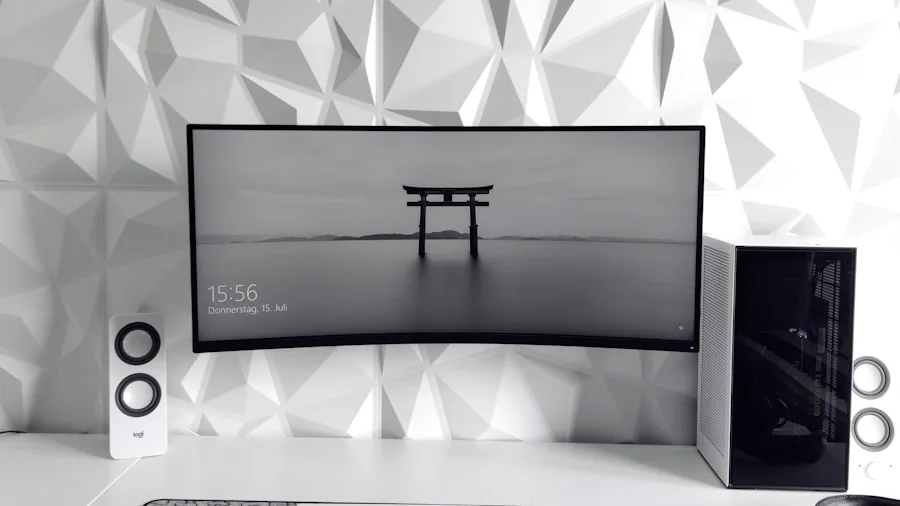
The curvature of a monitor is measured in the letter R, short for radius, and the smaller the number the more aggressive the curve. A 1000R curve, which appears across Samsung’s Odyssey lineup in this guide, is designed to match the natural focal distance of the human eye and works especially well for immersive gaming and wide productivity layouts. A 1800R curve is gentler and tends to suit users who prefer a more subtle effect.
Screen size matters as much as curvature. A 32-inch monitor at 1000R feels very different from a 49-inch ultrawide at the same rating. Measure your desk depth before committing. Most curved monitors need at least 24 inches of distance between the panel and your eyes for the curve to feel natural rather than overwhelming. If desk space is limited, a 32-inch model like the Samsung Odyssey G55C is a more practical starting point than going straight to a 49-inch ultrawide.
Refresh Rate and Response Time
For gaming, refresh rate is one of the most important specifications on the sheet. A 165Hz panel delivers noticeably smoother motion than a 60Hz or 75Hz display, and every model in our current lineup reaches at least 100Hz. The Samsung Odyssey G9 pushes all the way to 240Hz, which puts it in a tier suited for competitive gamers with high-end rigs capable of hitting those frame counts.
Response time determines how quickly pixels transition between colors. A 1ms GtG or MPRT rating reduces ghosting and blurring behind fast-moving objects. Always check whether the listed response time requires a special overdrive mode, since some panels introduce inverse ghosting at the fastest setting. Our testers run displays at multiple overdrive levels to find the optimal balance.
Syncing technology also plays a role. AMD FreeSync Premium and FreeSync Premium Pro, which appear across all seven monitors in this guide, dynamically match the display refresh rate to your GPU output, eliminating screen tearing without the latency penalty of V-Sync. Pair any of these panels with one of the top GPUs for gaming to get the most out of adaptive sync.
Resolution and Panel Type

Resolution determines sharpness, and on larger curved screens it matters more than on smaller flat panels because your eyes spend more time at the edges. FHD at 1920×1080 looks fine on a 27-inch screen but starts to look soft on a 32-inch display at normal viewing distances. WQHD at 2560×1440 hits a great balance of sharpness and GPU demand for most users, and three models in this guide run at that resolution or the ultrawide equivalent of 3440×1440. The Samsung Odyssey G7 steps up to 4K UHD at 3840×2160 for buyers who want maximum pixel density.
VA panels dominate the curved monitor market because their curvature process is easier to apply to vertical alignment substrates. VA panels also produce higher native contrast ratios, typically 3000:1 or higher, compared to IPS panels at around 1000:1. That deep contrast makes dark scenes in games and movies look much more dramatic. The trade-off is that VA panels can show slower pixel transitions in dark areas, a phenomenon called black smearing, though modern high-refresh VA panels have largely improved this. The Dell S3425DW uses a VA panel and is certified for 99% sRGB and 95% DCI-P3, making it a strong option for content creators alongside gamers.
Buyers evaluating high-resolution flat alternatives alongside curved screens may also find our breakdown of 1440p monitors useful for comparison.
Connectivity Options
Modern curved monitors should offer at least two HDMI ports and one DisplayPort to support a mix of devices. USB-C with DisplayPort Alt Mode is increasingly valuable for laptop users who want to feed video and charge through a single cable. The Dell S3425DW delivers exactly that with its USB-C input, and the LG 34G630A-B also includes USB Type-C alongside HDMI and DisplayPort.
Console gamers need to confirm HDMI version compatibility. HDMI 2.0 supports 4K at 60Hz and is sufficient for current PlayStation and Xbox output modes. Some ultrawide monitors do not natively support console resolutions, so check whether your chosen panel accepts 1080p or 1440p input from consoles before purchasing.
USB hub functionality built into the monitor stand can reduce desktop cable clutter, a feature worth prioritizing if your workstation hosts multiple peripherals. A well-organized desk also starts with a good surface, and dedicated gaming desks are designed to handle the depth and weight of large curved panels.
HDR Support
HDR on monitors is not created equal. DisplayHDR 400 certification, which appears on the LG 34G630A-B and Samsung Odyssey G7, signals a minimum brightness of 400 nits with limited local dimming. It is a meaningful step up from SDR but falls well short of the cinematic HDR experience on high-end TVs. DisplayHDR 600 on the Samsung Odyssey G7 improves peak brightness and tone mapping noticeably. The top performer in our lineup is the Samsung Odyssey G9, which carries DisplayHDR 1000 certification and represents the most impactful HDR experience in this group.
For buyers who primarily care about HDR in games, pairing a capable panel with a system built around one of the best prebuilt gaming PCs ensures the CPU and GPU can deliver enough frames to make high refresh rate HDR worthwhile.
Ergonomics and Adjustability

A curved monitor locks you into a specific optimal viewing position more than a flat panel does, which makes ergonomic adjustability more important, not less. Height adjustment lets you align the top of the screen with your eye level, reducing neck strain during long sessions. Tilt adjustment helps compensate for desk height variations. Swivel lets you angle the panel toward a collaborator without lifting the entire stand.
The LG 34G630A-B stands out in this guide for offering tilt, height, and swivel adjustment together at its price point. The Samsung Odyssey G5 and G55C offer tilt and height but no swivel. Budget models like the LG 32MR50C-B are limited to tilt only, which is typical at that price.
Proper seating also plays a role in long-session comfort. An ergonomic office chair that supports lumbar positioning reduces the strain a curved monitor’s fixed angle can otherwise create. If you are setting up a complete workstation from scratch, considering all peripherals together leads to a much more comfortable result.
Eye Comfort Features

Extended sessions in front of bright displays cause fatigue for many users. Samsung’s Odyssey monitors in this guide include Eye Saver Mode, which reduces blue light output, alongside flicker-free backlights. The LG panels include similar comfort certifications. Look for monitors with both a low blue light mode and a flicker-free backlight if you spend four or more hours per day in front of a screen.
Anti-glare coatings are standard on VA panels and handle reflections well in typical indoor lighting. If your workspace receives direct sunlight, position the monitor perpendicular to windows rather than facing them regardless of coating quality.
Why You Should Trust Us
Buyadvanced is an independent review platform. We do not sell products, accept payment for favorable coverage, or provide purchase support, order tracking, or warranty services. Our team purchases or sources review units independently, evaluates each product under controlled conditions, and supplements lab data with extended real-world use by reviewers based across the United States.
For curved monitors, our evaluation covers panel uniformity, color accuracy measured against sRGB and DCI-P3 gamuts, motion handling at multiple refresh rates, input lag under gaming conditions, build quality and ergonomic adjustability, OSD usability, and overall value relative to competing options in the same price tier. We test each monitor across a range of content types including fast-paced games, color-graded video, productivity spreadsheets, and dark-room movie viewing to capture how real users will experience the panel day to day.
Our monitor expertise extends across the full display category. You can find related evaluations in our roundup of gaming monitors and our overview of top monitors across all categories for broader context.
Final Thoughts
After evaluating all seven panels in this guide, here are our standout picks by category:
- Best Overall: Samsung 37-Inch Odyssey G7 delivers 4K UHD resolution at 165Hz with VESA DisplayHDR 600 and AMD FreeSync Premium Pro, making it the most well-rounded performer in the lineup for both gaming and content consumption.
- Best Ultrawide: Samsung 49-Inch Odyssey G9 offers a 240Hz refresh rate, DisplayHDR 1000, and a massive 1000R curved DQHD panel that immerses you in games and multitasking layouts like nothing else in this group.
- Best for Productivity and Creative Work: Dell 34 Plus USB-C Curved Monitor S3425DW combines 99% sRGB and 95% DCI-P3 color coverage with USB-C connectivity and integrated speakers at a mid-range price point that content creators will appreciate.
- Best Budget Pick: LG 32MR50C-B brings a 100Hz curved FHD panel with AMD FreeSync and a competitive price, making it the easiest recommendation for buyers new to curved displays who want a low-risk entry point.
- Best Mid-Range Gaming Pick: Samsung 34-Inch Odyssey G5 combines a WQHD ultrawide panel with 165Hz, 1ms response time, and FreeSync Premium in a proven chassis that has earned strong ratings from thousands of owners.
If you are building a complete setup around your new curved monitor, a quality keyboard and a reliable wireless mouse round out the experience nicely. For buyers who want to explore panel options beyond curved designs, our guide to monitors for gaming covers additional screen types and sizes.
Curved Monitor FAQs
What features matter most in a curved monitor?
Refresh rate, curvature rating, panel type, and resolution are the four specs that most directly affect your daily experience. For gaming, prioritize refresh rate and response time. For creative work, color gamut coverage and resolution matter more. Eye comfort features like flicker-free backlights and low blue light modes are worth checking regardless of your primary use case.
How do Samsung, LG, and Dell curved monitors compare?
Samsung’s Odyssey lineup prioritizes aggressive 1000R curves and high refresh rates with consistent build quality across price tiers. LG brings competitive value at the budget and mid-range levels with broad connectivity options and solid factory color accuracy. Dell’s S3425DW targets professionals who need verified color coverage and USB-C flexibility alongside gaming-capable specs. Each brand approaches the category from a slightly different angle, and the right choice depends on your primary use.
Are curved displays good for work?
Yes, with some caveats. Ultrawide curved monitors are excellent for multitasking because the extra horizontal real estate lets you keep multiple windows open side by side without a gap between two separate screens. The curve also reduces the need to turn your head to see content at the far edges of wide panels. For color-critical work like photo editing or graphic design, confirm that your chosen model covers at least 99% sRGB or better. Designers building out a full creative workstation may also want to explore options in our guide to laptops for graphic design for portable alternatives.
What common issues arise with curved monitors?
The most frequently reported issues include backlight uniformity problems at the panel edges, color shift when viewing from off-axis angles, and dark-area smearing on VA panels during fast motion. Premium models in our lineup mitigate most of these through improved panel binning and faster pixel response tuning, but budget options may show more visible variation in uniformity.
Does Buyadvanced sell these products?
No. Buyadvanced is an independent review platform and does not sell any products, process orders, or handle returns and warranty claims. Purchase links point to the retailer where the product is sold.
Which resolution suits gaming best on a curved monitor?
WQHD at 2560×1440 or ultrawide 3440×1440 hits the best balance between visual sharpness and GPU demand for most gaming systems. 4K gaming at 3840×2160, as on the Samsung Odyssey G7, requires a high-end graphics card to maintain frame rates above 100fps. Pairing a demanding panel with one of the best graphics cards for gaming ensures you can actually use those higher refresh rates at your chosen resolution.
How do I maintain a curved monitor to extend its lifespan?
Clean the screen with a microfiber cloth slightly dampened with distilled water, never spray liquid directly onto the panel. Keep ventilation clear around the monitor stand to prevent heat buildup, especially during long gaming sessions. Enable auto-brightness or reduce peak brightness settings when working in dim rooms to reduce panel wear over time. Activating a screen saver or sleep mode during idle periods also helps preserve backlight longevity.
Can curved monitors work with consoles?
Most curved monitors in this guide support console connections via HDMI. Confirm that the panel accepts the resolution your console outputs, since ultrawide monitors sometimes display console content with black bars on the sides rather than a stretched image. The Samsung Odyssey G9’s HDMI 2.1 input is the most capable for console use at high frame rates. Gamers building a console-focused setup may also find useful context in our guide to routers for gaming to reduce network latency alongside display latency.
Is a curved monitor worth it over a flat monitor?
For single-monitor setups at 32 inches and above, curved panels reduce edge distortion and make wide-angle content more comfortable to view for extended periods. For smaller screens at 27 inches and below, the benefit is less pronounced and a flat panel often provides better value. If you are weighing your options across the full monitor market, our comparison of top monitors covers both curved and flat options together.
What desk setup works best with an ultrawide curved monitor?
Ultrawide curved panels benefit from deep desks that allow at least 24 to 30 inches of viewing distance. Cable management is easier on desks with grommets or built-in routing channels. A reliable computer desk designed for monitor setups handles the weight and footprint of large curved stands without wobble. Completing the setup with a quality office chair that adjusts to your eye level relative to the screen reduces neck and shoulder fatigue during long sessions.
Write Your Review
No reviews yet. Be the first to share your experience!