

Choosing the right gaming monitor is one of the most impactful upgrades you can make to your entire setup. The display sits between you and every game you play, so refresh rate, resolution, panel type, and color accuracy all shape how competitive, immersive, and enjoyable your sessions feel. At Buyadvanced, we evaluate specifications, manufacturer data, and aggregated feedback from thousands of verified buyers to deliver independent recommendations you can actually rely on. Whether you are building a fresh rig or upgrading an aging screen, this guide cuts through the noise so you can match the right panel to your playstyle and budget. If you are assembling a complete system, pairing your display with one of the top prebuilt gaming PCs is a natural first step before committing to a monitor.
This guide covers the top 8 gaming monitors available right now, spanning budget-friendly 1080p panels, sharp 1440p displays, high-refresh-rate powerhouses, and ultrawide curved screens. Whether you are grinding ranked matches or losing yourself in open-world adventures, there is a strong pick on this list for you. Making sure your GPU can drive your new display to its full potential is equally important, so factor that into your decision before purchasing.
Our Top Picks for Gaming Monitors

Pros
- Exceptional value: 180Hz refresh rate and QHD resolution at under $160 beats most competitors in this price range
- Versatile performance: Equally capable for competitive gaming, professional color work, and everyday computing
- Fast response time and FreeSync eliminate visual artifacts that frustrate competitive gamers
- IPS panel with 178-degree viewing angles ensures consistent image quality from multiple positions
- 3-year manufacturer warranty provides peace of mind and customer support protection
Cons
- 180Hz max refresh rate is lower than newer 240Hz+ monitors, though still excellent for most gaming scenarios
- Limited to AMD FreeSync only; NVIDIA G-Sync users will experience screen tearing unless using compatible hardware
- Built-in speakers are basic and best supplemented with external audio for immersive gaming
The Acer Nitro KG271U represents exceptional value in the gaming monitor space, combining a 2560x1440 QHD resolution with a snappy 180Hz refresh rate and lightning-fast 0.5ms response time. For gamers seeking the sweet spot between visual fidelity and performance, this monitor delivers on all fronts. The IPS panel technology ensures that colors remain accurate and vibrant across wide viewing angles, while the matte finish reduces glare during extended play sessions. Whether you're chasing high frame rates in competitive shooters or immersing yourself in story-driven adventures, this monitor handles both with aplomb.
Beyond gaming, the KG271U proves its versatility with impressive color accuracy credentials. The DCI-P3 95% color gamut and HDR 10 support make it a capable tool for photographers, graphic designers, and video editors who need reliable color reproduction without breaking the bank. The zero-frame design is a practical touch that enables seamless multi-monitor configurations, perfect for content creators who benefit from expanded workspace. AMD FreeSync technology synchronizes the monitor's refresh rate with your graphics card, virtually eliminating screen tearing and stuttering for a noticeably smoother visual experience.
The build quality feels solid, with a sturdy stand offering tilt adjustment for ergonomic positioning. Connectivity includes DisplayPort 1.2 and two HDMI 2.0 ports, covering most modern gaming setups and workstation configurations. Acer backs the monitor with a 3-year parts and labor warranty, demonstrating confidence in the product's longevity. The only notable limitation is that AMD FreeSync users will get the full adaptive sync benefit, while NVIDIA GPU owners will need to verify compatibility. Overall, this is a well-rounded monitor that punches well above its weight class.
| Screen Size | 27 inches |
| Resolution | 2560 x 1440 (QHD) |
| Aspect Ratio | 16:9 |
| Panel Type | IPS LCD |
| Refresh Rate | Up to 180Hz |
| Response Time | 0.5ms (Gray to Gray) |
| Brightness | 250 cd/m² |
| Contrast Ratio | 1000:1 |
| Viewing Angles | 178 degrees |
| Color Gamut | DCI-P3 95% |
| HDR Support | HDR 10 |
| Adaptive Sync | AMD FreeSync |
| Connectivity | 1x DisplayPort 1.2, 2x HDMI 2.0 |
| Additional Features | Built-in speakers, tilt adjustment, flicker-free, low blue light (ComfyView) |
| Screen Finish | Matte |
| Dimensions | 24.2"W x 18.14"H x 8.28"D |
| Weight | 5.5 kg |
| Power Consumption | 26W |
| Warranty | 3-year parts and labor |
| Model | Acer Nitro KG271U N3bmiipx (UM.HX1AA.307) |
Refresh Rate and Response Time
The 180Hz refresh rate combined with a 0.5ms response time creates a responsive gaming environment that minimizes input lag and motion blur. This combination is particularly effective in fast-paced competitive titles where split-second reactions determine victory. The high refresh rate ensures that every frame transition appears buttery smooth, while the rapid response time prevents ghosting artifacts that can obscure enemy movements.
Adaptive Sync Technology
AMD FreeSync eliminates the screen tearing that occurs when your GPU and monitor refresh rates fall out of sync. By allowing the monitor to match your graphics card's frame output, you get a seamless, stutter-free experience across a wide range of frame rates. This is especially valuable during demanding scenes where frame rates fluctuate, keeping gameplay feeling responsive and fluid.
Resolution and Visual Clarity
The 2560x1440 QHD resolution provides noticeably sharper image quality compared to 1080p monitors, revealing fine details in game environments, textures, and distant objects. This extra clarity helps you spot enemies and environmental details faster, providing a competitive advantage while making games look significantly more immersive and visually appealing.
Who Should Buy This Monitor?
This monitor is ideal for gamers with AMD graphics cards (Radeon RX series) who want excellent performance without premium pricing. It's also perfect for creative professionals like photographers and video editors who need accurate color reproduction. If you use a mix of gaming and productivity work, the versatile feature set makes this a smart all-purpose choice.
GPU Compatibility
AMD FreeSync works best with AMD Radeon graphics cards, though some newer NVIDIA cards support FreeSync compatibility. If you have an NVIDIA GPU, verify that your specific model supports FreeSync before purchasing, as you'll still get a great monitor but without the adaptive sync benefits.
Setup Considerations
Ensure your GPU supports DisplayPort 1.2 or HDMI 2.0 to take full advantage of the 180Hz refresh rate. The monitor's zero-frame design makes it excellent for multi-monitor gaming setups. The matte finish reduces glare, making it suitable for bright rooms, though some users prefer glossy panels for color work.
Space and Ergonomics
At 27 inches, this monitor requires adequate desk space. The tilt adjustment feature allows you to position the screen at your preferred angle for comfortable viewing during long sessions. Position the monitor at arm's length and slightly below eye level for optimal ergonomics and reduced eye strain.
Pros
- Exceptional value at this price point for a 240Hz curved gaming monitor
- Fast 1ms response time and high refresh rate ideal for competitive gaming
- Immersive 1500R curve enhances peripheral vision and engagement
- Built-in FreeSync eliminates screen tearing without additional cost
- Wide 178-degree viewing angles ensure consistent image quality from any seat
Cons
- No built-in speakers means you'll need external audio solution
- Full HD resolution on a 32-inch panel results in lower pixel density than smaller 1440p monitors
- 1500R curve may take adjustment if you're transitioning from flat displays
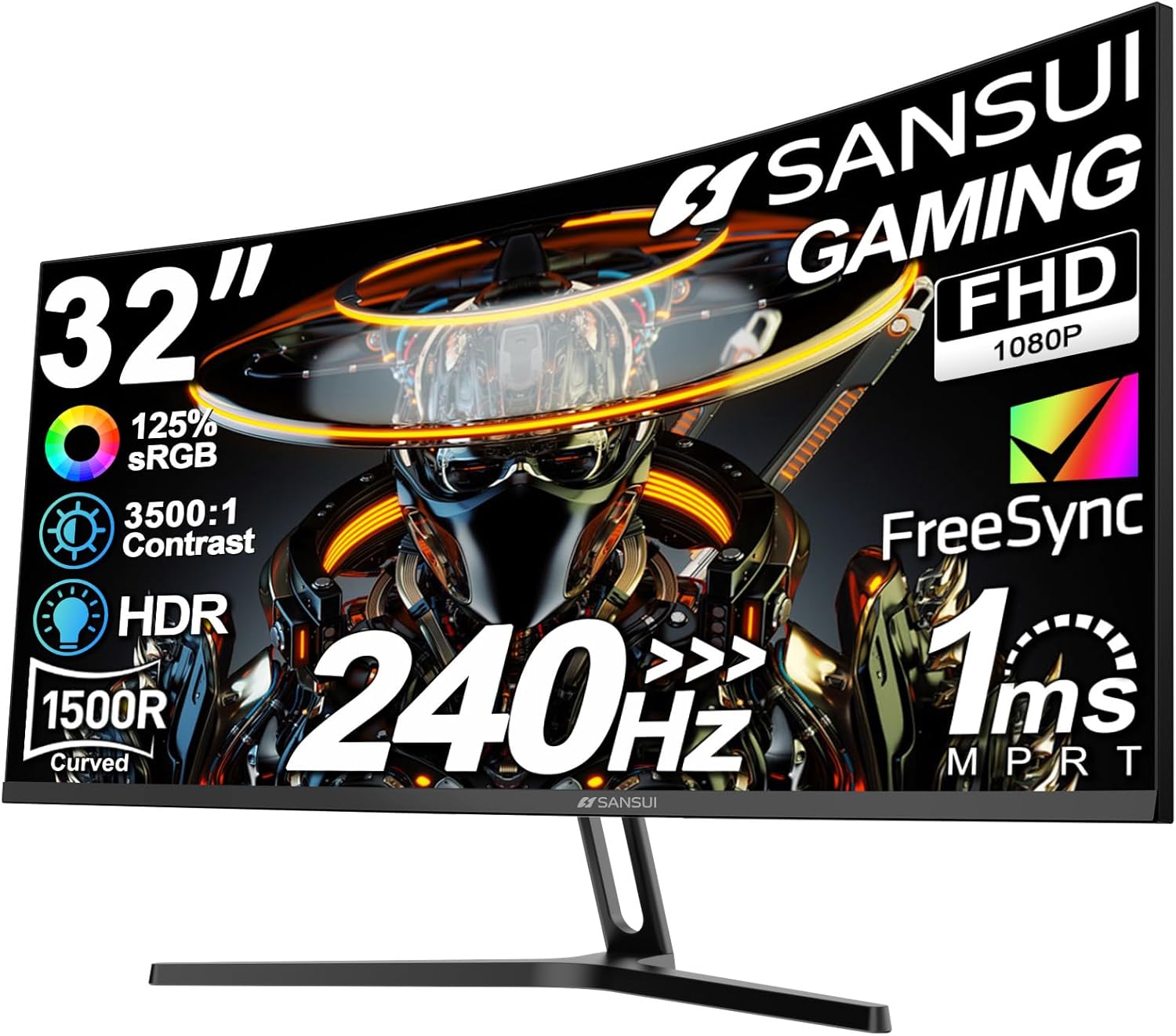
The SANSUI 32-inch curved gaming monitor strikes an impressive balance between performance and affordability. With its 240Hz refresh rate and 1ms MPRT response time, this display is engineered for competitive gaming where every millisecond counts. The combination of these specs means you'll experience buttery-smooth gameplay with minimal motion blur, giving you a tangible advantage in fast-paced titles like shooters and fighting games.
The 1500R curved design is one of this monitor's standout features. Rather than a flat panel, the gentle curve wraps around your field of view, creating a more immersive experience that draws you deeper into your games. At 32 inches, the screen feels spacious without overwhelming your desk space, and the Full HD resolution provides adequate clarity for most gaming scenarios. The matte finish reduces glare, while anti-flicker and low blue light technologies help minimize eye strain during extended gaming sessions.
Connectivity is straightforward with both HDMI and DisplayPort 1.4 supporting the full 240Hz, plus an earphone jack for headset compatibility. The metal stand offers solid build quality, and VESA mounting compatibility gives you flexibility for wall mounting if preferred. The included DisplayPort cable adds value, eliminating an immediate accessory purchase. This monitor delivers genuine gaming performance at a price that won't require you to compromise on other PC components.
| Brand | SANSUI |
| Screen Size | 32 inches |
| Resolution | 1920 x 1080 (Full HD) |
| Aspect Ratio | 16:9 |
| Refresh Rate | 240Hz |
| Response Time | 1ms MPRT |
| Curve Radius | 1500R |
| Color Gamut | 125% sRGB |
| Color Depth | 16.7 Million Colors |
| Brightness | 300 Nits |
| Contrast Ratio | 3500:1 |
| Viewing Angle | 178 degrees |
| Panel Type | Matte |
| Connectivity | HDMI (240Hz), DisplayPort 1.4 (240Hz), Earphone Jack |
| Adaptive Sync | FreeSync |
| Tilt Range | -5 degrees to +15 degrees |
| VESA Mount | 100 x 100mm Compatible |
| Included Accessories | DisplayPort Cable |
| Eye Care | Anti-flicker, Low Blue Light |
| HDR Support | Yes |
Refresh Rate Advantage
The 240Hz refresh rate is where this monitor truly shines for gaming. Whether you're playing competitive shooters, racing games, or fast-action titles, higher refresh rates translate to smoother motion and more responsive gameplay. Combined with the 1ms response time, you get a display that can keep pace with high-end graphics cards, allowing you to fully experience the performance you've invested in.
Curved Design Impact
The 1500R curve isn't just aesthetic; it serves a functional purpose in gaming. The gentle curve reduces the distance from your eyes to the edges of the screen, creating a more uniform viewing experience. This becomes particularly noticeable in immersive games where peripheral vision matters. The curve also helps minimize the need to move your eyes as much, reducing fatigue during marathon gaming sessions.
Adaptive Sync Technology
Built-in FreeSync technology synchronizes the monitor's refresh rate with your GPU's output, eliminating screen tearing and stuttering. This is especially valuable if you own an AMD graphics card, though many modern systems benefit from adaptive sync technology. The result is smoother, more consistent gameplay without the visual artifacts that can impact competitive performance.
Who Should Buy This Monitor?
This SANSUI monitor is ideal for gamers on a budget who prioritize performance over everything else. It's perfect for competitive esports players who want high refresh rates without premium pricing, content creators who need a large screen for multitasking, and anyone upgrading from older 60Hz displays. If you have an AMD graphics card, the FreeSync support adds extra value.
Who Should Look Elsewhere?
If you primarily play single-player, story-driven games at high visual settings, a lower refresh rate monitor might suffice. If you need 1440p or 4K resolution for detailed work or professional color accuracy, this Full HD display won't meet those needs. Additionally, if you require built-in speakers or a minimalist desk setup, the lack of audio output may be inconvenient.
Setup Considerations
Ensure your GPU can handle 240Hz output; modern cards from both NVIDIA and AMD support this easily. You'll need a DisplayPort 1.4 or HDMI 2.0 cable for full 240Hz support. The curved design benefits from proper positioning directly in front of you. If wall mounting, verify your mounting bracket supports the VESA 100x100mm standard. Consider adding external speakers or a headset for audio, as this monitor has no built-in sound system.

Pros
- Exceptional value for a 1440p, 180Hz gaming monitor at this price
- VA panel technology provides deep blacks and strong contrast for immersive visuals
- AMD FreeSync compatibility ensures smooth gameplay across AMD and compatible systems
- Comprehensive connectivity with dual HDMI, DisplayPort 1.4, and USB ports
- Adjustable stand maximizes comfort during long gaming marathons
Cons
- VA panel may have slightly slower pixel transitions compared to IPS alternatives
- No G-Sync support limits compatibility for NVIDIA graphics card owners
- Brightness of 300 cd/m2 is adequate but not exceptional for very bright rooms
The Samsung Odyssey G5 G51F strikes an impressive balance between performance and affordability for competitive gamers. Its QHD 1440p resolution provides noticeably sharper detail than 1080p displays, while the 180Hz refresh rate with 1ms response time ensures your movements translate to the screen with minimal delay. The VA panel technology delivers strong contrast and deep blacks that bring game worlds to life, though players accustomed to IPS panels may notice slightly different color viewing angles.
AMD FreeSync technology is a major highlight here, actively reducing screen tearing and stuttering to create a smooth, responsive gaming experience. The HDR10 support enhances highlights and shadows with greater depth, making modern games feel more cinematic and immersive. The Black Equalizer feature is particularly useful in competitive titles, allowing you to brighten dark areas and spot enemies hiding in shadows without washing out the overall image.
Build quality is solid with a fully adjustable ergonomic stand that accommodates different desk heights and viewing preferences. Connectivity options are comprehensive, including dual HDMI ports, DisplayPort 1.4, and USB pass-through. At this price point, the Odyssey G5 G51F offers exceptional value for PC gamers seeking a high-refresh, high-resolution gaming monitor that doesn't compromise on features or build quality.
| Screen Size | 27 inches |
| Resolution | QHD (2560 x 1440) |
| Panel Type | VA |
| Refresh Rate | 180Hz |
| Response Time | 1ms (MPRT) |
| Contrast Ratio | 3000:1 |
| Brightness | 300 cd/m2 |
| Color Gamut | 72% |
| Viewing Angle | 178 degrees |
| Aspect Ratio | 16:9 |
| Display Type | LCD |
| Screen Surface | Matte |
| Adaptive Sync | AMD FreeSync |
| HDR Support | HDR10 |
| HDMI Ports | 2 |
| DisplayPort | 1.4 |
| USB Ports | 3 (USB 3.0) |
| Power Consumption | 35W |
| Dimensions | 24.34"W x 20.5"H x 9.22"D |
| Weight | 10.12 lbs |
| Stand Adjustment | Height, Tilt, Pivot |
| Warranty | 1 Year Manufacturer |
| Model Number | LS27FG512ENXZA |
Refresh Rate and Response Time: The 180Hz refresh rate paired with 1ms response time creates exceptionally smooth gameplay, especially in fast-paced competitive titles like FPS and racing games. You'll notice significantly less motion blur and ghosting compared to standard 60Hz monitors, giving you a tangible advantage in reaction-dependent games.
FreeSync Technology: AMD FreeSync synchronizes the monitor's refresh rate with your graphics card's output, eliminating screen tearing and stuttering. This is particularly valuable during intense action sequences where frame rates fluctuate. The technology works seamlessly with AMD Radeon cards and is compatible with many NVIDIA cards via FreeSync Premium.
Visual Clarity: The QHD resolution delivers sharp, detailed visuals across the 27-inch screen. Games render with crisp textures and clear UI elements, while the 3000:1 contrast ratio ensures deep blacks and vibrant colors. HDR10 support further enhances the visual experience in compatible games by expanding the range of colors and brightness levels.
Who Should Buy This Monitor: The Odyssey G5 G51F is ideal for competitive PC gamers using AMD graphics cards who want high refresh rates and sharp 1440p visuals without premium pricing. It's also excellent for content creators who need accurate color representation and high resolution for photo and video work. The 27-inch size and QHD resolution provide ample screen real estate for multitasking.
System Requirements: To fully utilize the 180Hz refresh rate, you'll need a graphics card capable of delivering that performance. Modern mid-range to high-end GPUs (RTX 3060 Ti, RTX 4070, RX 6700 XT, or better) can achieve 180fps in most competitive titles at QHD resolution. DisplayPort 1.4 connection is recommended for maximum refresh rate support.
Setup Considerations: The fully adjustable stand provides excellent ergonomic positioning for gaming marathons. Ensure your desk has adequate space for the 24-inch width. The matte screen finish reduces glare, making it suitable for rooms with moderate to bright lighting. USB pass-through ports are convenient for connecting peripherals directly to the monitor.

Pros
- Exceptional value at this price point for 144Hz performance
- Eye-comfort features like blue-light reduction support healthier viewing habits
- Nearly frameless design creates an immersive viewing experience and suits multi-monitor arrangements
- Integrated speakers reduce cable clutter and setup complexity
- Compact footprint ideal for gaming setups, dorms, and small workspaces
Cons
- Limited screen size at 22 inches may feel cramped for extended productivity work or competitive gaming
- No reviews available yet, so real-world durability and long-term performance feedback is limited
- Built-in speakers prioritize convenience over audio quality for serious music or content creation
The Sceptre E225W-FW144 represents exceptional value in the budget gaming monitor category. At this price point, securing a 144Hz refresh rate is increasingly rare, making this display an attractive option for gamers stepping up from standard 60Hz monitors. The combination of smooth motion handling and full HD resolution strikes a practical balance for casual to mid-level competitive gaming without demanding a high-end graphics card.
Beyond raw gaming performance, this monitor incorporates thoughtful features for everyday use. The blue-light reduction technology addresses a genuine concern for users spending extended hours in front of screens, helping reduce eye fatigue during work and leisure. The minimal bezel design serves dual purposes: it creates a more immersive viewing experience and allows users to arrange multiple units side-by-side for expanded workspace without visual interruption. For those working in cramped quarters or shared spaces, the integrated speakers provide basic audio without requiring additional desktop real estate.
The 22-inch diagonal and lightweight construction make this monitor particularly suitable for flexible setups where repositioning is common. Whether you're outfitting a student dorm, a small home office, or a secondary gaming station, the compact dimensions and straightforward connectivity options via HDMI and DisplayPort provide hassle-free installation. The machine black finish complements modern gaming peripherals while maintaining a professional appearance suitable for productivity environments.
| Specification | Details |
|---|---|
| Brand | Sceptre |
| Model | E225W-FW144 Series (2026) |
| Screen Size | 22 inches |
| Resolution | Full HD 1080p (1920 x 1080) |
| Refresh Rate | Up to 144Hz |
| Color | Machine Black |
| Connectivity | HDMI, DisplayPort |
| Audio | Built-in Speakers |
| Dimensions | 7 x 19.9 x 15.5 inches |
| Weight | 7 pounds |
| Special Features | Blue-Light Shift Technology, Minimal Bezel Design |
| Category | Gaming Monitor |
Refresh Rate Advantage: The 144Hz refresh rate delivers noticeably smoother motion compared to standard 60Hz displays. This higher refresh rate is particularly beneficial in fast-paced games where quick reactions matter, providing a competitive edge without requiring expensive high-end hardware.
Resolution and Clarity: Full HD 1080p resolution at 22 inches maintains excellent pixel density, ensuring sharp text and detailed visuals. This resolution is well-suited to the monitor's size and gaming focus, avoiding performance bottlenecks on mid-range graphics cards.
Connectivity Flexibility: Dual connectivity options via HDMI and DisplayPort allow seamless integration with various gaming systems, from PC to next-generation consoles, ensuring broad compatibility with your existing setup.
Blue-Light Shift Technology: Extended screen time can cause digital eye strain and disrupt sleep patterns. This monitor's blue-light reduction feature actively minimizes harmful blue wavelengths, supporting healthier viewing habits during long gaming or work sessions.
Minimal Bezel Design Benefits: The nearly frameless edges reduce visual distractions and create a more cohesive viewing experience. This design also minimizes the jarring transitions when using multiple monitors, reducing eye movement fatigue in multi-monitor setups.
Ideal for Extended Use: Whether you're gaming for hours or working at your desk all day, the combination of blue-light reduction and ergonomic design features makes this monitor a solid choice for maintaining visual comfort.
Who Should Buy This Monitor: This model is perfect for casual to mid-level gamers, students, remote workers, and anyone seeking smooth performance on a tight budget. If you play competitive shooters, MOBAs, or fast-paced action games, the 144Hz refresh rate will noticeably improve your experience.
Setup Considerations: The compact 22-inch size works well for single-monitor gaming setups or as a secondary display. The minimal bezel makes it excellent for dual-monitor configurations where you want a seamless viewing experience. Ensure your graphics card supports 144Hz output via HDMI or DisplayPort for optimal performance.
Compatibility: This monitor works with any device featuring HDMI or DisplayPort outputs, including gaming PCs, laptops, and modern gaming consoles. The integrated speakers provide basic audio, but upgrading to external speakers or headphones is recommended for serious gaming or content creation.

Pros
- Exceptional value at this price point for a 34-inch curved ultrawide with 200Hz capability
- Ultrawide 21:9 format provides significant productivity boost for multitasking and content creation
- Fast VA panel delivers superior contrast and color depth compared to IPS alternatives
- Comprehensive connectivity with HDMI 2.1 and DisplayPort 1.4 supports next-gen gaming
- AI-integrated features like smart crosshair and blue light reduction enhance gaming experience
Cons
- No built-in speakers means you'll need external audio solution
- Ultrawide format may require driver updates or game support optimization for older titles
- Curved design limits wall mounting flexibility compared to flat panels
The SANSUI ES-G34C5 represents a significant leap forward in ultrawide gaming monitors, combining immersive visuals with competitive-grade performance. The 34-inch curved display with 1500R curvature and 3440x1440 resolution creates an expansive gaming environment that pulls you into the action. Whether you're racing through virtual landscapes or commanding strategy games, the ultrawide 21:9 aspect ratio provides a substantial field-of-view advantage that translates to measurable gameplay benefits.
Performance-wise, this monitor excels with its 200Hz refresh rate and 1ms response time, delivering the responsiveness demanded by competitive gamers. The VA panel technology ensures deep blacks and exceptional contrast ratios (3000:1), while the 130% sRGB and 97% DCI-P3 color gamut support satisfies creative professionals working with photo and video content. AI-integrated features like smart crosshair overlay and automatic blue light reduction add practical value without gimmickry, enhancing both gaming performance and long-session comfort.
Connectivity is comprehensive with dual HDMI 2.1 ports and DisplayPort 1.4, enabling flexible system configurations and future-proofing. The included 1.5m video cable and straightforward setup process get you gaming quickly. Backed by a 30-day money-back guarantee and lifetime technical support, SANSUI demonstrates confidence in this product's quality and reliability. For gamers and creative professionals seeking an ultrawide monitor that balances performance, visual quality, and affordability, this delivers exceptional value.
| Screen Size | 34 inches |
| Resolution | 3440 x 1440 pixels (UWQHD) |
| Aspect Ratio | 21:9 ultrawide |
| Panel Type | VA LED LCD |
| Refresh Rate | Up to 200Hz (165Hz/100Hz via HDMI) |
| Response Time | 1 millisecond (OD) |
| Curvature | 1500R |
| Contrast Ratio | 3000:1 |
| Brightness | 300 nits |
| Color Gamut | 130% sRGB, 97% DCI-P3 |
| Viewing Angles | 178 degrees |
| Display Features | HDR, Anti-glare, Blue light filter, Curved |
| Connectivity | DisplayPort 1.4, HDMI 2.1 x2, 3.5mm audio jack |
| Adaptive Sync | FreeSync |
| PIP/PBP | Yes (Picture-in-Picture, Picture-by-Picture) |
| Tilt Adjustment | -5 to +15 degrees |
| VESA Mount | 75 x 75mm compatible |
| Dimensions | 31.8"W x 17.96"H x 8.6"D |
| Weight | 7.01 kg (15.4 lbs) |
| Model | ES-G34C5 |
| Warranty | 30-day money-back, free replacement, lifetime technical support |
This monitor excels in competitive gaming scenarios where ultrawide field-of-view and fast response times matter. The 200Hz refresh rate paired with 1ms response time eliminates ghosting and motion blur, giving you the responsiveness needed for fast-paced shooters, racing games, and esports titles. The ultrawide 21:9 format provides peripheral vision advantages in many games, allowing you to see more of the game world without moving your view.
The VA panel's superior contrast ratio enhances visibility in darker game environments, helping you spot enemies and details more easily. FreeSync support ensures smooth, tear-free gameplay when your frame rates vary. For immersive single-player experiences like RPGs and story-driven games, the curved ultrawide design creates an enveloping visual environment that standard monitors cannot match.
Beyond gaming, the ultrawide format transforms productivity workflows. The 3440-pixel width is equivalent to running two standard 1920x1440 monitors side-by-side without bezels, making it ideal for video editing, photo retouching, coding, spreadsheet work, and multitasking. The 130% sRGB and 97% DCI-P3 color accuracy support professional content creation, though color-critical work may benefit from additional calibration.
PIP and PBP features allow you to display multiple applications simultaneously, reducing window switching and improving workflow efficiency. The matte screen finish minimizes reflections during extended work sessions, while the blue light filter and AI PQ technology reduce eye strain during long creative sessions.

Pros
- Outstanding 240Hz refresh rate at an exceptional price point makes this monitor highly competitive for budget-conscious gamers
- 1500R curvature combined with 240Hz creates a genuinely immersive gaming experience that rivals monitors costing twice as much
- Excellent color accuracy with 130% sRGB and 4000:1 contrast ratio delivers vibrant visuals for both gaming and multimedia content
- Responsive 1ms MPRT response time eliminates ghosting and motion blur during fast-paced gameplay
- Robust warranty coverage including 30-day money-back guarantee, 1-year manufacturer warranty, and lifetime technical support
Cons
- 1080p FHD resolution may feel less sharp on a 27-inch screen compared to 1440p alternatives, particularly noticeable during non-gaming tasks
- No built-in speakers means you'll need external audio equipment for complete entertainment setup
- Limited brightness at 300 nits may struggle in very bright rooms or for HDR content that demands higher peak brightness
The SANSUI ES-G27C1 PRO represents excellent value for gamers prioritizing performance over resolution. The 240Hz refresh rate paired with a 1ms response time creates exceptionally smooth motion handling, making this monitor particularly well-suited for fast-paced competitive titles like FPS and fighting games. The 1500R curved design enhances peripheral awareness and creates a more immersive visual environment than flat alternatives, while AMD FreeSync eliminates screen tearing for seamless gameplay across compatible graphics cards.
Color and contrast performance are surprisingly strong for the price. The 130% sRGB gamut and 4000:1 contrast ratio deliver vivid, punchy visuals with excellent shadow detail. HDR support adds another layer of visual depth, though the 300-nit brightness ceiling means peak HDR performance won't match premium displays. The matte finish effectively reduces glare without sacrificing image clarity, and eye-care features like low blue light filtering and anti-flicker technology make extended gaming sessions more comfortable.
Connectivity and build quality round out the package nicely. DisplayPort 1.4 and HDMI inputs provide flexible device compatibility, while the sturdy metal stand offers reliable tilt adjustment from -5 to +15 degrees. VESA 100x100mm compatibility enables wall mounting for space-conscious setups. The 30-day money-back guarantee and lifetime technical support demonstrate manufacturer confidence, making this a low-risk investment for gamers seeking high-refresh gaming without premium pricing.
| Screen Size | 27 inches |
| Resolution | 1920 x 1080 (FHD 1080p) |
| Aspect Ratio | 16:9 |
| Refresh Rate | 240 Hz |
| Response Time | 1 Millisecond (MPRT) |
| Curve Radius | 1500R |
| Panel Type | LED |
| Color Gamut | 130% sRGB, 95% DCI-P3 |
| Contrast Ratio | 4000:1 |
| Brightness | 300 Candela |
| Viewing Angles | 178 degrees |
| Display Surface | Matte anti-glare |
| Adaptive Sync | AMD FreeSync |
| Connectivity | DisplayPort 1.4, HDMI, 3.5mm audio jack |
| HDMI Ports | 1 |
| Mounting | Desk mount with metal stand (VESA 100x100mm compatible) |
| Tilt Range | -5 to +15 degrees |
| Dimensions (D x W x H) | 7.66" x 24.13" x 17.84" |
| Weight | 7.3 pounds |
| Features | Anti-flicker, HDR, Low blue light filter, Black level adjustment, Game mode presets, Crosshair overlay |
| Warranty | 30-day money-back guarantee, 1-year manufacturer warranty, lifetime technical support |
| Included Accessories | Monitor stand, power adapter, DisplayPort cable, user manual |
Refresh Rate and Response Time
The 240Hz refresh rate is the headline feature here, delivering exceptionally smooth motion for competitive gaming. Combined with the 1ms MPRT response time, this monitor excels at eliminating motion blur and ghosting that can impact gameplay precision. In fast-paced shooters and fighting games, this responsiveness creates a tangible advantage over standard 60Hz or 144Hz displays.
FreeSync Adaptive Sync
AMD FreeSync technology synchronizes the monitor's refresh rate with your graphics card's output, eliminating screen tearing and stuttering. This creates seamless gameplay without the performance overhead of V-Sync, making it especially valuable for maintaining high frame rates during intense action sequences.
Game-Focused Features
Built-in game modes, crosshair overlay, and black level adjustment tools provide additional competitive advantages. The shadow booster feature enhances visibility in dark game areas, while customizable presets let you optimize visual settings for different game genres.
Who Should Buy This Monitor?
This monitor is ideal for competitive and casual gamers who prioritize smooth, responsive gameplay over cutting-edge resolution. Esports players, FPS enthusiasts, and fighting game competitors will particularly appreciate the 240Hz refresh rate and minimal input lag. Budget-conscious gamers seeking high refresh rates will find exceptional value here.
Who Might Want to Consider Alternatives?
Content creators and professionals requiring high color accuracy may prefer monitors with wider color gamuts and higher resolution. Gamers who primarily play story-driven, single-player games at 60-100fps may not fully utilize the 240Hz capability. Those requiring maximum brightness for HDR content should note the 300-nit limitation.
Setup Considerations
Ensure your graphics card supports 240Hz output via DisplayPort or HDMI to maximize this monitor's potential. An RTX 3060 Ti or better (or AMD equivalent) is recommended for achieving 240fps in modern AAA titles. The curved design benefits from viewing distances between 24-32 inches for optimal immersion.

Pros
- Outstanding price-to-performance ratio with 240Hz capability and QHD resolution in a single package
- IPS panel technology ensures excellent color reproduction and wide viewing angles compared to TN alternatives
- Fast 0.3ms response time keeps up with demanding competitive titles like FPS and fighting games
- Versatile connectivity with DisplayPort 1.4 and dual HDMI ports accommodates various gaming systems and consoles
- Three-sided frameless design creates an immersive gaming experience with minimal visual distractions
Cons
- No USB hub integration, which some gaming monitors in this price range offer for peripheral convenience
- 300-nit brightness may require adjustment in very bright rooms compared to higher-end gaming displays
- Limited availability of customer reviews at launch means real-world long-term reliability data is still accumulating
The AOC Q27G41ZE represents a smart investment for gamers seeking high refresh rate performance without premium pricing. The combination of 240Hz capability, 0.3ms MPRT response time, and QHD resolution creates a compelling package for both esports enthusiasts and single-player gamers. The IPS panel technology ensures that color-sensitive work like photo editing or content creation benefits from accurate color reproduction and consistent image quality across viewing angles, making this monitor versatile beyond pure gaming applications.
Display quality stands out as a major strength, with 2560x1440 resolution delivering noticeably sharper imagery than 1080p alternatives on a 27-inch screen. The 300-nit brightness and 1000:1 contrast ratio produce punchy visuals with good depth and detail in both bright and dark scenes. Adaptive-Sync support eliminates the frustration of screen tearing across both AMD and NVIDIA ecosystems, while the 240Hz refresh rate with DisplayPort 1.4 connectivity ensures smooth performance when paired with capable graphics hardware.
Practical ergonomics and connectivity round out the package effectively. The tilt adjustment range and VESA mount compatibility allow users to customize their gaming station for comfortable extended play sessions, while dual HDMI 2.0 and DisplayPort 1.4 inputs accommodate multiple devices simultaneously. The three-sided frameless design creates an immersive viewing experience that enhances both competitive gaming and cinematic single-player titles. At this price point, the AOC Q27G41ZE delivers genuine value for gamers upgrading from older displays.
| Display Size | 27 inches |
| Resolution | 2560 x 1440 (QHD) |
| Panel Type | IPS |
| Refresh Rate | 240Hz (DisplayPort), 144Hz (HDMI) |
| Response Time | 0.3ms MPRT |
| Brightness | 300 nits |
| Contrast Ratio | 1000:1 |
| Connectivity | 1x DisplayPort 1.4, 2x HDMI 2.0, 1x Audio Out |
| Tilt Adjustment | -3 to +21 degrees |
| VESA Mount | 100 x 100mm |
| Dimensions | 24.17 x 17.7 x 7.46 inches |
| Weight | 13.55 pounds |
| Color | Black |
| Warranty | 3-Year Zero-Bright-Dot |
The 240Hz refresh rate paired with 0.3ms response time creates a responsive gaming experience essential for competitive titles. When connected via DisplayPort 1.4, this monitor reaches its full 240Hz potential, delivering significantly smoother motion than standard 60Hz displays. The combination of fast response time and high refresh rate minimizes ghosting and motion blur, giving you a competitive edge in fast-paced games where reaction time matters.
Adaptive-Sync technology eliminates screen tearing across both AMD Radeon and NVIDIA GeForce graphics cards, ensuring fluid gameplay regardless of your GPU choice. The QHD resolution provides superior image clarity compared to 1080p alternatives, allowing you to spot enemies and environmental details more easily without sacrificing frame rates. Shadow Control and Game Mode presets optimize visual settings for different game genres, from competitive shooters to immersive RPGs.
Best For: Competitive gamers, esports enthusiasts, and content creators seeking a high-refresh-rate display with excellent color accuracy at an affordable price point.
GPU Requirements: For optimal 240Hz performance via DisplayPort, pair with a mid-range to high-end graphics card (RTX 3060 Ti, RTX 4070, RX 6700 XT or better). HDMI connections are limited to 144Hz, making DisplayPort essential for full 240Hz capability.
Setup Tips: Mount using the 100x100mm VESA bracket for desk space savings and ergonomic flexibility. Position the monitor at arm's length with the top of the screen at or slightly below eye level. Use DisplayPort 1.4 cable for 240Hz; standard HDMI cables support only 144Hz at QHD resolution.
Alternatives to Consider: If you prioritize ultra-high refresh rates above 240Hz or need USB connectivity, explore premium gaming monitors in the $250-400 range. For budget-conscious buyers willing to accept 144Hz, entry-level QHD displays offer similar color quality at lower prices.

Pros
- Outstanding refresh rate and response time at this price point delivers competitive gaming performance
- Curved display genuinely reduces eye strain and neck tension during extended play sessions
- Excellent color accuracy and brightness make it versatile for gaming, movies, and productivity work
- Smart gaming presets and adjustment tools let you optimize settings for different game types instantly
- Solid build quality with VESA mounting compatibility for flexible desk arrangements
Cons
- Stand only tilts; lacks height, swivel, and pivot adjustments that some users prefer
- No built-in speakers means you'll need external audio or headphones
- HDR mode requires HDMI connection; DisplayPort users won't access HDR functionality
The SANSUI 27-inch curved gaming monitor represents exceptional value for budget-conscious gamers seeking responsive, high-refresh gameplay. With its 160Hz refresh rate and 1ms MPRT response time, this display delivers the speed necessary for competitive shooters and fast-paced action games. The 1500R curve wraps your field of view, creating an immersive experience that noticeably reduces eye strain during marathon gaming sessions compared to flat alternatives.
Color performance stands out for the price tier, featuring 110% sRGB coverage, 4000:1 contrast ratio, and 300 nits brightness that make games, movies, and creative work look vibrant and detailed. The gamer-centric software suite includes useful features like black level adjustment for shadow detail, customizable crosshairs, in-game timers, and preset modes optimized for FPS, RTS, and racing games. FreeSync and HDR support further enhance visual quality by eliminating screen tearing and expanding dynamic range when properly configured.
The main trade-offs involve stand flexibility and audio connectivity. The tilt-only stand limits ergonomic adjustment, so users seeking height or swivel functionality should consider a VESA mount. Additionally, there are no built-in speakers, requiring external audio solutions. HDR functionality also depends on HDMI connectivity, making it unavailable for DisplayPort users. Despite these limitations, the overall feature set, display quality, and performance make this monitor an intelligent choice for gamers prioritizing refresh rate and response time without breaking their budget.
| Specification | Details |
|---|---|
| Display Size | 27 inches diagonal |
| Resolution | 1920 x 1080 (FHD) |
| Refresh Rate | 160Hz |
| Response Time | 1ms (MPRT) |
| Curvature | 1500R |
| Panel Type | Curved VA |
| Color Gamut | 110% sRGB |
| Contrast Ratio | 4000:1 |
| Brightness | 300 nits |
| Connectivity | HDMI 2.0 (160Hz), DisplayPort 1.4 (160Hz), 3.5mm audio jack |
| Adaptive Sync | FreeSync, HDR support |
| Stand Adjustment | Tilt only (-5° to +15°) |
| VESA Mounting | 100 x 100mm |
| Dimensions | 24.09 x 17.80 x 7.64 inches (W x H x D) |
| Weight | 7.7 pounds |
| Color | Black |
| Included Accessories | HDMI cable |
Refresh Rate & Response Time: The 160Hz refresh rate paired with 1ms MPRT response time creates fluid, responsive gameplay essential for competitive gaming. This combination eliminates ghosting and motion blur, giving you a clear advantage in fast-paced titles where reaction time matters.
Adaptive Sync Technology: FreeSync support synchronizes the monitor's refresh rate with your GPU's frame output, eliminating screen tearing and stuttering. This results in noticeably smoother gameplay, especially when frame rates fluctuate during intense scenes.
Game-Specific Optimization: Built-in presets for FPS, RTS, and Racing games automatically adjust brightness, contrast, and color settings to match each genre's requirements. The black level adjustment feature enhances shadow visibility in dark environments, crucial for tactical shooters and horror games.
Curved Design Advantage: The 1500R curve maintains consistent viewing angles across the entire screen, reducing the need for head movement and neck strain during extended sessions. This design also creates a more immersive visual field compared to flat displays of the same size.
Multiple Connection Options: Both HDMI 2.0 and DisplayPort 1.4 support the full 160Hz refresh rate, providing flexibility for different systems and graphics cards. The included HDMI cable gets you gaming immediately out of the box.
Audio Considerations: The 3.5mm audio jack is output-only, designed to connect external speakers or headphones. This design choice keeps costs down but means you cannot connect microphones directly to the monitor.
VESA Mounting: The 100x100mm VESA pattern allows easy mounting on compatible arms or stands, offering superior ergonomic adjustment compared to the included tilt-only stand. This is ideal for multi-monitor setups or creating custom desk configurations.
HDR Activation: HDR mode activates only through the on-screen display menu when using HDMI connections. DisplayPort users should note this limitation when deciding on their connection method.
Gaming Monitors Buying Guide
Picking the right gaming monitor involves far more than grabbing the largest screen or the one with the most impressive spec sheet. Every specification interacts with the others, and prioritizing the wrong number can leave you with a panel that underperforms for the games you actually play. Below we break down every major consideration so you can match the right display to the way you play. If you are still deciding between a dedicated desktop setup and a portable alternative, Windows laptops may be worth weighing before committing to a monitor purchase.
Resolution: 1080p, 1440p, or Ultrawide?
1080p (Full HD) remains the go-to resolution for competitive gaming in 2026. It demands less from your GPU, which lets you push higher frame rates more consistently. The Sceptre 22-inch 144Hz, the SANSUI 27-inch 160Hz, and the SANSUI 27-inch and 32-inch 240Hz panels are all 1080p displays built around exactly this philosophy: prioritize speed and responsiveness over raw pixel density. For players who want to stay competitive without investing in a high-end card, 1080p at a fast refresh rate is still a genuinely smart choice. One important nuance: at 27 inches or larger, 1080p pixels become visible up close, so consider how close you sit to your screen before choosing that size at this resolution.
1440p (QHD) is the sweet spot for most gamers in 2026. The jump in sharpness over 1080p is immediately noticeable on a 27-inch screen, yet the GPU demand stays manageable compared to 4K. The Acer Nitro 27-inch QHD, Samsung Odyssey G5, and AOC Q27G41ZE all deliver 1440p with fast refresh rates, making them versatile choices across both competitive and story-driven titles. The pixel density at this resolution on a 27-inch panel is high enough that individual pixels are essentially invisible at normal viewing distances, giving text and fine in-game detail a noticeably cleaner appearance. If you want to explore the full range of QHD options, our 1440p monitors guide goes deeper on that segment.
Ultrawide (3440×1440 UWQHD) panels like the SANSUI 34-inch curved model expand your horizontal field of view dramatically, adding real immersion to open-world, racing, and simulation games. Before committing, verify that your favorite titles support ultrawide aspect ratios natively, as some games crop or add black bars at the sides. Ultrawide panels also demand noticeably more from your graphics card than standard 1440p because there are significantly more pixels to render per frame, so check your hardware capabilities before finalizing your display choice at this resolution.
Refresh Rate: Why Higher Hz Matters
Refresh rate, measured in Hz, determines how many frames per second your monitor can display. A higher number delivers smoother motion and can provide a tangible competitive advantage in fast-paced games. The difference between 60Hz and 144Hz is something nearly every gamer notices instantly. The jump from 144Hz to 240Hz is more subtle but still meaningful in genuinely fast-paced titles where your reaction time is the limiting factor. Here is how the tiers break down across the monitors in this list:
- 144Hz: A solid baseline for casual and mid-level competitive gaming. The Sceptre 22-inch sits here and feels noticeably smoother than any standard 60Hz display. For new gamers upgrading from an older screen, the jump to 144Hz is genuinely transformative and requires far less GPU horsepower than higher tiers.
- 160Hz to 180Hz: A comfortable performance sweet spot that balances fluidity and GPU demand. The SANSUI 27-inch 160Hz curved model, the Acer Nitro 27-inch QHD (up to 180Hz), and the Samsung Odyssey G5 (up to 180Hz) all sit in this range, offering excellent motion clarity without demanding a flagship-tier card.
- 200Hz to 260Hz: Targeted at competitive players who want every rendered frame delivered as fast as possible. The SANSUI 32-inch 240Hz and SANSUI 27-inch 240Hz are built for this audience. The AOC Q27G41ZE goes a step further, overclocking to 260Hz for enthusiasts chasing the absolute ceiling on a 1440p panel. The SANSUI 34-inch ultrawide reaches up to 200Hz, making it one of the faster ultrawide options available at this price point.
To get the most out of a high-refresh-rate monitor, you need a GPU capable of consistently delivering frame rates that match or exceed the panel’s ceiling. A 240Hz monitor running at 90fps will not feel noticeably smoother than a 144Hz monitor in the same scenario. Identifying the right gaming GPU to pair with your chosen monitor is one of the most important decisions in any gaming setup build.
Panel Type: IPS, VA, or TN?

Panel technology shapes color accuracy, contrast depth, and viewing angles in fundamentally different ways. Understanding each type helps you match the display to your actual priorities rather than chasing a single impressive number on a spec sheet.
IPS panels deliver the widest viewing angles and the most accurate, vibrant colors. The Acer Nitro 27-inch QHD and AOC Q27G41ZE both use IPS technology, which is why their DCI-P3 coverage figures are strong and colors remain consistent even when viewed from off-center angles. IPS is the preferred choice for gamers who also use their display for creative work, video editing, or content consumption where color fidelity matters. The trade-off is that IPS panels typically have lower native contrast ratios than VA panels, meaning blacks appear slightly grayish in dark scenes.
VA panels produce significantly deeper blacks and higher native contrast ratios, sometimes exceeding 4000:1. The SANSUI curved lineup uses VA-type technology, which explains the exceptional contrast numbers these panels deliver. In dark games and cinematic titles, the depth of shadow detail on a VA panel is visibly superior to IPS. The main trade-off is that VA panels can exhibit some pixel smearing during fast motion at the highest refresh rates, a phenomenon sometimes called ghosting. A low MPRT response time figure helps mitigate this, so check that specification carefully before purchasing.
TN panels are rarely the best recommendation in 2026. Newer IPS and VA displays have largely closed the response time gap while offering far better colors, contrast, and viewing angles, so TN occupies a shrinking niche. None of the monitors in this list use TN technology, and that is a deliberate choice based on the value available from IPS and VA alternatives at comparable price points.
Response Time and Input Lag
Response time measures how quickly a pixel transitions from one color to another, typically expressed in milliseconds. A 1ms MPRT rating means motion blur is minimized during fast sequences and rapid camera movements. Most monitors in this list advertise 1ms MPRT, which is excellent for gaming. The AOC Q27G41ZE goes further with a 0.3ms response time, making it one of the fastest-responding 1440p panels in its price category. It is worth noting that MPRT (Moving Picture Response Time) and GtG (Gray to Gray) are measured differently, so comparing them directly across brands can be misleading. When in doubt, look for real-world motion clarity descriptions alongside the raw number.
Input lag is a separate and equally important measurement. It describes the delay between your PC sending a signal and the monitor displaying the corresponding image on screen. For competitive play, look for a monitor with a dedicated Game Mode that reduces processing overhead, as this directly affects how snappy controls feel in real-time gameplay. A monitor with a fast refresh rate but high input lag will still feel unresponsive, so both figures matter when evaluating a display for serious gaming use. Keeping your input chain tight end to end also means pairing your setup with a responsive peripheral such as a quality wireless mouse.
Adaptive Sync: AMD FreeSync vs. G-Sync Compatible
Screen tearing occurs when your GPU pushes frames at a rate that does not match your monitor’s refresh cycle, producing a horizontal split or tear across the image. Adaptive sync technology eliminates this by dynamically aligning both rates in real time. AMD FreeSync is supported across most monitors in this list, including the Acer Nitro 27-inch QHD, Samsung Odyssey G5, SANSUI 27-inch 160Hz, and the full SANSUI curved range. G-Sync Compatible certification on the AOC Q27G41ZE means the panel has been validated specifically for use with NVIDIA GPUs and delivers tear-free performance without requiring proprietary G-Sync hardware, which keeps costs down significantly compared to panels with full G-Sync modules.
As a practical rule: if you run an AMD GPU, FreeSync is all you need. If you run NVIDIA, look for G-Sync or G-Sync Compatible certification. The platform you build around also affects your gaming motherboard choice, which in turn influences which GPU ecosystem makes the most sense for your setup.
Screen Size and Curvature
A 27-inch monitor is the most versatile choice for the majority of desk setups. It offers enough screen space to be genuinely immersive without requiring you to move your head to take in the full image. The 22-inch Sceptre is a great space-efficient pick for smaller desks, secondary setups, or gamers who sit closer to their screen. A 32-inch panel adds real estate and pairs best with 1440p or higher resolution to keep the image sharp at that size. Sitting at 1080p on a 32-inch screen will make individual pixels visible at normal viewing distances, so pairing that size with a higher resolution is strongly advisable. The 34-inch ultrawide SANSUI panel creates an enveloping wrap-around perspective that transforms how open-world and simulation games feel, extending the image into your peripheral vision in a way no standard widescreen panel can match.
Curvature is rated by radius in millimeters. The 1500R curve used across the SANSUI range is considered quite pronounced and is designed to reduce edge distortion and eye fatigue over long sessions by keeping the screen surface at a more consistent focal distance from your eyes. For a single-monitor immersive setup, this works very well. For multi-monitor configurations, flat panels integrate more cleanly without visual mismatches between screens. If you are setting up a dedicated gaming space, placing your curved ultrawide on a purpose-built gaming desk will maximize both comfort and aesthetics across long sessions.
HDR, Color Coverage, and Brightness
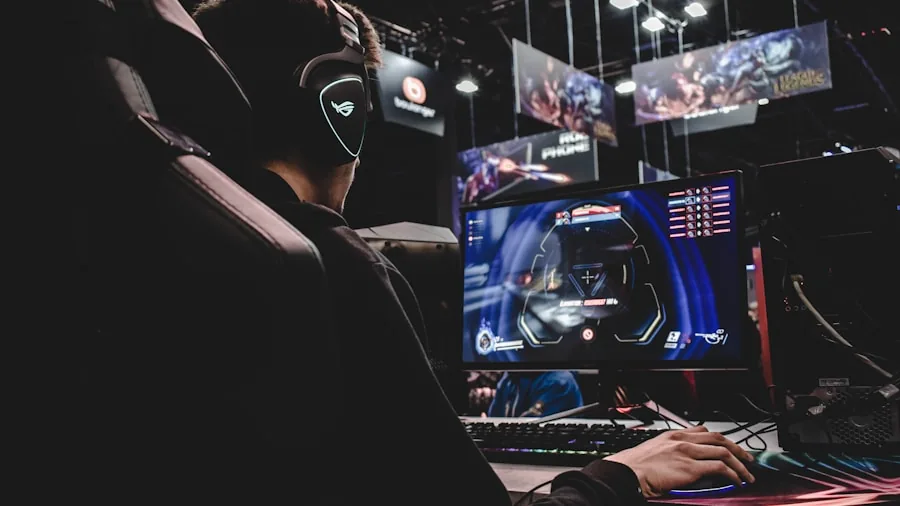
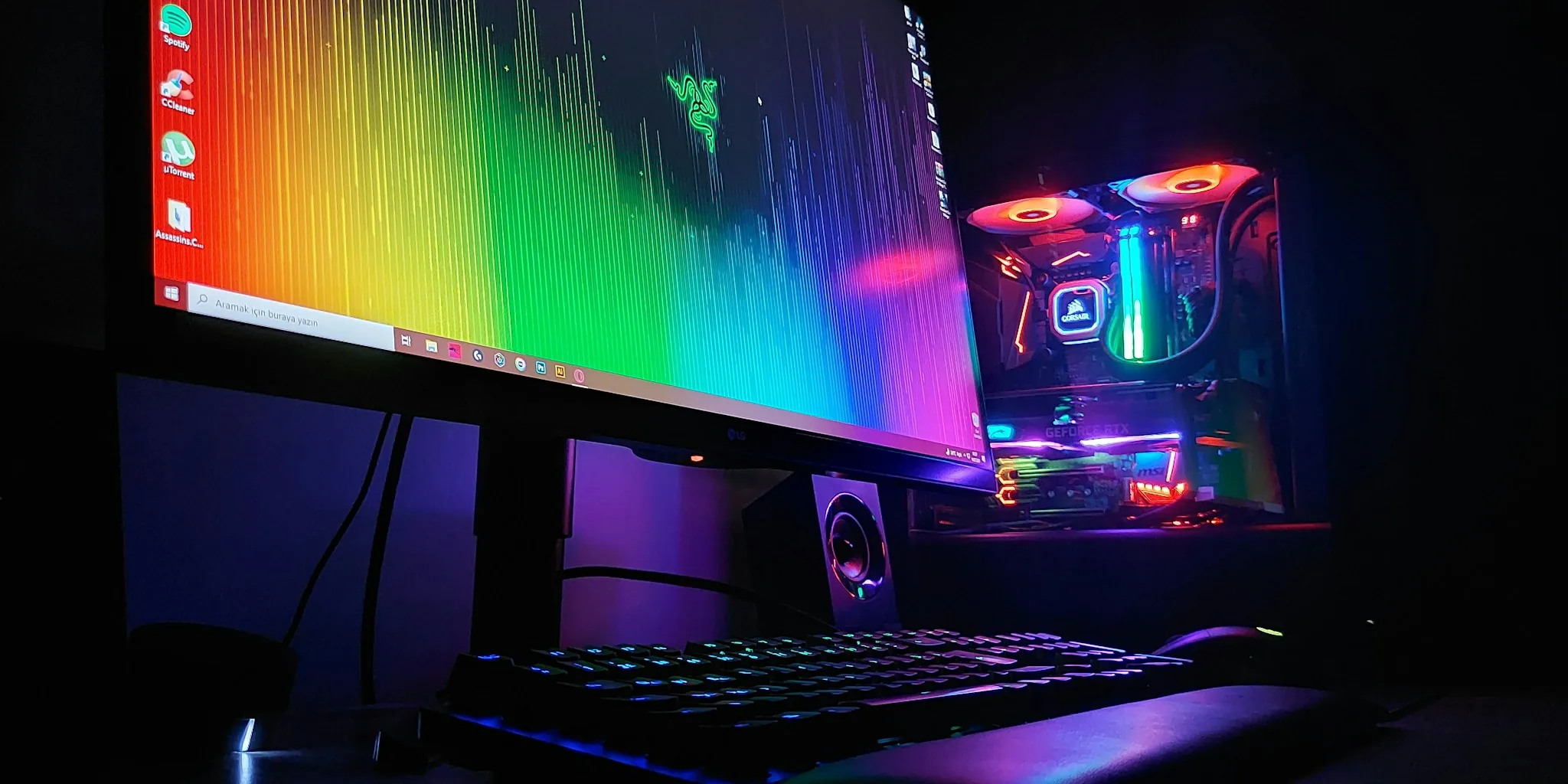
High Dynamic Range (HDR) allows games to render a wider spectrum of brightness, producing brighter highlights and deeper shadow detail simultaneously. Entry-level HDR10 support, found across most monitors in this list, improves the look of HDR content meaningfully but cannot match a dedicated high-brightness HDR display. To see genuine HDR impact in practice, look for a monitor with at least 400 nits of peak brightness in HDR mode. Most panels here advertise 300 nits, which delivers a visible improvement over SDR but falls short of true HDR performance in very bright or very dark scenes.
Color coverage expressed as sRGB percentage or DCI-P3 percentage tells you how rich and accurate in-game colors will look. Monitors covering 95% DCI-P3 or 130% sRGB, such as the Acer Nitro 27-inch and several SANSUI models, render game environments with noticeably more vivid, lifelike color than entry-level panels. The SANSUI 34-inch ultrawide is particularly impressive here, combining 97% DCI-P3 coverage with its 3440×1440 resolution for a genuinely cinematic image quality that benefits both gaming and media consumption.
Connectivity and Build Quality
Always check port selection before purchasing. Most gaming monitors in this list include at least one DisplayPort and one or two HDMI ports. DisplayPort is the preferred connection for PC gaming at high refresh rates because it supports higher bandwidth than HDMI 2.0. HDMI 2.1 ports, featured on the SANSUI 34-inch ultrawide, are important if you plan to connect a current-generation console alongside your PC, as HDMI 2.1 supports the higher bandwidth needed for high-refresh 1080p and 1440p signals from modern consoles.
A metal stand improves stability over time and typically provides tilt, swivel, and height adjustment for comfortable long-session posture. VESA mount compatibility lets you move the monitor onto an arm for a cleaner, more flexible desk layout. Several monitors in this list include a cable in the box, which is a small but genuinely useful inclusion that saves an immediate additional purchase. For ideas on how to build out your full station, computer desks in a wide range of sizes and configurations can complement any monitor on this list.
Budget Considerations
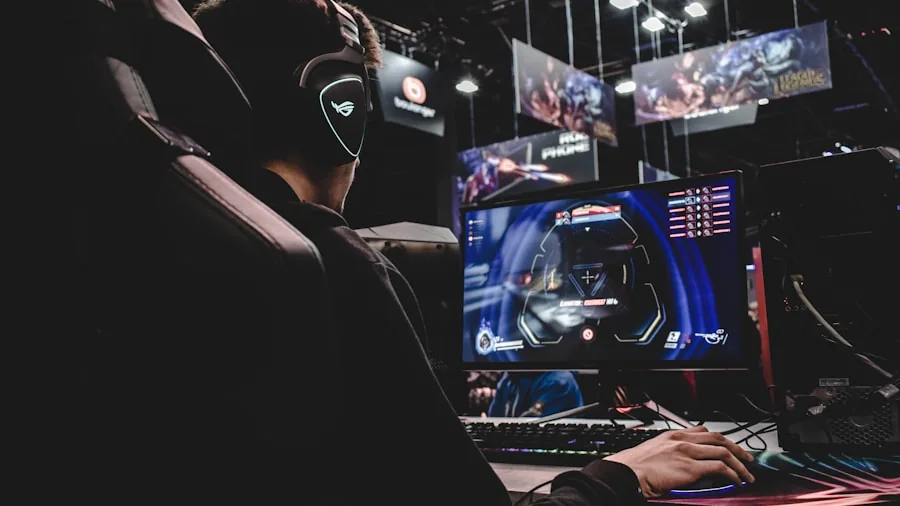
The best gaming monitors span a wide spectrum of price points, and the good news in 2026 is that even entry-level panels deliver specifications that would have cost significantly more a few years ago. At the budget end, you can find capable 1080p displays with fast refresh rates and solid build quality that represent excellent value for new or casual gamers. The Sceptre 22-inch is a standout example in this category, offering 144Hz, built-in speakers, and dual connectivity options at an approachable price that makes it easy to recommend as a first upgrade from a basic screen.
Mid-range options step up to 1440p resolution or push refresh rates well above 200Hz at 1080p, delivering a meaningful improvement in visual quality or competitive responsiveness. Premium displays combine high resolution, ultrafast refresh rates, wide color coverage, and advanced connectivity for enthusiasts who want the best of every specification without compromise. The eight monitors in this guide cover this full range, so identifying your performance priority first makes narrowing the choice straightforward. If your budget is still taking shape while you plan a full gaming setup, compact gaming PCs highlight systems that pair well with any monitor on this list without demanding a large desk footprint. For those building a more traditional tower, quality PC cases are a useful consideration when planning the full build.
Why Trust Buyadvanced
Buyadvanced is a fully independent review platform. We do not sell products, process orders, or handle returns. Our team evaluates each category using verified purchase data, manufacturer specifications, aggregated ratings from thousands of real buyers, and hands-on research into real-world performance. We have no financial relationship with the brands featured in this guide and do not accept payment for placement or positive coverage.
For the gaming monitors category specifically, our evaluation focused on the following criteria: refresh rate accuracy and real-world motion smoothness, panel technology strengths and trade-offs at each price tier, adaptive sync compatibility across AMD and NVIDIA GPU ecosystems, HDR and color coverage performance relative to stated specifications, connectivity options and build quality over the long term, stand adjustability and ergonomics for extended sessions, and value relative to competing options in the same price tier. We also cross-referenced buyer feedback patterns over time to identify recurring real-world issues that do not always surface in spec sheets alone, such as backlight bleed patterns and panel lottery variance. Buyers researching the broader display landscape will find our full monitors guide useful for comparing gaming and non-gaming panels side by side. Our dedicated monitors for gaming roundup explores additional options in the gaming-focused segment if you want to compare more models before deciding.
Final Thoughts
The best gaming monitors for 2026 cover every playstyle and budget, and the eight options in this guide represent the strongest performers across each category. Here is a summary of our standout picks to help you zero in on the right choice:
- Best Overall: Acer Nitro 27-Inch QHD IPS Gaming Monitor. A well-rounded 1440p IPS panel with up to 180Hz refresh, 95% DCI-P3 color coverage, and AMD FreeSync, delivering sharp visuals and smooth performance at a mid-range price that punches well above its weight.
- Best Ultrawide for Immersion: SANSUI 34-Inch Curved UWQHD Gaming Monitor. A 3440×1440 ultrawide panel with up to 200Hz, dual HDMI 2.1 ports, 97% DCI-P3 color coverage, and a 1500R curve that transforms open-world and simulation gaming into a genuinely cinematic experience.
- Best High-Refresh 1080p for Competitive Play: SANSUI 32-Inch Curved 240Hz Gaming Monitor. A 32-inch 1080p VA panel with 240Hz refresh, 1ms MPRT, and a metal stand, purpose-built for competitive gamers who prioritize frame rate and fluid motion above all else.
- Best Budget Pick: Sceptre 22-Inch 144Hz FHD Gaming Monitor. An affordable 1080p display with 144Hz refresh, built-in speakers, and both HDMI and DisplayPort connectivity, making it an ideal starting point for new gamers or those setting up a secondary screen.
- Best for NVIDIA GPU Users: AOC 27-Inch QHD 240Hz Gaming Monitor Q27G41ZE. A 1440p IPS panel with 240Hz refresh overclockable to 260Hz, G-Sync Compatible certification, 0.3ms response time, and a three-year zero-bright-dot warranty for confident long-term ownership.
Whatever your goal for 2026, this list has a strong answer for every type of gamer and budget. To complete your gaming setup beyond the display, an ergonomic gaming chair holds up through marathon sessions and is worth factoring into your overall setup budget. For a full system to drive your new display, mini computers are worth exploring if desk space is at a premium. If you want to squeeze more performance out of your existing build before upgrading your display, a better air CPU cooler is a good place to start. And if a fast network connection matters as much as a fast display in your setup, a quality gaming router is well worth a look.
Frequently Asked Questions
What refresh rate do I need for gaming?
For casual and story-driven gaming, 144Hz is a substantial and very satisfying upgrade over a standard 60Hz display. If you play competitive multiplayer titles such as first-person shooters, battle royale, or fighting games, 240Hz provides a noticeably smoother and more responsive experience where every millisecond counts. For cinematic single-player games where frame rate is not a competitive factor, 144Hz to 180Hz is more than sufficient and keeps GPU requirements manageable. Keep in mind that to consistently hit high frame rates, your GPU needs to be powerful enough to match the monitor’s ceiling. A capable CPU is equally important for smooth, high-frame-rate gameplay in CPU-intensive titles.
Is 1440p worth it over 1080p for gaming monitors?
On a 27-inch screen, 1440p is noticeably sharper than 1080p and the difference is immediately visible in detailed game environments, fine text, and UI elements. If your GPU can consistently deliver good frame rates at 1440p in the games you play most, the upgrade is very much worthwhile and represents the best overall balance of image quality and GPU demand in 2026. If you have a mid-range GPU and your priority is maximum frame rate rather than image clarity, staying with 1080p at a higher refresh rate is the smarter trade-off for competitive play. Exploring dedicated 1440p monitor options can help you compare more models side by side before you decide.
Do I need G-Sync if I have an AMD GPU?
No. AMD GPU users need FreeSync support to eliminate screen tearing, and most monitors in this list include it. G-Sync and G-Sync Compatible certification is designed specifically for NVIDIA GPU users. If you run an AMD card, any FreeSync-compatible monitor on this list will give you a smooth, tear-free experience without any extra cost or proprietary hardware requirements. If you are still deciding on a GPU, our roundup of gaming GPUs covers AMD and NVIDIA options side by side so you can make an informed platform decision before purchasing a monitor.
Is a curved gaming monitor better than a flat one?
It depends on your priorities and your typical viewing distance. Curved monitors, especially ultrawide panels with a 1500R curvature, create a more enveloping field of view and can reduce eye fatigue over long sessions by keeping the screen edges at a more consistent focal distance. Flat monitors are generally preferred for competitive play because they produce no edge distortion and integrate cleanly into multi-monitor setups where curvature would create visual mismatches between adjacent screens. For a single-monitor immersive gaming setup, curved panels are genuinely rewarding and the pronounced 1500R curve used across the SANSUI lineup is well regarded for both gaming and extended productivity sessions.
What size gaming monitor should I get?
A 27-inch monitor is the most versatile option for the majority of desk setups, providing a large enough image to be genuinely immersive without requiring you to move your head to see the full display. If you sit further from your screen or want a more cinematic experience, a 32-inch or ultrawide 34-inch panel is a rewarding step up, provided you pair it with a resolution high enough to keep the image sharp at that size. For a smaller desk or a secondary setup, the 22-inch Sceptre is an efficient and capable choice. Pairing your monitor with a well-designed surface matters too, and computer desks come in a wide range of sizes and configurations to suit every space.
Can I use a gaming monitor with a console?
Yes. Most gaming monitors connect to current-generation consoles via HDMI. If you want to take full advantage of a console’s output capabilities at high refresh rates, look for a monitor with an HDMI 2.1 port. The SANSUI 34-inch ultrawide includes dual HDMI 2.1 inputs, making it a capable choice for gamers who switch between PC and console on the same display. Keep in mind that ultrawide resolutions may not be supported natively by all console titles, so check your games’ compatibility before investing in an ultrawide panel primarily for console use. For console gamers who also want a comfortable seating upgrade, home office chairs include options that work well for both gaming and everyday use.
How do I know if my setup can run a high-refresh-rate monitor effectively?
A high-refresh-rate monitor only delivers its full benefit when your GPU and CPU can consistently output frame rates that match or exceed the panel’s refresh ceiling. A 240Hz monitor running at 80fps will feel no smoother than a 144Hz monitor in the same scenario. Before investing in a 240Hz display, verify that your current system can hit target frame rates in the titles you play most. If an upgrade is needed, evaluating your options for DDR5 RAM can help you identify the right components to bring your system up to speed and ensure your new monitor reaches its full potential from day one.
Should I buy a gaming monitor or a gaming laptop instead?
This depends entirely on whether portability is a priority for you. A dedicated gaming monitor paired with a desktop or mini PC will almost always deliver better image quality, refresh rate options, and long-term upgradeability for the same budget. If you need to game on the go or in multiple locations, a gaming laptop is the logical choice. Our guide to laptops for home use covers top-performing options across a range of budgets if you are still weighing that decision. For those who want a compact footprint alongside a dedicated monitor, mini computers are also worth reviewing before you decide.



Write Your Review
No reviews yet. Be the first to share your experience!