


Finding the right GPU for gaming in October 2026 takes more than a quick glance at specs. Whether you’re targeting buttery-smooth 1080p frame rates or chasing ultra-detailed 4K visuals, the graphics card you pick will define your entire experience. Our team evaluated 7 models from ASUS, GIGABYTE, and PNY to help you cut through the noise and land on a card that genuinely fits your rig, your resolution, and your budget.
From entry-level GDDR6 options to the latest Blackwell-architecture powerhouses loaded with GDDR7 memory, the lineup this year spans a wide range of price points and performance tiers. Pair any of these picks with a capable gaming monitor and a solid gaming router and you have the foundation of a truly competitive setup.

Pros
- Exceptional 16GB memory capacity handles 4K gaming and professional creative applications with ease
- Advanced WINDFORCE cooling keeps performance stable even during extended gaming marathons
- PCIe 5.0 compatibility future-proofs your investment for next-generation gaming platforms
- Powerful RDNA 4 architecture delivers impressive frame rates in modern AAA games
- 3-year manufacturer warranty provides peace of mind and long-term protection
Cons
- Premium price point may be steep for budget-conscious gamers
- Requires adequate power supply and case space due to its 11.06-inch length
- High-end performance requires compatible CPU and motherboard to maximize potential
The GIGABYTE Radeon RX 9060 XT GAMING OC 16G represents a significant leap forward in consumer graphics technology. Built on AMD's latest RDNA 4 architecture, this card combines raw computational power with intelligent thermal management to deliver sustained performance whether you're gaming at ultra settings or running AI-accelerated creative applications. The 16GB of GDDR6 memory is particularly noteworthy, providing ample headroom for 4K gaming and professional workloads that demand substantial VRAM.
Cooling performance is a standout feature, thanks to the WINDFORCE system featuring advanced Hawk fans and server-grade thermal conductive gel. This engineering approach ensures the GPU maintains optimal temperatures under load, translating to consistent frame rates and longevity. The card's 2700 MHz boost clock and 20000 MHz memory clock work in harmony to deliver smooth gameplay across demanding titles, while PCIe 5.0 support future-proofs your build for emerging gaming technologies.
For buyers considering this graphics card, the investment makes sense if you're committed to high-resolution gaming, 3D rendering, or AI-powered creative work. The included RGB lighting adds aesthetic appeal to your build, and the 3-year manufacturer warranty demonstrates GIGABYTE's confidence in the product's reliability. This is a premium solution for those unwilling to compromise on performance or build quality.
| GPU | AMD Radeon RX 9060 XT |
| Memory | 16GB GDDR6 |
| Memory Clock | 20000 MHz |
| GPU Clock | 2700 MHz |
| Interface | PCIe x16 5.0 |
| Max Resolution | 7680x4320 pixels |
| Video Outputs | DisplayPort, HDMI |
| Dimensions | 11.06" L x 4.65" W |
| Cooling | WINDFORCE with Hawk Fans |
| Model Number | GV-R9060XTGAMING OC-16GD |
| Warranty | 3 Years Manufacturer |
Gaming Performance
This graphics card excels at 4K gaming in modern AAA titles. The 16GB memory and RDNA 4 architecture enable smooth gameplay at ultra settings with ray tracing enabled. Expect excellent performance in games like Cyberpunk 2077, Starfield, and other demanding releases.
Creative Workloads
The substantial VRAM capacity and AI acceleration make this card ideal for 3D rendering, video editing, and machine learning applications. Professional creators will appreciate the sustained performance during long render jobs.
System Requirements
Pair this card with a modern CPU (Ryzen 7 or Intel i7 equivalent minimum) and ensure your power supply is rated for at least 750W. Verify your case accommodates the 11.06-inch length before purchasing.
WINDFORCE Cooling System
The WINDFORCE architecture uses multiple Hawk fans engineered for optimal airflow distribution. This design minimizes turbulence while maximizing heat dissipation efficiency across the GPU die.
Server-Grade Thermal Gel
GIGABYTE employs industrial-grade thermal conductive gel between the GPU and heatspreader. This material offers superior heat transfer compared to standard thermal pads, ensuring consistent performance even during extended gaming sessions.
Thermal Performance Benefits
Superior cooling translates to lower operating temperatures, reduced thermal throttling, and extended component lifespan. You'll notice stable frame rates and quieter fan operation compared to reference designs.

Pros
- Outstanding performance for 4K gaming with 16GB of fast GDDR6 memory
- Advanced cooling system keeps the card running cool and quiet during heavy workloads
- PCIe 5.0 compatibility future-proofs your system for next-generation games
- Compact 11.34-inch design fits in most modern PC cases without clearance issues
- Excellent value for serious gamers and professionals needing high-end GPU performance
Cons
- Premium pricing reflects the high-end positioning, making it a significant investment
- Requires adequate power supply and cooling case airflow for optimal performance
- May be overkill for casual 1080p or 1440p gaming at lower refresh rates
The GIGABYTE Radeon RX 9070 XT Gaming OC is a powerhouse graphics card engineered for gamers and creators who refuse to compromise on performance. With 16GB of GDDR6 memory and a 3060 MHz boost clock, this card delivers the horsepower needed for demanding AAA titles at 4K resolution with maximum visual settings. The PCIe 5.0 interface ensures you're not leaving bandwidth on the table, making this an excellent choice for future-proof system builds.
Cooling is a critical factor in GPU longevity, and GIGABYTE addresses this comprehensively with their WINDFORCE cooling system. The Hawk Fan technology and server-grade thermal conductive gel work together to maintain optimal operating temperatures even during extended gaming marathons or professional rendering tasks. The compact 11.34-inch form factor makes installation straightforward in most modern cases, and the RGB lighting adds aesthetic appeal without compromising functionality.
This card is best suited for enthusiasts building high-end gaming PCs or professionals handling GPU-intensive workloads like 3D rendering and video editing. The 3-year manufacturer warranty provides peace of mind, and the impressive rating reflects genuine buyer satisfaction. If your budget allows and you're serious about next-generation gaming performance, this GIGABYTE offering delivers exceptional value in the premium graphics card segment.
| GPU Chipset | AMD Radeon RX 9070 XT |
| Memory | 16GB GDDR6 |
| Memory Clock Speed | 2600 MHz |
| GPU Clock Speed | 3060 MHz |
| Interface | PCI-Express x16 (PCIe 5.0) |
| Output Connections | DisplayPort |
| Max Resolution | 7680 x 4320 (8K) |
| Cooling System | WINDFORCE with Hawk Fan |
| Dimensions | 11.34 inches (L) x 5.2 inches (W) |
| Weight | 1.78 kg |
| Warranty | 3 Years Manufacturer |
| Model Number | GV-R9070XTGAMING OC-16GD |
| Compatibility | Desktop PC |
Gaming Performance: This card excels at 4K gaming with high frame rates in modern AAA titles. Expect smooth gameplay at maximum settings in games like Cyberpunk 2077, Starfield, and upcoming releases. The 16GB memory buffer handles demanding textures and ray-traced effects without stuttering.
Professional Workloads: Content creators will appreciate the GPU's capability for real-time 3D rendering, video editing, and AI-assisted workflows. The 16GB memory pool supports complex scenes and large asset libraries, reducing render times significantly compared to entry-level cards.
System Requirements: Ensure your power supply is adequate (typically 750W or higher recommended), maintain proper case airflow, and verify PCIe 5.0 slot availability on newer motherboards. Older systems with PCIe 4.0 will still work but won't fully leverage the bandwidth advantages.
Who Should Buy This Card: Serious gamers targeting 4K resolution, competitive esports players wanting maximum frame rates, 3D artists and video editors, and anyone building a premium gaming PC for the next 3-5 years.
Who Should Look Elsewhere: Budget-conscious gamers playing at 1440p or below, casual players with modest performance needs, or those with older systems lacking PCIe 5.0 support.
Installation Tips: Ensure your case has adequate ventilation and clearance for the 11.34-inch length. Install the latest drivers from AMD for optimal performance and stability. Consider upgrading your power supply if running on the minimum recommended wattage. Use DisplayPort cables for the best bandwidth and compatibility with high-refresh displays.

Pros
- Exceptional value for high-end 1440p and 4K gaming at this price tier
- DLSS 4 and Reflex technologies provide massive performance and responsiveness gains
- Excellent thermal management with triple-fan design keeps noise levels reasonable
- Built-in AI processors accelerate creative workflows and productivity applications
- Strong 3-year warranty demonstrates manufacturer confidence in product longevity
Cons
- Requires 250W power supply headroom, necessitating a robust PSU for most systems
- 2.4-slot form factor may conflict with some motherboard layouts in tightly packed builds
- Premium pricing reflects high performance, making it less accessible for budget-conscious buyers
The PNY RTX 5070 Epic-X represents a significant leap in gaming graphics performance, powered by NVIDIA's latest Blackwell architecture. With 12GB of GDDR7 memory and 6,144 CUDA cores, this GPU handles demanding AAA titles at high refresh rates and enables smooth 4K gaming with appropriate quality settings. The inclusion of DLSS 4 is particularly noteworthy, as this AI-driven technology intelligently upscales lower-resolution renders to deliver sharp visuals while maintaining frame rates that competitive gamers demand.
Beyond gaming, the RTX 5070 excels as a creative workstation accelerator. NVIDIA's Studio drivers optimize performance in professional applications including Blender, DaVinci Resolve, Adobe Premiere Pro, and Photoshop. The fifth-generation Tensor Cores and new Streaming Multiprocessors significantly speed up rendering, encoding, and AI-assisted editing workflows. This makes the card an attractive option for content creators, video editors, and 3D artists seeking to reduce project timelines without compromising quality.
The Epic-X cooling solution with three fans provides efficient thermal management, keeping the card running cool during extended gaming or rendering sessions. The SFF-ready 2.4-slot design offers flexibility for various system builds, though users should verify compatibility with their specific motherboard layout. At this performance level and price point, the RTX 5070 delivers compelling value for enthusiasts upgrading from mid-range cards or building a new high-performance gaming and creative system.
| GPU Architecture | NVIDIA Blackwell (RTX 50 Series) |
| Memory | 12GB GDDR7 |
| Memory Interface | 192-bit |
| Memory Bandwidth | 672 GB/s |
| CUDA Cores | 6,144 |
| Base Clock | 2,325 MHz |
| Boost Clock | 2,685 MHz |
| Memory Speed | 28 Gbps |
| TDP | 250W |
| PCIe Interface | PCIe 5.0 x16 |
| Display Outputs | 3x DisplayPort 2.1b, 1x HDMI 2.1b |
| Max Resolution | 7680 x 4320 (8K) |
| Max Displays | 4 |
| Cooling | Triple-Fan Epic-X ARGB |
| Form Factor | 2.4-Slot, SFF-Ready |
| Power Connectors | 1x 16-pin to 2x 8-pin |
| Weight | 1,060g (2.3 lbs) |
| Warranty | 3 Years |
| Model | VCG507012TFXXPB1-O |
1440p Gaming: The RTX 5070 easily handles 1440p at ultra settings with high frame rates (100+ fps) in most modern titles. DLSS 4 enables even higher frame rates with minimal visual compromise, making this card ideal for high-refresh gaming monitors.
4K Gaming: At 4K resolution, expect 60-80 fps in demanding AAA games with high settings and DLSS 4 enabled. Ray tracing performance is strong, though ultra ray tracing at 4K may require DLSS optimization for best results.
Creative Workloads: Video rendering in DaVinci Resolve, 3D rendering in Blender, and real-time ray tracing in Unreal Engine all see substantial acceleration. AI features like frame interpolation and upscaling in professional software provide measurable productivity gains.
Power Considerations: The 250W TDP requires a quality 750W or larger PSU for most systems. Ensure your power supply has adequate 8-pin/16-pin connectors before purchase.
Who Should Buy: Gamers targeting 1440p and 4K performance, content creators needing GPU acceleration for video editing and 3D rendering, and enthusiasts building high-end gaming or workstation systems.
System Requirements: Ensure your motherboard has a PCIe 5.0 x16 slot (or PCIe 4.0 for backward compatibility). Verify your power supply can deliver 250W+ to the GPU. Check case dimensions to confirm the 2.4-slot card fits without obstruction.
Alternatives to Consider: If budget is tight, consider the RTX 5060 for 1080p gaming. For maximum performance, the RTX 5080 offers additional VRAM and cores at a higher price. For budget-conscious builders, the RTX 4070 Super remains a solid value option.
Installation Tips: Update your motherboard BIOS to latest version before installation. Install fresh NVIDIA drivers from the official website post-installation. The included 16-pin to dual 8-pin adapter ensures compatibility with standard PSUs.
Pros
- Military-grade durability with TUF chokes, MOSFETs, and capacitors rated for extreme conditions and extended use
- Superior thermal management keeps GPU cool and quiet with smart 0dB fan technology that stops fans below 50 degrees Celsius
- NVIDIA Blackwell architecture with DLSS 4 delivers next-generation gaming performance and AI-powered creative tools
- Comprehensive software suite with GPU Tweak III makes overclocking intuitive and accessible for all skill levels
- Protective features like GPU Guard and conformal PCB coating reduce physical damage and environmental risks
Cons
- Premium pricing reflects the high-quality components and engineering, making it a significant investment for budget-conscious buyers
- 3.125-slot design requires adequate case space and may not fit in compact or older PC builds
- No customer reviews yet available, so real-world user experiences and long-term reliability data are still being gathered
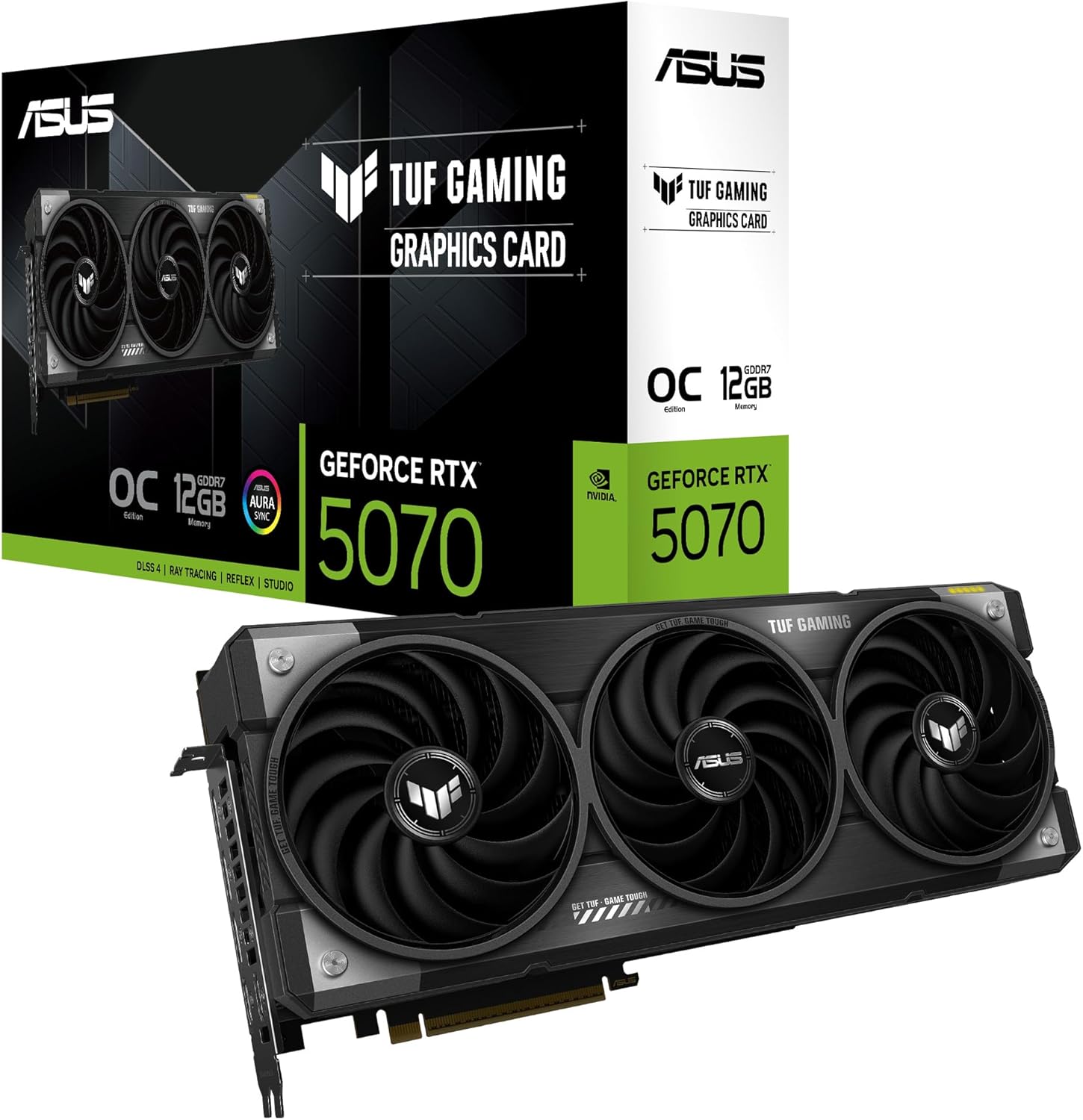
The ASUS TUF Gaming RTX 5070 OC Edition represents a significant step forward in GPU design, combining NVIDIA's latest Blackwell architecture with ASUS's proven TUF durability standards. Every component, from the certified military-grade chokes and MOSFETs to the premium 5K black metallic capacitors, has been selected for longevity and stability. The phase-change GPU thermal pad is particularly noteworthy, as it adapts to thermal conditions far better than traditional thermal paste, ensuring consistent performance during extended gaming sessions or content creation workflows. With support for DLSS 4 and up to 7680x4320 resolution, this card handles both current and emerging gaming titles with impressive headroom.
Cooling performance stands out as a key strength of this design. The three Axial-tech fans, spinning on dual-ball bearings rated for 80,000 hours of operation, propel 31% more air than standard alternatives while the outer fans spin counterclockwise to minimize turbulence. Combined with ASUS's MaxContact manufacturing process that expands the heat spreader surface area by 5%, the card maintains lower temperatures than traditional designs. The 0dB fan technology means the card operates silently during light workloads, only ramping up when GPU temperatures exceed 55 degrees Celsius, striking an excellent balance between performance and acoustics.
Beyond raw performance, ASUS has packed this card with thoughtful engineering details that reduce the risk of damage and failure. The protective conformal PCB coating shields against moisture and dust, while the GPU Guard and mounting bracket ensure uniform pressure and prevent cracks from physical stress. Auto-Extreme manufacturing further improves reliability by completing all soldering in a single pass, reducing thermal strain on components. The included GPU Tweak III software provides intuitive overclocking controls, system monitoring, and customizable RGB lighting through Aura compatibility, giving enthusiasts complete control over their investment.
| GPU | NVIDIA RTX 5070 (Blackwell Architecture) |
| Memory | 12GB GDDR7 |
| Memory Speed | 1750 MHz |
| GPU Clock Speed | 2640 MHz |
| Video Outputs | 2x HDMI 2.1b, 3x DisplayPort 2.1b |
| Max Resolution | 7680 x 4320 (8K) |
| Interface | PCI Express 5.0 |
| Cooling | 3x Axial-tech Fans with Dual-Ball Bearings |
| Slot Design | 3.125-Slot |
| Dimensions | 12.95" L x 5.51" W |
| Weight | 1.53 kg |
| Model Number | ASUS TUF-RTX5070-O12G-GAMING |
| In The Box | Graphics Card, Speedsetup Manual, TUF Card Holder, Velcro Straps, Magnet, Gaming Certificate, Adapter Cable (1 to 2) |
Gaming Performance: The RTX 5070 with DLSS 4 support delivers excellent 1440p performance at maximum settings with high frame rates, and solid 4K gaming at medium to high settings depending on the title. DLSS 4 Frame Generation significantly boosts frame rates in supported games, making this card ideal for high-refresh displays.
Creative Workflows: With 12GB of VRAM and Blackwell architecture, this card accelerates video editing, 3D rendering, and AI-powered creative tools. The included one month of Adobe Creative Cloud access lets you immediately leverage AI features in Premiere Pro, After Effects, and other applications.
Power Requirements: Ensure your PSU has adequate capacity and a PCIe 5.0 connector. The card's efficient design and advanced power delivery minimize heat generation compared to previous generations.
Thermal Headroom: The MaxContact design and phase-change thermal pad keep temperatures 2-3 degrees Celsius lower than standard designs, allowing for sustained high performance without thermal throttling during extended sessions.
Military-Grade Components: TUF chokes and MOSFETs are certified to withstand extreme conditions. TUF capacitors offer 52% wider temperature tolerance and 2.5X longer lifespan than standard alternatives, translating to years of reliable operation.
Protective Coatings: The conformal PCB coating protects against moisture, dust, and debris that can cause shorts and failures. This is especially valuable in dusty environments or for systems running 24/7.
Mechanical Durability: Dual-ball fan bearings are rated for 80,000 hours of operation (approximately 9 years of continuous use), while the GPU Guard and mounting bracket prevent cracks from physical stress or improper installation.
Manufacturing Quality: Auto-Extreme technology completes all soldering in a single pass, reducing thermal strain on components and improving overall reliability compared to multi-pass processes.

Pros
- Exceptional thermal performance with multiple cooling innovations keeps the GPU running cool and quiet
- Military-grade components and protective coatings provide industry-leading durability for years of reliable use
- 0dB fan technology allows silent operation during light tasks, reducing noise during everyday computing
- 16GB GDDR7 memory and 2730 MHz clock speed handle demanding games and professional workloads with ease
- Includes helpful accessories and software including GPU Tweak III for easy overclocking and monitoring
Cons
- Premium price point at $1,599.99 places it out of reach for budget-conscious gamers
- Large 3.6-slot design requires adequate case space and may not fit in compact or older PC builds
- Requires robust power supply and modern motherboard to fully utilize the RTX 5080's capabilities
The ASUS TUF Gaming RTX 5080 represents a significant leap forward in graphics card engineering. Built on NVIDIA's Blackwell architecture, this card delivers exceptional performance for 4K gaming, ray tracing, and AI-accelerated creative applications. The inclusion of DLSS 4 technology ensures smooth frame rates even at maximum visual settings, while the native DisplayPort 2.1a and HDMI 2.1b outputs provide future-proof connectivity for the latest displays.
What truly sets this card apart is its commitment to durability through military-grade components and thoughtful thermal design. The MaxContact manufacturing technique expands the heat spreader surface area by 5%, translating to measurably lower temperatures. The phase-change GPU thermal pad adapts to the GPU's surface imperfections far better than traditional thermal paste, maintaining optimal heat transfer throughout the card's lifespan. The protective PCB coating adds another layer of protection against environmental hazards, making this card suitable for demanding environments where standard cards might falter.
The cooling system excels with its triple Axial-tech fans, large vapor chamber, and vented metal exoskeleton design. These fans spin on dual-ball bearings and propel significantly more air than conventional designs, while the 0dB technology allows them to stop spinning below 50 degrees Celsius for whisper-quiet operation during lighter tasks. For users who demand peak performance without compromise, the RTX 5080 delivers the reliability and thermal management that justify its premium positioning in the market.
| GPU | NVIDIA GeForce RTX 5080 |
| Memory | 16 GB GDDR7 |
| GPU Clock Speed | 2730 MHz |
| Memory Clock Speed | 2730 MHz |
| Max Resolution | 7680 x 4320 pixels |
| Video Outputs | 3x DisplayPort 2.1a, 2x HDMI 2.1b |
| Interface | PCI-Express x16 |
| Cooling | 3x Axial-tech fans, vapor chamber, MaxContact heatspreader |
| Dimensions | 13.7 inches L x 5.7 inches W |
| Weight | 5 pounds |
| Model | TUF-RTX5080-O16G-GAMING |
| Warranty | 3 years |
| Compatibility | Desktop PCs with PCIe x16 slot |
Gaming Performance: The RTX 5080 handles modern AAA titles at ultra settings with ray tracing enabled, delivering smooth frame rates at 4K resolution. DLSS 4 technology further boosts performance by intelligently upscaling lower-resolution images without sacrificing visual quality.
Content Creation: With 16GB of GDDR7 memory and Blackwell architecture, this card accelerates video editing, 3D rendering, and AI image generation tasks. The included MuseTree AI app and one month of Adobe Creative Cloud access get creators started immediately.
System Requirements: Pair this card with a robust 850W or higher power supply and a modern motherboard with PCIe 4.0 support. Ensure your case has adequate space for the 3.6-slot design and proper airflow for optimal thermal performance.
Advanced Thermal Management: The MaxContact design increases heat spreader contact by 5%, directly reducing GPU temperatures. The phase-change thermal pad automatically fills microscopic surface gaps, outperforming traditional thermal paste under sustained heavy loads.
Military-Grade Construction: TUF-certified chokes, MOSFETs, and capacitors ensure stable power delivery and extended component lifespan. The conformal PCB coating protects against moisture, dust, and debris, making this card suitable for less-than-ideal environments.
Quiet Operation: Dual-ball fan bearings last significantly longer than sleeve designs while maintaining quiet operation. The 0dB technology stops fans below 50 degrees Celsius, eliminating unnecessary noise during everyday computing tasks.
How to Choose the Right GPU for Gaming
With so many options on the market, a structured approach saves time and prevents expensive mistakes. The sections below walk through the factors that matter most when selecting a graphics card for gaming in 2026.
Performance Benchmarks and Architecture

Graphics card generations move fast. NVIDIA’s Blackwell architecture (RTX 50-series) and AMD’s RDNA 4 (RX 9000-series) both bring meaningful improvements in ray tracing throughput, AI-assisted upscaling via DLSS 4 and FSR 4, and raw rasterization performance compared to previous generations. When comparing cards, look for benchmark results in the specific titles you play rather than synthetic scores alone, since real-world frame rates in demanding games can diverge from purely theoretical numbers.
Architecture also affects longevity. A card built on a modern process node tends to receive driver support and feature updates for longer, which matters if you plan to keep your GPU for several years. For gamers building a full system from scratch, pairing a strong GPU with one of the best motherboards for gaming ensures the platform keeps up with the card’s capabilities.
Memory Capacity and Bandwidth Needs
VRAM capacity has become one of the most debated topics in GPU discussions, and for good reason. At 1080p, 8GB is often sufficient today, but texture-heavy open-world games and certain modded titles can push past that ceiling. At 1440p, 12GB or more provides comfortable headroom. At 4K with maximum settings, 16GB of GDDR6 or GDDR7 is the realistic target for sustained smooth performance.
Memory bandwidth matters just as much as raw capacity. GDDR7, found on the RTX 50-series cards in this roundup, delivers substantially higher bandwidth per gigabyte than GDDR6, which translates to less stuttering when large textures are streamed rapidly during fast-paced scenes. Always check that your chosen card’s memory spec aligns with your primary monitor resolution. Upgrading your display later? Our coverage of 1440p monitors and monitors for gaming can help you plan ahead.
Cooling Solutions and Noise Levels

A GPU that runs hot will throttle its clocks to protect itself, directly hurting the frame rates you paid for. Both ASUS and GIGABYTE use multi-fan axial designs with carefully tuned fin stacks on the models listed here. ASUS’s Axial-tech fan design, present on the Dual and TUF Gaming lines, angles the outer fans opposite the center fan to generate a pressure zone that forces air through the heatsink more efficiently than conventional setups.
Zero-RPM modes are worth noting for quiet desktop use. When the GPU is idle or under light load, the fans stop entirely on several of these cards, meaning near-silent operation outside of gaming sessions. Before installation, confirm your PC case has adequate intake and exhaust airflow. A well-ventilated enclosure can drop GPU temperatures by 10 degrees Celsius or more compared to a poorly designed case with restricted airflow.
Power Requirements and Efficiency
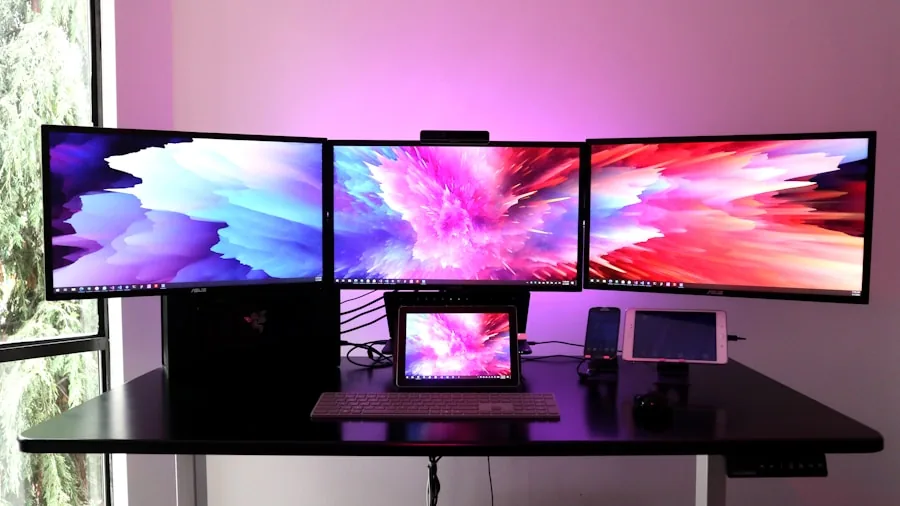
High-end graphics cards carry substantial power draws. The RTX 5080, for example, demands a quality PSU with the correct PCIe connectors and enough wattage headroom for the rest of the system. Mid-range options like the RTX 5060 and RTX 5070 are considerably more efficient, offering impressive performance-per-watt ratios thanks to TSMC’s advanced fabrication process used in Blackwell chips.
Always consult the card manufacturer’s recommended PSU wattage and add at least 100W of headroom for the rest of your components. A quality power supply protects your entire investment. Our roundup of PSUs can point you toward reliable units at each wattage tier. For connector compatibility, newer cards use the 16-pin 12VHPWR or 12V-2×6 connector, so verify your PSU or included adapter supports this before ordering.
Connectivity and Display Support
Every card in this lineup supports HDMI 2.1 and DisplayPort 1.4a or DisplayPort 2.1, covering 4K at 144Hz and beyond without compromise. HDMI 2.1b on the RTX 5060 extends bandwidth further, while DisplayPort 2.1 on the RTX 5070 and RTX 5080 opens the door to 4K at 240Hz or 8K gaming on compatible panels.
If you run multiple displays for work or a combined work-and-play setup, check how many outputs the card physically provides. Most dual-fan and triple-fan designs here offer three to four output ports. Virtual reality headsets that use DisplayPort will find support across the entire lineup. A high-refresh-rate display brings out the best in any of these cards, so browsing the top monitors available is a natural next step after choosing your GPU.
Physical Fit and Slot Dimensions
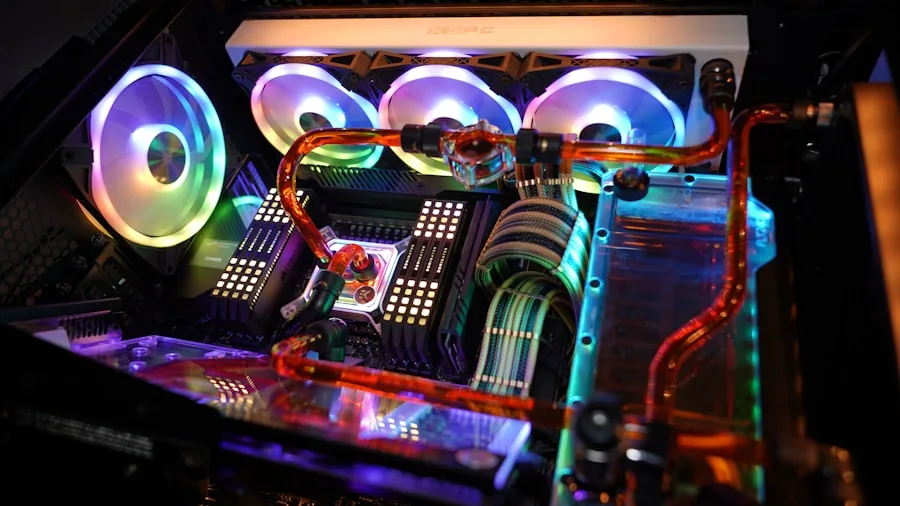
Graphics cards have grown larger with every generation, and slot thickness is now a real consideration. The ASUS Dual RTX 3050 occupies just two slots and fits comfortably in compact mid-tower cases. The ASUS TUF Gaming RTX 5070 uses a 3.125-slot design, while the RTX 5080 TUF variant is even larger. Before purchasing, measure your case’s GPU clearance and count available expansion slots.
Small-form-factor builders should look at the PNY RTX 5070 Epic-X, which is explicitly rated SFF-Ready despite its triple-fan cooler, or the ASUS Dual RTX 5060 with its compact 2.5-slot footprint. Choosing the right chassis matters here. A quality PC case with tool-free GPU support brackets and good cable routing makes the difference between a painless install and a frustrating afternoon.
Value and Long-Term Reliability

The GPU market in 2026 rewards careful research. Flagship cards from ASUS and GIGABYTE carry premium coolers, military-grade components on the TUF Gaming line, and multi-year warranties that justify a higher upfront investment for users who keep hardware for three to five years. Mid-range and budget options deliver strong value when matched to an appropriate monitor resolution and game library.
Resale value follows brand and product-tier reputation closely. TUF Gaming and Gaming OC cards from GIGABYTE both have strong secondary-market demand. For users who upgrade frequently, factoring resale into the total cost of ownership makes the higher-tier option more attractive over time. Completing your gaming station with a purpose-built gaming desk and a well-matched prebuilt gaming PC or custom build rounds out the investment effectively.
Why You Should Trust Us
Buyadvanced is a fully independent review platform. We do not sell any of the products we evaluate, accept payment from manufacturers, or allow advertisers to influence our conclusions. Our editorial team assesses graphics cards across multiple performance dimensions including synthetic benchmarks, real-game frame-rate testing at 1080p, 1440p, and 4K, thermal behavior under sustained load, acoustic output during gaming and idle, and build quality on inspection.
We also incorporate feedback gathered from verified purchasers across the United States to ensure our conclusions reflect real-world ownership experiences rather than controlled-lab conditions alone. Our methodology is updated with each new hardware generation to stay current with evolving standards. The same independent approach guides every category on our site, from general-purpose GPUs to graphics cards chosen specifically for gaming workloads.
Final Thoughts
After evaluating all 7 models, here are our top picks by category:
- Best Overall: GIGABYTE Radeon RX 9070 XT Gaming OC 16G. Sixteen gigabytes of GDDR6 on PCIe 5.0, strong rasterization performance, and an excellent cooler make this the most well-rounded card in the lineup for 1440p and high-refresh 4K gaming.
- Best Budget Pick: ASUS Dual NVIDIA GeForce RTX 3050 6GB. The compact two-slot design and 1080p-focused performance profile make this the most accessible entry point for gamers on a tight budget who still want DLSS support and PCIe 4.0 compatibility.
- Best Mid-Range Value: ASUS Dual NVIDIA GeForce RTX 5060 8GB. Blackwell architecture and GDDR7 memory in a 2.5-slot form factor deliver a substantial generational leap over older mid-range cards at a reasonable price tier.
- Best for High-Memory 1440p Gaming: GIGABYTE Radeon RX 9060 XT Gaming OC 16G. Sixteen gigabytes of GDDR6 in a card targeting the 1440p sweet spot is an unusually generous spec that future-proofs texture budgets for years.
- Best High-End Pick: ASUS TUF Gaming GeForce RTX 5080 16GB. Military-grade components, 16GB of GDDR7, and the full Blackwell feature set including DLSS 4 multi-frame generation make this the pinnacle of the lineup for 4K enthusiasts.
Whatever tier fits your needs, pairing your new GPU with quality peripherals completes the experience. A responsive keyboard, a precise wireless mouse, and a fast gaming router ensure the GPU’s performance reaches the player without bottlenecks elsewhere in the chain.
GPUs for Gaming FAQs
What graphics memory is best for 4K gaming?
For reliable 4K gaming at maximum or near-maximum settings, 16GB of GDDR6 or GDDR7 provides the best headroom. Cards with less VRAM can handle 4K in many titles but may struggle as game engines continue pushing texture resolution upward. The GIGABYTE RX 9070 XT and the ASUS TUF Gaming RTX 5080 both hit this mark.
How important is ray tracing support in 2026?
Ray tracing has moved from a novelty to a standard feature in major releases. Every card in this lineup supports hardware-accelerated ray tracing, but efficiency varies. NVIDIA’s RTX 50-series and AMD’s RX 9000-series both make ray tracing significantly more practical at 1440p and 4K than older hardware, especially when AI upscaling is applied to recover frame rates.
Can these GPUs fit in smaller PC cases?
Several models here are designed with compact builds in mind. The PNY RTX 5070 Epic-X carries an SFF-Ready certification despite its triple-fan cooler, and the ASUS Dual RTX 3050 and Dual RTX 5060 use slim two- to 2.5-slot designs. Always measure your case’s GPU length clearance before ordering. Browsing quality mini gaming PCs can also help set realistic expectations for compact build constraints.
Do gaming GPUs need frequent driver updates?
Both NVIDIA and AMD release driver updates regularly, often within days of major game launches. These updates can include meaningful performance uplifts, bug fixes, and new feature support. Enabling automatic driver notifications through GeForce Experience or AMD Software is recommended for most users to stay current without manual tracking.
What PSU wattage suits modern high-end GPUs?
For cards like the RTX 5080, a quality unit rated at 850W or higher with the appropriate PCIe connector is the safe choice when accounting for CPU, storage, and other system components. Mid-range cards like the RTX 5060 or RX 9060 XT are considerably less demanding and typically work well with a well-built 650W supply. Our guide to PSUs covers top-rated units at every wattage tier.
Are there common overheating issues to watch for?
Most overheating problems stem from inadequate case airflow rather than the card itself. Install at least two case fans (one intake at the front, one exhaust at the rear), keep cables managed away from airflow paths, and monitor GPU temperatures during your first gaming session. If temperatures climb above 85 degrees Celsius under sustained load, adjusting fan curves through the manufacturer’s software usually resolves the issue.
How do NVIDIA and AMD cards compare for gaming in 2026?
Both platforms deliver excellent gaming performance in 2026. NVIDIA’s RTX 50-series leads in ray tracing efficiency and AI-driven features like DLSS 4 multi-frame generation. AMD’s RX 9000-series answers with competitive rasterization performance, generous VRAM allocations, and strong open-source driver support. Game compatibility and the specific titles in your library should weigh heavily in the decision alongside raw benchmark numbers.
Does upgrading a GPU also require upgrading the CPU?
Not necessarily, but CPU bottlenecks become visible when a powerful GPU is paired with an aging processor in fast-paced competitive games at lower resolutions. At 1440p and 4K, the GPU dominates performance and most modern CPUs keep up. If you are building from scratch, matching GPU tier to CPU tier is good practice. Exploring gaming motherboards alongside your GPU choice helps ensure the platform supports your full upgrade path.
Where can I buy these graphics cards?
Buyadvanced is an independent review site and does not sell products or process orders. Purchase through authorized retailers and contact the card manufacturer directly for warranty service. Each product listing above links to a purchasing option for your convenience.
What if a card’s performance falls short of expectations?
Return policies vary by retailer, so review them before completing a purchase. If a card underperforms in your specific titles, checking for updated drivers is the first step. Persistent issues in demanding games often trace back to resolution targets or settings presets that exceed the card’s VRAM capacity. Lowering texture quality one step typically recovers smooth frame rates while retaining most visual fidelity. Matching your ambitions to the right resolution target and a well-chosen gaming monitor avoids most disappointment from the start.




Write Your Review
No reviews yet. Be the first to share your experience!