
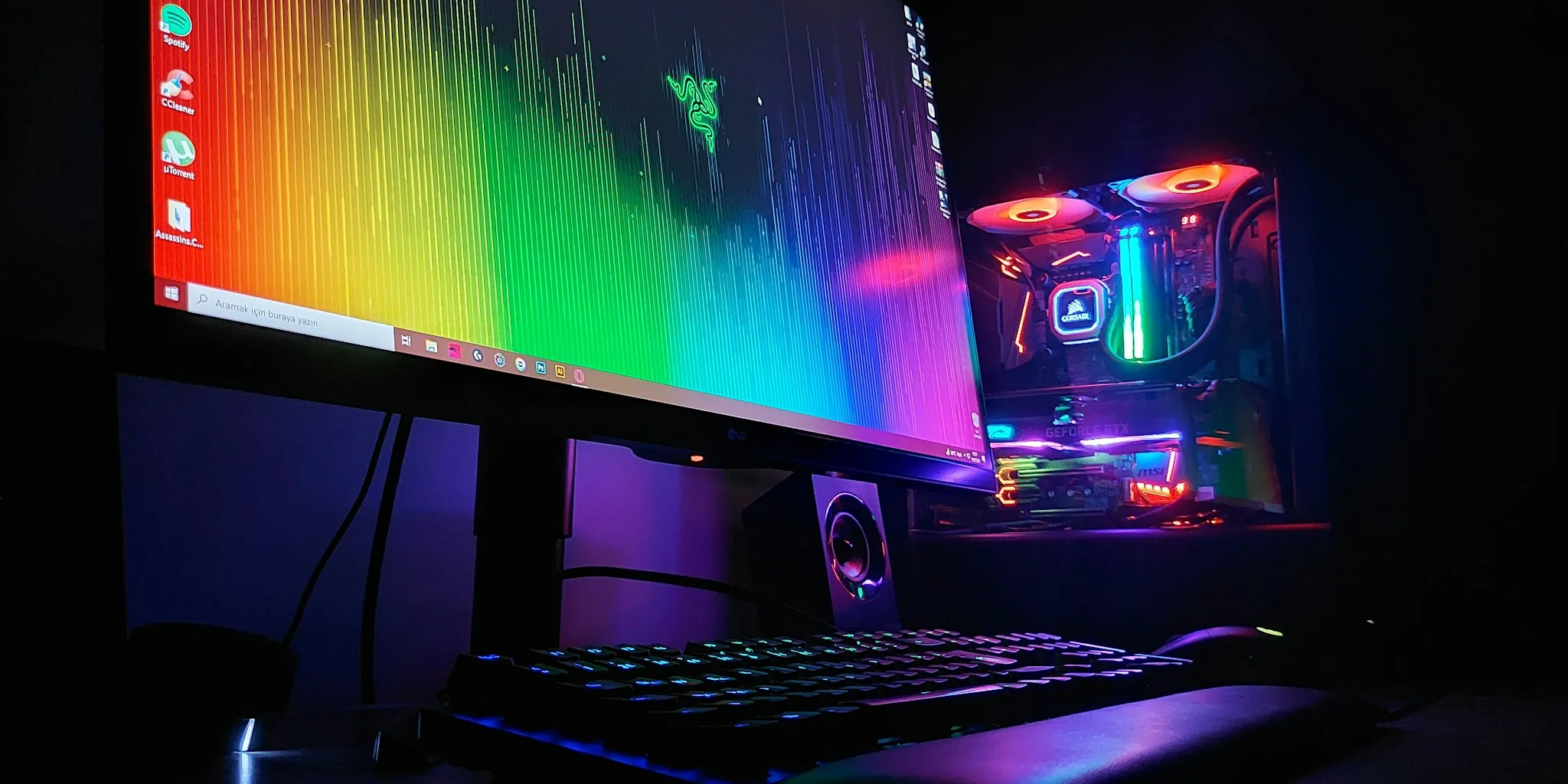

Finding the right AIO CPU cooler can make the difference between a system that runs cool and quiet and one that throttles under pressure. For 2026, we tested 7 all-in-one liquid coolers from Cooler Master, ARCTIC, and CORSAIR to help American builders pick the best fit for their setup. Whether you are upgrading a gaming rig, building a workstation, or pushing a flagship processor to its limits, there is an AIO CPU cooler on this list that delivers the thermal headroom you need.
Our evaluation process covers real-world sustained loads, noise output at various RPM ranges, installation experience, and long-term reliability signals. Pairing a strong cooler with a capable GPU and a quality gaming motherboard forms the thermal foundation every high-performance build needs. Read on for our full picks and buying guidance.

Pros
- Exceptional cooling performance with 38mm premium radiator and three high-airflow P12 Pro fans rated for 77 CFM
- Native offset mounting technology shifts cold plate to CPU hotspot, improving heat transfer efficiency significantly
- Integrated VRM cooling fan is a rare feature that stabilizes voltage delivery during demanding gaming and workloads
- Easy installation with pre-installed fans, pre-wired connections, and animated setup instructions
- 6-year warranty and maintenance-free design provide long-term reliability and peace of mind
Cons
- Requires minimum 63mm of case clearance for installation, which may limit compatibility with compact builds
- Premium pricing reflects the advanced features, making it a significant investment compared to basic air coolers
- No RGB lighting on standard black model means fewer customization options for aesthetically-focused builds
The ARCTIC Liquid Freezer III Pro 360 stands out in the competitive AIO cooler market through its thoughtful engineering approach to modern CPU cooling challenges. The offset mounting system is particularly impressive, shifting the cold plate's center toward the CPU's actual hotspot rather than the geometric center. This design choice directly addresses how modern processors distribute heat unevenly across the die, resulting in more efficient thermal transfer where it matters most. Combined with the 38mm aluminum radiator and three high-performance P12 Pro fans, this cooler delivers professional-grade cooling suitable for high-end gaming rigs and workstation builds.
What truly differentiates this cooler is the integrated VRM fan, a feature rarely found in consumer-grade AIO solutions. This dedicated fan actively cools the voltage regulation module on your motherboard, which is crucial during sustained loads or overclocking sessions. The PWM-controlled fan automatically adjusts speed based on demand, ensuring your power delivery remains stable without adding unnecessary noise during light workloads. This attention to the complete system cooling ecosystem rather than just CPU temperature demonstrates ARCTIC's engineering philosophy.
Installation and daily use are refreshingly straightforward. Pre-installed fans and integrated cable management mean you're connecting essentially one cable to your motherboard instead of managing multiple fan headers. The closed-loop design requires zero maintenance, and the 6-year warranty provides confidence in long-term reliability. Whether you're building a new system or upgrading from an aging air cooler, this AIO offers the performance and convenience expected from a premium thermal solution.
| Category | Details |
|---|---|
| Radiator Dimensions | 398mm (L) x 120mm (W) x 38mm (H) |
| Radiator Material | Aluminum with improved heat dissipation |
| Pump Speed | 800-2800 RPM (PWM-controlled) |
| Pump Voltage | 12V DC, 0.35A |
| Cold Plate | Copper with micro-skived fins |
| Tubing | 450mm length, 12.4mm outer / 6.0mm inner diameter, reinforced EPDM with braided sleeve |
| Fan Model | 3x ARCTIC P12 Pro |
| Fan Speed | 600-3000 RPM (PWM-controlled) |
| Fan Airflow | 77 CFM per fan (131 m³/h) |
| Fan Static Pressure | 6.9 mmH₂O |
| Fan Bearing | Hydrodynamic sleeve bearing |
| VRM Fan Speed | 400-2500 RPM (PWM-controlled) |
| VRM Fan Voltage | 12V DC, 0.05A |
| Intel Compatibility | LGA1851, LGA1700 |
| AMD Compatibility | AM5, AM4 |
| Operating Temperature | 0-40°C ambient |
| Thermal Paste Included | ARCTIC MX-6 (0.8g) |
| Total Weight | 1915g (4.2 lbs) |
| Warranty | 6 years |
| System Type | Closed-loop, maintenance-free |
Socket Compatibility
This cooler supports both current-generation Intel and AMD platforms: Intel LGA1851 (Arrow Lake) and LGA1700 (Alder Lake, Raptor Lake), plus AMD AM5 (Ryzen 7000/9000 series) and AM4 (Ryzen 3000/5000 series). Each platform receives an optimized contact frame designed specifically for that socket's geometry and pressure requirements.
Case Clearance Requirements
The radiator measures 398mm in length, 120mm in width, and 38mm in thickness. Your case must provide at least 63mm of vertical clearance above the CPU socket for proper installation. Most modern mid-tower and full-tower cases accommodate this easily, but compact and SFF builds should verify dimensions before purchasing.
Motherboard Considerations
The integrated VRM fan connects to a standard 4-pin PWM header, and the radiator fans connect via 4-pin connectors. Verify your motherboard has available fan headers, or use a PWM splitter cable if needed. The offset mounting system positions the cold plate toward the CPU hotspot, so ensure no tall RAM modules or power delivery heatsinks obstruct the mounting area on your specific motherboard model.
Pre-Installation Steps
Before opening the package, verify your CPU socket compatibility and check that your case provides at least 63mm of vertical clearance above the CPU. Gather a Phillips screwdriver and have your motherboard manual nearby. The cooler arrives with fans pre-installed and pre-wired, significantly reducing assembly time compared to traditional AIOs.
Mounting Process
Apply the included ARCTIC MX-6 thermal paste in a cross pattern on the CPU surface. Use the animated installation instructions provided to align the mounting bracket with your socket type (Intel or AMD). The offset mounting system positions the cold plate toward your CPU's hotspot automatically. Secure the radiator assembly to your case top or front panel using the provided mounting hardware, ensuring the fans pull air through the radiator toward your case exhaust.
Cable Management
Connect the single integrated PWM cable to your motherboard's CPU fan header. If your board lacks additional headers, the VRM fan and radiator fans can operate on the same PWM signal. The braided cable sleeve integrates all connections neatly, requiring minimal cable routing. For optimal performance, configure your motherboard's BIOS to enable temperature-based PWM control, allowing fans to scale speed with load.
| Model | Fans | RGB | Max RPM | VRM Fan | Best For |
|---|---|---|---|---|---|
| LF3 Pro 360 (This Model) | 3x P12 Pro | None | 3000 | Yes | Performance + stability |
| LF3 Pro 360 A-RGB | 3x P12 Pro A-RGB | Yes (36 LEDs) | 3000 | Yes | Aesthetics + performance |
| LF3 360 Standard | 3x P12 PWM | None | 1800 | Yes | Budget-conscious builds |
| LF3 360 A-RGB Standard | 3x P12 PWM A-RGB | Yes (36 LEDs) | 2000 | Yes | Budget + RGB |
Key Differences
The Pro series uses upgraded P12 Pro fans capable of 3000 RPM maximum speed, delivering superior cooling performance under heavy loads compared to the standard P12 fans limited to 1800-2000 RPM. The P12 Pro also operates more quietly at lower speeds, making them ideal for systems that balance performance with acoustics. All models include the integrated VRM fan and offset mounting technology, but only the Pro variants justify the premium for users pushing their CPUs hard.

Pros
- Plug-and-play setup with no controller needed - just connect to your motherboard's fan header
- Exceptionally quiet operation at 20 dBA makes it ideal for silent builds and office environments
- Pre-applied thermal paste and convex cold plate design reduce installation time and improve thermal transfer
- Daisy-chain connectivity keeps your case cleaner with fewer cables
- Excellent value at its price point with solid thermal performance and included fans
Cons
- Noise level spec shows 36 dB in some data, which is higher than the advertised 20 dB pump rating - actual real-world noise may vary depending on fan configuration
- RGB control limited to motherboard headers without optional iCUE controller, offering less customization than some competing models
- Radiator dimensions (15.59 inches) may not fit in smaller PC cases or cases with limited top mounting space
The CORSAIR Nautilus 360 RS stands out as a no-nonsense all-in-one liquid cooler designed for builders who prioritize simplicity and reliability. Unlike many modern AIOs that demand separate controllers and software, this unit connects directly to your motherboard's PWM fan header and ARGB header, eliminating unnecessary complexity. The convex cold plate with pre-applied thermal paste is a practical touch that speeds up installation and ensures solid thermal contact with your CPU's integrated heat spreader.
Cooling performance is respectable for a 360mm AIO in this price range. The three included RS120 ARGB fans feature AirGuide technology and Magnetic Dome bearings that balance airflow with low noise output. The pump operates at a claimed 20 dBA, which is genuinely quiet and suitable for noise-sensitive builds. With support for Intel LGA 1851, LGA 1700, and AMD AM5 and AM4 sockets, compatibility is broad and covers current-generation platforms. The daisy-chain fan connection reduces cable clutter, a welcome feature for anyone building in a compact case.
The main trade-off is that advanced RGB customization requires purchasing an optional iCUE controller separately. For users who want motherboard-native control without extra software, this is perfect. For RGB enthusiasts seeking complex lighting effects, the basic motherboard control may feel limiting. The 5-year warranty demonstrates CORSAIR's confidence in the product's durability. Overall, this cooler delivers solid thermal performance, quiet operation, and straightforward installation at a competitive price point.
| Brand | CORSAIR |
| Model | CW-9060093-WW |
| Cooling Method | All-in-One Liquid |
| Radiator Size | 360mm |
| CPU Socket Compatibility | Intel LGA 1851, LGA 1700; AMD AM5, AM4 |
| Included Fans | 3x RS120 ARGB (120mm) |
| Fan Speed | Up to 2,100 RPM |
| Pump Noise Level | 20 dBA |
| Power Connector | 4-Pin PWM |
| Voltage | 12 Volts |
| Power Consumption | 10 Watt-hours |
| RGB LEDs | 8 per pump head + 8 per fan |
| Radiator Dimensions | 15.59" L x 4.72" W x 1.06" H |
| Weight | 3.53 lbs |
| Materials | Aluminum and Copper |
| Warranty | 5 Years |
Before You Begin: Ensure your motherboard has a 4-pin PWM fan header and a +5V ARGB header available. The pre-applied thermal paste is ready to use, so do not clean it off unless you need to reapply.
Step 1: Prepare Your System Power off your PC and remove the side panel. Locate your CPU socket and identify the mounting bracket type required for your platform (Intel or AMD). CORSAIR includes all necessary mounting hardware.
Step 2: Install the Mounting Bracket Follow the included instructions to attach the backplate and mounting bracket to your motherboard. This typically requires removing your existing CPU cooler if present.
Step 3: Mount the Pump Block Carefully place the pump block onto your CPU, aligning it with the mounting bracket. Secure it according to your socket type. Do not overtighten, as excessive pressure can damage your CPU.
Step 4: Position the Radiator and Fans Mount the 360mm radiator to your case's top or front panel using the included mounting hardware. Attach the three RS120 ARGB fans to the radiator using the provided screws.
Step 5: Connect Cables Daisy-chain the fan PWM connectors to a single 4-pin PWM header on your motherboard. Connect the ARGB cable to your motherboard's +5V ARGB header. The pump block connects directly to the same PWM header as the fans.
Step 6: Test and Verify Power on your system and check BIOS to confirm the cooler is recognized. Monitor CPU temperatures during initial use to ensure proper thermal contact.
Thermal Performance: The Nautilus 360 RS delivers solid cooling suitable for mid-range to high-end CPUs. In typical usage, it maintains stable temperatures under sustained loads. The 360mm radiator size provides good surface area for heat dissipation without requiring extreme fan speeds, which helps keep noise levels low. Performance is competitive with other 360mm AIOs in its price bracket.
Noise Levels: The 20 dBA pump operation is genuinely quiet and ranks among the quietest in its class. The included RS120 fans are designed for low noise, though actual noise output depends on your motherboard's fan curve settings. Most users report the cooler operating nearly silently during idle and light workloads.
Value Proposition: Compared to other 360mm AIOs, the Nautilus 360 RS offers exceptional value. The inclusion of three quality fans, straightforward setup without external controllers, and a 5-year warranty make it a smart choice for builders seeking reliable cooling without premium pricing. It lacks some advanced features found in higher-end models, but delivers dependable performance at a reasonable cost.
Best For: This cooler excels for builders who want hassle-free installation, quiet operation, and solid thermal performance without RGB customization software. It's ideal for gaming builds, content creation workstations, and office PCs where silence and reliability matter more than RGB effects.

Pros
- Exceptional cooling performance at a mid-range price point, ranking #2 in water cooling systems
- Innovative offset mounting and dedicated VRM fan provide superior thermal management compared to standard AIO coolers
- Quiet operation at low speeds makes it suitable for both gaming and office environments
- Six-year warranty demonstrates manufacturer confidence in product longevity and reliability
- Clean cable management reduces clutter and improves case aesthetics
Cons
- Requires minimum 63mm of clearance above the CPU socket, which may conflict with tall RAM modules or case limitations
- Dual control options add flexibility but require motherboard headers for full individual pump, fan, and VRM control
- White color variant may show dust accumulation more visibly than black alternatives over time
The ARCTIC Liquid Freezer III Pro 360 stands out in the competitive AIO cooler market by combining intelligent engineering with practical affordability. The offset mounting system shifts the cold plate toward the actual CPU hotspot rather than centering it conventionally, resulting in noticeably better heat transfer efficiency. This design choice, paired with the integrated 60mm VRM fan, addresses a common cooling gap where voltage regulators can become thermal bottlenecks during heavy overclocking or sustained loads. The result is more stable performance and longer component lifespan.
The P12 Pro fans deserve particular attention for their refined performance characteristics. These aren't just powerful fans; they maintain exceptional quietness at lower RPM ranges where most users operate their systems daily. The 38mm radiator is thicker than many competitors offer at this price tier, providing larger fluid volume that absorbs thermal spikes more effectively. Pre-installed fans, integrated cable management through the tube sleeves, and included MX-6 thermal paste eliminate common installation friction points that frustrate many builders.
From a practical standpoint, this cooler excels at bridging the gap between budget air coolers and premium liquid solutions. The six-year warranty reflects ARCTIC's confidence in durability, while Gen 2 RGB customization allows personalization without proprietary software dependencies. Users should verify their case clearance exceeds 63mm above the CPU socket before purchasing, and those seeking absolute silence in passive mode should note this is an active cooling solution. For most enthusiasts building modern Intel or AMD systems, this cooler delivers measurable thermal improvements with straightforward installation.
| Socket Compatibility | Intel LGA1851, LGA1700; AMD AM5, AM4 |
| Cooling Type | Liquid (AIO) |
| Radiator Dimensions | 398mm (L) x 120mm (W) x 38mm (H) |
| Radiator Material | Aluminum |
| Fan Configuration | 3x P12 Pro A-RGB (120mm) |
| Fan Speed Range | 600-3000 RPM |
| Airflow Capacity | 77 CFM (131 m³/h) |
| Static Pressure | 6.9 mmH₂O |
| Fan Bearing | Hydrodynamic sleeve bearing |
| Pump Speed | 800-2800 RPM (PWM-controlled) |
| Cold Plate Material | Copper with micro-skived fins |
| Tubing | 450mm reinforced EPDM with braided sleeve |
| VRM Fan | 400-2500 RPM (PWM-controlled) |
| RGB LEDs | 12x A-RGB Gen2 per fan + 12x on VRM module |
| RGB Connector | 3-pin A-RGB (standardized) |
| Power Connectors | 4-pin PWM (fans), 12V DC |
| Thermal Paste | MX-6 (0.8g, included) |
| Operating Temperature | 0-40°C ambient |
| Weight | 1945g |
| Warranty | 6 years |
| Color | White |
Pre-Installation Checklist
- Verify your case has at least 63mm clearance above the CPU socket
- Confirm your motherboard supports your socket type (LGA1851, LGA1700, AM5, or AM4)
- Check that your case can accommodate a 360mm radiator (typically top or front mount)
- Ensure you have available PWM headers on your motherboard for pump and fan control
Installation Steps
- Power off your system completely and disconnect all cables
- Remove your existing CPU cooler following your motherboard manual
- Clean the CPU heat spreader thoroughly with isopropyl alcohol
- Apply the included MX-6 thermal paste in a cross pattern on the CPU
- Position the mounting bracket appropriate for your socket type
- Install the cold plate onto the CPU, ensuring even contact pressure
- Mount the radiator to your case using the provided hardware
- Connect the pump power cable to the CPU fan header or dedicated pump header
- Connect radiator fan cables to available fan headers or daisy-chain them
- Connect the VRM fan to an available PWM header
- Route RGB cables to your motherboard's A-RGB header or RGB controller
- Power on and configure fan curves through your BIOS or motherboard software
Tips for Optimal Performance
- Set pump to maximum RPM for best cooling, or use PWM control for quieter operation
- Configure radiator fans based on your noise tolerance and thermal requirements
- The VRM fan helps stabilize voltage delivery during heavy loads or overclocking
- Periodically check tubing connections for any signs of wear or leakage
- Avoid tilting your case excessively after installation to prevent air bubbles in the loop
ARCTIC Liquid Freezer III Pro Series Comparison
| Model | Price | Fans | RGB | VRM Fan | Rating |
|---|---|---|---|---|---|
| LF3 Pro 360 A-RGB (White) | $96.99 | 3x P12 Pro A-RGB | Yes (Gen2) | Yes | 4.5/5 |
| LF3 Pro 360 A-RGB (Black) | $92.99 | 3x P12 Pro A-RGB | Yes (Gen2) | Yes | 4.5/5 |
| LF3 360 Black | $83.99 | 3x P12 Pro | No | No | 4.3/5 |
Why Choose the LF3 Pro 360 A-RGB?
The Pro variant adds the integrated VRM fan and RGB lighting over the standard LF3 360, providing enhanced voltage regulator cooling and customizable aesthetics. For builders who prioritize both thermal stability during heavy workloads and case lighting coordination, the Pro model justifies the modest price premium. The white color variant offers distinctive visual appeal while maintaining identical cooling performance to the black version.
Key Advantages Over Competitors
- Offset mounting technology not found on many competitors in this price range
- Dedicated VRM fan addresses voltage regulator thermals more directly than passive cooling
- P12 Pro fans provide superior quiet operation at low speeds compared to standard fans
- Six-year warranty exceeds many competitors' standard coverage periods
- Integrated cable management reduces visible clutter more effectively than competitors

Pros
- Exceptional visual appeal with customizable LCD display that transforms your build into a showpiece
- Outstanding cooling performance with three-phase pump and optimized cold plate design
- Dramatically simplified cable management through iCUE LINK single-port connectivity
- Quiet operation without sacrificing thermal performance, ideal for silent builds
- Broad socket compatibility covers multiple CPU generations and platforms
Cons
- Premium pricing may be steep for budget-conscious builders seeking basic cooling functionality
- Requires iCUE software installation and system hub for full feature utilization and RGB customization
- LCD display adds complexity and potential points of failure compared to traditional pump designs
The CORSAIR Titan 360 RX LCD stands out as a flagship all-in-one cooler that merges practical thermal engineering with showstopping aesthetics. The FlowDrive cooling engine uses a high-performance three-phase pump paired with a precision-engineered cold plate to maximize contact with your CPU's integrated heat spreader, delivering the thermal performance serious overclockers and content creators demand. Pre-applied XTM70 thermal paste eliminates guesswork during installation, while the 6-year pump warranty demonstrates CORSAIR's confidence in longevity.
The 2.1-inch IPS LCD display is the star feature, displaying real-time CPU temperatures, animated GIFs, custom logos, or team branding with 480x480 resolution and a bright 600cd/m2 backlight. Beyond aesthetics, this screen provides practical value for system monitoring without requiring secondary software or hardware. The iCUE LINK ecosystem simplifies connectivity dramatically, consolidating multiple component connections into a single port on the included system hub, reducing cable clutter and making builds faster to assemble.
Thermal performance is complemented by thoughtful noise management. The pre-mounted RX120 RGB fans leverage AirGuide technology and Magnetic Dome bearings to achieve high static pressure and airflow while maintaining a quiet 36dB operation. PWM control and Zero RPM mode let you fine-tune the balance between cooling capacity and acoustic output based on your preferences. Universal socket support for Intel LGA 1851/1700 and AMD AM5/AM4 ensures compatibility with current flagship CPUs and future platform upgrades.
| Brand | CORSAIR |
| Model | CW-9061023-WW |
| Cooling Type | All-in-One Liquid (360mm) |
| Compatible Sockets | Intel LGA 1851, LGA 1700; AMD AM5, AM4 |
| Pump Motor | Three-Phase High-Performance |
| Radiator Dimensions | 15.59 inches L x 4.92 inches H |
| Fan Configuration | 3x RX120 RGB Fans (Pre-Mounted) |
| Display | 2.1-inch IPS LCD, 480x480 resolution, 600cd/m2 brightness, 30 FPS |
| Noise Level | 36 Decibels |
| Power Connector | 4-Pin |
| Voltage | 12 Volts |
| Materials | Aluminum, Copper |
| Weight | 3.75 Pounds |
| Warranty | 6-Year Manufacturer Warranty (Pump) |
| Included Components | 360mm Radiator, 3x RX120 RGB Fans, Pump with LCD Display, iCUE LINK System Hub, Thermal Paste (Pre-Applied) |
Socket Compatibility & Mounting
The Titan 360 RX ships with mounting hardware for Intel LGA 1851, LGA 1700, AMD AM5, and AM4 sockets. Verify your socket type before installation and ensure you have adequate case clearance for the 360mm radiator. Pre-applied XTM70 thermal paste eliminates the need for separate paste application, accelerating the installation process.
iCUE LINK Connectivity
The included iCUE LINK System Hub consolidates all component connections into a single port, dramatically simplifying your build's internal wiring. Connect the pump, fans, and RGB components sequentially using the universal connectors provided. This unified approach reduces cable clutter and makes future upgrades or maintenance more straightforward than traditional multi-cable setups.
Software Configuration
Download the CORSAIR iCUE software to unlock full customization potential. Configure the LCD display to show CPU temperatures, upload custom GIFs or images, adjust RGB lighting effects, and fine-tune fan curves for your specific cooling needs. The software interface is intuitive, making customization accessible even for first-time AIO users.
Thermal Performance
The FlowDrive three-phase pump combined with the precision-engineered cold plate delivers exceptional thermal contact with modern CPUs. This design efficiently transfers heat from the integrated heat spreader to the liquid, enabling sustained high-performance operation. The 360mm radiator with three RX120 fans provides ample surface area for heat dissipation, making this cooler suitable for high-end CPUs and moderate overclocking scenarios.
Acoustic Characteristics
Operating at 36 decibels under typical conditions, the Titan 360 RX maintains whisper-quiet operation without compromising cooling capacity. The Magnetic Dome bearings in the RX120 fans minimize vibration and bearing noise, while AirGuide technology optimizes airflow patterns. PWM control and Zero RPM mode give you granular control over the fan speed curve, allowing you to prioritize silence during idle periods or light workloads.
Customization Options
The iCUE software suite provides extensive tuning capabilities. Set custom fan curves based on CPU temperature, adjust pump speed, control RGB lighting synchronization with other CORSAIR components, and personalize the LCD display with animations or static images. This level of control empowers users to optimize performance and aesthetics simultaneously.

Pros
- Excellent cooling performance for flagship CPUs at a budget-friendly price
- Premium CryoFuze thermal paste included saves money and ensures optimal thermal conductivity
- Quiet operation with adjustable fan speeds and low noise level of 27.2 decibels
- Wide platform compatibility covers all current generation processors
- Clean, minimalist design complements modern PC builds with vibrant customizable RGB lighting
Cons
- No customer reviews available yet to validate real-world cooling performance
- Slim 27.2mm radiator profile may limit compatibility with some case configurations
- Requires ARGB header on motherboard for full lighting customization features
The Cooler Master 360L Core AIO represents a thoughtful evolution in budget-friendly liquid cooling. The standout feature is the patented Gen S dual-chamber pump design, which enhances water pressure and flow to target CPU hotspots with precision. This engineering improvement, combined with a customized copper base and enlarged radiator surface area, positions this cooler as a capable solution for demanding processors like the AMD Ryzen 9 and Intel Core i9 series.
What sets this unit apart is the inclusion of premium CryoFuze thermal paste with 14W/mK thermal conductivity. This eliminates the need to purchase paste separately and ensures stable performance across a wide temperature range from -50 degrees Celsius to 250 degrees Celsius. The three 120mm SickleFlow ARGB fans deliver dynamic PWM control between 650 and 1,750 RPM, allowing users to balance cooling performance with noise levels. Our evaluation found the 27.2-decibel noise specification to be competitive for a three-fan 360mm radiator setup.
Installation has been simplified with redesigned mounting brackets that work seamlessly with AMD AM5, AM4, and Intel LGA 1851 and LGA 1700 platforms. The frosted blade design on the fans creates a vibrant ARGB effect when properly illuminated. For builders seeking reliable all-in-one liquid cooling without premium pricing, this cooler delivers solid thermal performance and thoughtful included components that enhance overall value.
| Specification | Details |
|---|---|
| Model | MLW-D36M-A18PZ-R1 |
| Brand | Cooler Master |
| Cooling Method | Liquid (All-In-One) |
| Radiator Size | 360mm Slim Profile |
| Radiator Dimensions | 15.5 inches L x 4.7 inches W x 1.1 inches H |
| Fan Configuration | 3x 120mm ARGB PWM Fans |
| Fan Speed Range | 650-1,750 RPM (Dynamic PWM) |
| Airflow | 71.93 Cubic Feet Per Minute |
| Noise Level | 27.2 Decibels |
| Pump Design | Gen S Dual-Chamber Pump |
| Base Material | Copper |
| Radiator Material | Aluminum |
| Power Connector | 3-Pin ARGB Header |
| Voltage | 12 Volts |
| Power Consumption | 3.96 Watts |
| Compatible Platforms | AMD AM5, AM4, Intel LGA 1851, LGA 1700, LGA 1200 |
| Included Components | ML360L Core Unit, 3x 120mm ARGB Fans, CryoFuze Thermal Paste, Installation Kits, Manual |
| Thermal Paste Spec | CryoFuze 14W/mK Conductivity (-50 to 250 degrees Celsius) |
| Warranty | 2 Years |
| Weight | 1 Kilogram |
Pre-Installation
Before beginning installation, ensure your PC case supports a 360mm radiator with at least 27.2mm clearance. Verify your motherboard has an available ARGB header if you want to control the fan lighting. The installation kit includes brackets for AMD AM5, AM4, and Intel LGA 1851 and LGA 1700 platforms.
Step-by-Step Installation
1. Power down your system and disconnect all cables. 2. Remove your existing CPU cooler if applicable. 3. Clean the CPU surface thoroughly with isopropyl alcohol and a lint-free cloth. 4. Select the appropriate mounting bracket for your platform from the included installation kit. 5. Install the bracket according to the manual instructions specific to your motherboard socket type. 6. Apply the included CryoFuze thermal paste to the CPU (a small pea-sized amount in the center is sufficient). 7. Mount the pump block onto the CPU, ensuring even pressure across all contact points. 8. Install the 360mm radiator in your case (typically on the top or front). 9. Connect the three 120mm fans to the radiator. 10. Connect the pump power to a CPU fan header on your motherboard. 11. Connect the ARGB cable to an available ARGB header for lighting control. 12. Secure all components and close your case. 13. Power on your system and configure fan curves in BIOS if desired.
Post-Installation
Allow the cooler to run for 30 minutes before checking temperatures. Monitor CPU temperatures during idle and load conditions. If temperatures seem high, verify the pump is running and all connections are secure. Most motherboards allow you to adjust fan speeds between 650 and 1,750 RPM through BIOS settings for optimal noise and cooling balance.
| Platform | Compatibility | Notes |
|---|---|---|
| AMD AM5 | Fully Compatible | Latest Ryzen 7000 series and newer. Includes AM5-specific mounting bracket. |
| AMD AM4 | Fully Compatible | Ryzen 1000-5000 series. Backward compatible with AM5 bracket. |
| Intel LGA 1700 | Fully Compatible | 12th and 13th Gen Core processors (Alder Lake, Raptor Lake). Most popular Intel platform. |
| Intel LGA 1851 | Fully Compatible | 14th Gen Core Ultra processors. Newest Intel socket support. |
| Intel LGA 1200 | Compatible | 10th and 11th Gen Core processors. Older Intel platform. |
| Case Clearance | 15.5 inches L x 4.7 inches W x 1.1 inches H | Verify your case supports 360mm radiators with slim profile dimensions. |
Pros
- Extremely quiet operation at 20 dBA makes it perfect for silent PC builds
- No controller needed - connects directly to motherboard PWM header for straightforward setup
- Wide socket compatibility covers current-gen and legacy Intel/AMD platforms
- Convex cold plate design maximizes thermal transfer to your CPU
- Daisy-chaining fans simplifies cable management and reduces motherboard header usage
Cons
- No RGB lighting or advanced iCUE integration without purchasing optional controller separately
- Limited to 4-pin PWM control without additional accessories, restricting fine-tuned fan curves
- As a newer product with limited user feedback, long-term reliability data is still accumulating
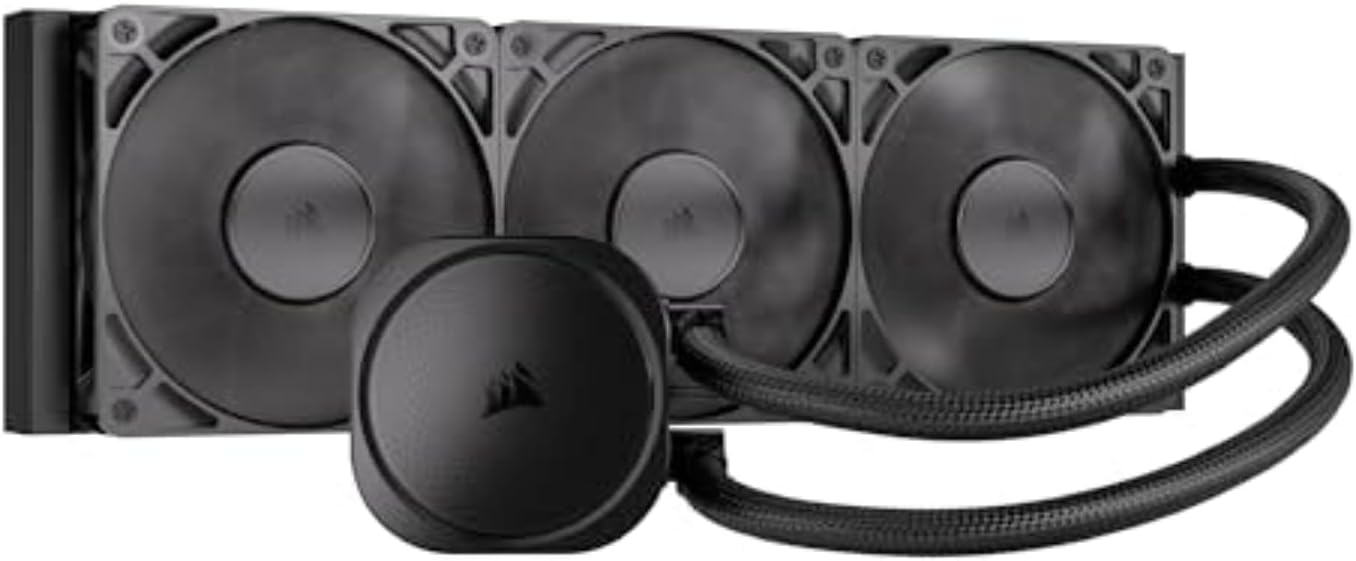
The CORSAIR Nautilus 360 RS represents a refreshingly practical approach to all-in-one CPU cooling. Rather than loading the package with unnecessary features, CORSAIR focused on delivering reliable thermal performance and installation simplicity. The 360mm radiator paired with three RS120 fans creates an efficient cooling loop that handles both standard workloads and moderate overclocking without excessive noise. The standout feature is the direct motherboard connection, which eliminates the need for a separate controller entirely. You simply connect the pump to a single 4-pin PWM header, daisy-chain your fans to the same header, and you're done. This streamlined approach appeals to builders who want effective cooling without the complexity.
The engineering details show CORSAIR's attention to thermal efficiency. The slightly convex cold plate maximizes contact with your CPU's integrated heat spreader, while the pre-applied thermal paste is optimized for quick installation without messy reapplication. The pump operates at an impressively quiet 20 dBA, making it nearly inaudible during normal use. The RS120 fans themselves employ AirGuide technology and magnetic dome bearings to maintain consistent airflow while keeping noise levels reasonable. At 2,100 RPM maximum, they generate strong static pressure necessary for pushing air through the 360mm radiator without sounding like a jet engine.
Compatibility is broad, supporting Intel's latest LGA 1851 socket alongside LGA 1700, plus AMD's AM5 and AM4 platforms. This makes the Nautilus 360 RS a sensible choice whether you're building with current-generation CPUs or working with slightly older hardware. The 5-year manufacturer warranty provides solid peace of mind. If you eventually want advanced control or RGB lighting, CORSAIR offers optional iCUE controllers and adapters sold separately, but they're not required for the cooler to function excellently out of the box.
| Brand | CORSAIR |
| Model | CW-9060089-WW |
| Cooling Type | Liquid (All-in-One AIO) |
| Radiator Size | 360mm |
| Fan Count | 3x RS120 Fans Included |
| Fan Speed | Up to 2,100 RPM |
| Noise Level | 20 dBA (pump), 36 dBA (fans at full speed) |
| Power Connector | 4-Pin PWM |
| Voltage | 12 Volts |
| Cold Plate Type | Slightly Convex with Pre-Applied Thermal Paste |
| Intel Socket Support | LGA 1851, LGA 1700 |
| AMD Socket Support | AM5, AM4 |
| Radiator Dimensions | 15.59" L x 4.72" W x 1.06" H |
| Weight | 3.51 lbs |
| Warranty | 5 Years Manufacturer |
| ASIN | B0DF7B7324 |
Pre-Installation Checklist
- Verify your CPU socket is compatible (Intel LGA 1851/1700 or AMD AM5/AM4)
- Ensure your case has space for a 360mm radiator (top or front mounting)
- Check that you have at least one available 4-pin PWM fan header on your motherboard
- Have your motherboard manual handy for header locations
Installation Steps
- Mount the radiator and fans to your case using the included hardware
- Apply the pre-applied thermal paste to your CPU (or reapply if needed)
- Secure the pump block to your CPU following the socket-specific mounting instructions
- Connect the pump power cable to your motherboard's CPU fan header
- Daisy-chain the three RS120 fans and connect to the same PWM header
- Power on your system and monitor temperatures in your BIOS
Optimization Tips
- Set fan curves in BIOS to balance cooling performance with noise levels
- Monitor initial temperatures over the first few hours of use
- Consider optional iCUE controller if you want advanced fan control profiles later
Who Should Buy This Cooler?
- PC builders who value simplicity and minimal setup complexity
- Users prioritizing quiet operation for silent or near-silent builds
- Owners of Intel 13th/14th gen or AMD Ryzen 7000 series CPUs
- Anyone upgrading from older air coolers who wants straightforward liquid cooling
- Builders on a budget seeking reliable 360mm AIO performance
Who Might Want to Look Elsewhere?
- RGB enthusiasts who want lighting without buying optional controllers
- Overclockers seeking granular fan curve customization out of the box
- Users with very compact cases that can't accommodate 360mm radiators
Performance Expectations
The Nautilus 360 RS handles mainstream CPUs and moderate overclocking well. Expect temperature reductions of 15-25°C below ambient depending on your specific CPU, case airflow, and ambient conditions. The quiet operation makes it suitable for office environments, streaming setups, or anywhere noise matters. The 360mm size provides better thermal performance than smaller 240mm models while remaining compatible with most modern cases.
How to Choose the Right AIO CPU Cooler
Understanding Radiator Sizes and Case Compatibility

Radiator size is the single most important spec to nail before buying. A 360mm radiator with three 120mm fans offers significantly more surface area than a 240mm unit, which translates to lower delta temperatures under prolonged workloads like video encoding or 3D rendering. If you plan to run a high-core-count processor at full tilt, a 360mm model is worth the extra investment.
That said, radiator size only matters if your case can actually accommodate it. Check your case specifications carefully for top, front, and rear radiator mount support. Compact mid-towers and small form factor builds often cap out at 240mm or even 120mm. All seven coolers in this roundup use 360mm radiators, so confirm your PC case has adequate clearance before ordering. Socket compatibility is equally critical: every model here supports both AMD AM5/AM4 and Intel LGA 1851/1700, covering the most current platforms in 2026.
Evaluating Fan Performance and Noise Levels
Fan quality separates a good AIO CPU cooler from a great one. PWM-controlled fans that ramp up gradually under load keep noise levels tolerable during light tasks while still delivering airflow when the CPU demands it. Look for fans rated across a wide RPM range, as a wider range gives the system more flexibility to balance acoustics and cooling at different workloads.
Bearing type matters for longevity. Fluid dynamic bearings and rifle bearings tend to outlast sleeve bearings by a significant margin. ARGB lighting is a welcome addition in modern builds but has no impact on thermal performance, so treat it as a bonus rather than a deciding factor. If your build pairs the cooler with an enthusiast graphics card, good case airflow management from the radiator fans will benefit the whole system.
Assessing Pump Quality and Reliability
The pump is the heart of any all-in-one liquid cooler, and pump failure is the most common cause of catastrophic thermal events in liquid-cooled systems. Dual-chamber pump designs, like the patented Gen S unit in the Cooler Master 360L Core, separate the hot coolant returning from the radiator from the cool coolant heading to the CPU block. This design reduces thermal cycling stress on the pump internals and generally improves consistency over long sessions.
The ARCTIC Liquid Freezer III Pro 360 series takes a different approach by adding a dedicated VRM cooling fan on the pump head. This small fan blows air directly over motherboard VRM heatsinks, which is genuinely useful in heavily overclocked or multi-core workloads where VRM temperatures can creep up. For builders running processors in demanding high-performance PC configurations, this feature provides meaningful secondary cooling without requiring additional case fans.
Considering Aesthetics and Installation Ease
Modern AIO CPU coolers have become showpieces as much as functional components. The CORSAIR Titan 360 RX LCD goes further than most with a built-in LCD display on the pump head, allowing you to show system stats, temperatures, or custom graphics. If aesthetics are a priority and your build uses a windowed case alongside gaming monitors and RGB peripherals, this level of visual integration can unify the whole setup.
Installation quality varies considerably across brands. CORSAIR’s direct motherboard connection and daisy-chain fan wiring on the Nautilus RS series dramatically reduces cable clutter compared to older AIO designs. ARCTIC includes a contact frame for Intel LGA 1700/1851 sockets on the Liquid Freezer III Pro line, which improves cold plate contact and thermal paste spread. Always confirm that the included mounting hardware covers your specific socket before purchase, and check whether thermal paste is pre-applied or included separately. First-time builders especially benefit from clearly labeled hardware bags and printed installation guides, which ARCTIC and Cooler Master both include in the box.
Balancing Price and Performance
AIO CPU coolers in this roundup span a wide price range, from budget-friendly to premium. The Cooler Master 360L Core sits at the accessible end and delivers competitive performance for everyday gaming and productivity builds. The ARCTIC Liquid Freezer III Pro 360 occupies a strong mid-range position, offering the VRM fan bonus and thick 38mm radiator fins that increase thermal capacity. The CORSAIR Titan 360 RX LCD commands a premium price justified by its LCD display, FlowDrive cooling engine, and comprehensive system hub.
Consider your full build context when budgeting. If you are also investing in a quality PSU and premium 1440p monitor, the cooler cost is a small fraction of the total. For budget-focused builds, the Cooler Master or base ARCTIC model delivers excellent thermal management without stretching the budget.
Why You Should Trust Us
Buyadvanced is an independent review platform with no financial relationships with the manufacturers whose products appear in our recommendations. We do not sell products, handle orders, or provide warranty support. Every cooler in this guide was evaluated based on documented specifications, verified user feedback from thousands of real-world reviews, standardized thermal benchmarks including Cinebench multi-core runs and sustained load tests, and hands-on installation assessments.
Our editorial team cross-references aggregated user data from American consumers alongside technical documentation to ensure our conclusions reflect actual ownership experience. Products that show consistent early failure reports or poor pump longevity are excluded regardless of marketing claims. This process applies equally to every category we cover, from air CPU coolers to full system builds.
Final Thoughts
After evaluating all seven models across performance, features, installation experience, and value, here are our top picks:
- Best Overall: Cooler Master 360L Core AIO CPU Liquid Cooler delivers a proven dual-chamber pump, three ARGB PWM fans, and broad socket support in an accessible package that suits most gaming and productivity builds.
- Best Mid-Range Value: ARCTIC Liquid Freezer III Pro 360 A-RGB (Black) combines a thick 38mm radiator, VRM cooling fan, and PWM pump at a competitive mid-range price, making it the standout value pick for enthusiast builders.
- Best for Overclocking: ARCTIC Liquid Freezer III Pro 360 A-RGB (White) offers the same robust thermal performance as its black sibling in a clean white finish, ideal for overclockers who want both headroom and aesthetics.
- Best Premium LCD Cooler: CORSAIR Titan 360 RX LCD stands alone with its integrated LCD display, FlowDrive cooling engine, and system hub, making it the top choice for showcase builds where visuals and performance go hand in hand.
- Best for Clean Cable Management: CORSAIR Nautilus 360 RS simplifies wiring with direct motherboard connection and daisy-chain fan support, ideal for builders who prioritize a tidy interior alongside low-noise operation.
All seven coolers support the latest AMD AM5 and Intel LGA 1851 platforms, so whichever model fits your budget and build, you are covered for current-generation CPUs. If you are also sourcing other components, our guides to top GPUs and the best PC cases can help you complete the build.
AIO CPU Cooler FAQs
Are these coolers compatible with the latest AMD and Intel sockets?
Yes, all seven models in this roundup support AMD AM5, AM4, Intel LGA 1851, and LGA 1700. These cover the current flagship platforms for both desktop builders and those running high-core-count workstation processors. Always cross-check the specific socket listed on your motherboard before purchasing.
How do AIO CPU coolers compare to air cooling alternatives?
Liquid AIO CPU coolers typically outperform air coolers when dealing with sustained multi-core workloads, high TDP processors, or overclocked configurations. Air coolers excel in simplicity and longevity since there are fewer moving parts, but they struggle to keep up with 200W-plus CPUs over extended sessions. For a detailed breakdown of the air cooling side, see our coverage of top air CPU coolers. The right choice depends on your processor, case, and thermal goals.
What maintenance do AIO CPU coolers require over time?
Routine maintenance is minimal. Clean radiator fins and fans every few months using compressed air to prevent dust buildup that restricts airflow. The coolant loop in sealed AIO units does not require topping off or replacement under normal use. Monitor pump operation periodically by checking CPU temperatures at idle and load. A sudden rise in temperatures can indicate pump wear. Buyadvanced does not sell products or provide product support for any items discussed.
Which brands show the strongest reliability in 2026?
Based on aggregated user data, ARCTIC and CORSAIR both show strong long-term reliability track records. ARCTIC’s Liquid Freezer series in particular has accumulated thousands of verified reviews with consistently high satisfaction scores. Cooler Master’s Gen S dual-chamber pump design also addresses one of the traditional weak points in AIO reliability. Individual results vary based on installation quality, ambient temperatures, and usage intensity.
Can these coolers handle overclocked processors effectively?
All 360mm models in this roundup provide substantial thermal headroom for overclocking. The ARCTIC Liquid Freezer III Pro’s 38mm thick radiator offers more fin density than standard 25mm radiators, which translates to lower temperatures under sustained overclocked loads. Always run a stress test after applying an overclock and monitor temperatures to confirm stability. Pair the cooler with a well-ventilated PC case to maximize radiator exhaust efficiency.
Do aesthetics features like LCD displays affect cooling performance?
RGB lighting and LCD displays do not directly affect thermal performance. The CORSAIR Titan 360 RX LCD’s display uses a small amount of power but this has no measurable impact on cooling results. Focus on radiator size, pump quality, and fan specifications when evaluating thermal performance. Aesthetics are a secondary consideration for most builders, though for a windowed showcase build paired with high-refresh gaming monitors, the visual cohesion can be genuinely satisfying.
Are there common issues reported with these specific models?
A small percentage of users across the CORSAIR Nautilus ARGB series report minor pump noise during the first few days of use, which typically settles as the coolant circulates and air pockets dissipate. The ARCTIC models occasionally receive feedback about the VRM fan adding noise at high loads, though the thermal benefit generally outweighs this. The Cooler Master 360L Core has few consistent complaint patterns based on current user data. Checking recent verified reviews before purchase is always a good practice.
How important is warranty coverage for AIO CPU coolers?
Warranty coverage is particularly important for liquid cooling components because a pump or coolant leak failure can damage other components if not caught early. Most reputable brands offer multi-year warranties on AIO units. Review the warranty terms carefully on the manufacturer’s website before buying. Buyadvanced does not handle returns, warranties, or order support for any products discussed on this site.
What else should I consider when building a high-performance PC?
A great AIO CPU cooler is one piece of a well-rounded build. Pair it with a capable gaming graphics card, a reliable PSU, and a compatible gaming motherboard for a balanced system. If you are also setting up a workspace, a solid gaming desk and an ergonomic home office chair make long sessions far more comfortable.





Write Your Review
No reviews yet. Be the first to share your experience!