
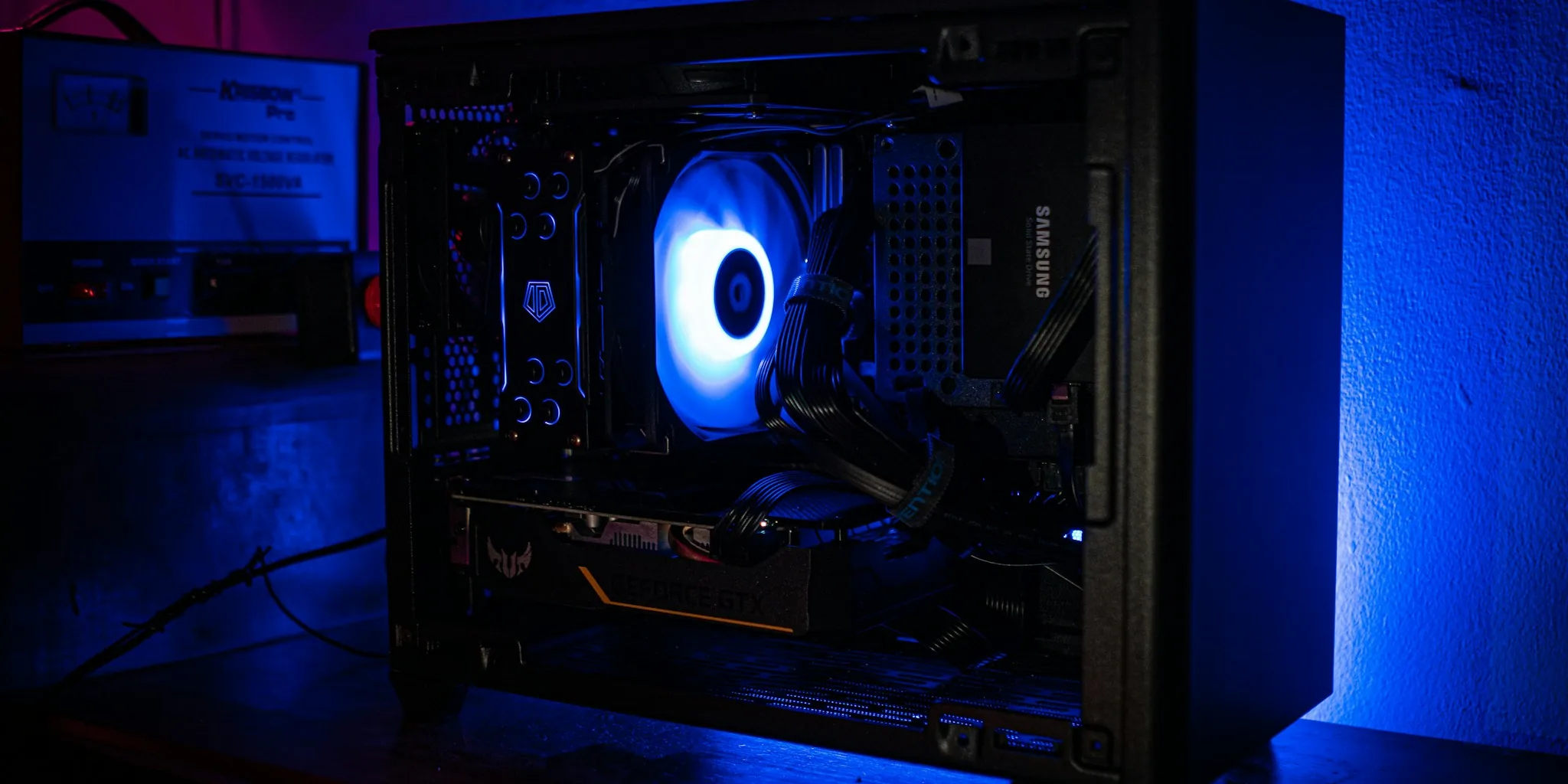

Choosing the right motherboard for gaming can feel overwhelming given how many options exist across different socket types, chipsets, and price points. The Buyadvanced team evaluated eight models from ASUS and MSI to deliver clear, practical guidance for builders at every level. Whether you are planning a flagship AM5 build or a capable budget setup on AM4, this guide breaks down what genuinely matters in a gaming motherboard so you can spend less time second-guessing and more time playing. If you are also putting together the rest of your rig, our roundup of GPUs for gaming is a natural next step after locking in your board.
Our analysis covers real-world gaming performance, VRM quality, connectivity, memory support, and long-term upgrade potential. Every recommendation below is based on verified product specifications and hands-on evaluation criteria, not marketing claims.

Pros
- Excellent value for an X870 motherboard with premium features at an accessible price
- WiFi 7 and USB 4 provide cutting-edge connectivity options for modern gaming setups
- Robust power delivery with extended heatsinks handles demanding Ryzen 9000 series processors
- Four SATA ports and multiple M.2 slots offer flexible storage expansion options
- Military-inspired design with durable build quality reflects MSI's gaming heritage
Cons
- No user reviews available yet, so real-world reliability feedback is limited at launch
- X870 platform is relatively new, so BIOS updates and driver maturity may still be evolving
- Single ethernet port may limit options for users needing redundant network connections
The MSI MAG X870 Tomahawk WiFi represents solid engineering for enthusiasts building modern AMD systems. This motherboard delivers the connectivity features gamers expect in 2024, including WiFi 7 for wireless performance, USB 4 for blazing-fast peripheral speeds, and PCIe 5.0 readiness for future graphics upgrades. The extended heatsink design on the power delivery components shows MSI's commitment to stability under load, which is essential when pairing this board with higher-end Ryzen 9000 or 8000 series processors.
Audio quality gets dedicated attention through Audio Boost 5, which uses isolated audio circuitry and a high-quality processor to minimize interference and deliver cleaner gaming audio. The 5Gbps LAN connection ensures smooth online performance, while the 4-slot DDR5 memory configuration supports up to 256GB for future-proofing. Build quality feels robust with the military-inspired aesthetic that defines MSI's MAG gaming line, combining visual appeal with practical durability.
This motherboard strikes an excellent balance between feature set and price, making it accessible to builders who want modern platform capabilities without flagship pricing. The combination of USB 4, WiFi 7, and PCIe 5.0 support ensures this platform will remain relevant for several years of upgrades and expansions, justifying the investment for serious gamers and content creators alike.
| Category | Specification |
|---|---|
| Processor Socket | AMD Socket AM5 |
| Chipset | AMD X870 |
| Supported Processors | AMD Ryzen 9000/8000/7000 Series |
| Memory Type | DDR5 |
| Memory Speed | Up to 7800 MHz |
| Maximum Memory | 256GB (4 DIMM slots) |
| Storage Interfaces | 4x SATA 6Gb/s, Multiple M.2 Gen5 |
| PCIe | PCIe 5.0 support |
| USB Ports | 13 total (includes USB 4 at 40Gbps) |
| Network | 1x 5Gbps LAN, WiFi 7, Bluetooth 5.4 |
| Video Outputs | 1x HDMI, 1x DisplayPort |
| Audio | Audio Boost 5 with isolated processor |
| Power Connector | 24-pin ATX |
| Form Factor | ATX (13.4" x 10.9") |
| Warranty | 3 Years |
Who Should Buy This Motherboard? The MAG X870 Tomahawk WiFi is ideal for gamers upgrading to Ryzen 7000/8000/9000 processors, content creators needing fast storage and networking, and PC enthusiasts who want modern connectivity features without overspending. It's particularly well-suited for builds prioritizing WiFi 7 and USB 4 functionality.
Compatibility Considerations This motherboard requires an AM5 socket processor from AMD's Ryzen 7000 series or newer. Ensure your power supply can handle your chosen CPU (typically 650W minimum for mid-range builds). DDR5 RAM is required, not DDR4. The board supports up to 256GB of memory for future expansion, so you're not limited by current RAM prices.
Performance Expectations Power delivery and cooling design support high-end processors at full boost clocks. The extended heatsinks help maintain thermal stability during sustained gaming or workloads. WiFi 7 and USB 4 will deliver their full benefits only with compatible peripherals, but the investment future-proofs your system for upcoming devices and standards.
Connectivity Highlights WiFi 7 represents the latest wireless standard, delivering faster speeds and lower latency compared to WiFi 6. The USB 4 port at 40Gbps is particularly valuable for external Thunderbolt 3/4 storage devices and high-bandwidth peripherals. The 5Gbps LAN connection ensures wired gaming remains stable and responsive for competitive play.
Power Delivery & Thermal Design The extended PWM heatsink design is engineered to handle sustained power delivery to high-end Ryzen processors. This design choice minimizes thermal throttling during gaming marathons or CPU-intensive workloads, allowing your processor to maintain peak performance longer.
Storage Flexibility With multiple M.2 Gen5 slots and four SATA ports, you can build a diverse storage configuration. Gen5 NVMe drives will show their advantages in large file transfers and content creation workflows, while SATA drives remain cost-effective for secondary storage or backups.

Pros
- Next-generation PCIe 5.0 connectivity delivers exceptional bandwidth for future-proofing your build
- Wi-Fi 7 and dual LAN provide multiple high-speed connectivity options for lag-free gaming
- Robust thermal solution with quality MOSFET pads and heatsinks ensures stable performance during intensive gaming sessions
- Comprehensive port selection including 13 USB ports and 4 SATA connections supports extensive peripheral expansion
- Ranked #10 in computer motherboards, reflecting strong market performance and customer satisfaction
Cons
- Premium pricing at $354.99 puts it in the high-end category, making it less accessible for budget-conscious builders
- ATX form factor requires a full-size case, limiting options for compact or mini-ITX builds
- Wi-Fi 7 and dual LAN features may be overkill for casual gamers who don't require maximum connectivity options
The MSI MPG X870E Carbon WiFi represents a significant leap forward for enthusiasts building high-end AMD Ryzen systems. With PCIe 5.0 support delivering up to 128GB/s bandwidth, this motherboard is ready for the fastest graphics cards and NVMe storage drives available today. The inclusion of Wi-Fi 7 and dual LAN ports ensures you're never bottlenecked by connectivity, whether you're gaming competitively or streaming content to multiple platforms simultaneously.
Thermal performance is a standout feature, thanks to heavy plated MOSFET heatsinks paired with high-quality 7W/mK thermal pads and dedicated choke thermal pads. This comprehensive cooling architecture keeps voltage delivery stable during sustained gaming sessions and overclocking attempts. The motherboard supports DDR5 memory up to 7800 MHz and accommodates all Ryzen 9000, 8000, and 7000 series processors, giving you flexibility in choosing your CPU without worrying about compatibility issues.
The MPG series heritage shines through with customizable RGB lighting and synchronized effects that integrate seamlessly with your gaming peripherals. The convenient EZ PCIe Release button simplifies GPU installation and removal, while the 13 USB ports and 4 SATA connections provide ample room for expansion. At 4.4 out of 5 stars, customer feedback consistently highlights reliability and performance, making this motherboard a solid investment for serious PC builders who demand premium features and stability.
| Processor Socket | Socket AM5 |
| Chipset | AMD X870E |
| Compatible Processors | AMD Ryzen 9000/8000/7000 Series |
| Memory Type | DDR5 |
| Memory Speed | Up to 7800 MHz |
| Maximum Memory | 256 GB (4 DIMM slots) |
| Storage Connectivity | PCIe 5.0 M.2, 4x SATA 6Gb/s |
| Graphics Interface | PCI Express (HDMI output) |
| Expansion Slots | 3x PCIe slots |
| USB Ports | 13 total (various speeds including 40Gbps) |
| Ethernet | 2x Gigabit LAN ports (5Gbps) |
| Wireless | Wi-Fi 7, Bluetooth 5.4 |
| Power Connector | 24-pin ATX |
| Form Factor | ATX (13.6" x 10.7") |
| Warranty | 3 Years |
| Weight | 2.49 kg |
Gaming Performance: This motherboard excels in high-end gaming builds paired with RTX 40-series or Radeon RX 7000-series GPUs. The PCIe 5.0 interface ensures your graphics card operates at full bandwidth, while the dual LAN and Wi-Fi 7 minimize latency in competitive online games.
Content Creation: Video editors and 3D artists benefit from fast DDR5 memory support and PCIe 5.0 NVMe connectivity for rapid file transfers. The robust power delivery and thermal design handle sustained workloads during rendering and processing tasks.
Overclocking Potential: Advanced users will appreciate the premium MOSFET design and thermal management. The high-quality power delivery system supports stable overclocking of both CPU and memory, though results depend on your specific processor and cooling solution.
Connectivity Priority: If you require maximum network flexibility for streaming, gaming, or professional work, the dual LAN configuration and Wi-Fi 7 support provide redundancy and future-proof connectivity that outlasts single-connection alternatives.
Is This Motherboard Right for You? Choose the MPG X870E Carbon WiFi if you're building a high-end gaming system or workstation with a Ryzen 9000, 8000, or 7000 series processor. This board is ideal for competitive gamers, streamers, and content creators who prioritize connectivity and thermal performance.
Case Compatibility: This is a full-size ATX motherboard requiring a standard ATX case. Ensure your case supports ATX form factor and has adequate space for the motherboard's dimensions (13.6" x 10.7"). Check that your case has sufficient cooling airflow to complement the motherboard's thermal design.
Power Supply Requirements: Pair this motherboard with a high-quality 850W or higher 80+ Gold rated power supply, especially if using high-end Ryzen 9000 series processors or power-hungry graphics cards. The robust power delivery system demands stable, clean power delivery.
Memory Compatibility: Use DDR5 memory modules rated for 7800 MHz or lower for optimal compatibility. Most modern DDR5 kits work well with this platform. Check MSI's official QVL (Qualified Vendor List) for tested memory modules if you want guaranteed compatibility.
Cooling Considerations: While the motherboard includes comprehensive heatsinks, invest in a quality CPU cooler rated for your specific Ryzen processor. Tower or AIO liquid coolers work well with the AM5 socket and won't interfere with motherboard components.

Pros
- Excellent value for a feature-packed B550 board with WiFi 6E and PCIe 4.0 support
- Intuitive BIOS and software make configuration easy for both beginners and experienced builders
- Robust power delivery and cooling design handles demanding CPUs and sustained gaming sessions
- BIOS FlashBack and pre-mounted I/O shield save time during system assembly
- Strong community support and reliable ASUS firmware updates ensure long-term stability
Cons
- B550 chipset lacks PCIe 5.0 support, which may feel limiting for ultra-high-end future builds
- WiFi 6E performance requires compatible router to fully realize wireless speed benefits
- Limited to 4 RAM slots, which restricts maximum memory capacity compared to some competitor boards
The ASUS ROG Strix B550-F WiFi II stands out as a well-rounded gaming motherboard that balances performance, connectivity, and aesthetics without breaking the bank. The inclusion of WiFi 6E and 2.5Gb Ethernet ensures you'll have blazing-fast network speeds whether gaming wirelessly or hardwired. The dual M.2 slots with PCIe 4.0 support on one slot give you flexibility for high-speed NVMe drives, while the 12+2 power stage design provides the stability needed for Ryzen 5000 series processors and light overclocking.
Cooling and thermal management receive significant attention here, with Fan Xpert 4 software allowing granular control over multiple temperature sensors and fan headers. The AI noise-canceling microphone is a practical feature for streamers and online gamers, reducing keyboard and mouse noise without taxing your CPU. The bundled software suite, including 60 days of AIDA64 Extreme, adds genuine value to your purchase. The board's design language with the distorted ROG eye logo and cybertext etching gives it a premium feel that matches its gaming-focused positioning.
For builders planning Ryzen 3000 or 5000 series systems, this motherboard delivers all the connectivity and performance features you'll need at a competitive price. The 3-year warranty and solid build quality suggest ASUS stands behind this product. Whether you're streaming, gaming, or content creation, the ROG Strix B550-F WiFi II provides a stable foundation that won't become a bottleneck in your system.
| Specification | Details |
|---|---|
| Socket | AM4 (AMD Ryzen 3000/5000 series, 4000/5000 G-series) |
| Chipset | AMD B550 |
| Form Factor | ATX |
| RAM Slots | 4 DIMM (DDR4, up to 128GB) |
| Storage | 2x M.2 slots (1x PCIe 4.0, 1x PCIe 3.0), 6x SATA 3 |
| Power Delivery | 12+2 teamed power stages with ProCool connectors |
| Connectivity | WiFi 6E (802.11ax), 2.5Gb Ethernet, Bluetooth 5.2 |
| Video Outputs | 1x HDMI 2.1, 1x DisplayPort 1.2 |
| USB Ports | 11x USB 2.0, USB 3.2 Gen 2 Type-C |
| Audio | SupremeFX S1220A codec with AI noise-canceling microphone |
| RGB | Aura Sync RGB headers with addressable Gen 2 support |
| Warranty | 3 years |
Who Should Buy This Motherboard?
The ROG Strix B550-F WiFi II is ideal for gamers and content creators building mid-to-high-end Ryzen systems. It's perfect if you value WiFi 6E connectivity, PCIe 4.0 storage support, and comprehensive cooling options. This board suits streamers who benefit from the AI noise-canceling microphone and RGB enthusiasts who want extensive lighting customization.
Compatibility Checklist
Ensure your CPU is a Ryzen 3000 or 5000 series processor (or compatible G-series variants). The board uses standard DDR4 RAM and requires a 24-pin ATX power connector. Verify your case supports full ATX form factor. For WiFi 6E maximum performance, pair with a compatible WiFi 6E router.
Setup Tips
Take advantage of BIOS FlashBack if you need to update firmware before installing your CPU. Use Fan Xpert 4 to configure cooling profiles matching your workload. Enable XMP/DOCP in BIOS for optimal RAM performance. Connect to the 2.5Gb Ethernet for best wired speeds, or configure WiFi 6E for wireless gaming.
Power Delivery & Stability
The 12+2 power stage configuration with ProCool connectors ensures stable voltage delivery under heavy loads. High-quality alloy chokes and durable capacitors extend component lifespan. This design supports Ryzen 5000 series CPUs and allows moderate overclocking for enthusiasts.
Cooling & Thermal Management
Fan Xpert 4 software provides intelligent fan control with support for multiple temperature sensors. Each header can monitor three user-configurable thermal sources, enabling workload-based cooling strategies. The dedicated AIO pump header supports all-in-one liquid cooling setups. This comprehensive approach keeps your system cool during gaming marathons and rendering tasks.
Networking Intelligence
GameFirst VI AI networking analyzes your applications and prioritizes bandwidth accordingly, reducing lag during multitasking. WiFi 6E delivers theoretical speeds up to 6Gbps, while 2.5Gb Ethernet ensures wired connections remain competitive. ASUS LANGuard protection safeguards your network hardware from electrical surges.

Pros
- Exceptional power delivery ensures stable overclocking and multi-core performance headroom
- AI-driven tuning features simplify optimization for both beginners and experienced overclockers
- Comprehensive M.2 and USB connectivity offers flexibility for storage and peripheral expansion
- WiFi 7 and high-speed Ethernet provide excellent networking for competitive gaming and content creation
- Robust thermal design with integrated heatsinks keeps components cool under sustained loads
Cons
- Premium pricing positions it above entry-level AM5 boards, making it less budget-friendly
- Feature-rich BIOS has a steep learning curve for first-time PC builders unfamiliar with overclocking
- Requires high-end CPU and GPU to fully justify the motherboard's capabilities and investment
The ASUS ROG Strix X870E-E Gaming WiFi stands out as a powerhouse motherboard engineered specifically for AMD's latest Ryzen 9000 series processors. The 18+2+2 power stage design rated at 110A per stage provides exceptional headroom for stable overclocking and multi-core workloads. Whether you're pushing clock speeds or running demanding applications, the robust power delivery combined with high-quality alloy chokes and durable capacitors ensures your system remains stable under stress.
Connectivity is where this board truly shines. The dual USB4 Type-C ports deliver Thunderbolt-like speeds, while WiFi 7 and 5Gb Ethernet networking keep you connected at the fastest available speeds. With five M.2 slots (three PCIe 5.0 and two PCIe 4.0), you'll have ample storage flexibility without sacrificing performance. The integrated heatsinks on all M.2 slots prevent thermal throttling during intensive file transfers or gaming sessions.
ASUS's AI-driven features like AI Overclocking, AI Cooling II, and AI Networking simplify setup and performance tuning, making this board accessible to both seasoned enthusiasts and builders new to optimization. The DIY-friendly design with Q-Release mechanisms, pre-mounted I/O shield, and convenient BIOS FlashBack button removes friction from the building process. At this price point, you're investing in a feature-complete platform that will support high-end systems for years to come.
| Processor Socket | Socket AM5 |
| Compatible Processors | AMD Ryzen 9000, 8000 & 7000 Series |
| Chipset | AMD X870 |
| Memory Support | DDR5 up to 192GB (4 DIMM slots) |
| Memory Speed | 320 MHz |
| Power Delivery | 18+2+2 phases, 110A per stage |
| Power Connectors | 24-pin ATX, Dual ProCool II 8-pin CPU |
| Storage Connectivity | 6x SATA 3, 5x M.2 (3x PCIe 5.0, 2x PCIe 4.0) |
| USB Ports | Dual USB4 Type-C, 1x USB 10Gbps with PD 3.0, 9x USB 10Gbps, 7x USB 2.0 |
| Networking | WiFi 7 (802.11be), 5Gb Ethernet |
| Video Output | 1x HDMI |
| PCIe Slots | 2x PCIe 5.0 x16 SafeSlots |
| Form Factor | ATX (14.4" x 11.1") |
| Warranty | 3 years |
| Weight | 2.4 kg |
Power and Stability
The 18+2+2 power stage configuration with 110A per stage is built to handle aggressive overclocking on high-core-count Ryzen 9000 processors. The dual ProCool II 8-pin connectors ensure clean power delivery, while the high-quality alloy chokes and capacitors maintain stability under sustained loads.
AI Overclocking Technology
ASUS's AI Overclocking feature automatically tunes CPU and memory settings based on your hardware configuration. This removes guesswork and makes advanced optimization accessible to builders who may not have deep overclocking experience. The Dynamic OC Switcher, Core Flex, and PBO Enhancement options provide additional granular control for enthusiasts seeking maximum performance.
Thermal Management
Massive heatsinks integrated into the I/O cover, high-conductivity thermal pads, and L-shaped heat pipes distribute heat effectively across the board. This design keeps power stages cool during overclocking sessions and ensures M.2 drives don't throttle during heavy file transfers or gaming.
Next-Gen Networking
WiFi 7 support with 802.11be standard delivers the fastest wireless speeds available, while 5Gb Ethernet provides wired connectivity for latency-sensitive gaming and streaming. This dual-approach ensures you're never bottlenecked by network limitations.
USB and Thunderbolt
Dual USB4 Type-C ports offer Thunderbolt-like speeds for external storage and peripherals. Nine additional USB 10Gbps ports, one USB 10Gbps port with Power Delivery (up to 30W), and USB Wattage Watcher provide extensive connectivity for modern peripherals without daisy-chaining or hub limitations.
Storage Flexibility
Five M.2 slots give you unprecedented storage expansion: three PCIe 5.0 slots for the fastest NVMe drives and two PCIe 4.0 slots for additional capacity. All slots feature substantial cooling solutions to prevent thermal throttling during intensive workloads like video editing or large file transfers.

Pros
- Excellent power delivery handles even the most demanding Ryzen 9 processors with ease
- WiFi 7 and USB4 put this board ahead of competitors in connectivity options
- ASUS AI features like AI OCing and AI Cooling II simplify setup for both beginners and experienced builders
- Comprehensive I/O with 21 USB ports, multiple M.2 slots, and optical audio output
- Strong 4.5-star rating reflects reliability and user satisfaction across hundreds of reviews
Cons
- Premium pricing reflects its high-end positioning, making it less ideal for budget-conscious builders
- Steep learning curve for advanced overclocking features may overwhelm users unfamiliar with ROG software
- White PCB requires careful cable management to maintain the aesthetic appeal
The ASUS ROG Strix X870-A Gaming WiFi stands out as a flagship AM5 motherboard engineered for users who refuse to compromise on performance or features. Its 16+2+2 power delivery system with 90A-per-stage capacity provides the headroom needed for high-core-count Ryzen processors, while the robust capacitor and choke design ensures long-term stability during extended gaming sessions or heavy workloads. The inclusion of four M.2 slots, PCIe 5.0 support, and 21 USB ports demonstrates ASUS's commitment to future-proofing your investment.
What truly sets this motherboard apart is its suite of AI-driven features. The AI Overclocking, AI Cooling II, and AI Networking technologies automatically tune system parameters based on your workload, eliminating the guesswork from performance optimization. WiFi 7 connectivity delivers exceptional wireless speeds for competitive gaming and content streaming, while USB4 support enables blazing-fast data transfers with compatible external devices. The AEMP technology further enhances memory stability, allowing you to push DDR5 frequencies confidently.
The aesthetic appeal shouldn't be overlooked either. The white PCB creates a premium look that stands out in modern glass-panel cases, and the overall build quality reflects ASUS's reputation for durability. With a 3-year warranty backing your purchase, this motherboard represents a solid investment for anyone building or upgrading a high-performance AM5 system designed to handle gaming, content creation, and AI-accelerated applications.
| Specification | Details |
|---|---|
| CPU Socket | Socket AM5 |
| Compatible Processors | AMD Ryzen 7000, 8000, 9000 Series |
| Chipset | AMD X870 |
| Form Factor | ATX (13.9" W x 10.8" H) |
| Memory Support | DDR5, Up to 192GB (4 DIMM slots) |
| Power Delivery | 16+2+2 Stages, 90A per stage |
| M.2 Slots | 4 (PCIe 5.0 capable) |
| SATA Ports | 2 (SATA 3) |
| USB Ports | 21 Total (including USB4) |
| Ethernet | 1 Gigabit Ethernet Port |
| WiFi | WiFi 7 |
| Audio | Optical S/PDIF Output |
| Video Output | 1 HDMI Port |
| PCIe | PCIe 5.0 Support |
| Power Connectors | 24-Pin Main, Dual ProCool II 8-Pin |
| Warranty | 3 Years |
| Platform Support | Windows 11 |
CPU Compatibility and Performance
This motherboard fully supports AMD Ryzen 7000, 8000, and 9000 series processors. The robust 16+2+2 power delivery system is specifically designed to handle high-core-count CPUs like the Ryzen 9 7950X and upcoming Ryzen 9 9950X. For optimal performance, pair this board with processors featuring 12 or more cores to fully leverage its power delivery capabilities.
Memory Configuration
With four DDR5 DIMM slots supporting up to 192GB, this motherboard excels in multitasking and AI workloads. For gaming, 32GB of DDR5 is the sweet spot, while content creators and AI enthusiasts should consider 64GB or higher. The AEMP technology helps achieve tighter timings and higher frequencies on compatible memory modules.
Storage Expansion
The four M.2 slots provide exceptional flexibility for NVMe SSDs. With PCIe 5.0 support on select slots, you can leverage next-generation storage speeds for faster game loading and file transfers. Consider populating at least two slots for a primary OS drive and a secondary high-speed storage solution.
Connectivity Strategy
WiFi 7 delivers superior wireless performance for lag-free gaming and streaming. USB4 is ideal for external Thunderbolt-compatible devices and high-speed data transfers. The 21 USB ports accommodate multiple peripherals, making this board excellent for content creators and streamers with extensive equipment setups.
Who Should Buy This Motherboard?
The ASUS ROG Strix X870-A Gaming WiFi is ideal for enthusiasts and professionals who demand maximum performance and cutting-edge features. High-end gamers, content creators using demanding software like video editing and 3D rendering, and AI researchers will appreciate the robust power delivery, extensive connectivity, and AI-optimized features. If you're building a system around a Ryzen 9 processor or planning intensive multitasking, this is an excellent choice.
Who Might Want to Look Elsewhere?
Budget-conscious builders or those with modest computing needs may find the premium pricing difficult to justify. If you're pairing this board with a mid-range Ryzen 5 processor, you won't fully utilize its capabilities. Casual gamers and general-purpose users might be better served by more affordable X870 or X770 options that still deliver solid performance at lower price points.
Build Compatibility Checklist
Ensure your case has adequate space for a full-size ATX motherboard (13.9" wide). Verify your power supply can handle the system's demands (650W minimum recommended for high-end Ryzen builds). Check that your RAM is DDR5 compatible and ideally optimized for Ryzen 7000+ series. If you plan to use USB4 or WiFi 7, confirm your peripherals and network equipment support these standards to maximize their benefits.
AI Overclocking and Cooling
The ASUS AI Overclocking feature automatically detects your CPU and adjusts clock speeds and voltages for optimal performance based on real-time workload analysis. AI Cooling II monitors thermal conditions and dynamically adjusts fan speeds across connected coolers and case fans, maintaining ideal temperatures without manual intervention. These features are particularly valuable for users new to overclocking or those seeking set-and-forget optimization.
AI Networking
This intelligent networking feature prioritizes gaming traffic and reduces latency by analyzing network patterns in real-time. For competitive gamers, this translates to more consistent ping times and smoother gameplay. The feature works seamlessly with the integrated WiFi 7 module, though it also benefits wired Ethernet connections through intelligent QoS management.
Dynamic OC Switcher and Core Flex
For advanced users, the Dynamic OC Switcher allows quick profile switching between different overclocking configurations without rebooting. Core Flex technology enables per-core frequency and voltage adjustments, providing granular control for experienced overclockers. These tools, combined with the robust power delivery system, unlock significant performance headroom for users willing to explore advanced tuning options.

Pros
- Excellent power delivery architecture handles overclocking and sustained high-performance computing
- Strong thermal design with multiple heatsinks prevents throttling during intensive gaming or streaming
- WiFi 6 and 2.5 Gb Ethernet combo gives gamers both wireless flexibility and wired stability options
- PCIe 5.0 M.2 slot future-proofs your build for next-generation storage technology
- Reliable ASUS build quality with 3-year warranty and military-grade component selection
Cons
- B650 chipset lacks some premium features found in X870/X870E boards, though this is reflected in the lower price
- Single ethernet port may limit networking options for those needing multiple wired connections
- RGB lighting requires Armoury Crate software which some users find resource-intensive
The ASUS TUF Gaming B650-PLUS WiFi delivers impressive value for builders targeting mid-range gaming and productivity builds. The 14-stage power delivery system with ProCool sockets and quality capacitors ensures stable voltage rails even during sustained high-performance computing, making it suitable for both stock and overclocked Ryzen 7000/8000/9000 series processors. The comprehensive cooling solution, including enlarged VRM and PCH heatsinks plus hybrid fan headers, keeps power delivery components well within safe operating temperatures during extended gaming sessions or content creation work.
Connectivity is where this board truly shines for modern gamers. PCIe 5.0 M.2 support future-proofs your NVMe storage, while WiFi 6 and 2.5 Gb Ethernet provide flexible networking options for competitive online play. USB4 support and multiple USB 3.2 Gen 2 ports offer plenty of bandwidth for external SSDs, high-speed peripherals, and content creators' workflows. The two-way AI noise cancelation feature enhances communication clarity during gaming or video conferencing, addressing a real need for online players.
Build quality reflects ASUS's TUF philosophy with military-grade components designed to withstand demanding conditions. The board's 4 DIMM slots support up to 128 GB DDR5 memory, and the 4 SATA ports plus M.2 slot give you flexible storage expansion. While the B650 chipset skips some premium features of higher-tier boards, this motherboard's combination of solid power delivery, modern connectivity, thermal management, and reliable construction makes it an excellent choice for gamers and creators unwilling to compromise on stability without overpaying for unnecessary features.
| Processor Socket | Socket AM5 |
| Chipset | AMD B650 |
| Compatible Processors | AMD Ryzen 7000/8000/9000 Series |
| Memory Type | DDR5 |
| Memory Speed | 6400 MHz |
| Memory Slots | 4 DIMM |
| Max Memory | 128 GB |
| Power Delivery | 14-Stage (12+2) with ProCool Sockets |
| Storage Connectivity | 1x M.2 PCIe 5.0, 4x SATA 6.0 Gb/s |
| Network | WiFi 6, 2.5 Gb Ethernet |
| USB Ports | 8 Total (2x USB 2.0, 3x USB 3.2 Gen 1, 2x USB 3.2 Gen 2x2 Type-C, USB4 support) |
| Video Output | 1x HDMI |
| PCIe Slots | 4 Total |
| Audio | S/PDIF Optical, 2-Way AI Noise Cancelation |
| RGB Lighting | Aura Sync (addressable headers + RGB strip support) |
| Form Factor | ATX |
| Dimensions | 10.8" L x 13.3" H x 2.9" W |
| Weight | 454 grams |
| Warranty | 3 Years |
| Main Power | 24-Pin ATX |
Power Delivery Performance
The 14-stage power delivery with ProCool sockets and quality alloy chokes provides the stable voltage rails needed for both stock and overclocked Ryzen processors. The enhanced power solution handles sustained high loads without voltage droop, making this board suitable for enthusiasts pushing their CPUs to higher frequencies.
Cooling & Thermal Management
Enlarged VRM and PCH heatsinks work in tandem with hybrid fan headers and Fan Xpert 2 Plus software to maintain optimal temperatures under gaming loads. The comprehensive cooling design ensures power delivery components stay cool during extended sessions, preventing thermal throttling and maintaining stable performance.
Gaming Connectivity
WiFi 6 and 2.5 Gb Ethernet provide low-latency network options for competitive gaming. Two-way AI noise cancelation enhances in-game communication clarity, while multiple USB ports accommodate gaming peripherals without bandwidth conflicts. PCIe 5.0 M.2 support ensures your NVMe storage keeps pace with modern gaming demands.
Who Should Buy This Motherboard?
This board is ideal for gamers and content creators building Ryzen 7000/8000/9000 systems who want solid performance and reliability without premium pricing. It's particularly well-suited for those planning to use multiple storage drives, need WiFi connectivity, and value thermal management and power delivery stability.
Compatibility Considerations
Ensure your CPU cooler is compatible with Socket AM5 mounting. The board supports DDR5 memory only, so verify your RAM is DDR5 rated. With 4 DIMM slots, you can start with 2 modules and expand later. Check that your case accommodates ATX form factor and has adequate cooling for airflow around the enlarged heatsinks.
What You'll Need
A DDR5 memory kit, Socket AM5 compatible CPU cooler, and a power supply with sufficient wattage for your chosen processor (650W minimum recommended for mid-range Ryzen CPUs). Consider an NVMe SSD to take advantage of the PCIe 5.0 M.2 slot, though SATA SSDs work fine on the 4 SATA ports.

Pros
- Excellent power delivery with 14+2+1 DrMOS stages handles high-end Ryzen 9000 and 8000 series processors with ease
- Wi-Fi 7 support puts you ahead of the curve for next-gen wireless performance
- Three M.2 slots with thermal protection make storage upgrades and RAID configurations simple
- Strong 4.5-star rating from 347 users reflects real-world reliability and user satisfaction
- 3-year warranty backs your investment with comprehensive manufacturer support
Cons
- B850 chipset lacks some premium features found on higher-end X870 models, though it's excellent value
- Single 2.5Gb Ethernet port may feel limiting for users requiring multi-gigabit networking
- Requires AM5 socket CPU and DDR5 RAM, meaning new builds can't reuse older components
The ASUS TUF Gaming B850-PLUS WiFi represents a thoughtful balance between performance and affordability for AMD AM5 platform builders. The 14+2+1 80A DrMOS power delivery system is genuinely impressive at this price point, with 8-layer PCB construction and premium capacitors that handle sustained loads from flagship Ryzen processors without breaking a sweat. The military-grade TUF components throughout the board suggest this motherboard was engineered for longevity, not just initial performance.
Connectivity defines this board's appeal in 2024 and beyond. Wi-Fi 7 support gives you access to the latest wireless standard, while the PCIe 5.0 x16 slot ensures your graphics card investment remains relevant for years. The three M.2 slots with heatsinks and USB 20Gbps Type-C rear port acknowledge that storage and peripheral speeds matter to modern users. You get a genuine 2.5Gb Ethernet connection too, making this a solid all-rounder for gaming, streaming, and content creation alike.
From a practical standpoint, this motherboard checks all the boxes for someone building a serious Ryzen system without premium pricing. The AI-ready designation reflects real architectural improvements, though you'll only benefit from these features if your software stack supports them. At its current price, the TUF Gaming B850-PLUS WiFi delivers exceptional value compared to X870 alternatives, making it the logical choice for budget-conscious builders who refuse to compromise on core features.
| Processor Socket | AMD Socket AM5 |
| Chipset | AMD B850 |
| Form Factor | ATX (14.1" x 10.8") |
| RAM Support | DDR5, 4 DIMM slots, up to 192GB, 8000 MHz |
| Storage | 3x M.2 slots (1x PCIe 5.0, 2x PCIe 4.0), 4x SATA 3 |
| Power Delivery | 14+2+1 80A DrMOS stages, 8+8 pin ProCool connectors |
| PCIe Slots | 1x PCIe 5.0 x16, 4x PCIe 4.0/3.0 |
| Networking | Wi-Fi 7, 1x 2.5Gb Ethernet |
| USB Ports | 17 total: 1x USB 20Gbps Type-C (rear), 1x USB 10Gbps Type-C (front header), multiple USB 3.2 and USB 2.0 |
| Video Outputs | 1x DisplayPort, 1x HDMI |
| Audio | Realtek ALC4080 with DTS |
| Headers | Thunderbolt (USB4) header support |
| Special Features | BIOS FlashBack, Aura Sync RGB, M.2 Q-Latch, Q-Antenna, AEMP |
| Warranty | 3 Years |
| Weight | 4.2 lbs |
Compatible Processors: This motherboard supports AMD Ryzen 9000, 8000, and 7000 series processors on the AM5 socket. The robust 14+2+1 power delivery handles everything from mid-range Ryzen 5 chips to flagship Ryzen 9 processors without thermal or stability concerns.
Memory Configuration: The four DDR5 DIMM slots support up to 192GB of RAM at speeds up to 8000 MHz. For gaming and productivity, 32GB (2x16GB) is the current sweet spot, leaving room for future expansion.
Storage Expansion: With three M.2 slots, you can run a primary NVMe drive for your OS, a secondary drive for games or applications, and a third for backup or media storage. All slots include thermal protection to keep drives cool during sustained workloads.
Upgrade Path: The AM5 platform remains AMD's primary desktop socket through 2025 and beyond, meaning your motherboard investment protects your ability to upgrade CPUs without replacing the entire platform.
Wireless & Wired Networking: Wi-Fi 7 support delivers cutting-edge wireless speeds for lag-free gaming and fast file transfers. The 2.5Gb Ethernet port handles wired connections for users who demand maximum stability. Both options coexist, giving you flexibility based on your setup.
USB Ecosystem: The rear USB 20Gbps Type-C port is perfect for external SSDs and high-speed peripherals, while the front USB 10Gbps Type-C header lets you add fast USB connectivity to your case. Standard USB 3.2 and USB 2.0 ports cover legacy peripherals and low-bandwidth devices.
PCIe 5.0 Ready: The primary PCIe x16 slot runs at full PCIe 5.0 speeds, supporting next-generation graphics cards and expansion devices. Secondary slots provide PCIe 4.0 and 3.0 connectivity for additional expansion without sacrificing performance.
Display Outputs: Both DisplayPort and HDMI outputs let you connect to modern displays, with DisplayPort recommended for highest refresh rates and resolution support.
How to Choose the Right Motherboard for Gaming
A gaming motherboard sets the foundation for your entire build. Picking the wrong one can limit your CPU choices, cap your memory speeds, and leave you with too few expansion slots down the road. The sections below cover every major decision point so you can match a board to your actual needs rather than paying for features you will never use.
Processor Compatibility and Socket Type

Socket type is the single most important compatibility factor to confirm before buying anything else. AMD AM5 supports the entire Ryzen 7000, 8000, and 9000 series, meaning boards like the ASUS ROG Strix X870E-E Gaming WiFi and the MSI MAG X870 Tomahawk WiFi are ready for current and upcoming Ryzen generations without a platform swap. AM4 boards such as the Asus ROG Strix B550-F Gaming WiFi II and the MSI MAG B550 Tomahawk MAX WiFi remain excellent choices if you are working with a Ryzen 5000 series processor, and they offer strong value at more accessible price points.
When choosing between AM4 and AM5, think about your three-year upgrade plan. AM5 keeps the door open to future Ryzen CPUs, while AM4 is a mature platform with a wide selection of proven processors at reduced prices. Always cross-reference your exact CPU model against the manufacturer’s QVL list before purchasing a board, since BIOS compatibility can vary even within the same socket generation.
Intel LGA1851 boards are outside this guide’s scope, but the same socket-first logic applies. Pairing your board choice with a strong air CPU cooler ensures the processor you select runs at its rated boost clocks without thermal throttling.
PCIe and Expansion Options

Modern gaming builds rely on PCIe bandwidth for both discrete graphics and fast NVMe storage. All eight boards in this guide include at least one PCIe 4.0 or PCIe 5.0 x16 slot for a dedicated GPU. The X870 and X870E chipset boards, specifically the MSI MPG X870E Carbon WiFi, the ASUS ROG Strix X870E-E Gaming WiFi, and the ASUS ROG Strix X870-A Gaming WiFi, add PCIe 5.0 M.2 Gen 5 slots for the fastest available solid-state drives.
For most current gaming GPUs, PCIe 4.0 x16 delivers full bandwidth with no measurable performance loss compared to PCIe 5.0 x16. PCIe 5.0 becomes meaningful if you plan to adopt next-generation graphics cards in a future upgrade cycle. More immediately impactful is the number of M.2 slots available. The ROG Strix X870E-E Gaming WiFi provides five M.2 slots, while budget options like the ASUS TUF Gaming B650-PLUS WiFi offer three, which is sufficient for most gaming configurations.
Consider how many additional PCIe lanes you need for capture cards, sound cards, or high-speed networking adapters. Premium boards tend to offer more flexibility here. Once you have your storage and GPU situation sorted, a quality PSU becomes the next critical component to size correctly for your hardware.
Networking and Connectivity Features
Online gaming performance depends heavily on low-latency, stable connectivity. All eight boards in this guide include at least 2.5Gb Ethernet, which is a meaningful upgrade over the 1Gb ports common on older boards. The MSI MAG X870 Tomahawk WiFi steps up to 5Gb LAN, and the MSI MPG X870E Carbon WiFi matches that spec, making both strong picks for streamers or households with gigabit-plus internet plans.
Wireless standards have improved significantly across this generation. The B550 boards ship with WiFi 6E, while all AM5 boards in this guide include WiFi 7 for lower latency and better performance in crowded wireless environments. WiFi 7 supports multi-link operation, which allows the adapter to connect across multiple frequency bands simultaneously for more consistent ping times during competitive play.
USB4 support, available on the ASUS ROG Strix X870E-E Gaming WiFi, the ASUS ROG Strix X870-A Gaming WiFi, the ASUS TUF Gaming B650-PLUS WiFi, and the ASUS TUF Gaming B850-PLUS WiFi, enables 40Gbps transfers for external SSDs and high-resolution capture devices. Front-panel USB layout also matters if your PC case uses USB-C headers. Verify header compatibility before finalizing your build.
Power Delivery and Cooling Design

VRM quality determines whether your motherboard can deliver stable, clean power to the CPU under sustained gaming loads and during overclocking. The ASUS ROG Strix X870E-E Gaming WiFi leads this lineup with an 18+2+2 power stage configuration, designed to support AMD’s most demanding Ryzen processors without voltage droop. The MSI MPG X870E Carbon WiFi also features a robust power delivery system suitable for high-TDP chips.
Mid-range options like the ASUS TUF Gaming B650-PLUS WiFi and the ASUS TUF Gaming B850-PLUS WiFi ship with 14-stage VRMs, which comfortably handle mainstream Ryzen 7000 and 9000 processors. Budget B550 boards from ASUS and MSI use fewer stages but remain adequate for non-overclocked Ryzen 5000 CPUs operating within spec.
Integrated VRM heatsinks on all eight boards help dissipate heat during extended sessions, but airflow inside your case still matters. Boards with larger heatsink coverage and thermal pads on the MOSFET area run cooler under load. Pairing your board with a well-ventilated case and a capable cooler prevents thermal throttling that would otherwise undermine your CPU’s performance.
Memory Support and Overclocking
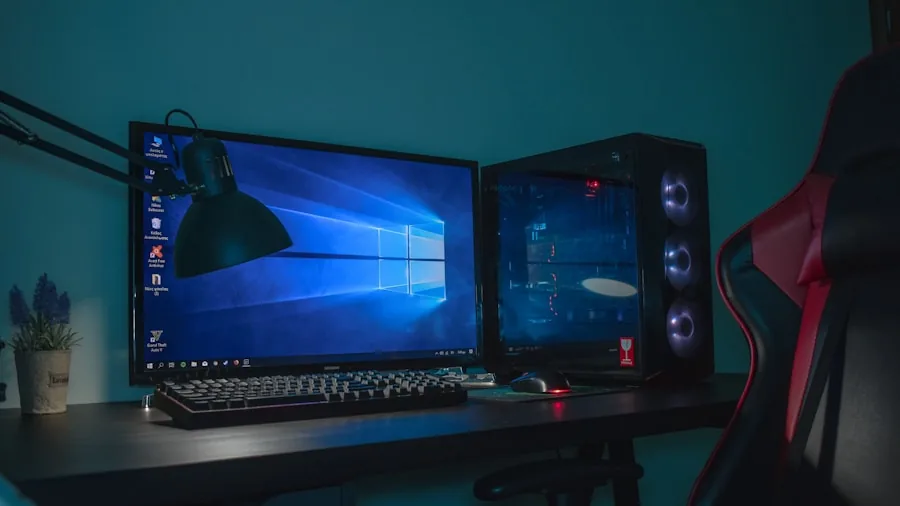
AM5 boards in this guide all support DDR5 exclusively, and DDR5 is the correct choice for new builds in 2026. The sweet spot for gaming performance sits around 6000MHz with tight timings, which all six AM5 boards support through their respective XMP or EXPO profiles. The ASUS ROG Strix X870E-E Gaming WiFi includes DDR5 AEMP support alongside Dynamic OC Switcher and AI overclocking tools that simplify the tuning process for builders who are less experienced with manual BIOS configuration.
AM4 boards in this guide, namely the Asus ROG Strix B550-F Gaming WiFi II and the MSI MAG B550 Tomahawk MAX WiFi, use DDR4 with strong overclocking support up to validated speeds well above the base JEDEC specification. If you already own a quality DDR4 kit, sticking with AM4 preserves that investment.
BIOS updates are an important part of memory compatibility. Manufacturers regularly release firmware that improves DDR5 training speed and adds support for new memory kits. Check your board’s support page and flash the latest BIOS before installing your CPU and RAM. Both ASUS and MSI include BIOS Flashback functionality on select boards, allowing firmware updates without a processor installed, which is useful when adopting a new CPU generation. A capable GPU working alongside fast memory maximizes frame rates in demanding titles.
Form Factor and Build Planning
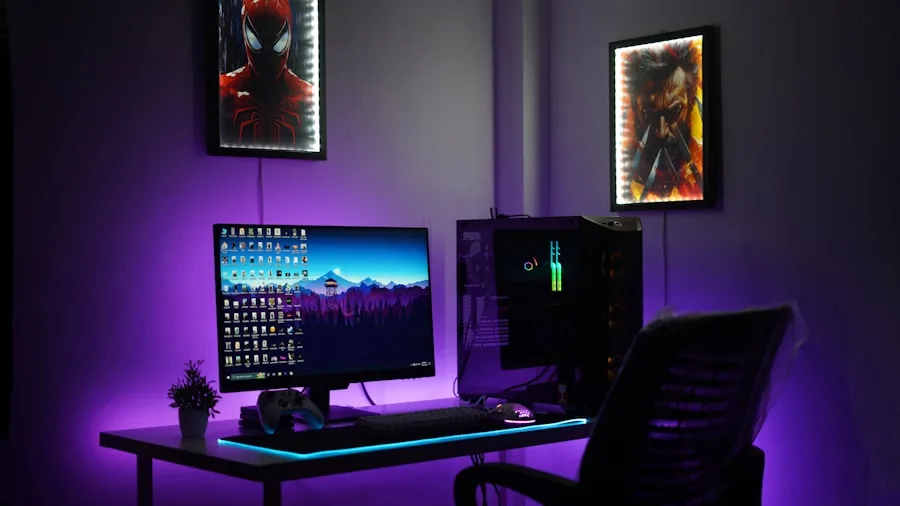
Every board in this guide uses the standard ATX form factor, which fits the vast majority of mid-tower and full-tower cases and provides the most expansion slots and rear I/O ports. ATX is the right choice for gaming builds that prioritize future upgrade flexibility and adequate cooling space. If you are undecided on your case, browsing desks for gaming alongside your case selection helps ensure your physical workspace accommodates your build’s footprint and cable management needs.
Aesthetics play a role for builders using glass-panel cases. The ASUS ROG Strix X870-A Gaming WiFi uses a clean white and silver color scheme, making it a natural fit for white-themed builds. The ROG Strix X870E-E, the MSI MPG X870E Carbon WiFi, and the TUF Gaming series follow darker, more aggressive styling with RGB accents that integrate with Aura Sync or Mystic Light ecosystems.
Why You Should Trust Us
Buyadvanced is an independent review site with no commercial relationship with any manufacturer or retailer. We do not accept payment, free products, or advertising consideration in exchange for coverage or positive scores. Our team evaluates motherboards across multiple criteria including VRM thermal performance, memory compatibility, I/O completeness, BIOS usability, build quality, and real-world gaming stability using standardized workloads and benchmark suites.
Ratings and recommendations are updated when significant firmware changes, new competing products, or price shifts affect the overall value picture. We incorporate verified buyer feedback from U.S. consumers alongside our own structured testing to ensure recommendations reflect how these boards perform for real builders, not just in controlled laboratory conditions. Our editorial independence is the foundation of every recommendation on this site.
Final Thoughts
After evaluating all eight boards across performance, features, connectivity, and value, here are our top picks by category:
- Best Overall: ASUS ROG Strix X870E-E Gaming WiFi delivers the most complete feature set in this lineup, combining an 18+2+2 power delivery system, five M.2 slots, WiFi 7, USB4, and AI overclocking tools in a single flagship package for serious builders.
- Best Mid-Range Pick: MSI MAG X870 Tomahawk WiFi hits an excellent balance between AM5 platform capabilities and approachable pricing, with 5Gb LAN, WiFi 7, and PCIe 5.0 M.2 Gen 5 support without the flagship premium.
- Best for White Builds: ASUS ROG Strix X870-A Gaming WiFi brings a clean white-and-silver aesthetic to the AM5 platform along with strong performance credentials including Dynamic OC Switcher and four M.2 slots.
- Best Budget AM5 Option: ASUS TUF Gaming B650-PLUS WiFi makes AM5 accessible without sacrificing DDR5 support, PCIe 5.0 M.2, or USB4, making it an excellent entry point for first-time AM5 builders.
- Best for AM4 Builders: Asus ROG Strix B550-F Gaming WiFi II remains one of the most capable AM4 boards available, offering PCIe 4.0, WiFi 6E, 2.5Gb LAN, and HDMI 2.1 at a price that extends the value of an existing Ryzen 5000 platform.
Whichever board you choose, pairing it with the right components makes a significant difference. A well-matched graphics card remains the most impactful upgrade for gaming frame rates, and a reliable gaming router complements the advanced wireless capabilities built into every board in this guide. If you are building a complete gaming station, consider how your gaming monitor choice interacts with your GPU and CPU configuration to get the most from your investment.
Motherboards for Gaming Frequently Asked Questions
What socket types work best with current processors?
AMD AM5 is the recommended socket for new gaming builds in 2026 because it supports Ryzen 7000, 8000, and 9000 series processors and will continue receiving new CPU releases in the near term. AM4 remains a strong option for budget builds using existing Ryzen 5000 hardware. Intel users should look for LGA1851 boards paired with Core Ultra 200 series chips. Always verify CPU compatibility on the manufacturer’s QVL before purchasing. If you are considering a complete system instead of a custom build, our guide to prebuilt gaming PCs covers curated ready-to-go options.
How important is WiFi support for gaming?
WiFi 7 on AM5 boards in this guide offers meaningfully lower latency and better throughput compared to WiFi 6 or 6E, especially in dense wireless environments. That said, a wired Ethernet connection remains the gold standard for competitive gaming because it eliminates wireless interference entirely. The 2.5Gb and 5Gb LAN ports on these boards support wired connections that far exceed typical internet speeds. Use WiFi when wiring is impractical, but prioritize a cable run to your gaming setup whenever possible. Matching your connection speed with a capable router for gaming ensures the board’s networking hardware performs at its best.
Do motherboards for gaming require frequent BIOS updates?
Not constantly, but updating your BIOS before initial setup is strongly recommended. Manufacturers release firmware updates that improve memory training speed, add support for new CPU stepping versions, fix stability issues, and expand XMP/EXPO profile compatibility. ASUS and MSI both provide clear release notes for each update so you can evaluate whether a specific update addresses your configuration. Buyadvanced does not provide product support, manage BIOS updates, or handle any post-purchase technical assistance for any product covered in this guide.
Which brands offer the strongest power delivery?
ASUS ROG boards, particularly the ROG Strix X870E-E Gaming WiFi with its 18+2+2 stage configuration, lead this lineup for raw VRM capability. MSI’s MPG X870E Carbon WiFi is also well-equipped for high-TDP overclocking scenarios. TUF Gaming boards from ASUS sit in a strong mid-tier position with 14-stage designs that handle mainstream Ryzen workloads reliably. Budget B550 boards are adequate for non-overclocked CPUs but show their limits when pushing top-end Ryzen 9 chips beyond their rated TDP.
Are PCIe 5.0 slots necessary for most gamers?
For GPU use, no. Every current discrete graphics card operates within PCIe 4.0 x16 bandwidth limits, and benchmarks consistently show negligible differences between PCIe 4.0 and PCIe 5.0 in gaming workloads. PCIe 5.0 M.2 slots are more immediately useful because PCIe Gen 5 NVMe SSDs deliver substantially faster sequential read and write speeds compared to Gen 4 drives, which can benefit game loading times and large file operations. If your budget allows for a PCIe 5.0 capable board, it is a reasonable future-proofing investment, but it is not a requirement for excellent gaming performance today. Pairing any of these boards with a top-tier monitor for gaming will have a far more noticeable impact on your experience than PCIe generation alone.
What memory speeds are recommended for gaming?
For AM5 builds, DDR5 at 6000MHz with tight primary timings represents the sweet spot where memory bandwidth and latency both contribute positively to gaming frame rates. All AM5 boards in this guide support speeds at or above this threshold through EXPO or XMP profiles. For AM4 builds, DDR4 running between 3600MHz and 4000MHz delivers excellent gaming performance without requiring extensive manual tuning. Always enable your memory’s XMP or EXPO profile in the BIOS immediately after building, since systems ship defaulting to base JEDEC speeds that are significantly slower than rated.
Can these boards handle overclocking?
Premium options from ASUS ROG and MSI MPG are specifically engineered for overclocking, with robust VRMs, comprehensive voltage controls, and tools like ASUS’s AI overclocking and MSI’s performance profiles that simplify the process. TUF Gaming and MAG Tomahawk boards support memory overclocking through EXPO/XMP and allow moderate CPU overclocking within BIOS. B550 boards from both brands support Precision Boost Overdrive for AMD chips, which is an effective way to extract additional performance without manually adjusting voltages. Monitor CPU and VRM temperatures during any overclocking session to confirm your cooling solution is adequate. A high-quality air CPU cooler is often all you need for moderate overclocking on these platforms.
What else should I budget for when building a gaming PC around one of these boards?
Beyond the motherboard, the GPU is typically the largest single investment in a gaming build. A dedicated gaming GPU drives frame rates more than any other component. You will also need a compatible CPU, DDR5 or DDR4 memory depending on socket, an NVMe SSD, a power supply sized appropriately for your components, and a case with adequate airflow. On the peripherals side, a high-refresh-rate 1440p monitor and a responsive keyboard complete a competitive gaming setup. Planning all of these together from the start prevents compatibility surprises and budget overruns.


Write Your Review
No reviews yet. Be the first to share your experience!