


HP has built a reputation over decades for producing reliable laptops that cover a wide range of needs, from everyday browsing and schoolwork to demanding professional workflows. Whether you are shopping on a tight budget or looking for a powerhouse machine loaded with AI-ready hardware, HP laptops offer a lineup that is hard to ignore. Our team at Buyadvanced tested and evaluated the top models currently available to help American buyers make a confident, informed decision.
This guide covers 5 HP laptops spanning multiple price tiers and use cases, drawing on hands-on testing, benchmark data, and real-world feedback from everyday users across the country. If you are also comparing other brands, our roundup of Dell laptops and our picks for Apple laptops offer useful side-by-side context before you commit.

Pros
- Excellent value at this price point with a premium processor and ample RAM
- Responsive touchscreen enhances productivity for designers, students, and content creators
- Windows 11 Pro comes pre-installed with Copilot for enhanced workflow efficiency
- Lightweight and portable design without sacrificing performance or screen size
- Multiple connectivity ports and Wi-Fi 6 support keep you connected anywhere
Cons
- Integrated graphics are suitable for work and light media but not ideal for gaming or heavy video editing
- 720P webcam is adequate for video calls but lower resolution than modern standards
- Limited upgrade options once purchased due to soldered components
The HP 15.6" touchscreen laptop delivers impressive performance for the price, powered by Intel's 13th-generation Core i7-1355U processor. With 10 cores and 12 threads running up to 5.0GHz, this machine handles multitasking, document editing, video conferencing, and creative work with ease. The 20GB DDR4 RAM ensures smooth operation even with multiple applications open, while the 512GB SSD provides fast boot times and quick access to your files and projects.
The 15.6" Full HD IPS touchscreen with anti-glare coating is a standout feature that justifies the investment. Whether you're giving presentations, annotating documents, or simply navigating Windows 11, the responsive touch interface adds genuine value to your workflow. The display produces clear, vibrant colors suitable for content creation, photo editing, and media consumption. Intel Iris Xe Graphics provide sufficient performance for everyday tasks, though serious gamers should look elsewhere.
Portability and connectivity round out the package. At just 3.52 pounds, this laptop easily fits in a backpack for commuting or travel. Wi-Fi 6 and Bluetooth 5.3 ensure fast, reliable wireless connections, while the selection of USB ports and HDMI output provide flexibility for external devices. Windows 11 Pro comes pre-loaded with Copilot integration, giving you productivity tools right out of the box. This laptop is an excellent choice for business professionals, students, and anyone seeking a capable, touchscreen-enabled machine without premium pricing.
| Category | Detail |
|---|---|
| Processor | Intel Core i7-1355U (13th Gen, 10 cores, 12 threads, up to 5.0GHz) |
| RAM | 20GB DDR4 SDRAM (3200 MHz) |
| Storage | 512GB PCIe SSD |
| Display | 15.6" Full HD IPS (1920x1080) with anti-glare coating, touchscreen |
| Graphics | Intel Iris Xe Graphics (integrated) |
| Operating System | Windows 11 Pro with Copilot |
| Connectivity | Wi-Fi 6 (802.11ax), Bluetooth 5.3 |
| Ports | 3x USB (1 USB-C 5Gbps, 2 USB-A 5Gbps), HDMI 1.4b, 3.5mm audio jack, AC power |
| Webcam | 720P front-facing camera |
| Audio | HD stereo speakers with microphone |
| Keyboard | Full-size with numeric keypad |
| Dimensions | 14.17" L x 9.29" W x 0.73" Th |
| Weight | 3.52 lbs |
| Color | Natural Silver |
| Warranty | Limited warranty included |
Processing Power: The Intel Core i7-1355U is a capable mid-range processor that excels at everyday computing tasks. With 10 cores and up to 5.0GHz boost, it handles document editing, web browsing, video conferencing, and light creative work without lag. Real-world performance is smooth for multitasking, making it suitable for professionals who juggle multiple applications simultaneously.
Memory and Storage: The 20GB RAM configuration is above average for this price range and provides noticeable headroom when working with multiple programs. The 512GB SSD ensures quick system responsiveness and file access. However, users with large media libraries or intensive creative workflows may want to consider external storage solutions.
Graphics and Display: Iris Xe Graphics are sufficient for everyday use, video playback, and light photo editing. The 15.6" FHD touchscreen is the real highlight, offering responsive interaction and vibrant color reproduction. The anti-glare coating reduces reflections, making it comfortable for extended work sessions.
Who Should Buy This? This laptop is ideal for business professionals, remote workers, students, and creative professionals who value touchscreen functionality and portability. It's particularly well-suited for anyone who gives presentations, takes digital notes, or uses design software that benefits from touch input.
Who Should Look Elsewhere? Serious gamers requiring high-end graphics should consider laptops with dedicated GPUs. Users with extreme multitasking needs or professional video editing workloads might benefit from higher RAM configurations or faster processors. If gaming is a priority, the integrated graphics will limit performance in modern titles.
Key Considerations: Verify that your intended software is compatible with Windows 11 Pro. Consider your storage needs and plan for cloud backup or external drives if you work with large files. The touchscreen feature adds value but requires a learning curve if you're upgrading from a traditional trackpad-only laptop. Check port availability against your peripheral requirements before purchasing.

Pros
- Touchscreen interface adds intuitive control and modern usability for navigation and creative tasks
- Excellent battery life of up to 12 hours keeps you productive throughout the day without constant charging
- Fast 128GB SSD provides snappy boot times and app launches compared to traditional hard drives
- Lightweight at 3.5 pounds with slim 0.73-inch profile makes it genuinely portable for travel and commuting
- Built-in privacy features including physical camera shutter give you genuine control over your personal security
Cons
- 128GB storage fills quickly if you work with large media files or install many applications
- 1366 x 768 resolution is adequate but not sharp compared to newer 1080p displays at similar price points
- RAM is soldered onboard and cannot be upgraded, limiting future performance improvements
The HP 15.6 delivers dependable everyday computing in a lightweight, touchscreen package that won't drain your wallet. The AMD Ryzen 3 7320U processor handles web browsing, document editing, video conferencing, and light creative work without stuttering. The 8GB LPDDR5 RAM ensures smooth multitasking, while the 128GB PCIe SSD boots Windows 11 in seconds and launches applications snappily. The touchscreen display with anti-glare coating and 250-nit brightness provides comfortable viewing for extended work sessions, whether you're indoors or in moderately bright environments.
Battery performance stands out as a genuine strength. HP's 41Wh battery delivers up to 12 hours of real-world use, and the 45W fast charger reaches 50% capacity in just 45 minutes, making this laptop viable for full workdays without seeking an outlet. The integrated AMD Radeon graphics handle streaming video, casual gaming, and basic photo editing smoothly. Connectivity is comprehensive with Wi-Fi 6, Bluetooth 5.3, USB-C, dual USB-A ports, and HDMI output, giving you flexibility for external monitors and peripherals.
The privacy-focused design deserves recognition. A visible physical camera shutter and dedicated microphone mute button (with LED indicator) put you in control of your personal security. One-touch access to Microsoft Copilot brings AI assistance for productivity and creative projects. The construction incorporates ocean-bound plastic and recycled materials, reflecting responsible manufacturing. This laptop excels for students, remote workers, and anyone prioritizing portability, battery life, and straightforward performance over cutting-edge specs.
| Processor | AMD Ryzen 3 7320U (4 cores, 8 threads, up to 4.1 GHz) |
| RAM | 8GB LPDDR5-5500 MT/s (onboard, non-upgradeable) |
| Storage | 128GB PCIe NVMe M.2 SSD |
| Graphics | AMD Radeon Graphics (integrated) |
| Display | 15.6-inch HD touchscreen, 1366 x 768, anti-glare, 250 nits, capacitive |
| Operating System | Windows 11 Home in S Mode |
| Battery | 41Wh lithium polymer, up to 12 hours |
| Charging | 45W AC adapter, 0-50% in 45 minutes |
| Connectivity | Wi-Fi 6 (802.11ax), Bluetooth 5.3 |
| Ports | 1 USB-C (5Gbps, data only), 2 USB-A (5Gbps), 1 HDMI 1.4b, 1 headphone/mic combo |
| Camera | HP True Vision 720p HD with temporal noise reduction |
| Audio | Dual speakers, integrated dual-array digital microphones |
| Keyboard | Full-size soft grey with numeric keypad |
| Weight | 3.5 pounds |
| Dimensions | 14.17 x 9.29 x 0.73 inches |
| Color | Natural Silver |
| Warranty | 1-year limited hardware warranty, 90-day software support |
Everyday Productivity: This laptop excels at web browsing, email, document editing in Microsoft Office, and video conferencing. The Ryzen 3 processor and 8GB RAM handle multiple browser tabs and background applications without noticeable lag. The touchscreen adds convenience for navigation and presentations.
Creative Work: Light photo editing, basic video editing, and graphic design are manageable. The integrated Radeon graphics provide adequate performance for these tasks, though demanding projects with 4K video or complex 3D work may feel sluggish. The fast SSD helps with file loading times.
Gaming: Casual gaming at lower settings is possible. Titles like Minecraft, League of Legends, and Fortnite run smoothly at reduced graphics. Demanding AAA games will require compromised settings or lower frame rates.
Storage Reality: 128GB fills quickly once Windows 11 and applications are installed. Budget for cloud storage or external drives if you work with large media files. The SSD is fast, but capacity is the limiting factor.
Who Should Buy This: Students needing a portable, affordable laptop for schoolwork. Remote workers and freelancers who want all-day battery life. Casual users who prioritize portability and battery longevity over raw processing power. Anyone seeking a privacy-conscious laptop with modern features at an accessible price.
Who Might Want to Look Elsewhere: Content creators working with 4K video or large photo libraries may find 128GB storage limiting. Gamers seeking high-end performance will want a dedicated graphics card. Users who plan to keep their laptop for 5+ years and want maximum upgrade options should note the soldered RAM.
Key Considerations: Windows 11 Home in S Mode restricts app installation to the Microsoft Store. You can switch to full Windows 11 Home if needed. The USB-C port does not support charging or external monitors, so you'll rely on the AC adapter and HDMI for display output. Consider your actual storage needs before purchasing, as 128GB is modest by current standards.

Pros
- Expansive 17.3-inch display reduces eye strain and improves productivity during long work sessions
- Powerful Intel Core Ultra 7 processor handles demanding applications and AI tasks with ease
- Abundant 32GB RAM and 1TB storage eliminate slowdowns during heavy multitasking
- Windows 11 Pro provides enterprise-level security and management tools for professionals
- Excellent connectivity with Thunderbolt 4, multiple USB ports, and next-generation Wi-Fi 7
Cons
- 1080p resolution on a 17.3-inch screen may feel less sharp for detailed design or photo work compared to higher-res alternatives
- 5.43-pound weight makes it less portable than smaller 13-14 inch ultrabooks for frequent travelers
- Limited upgrade options after purchase with only one memory slot available for future expansion
The HP OmniBook 17.3" stands out as a well-rounded productivity machine that prioritizes screen real estate and processing power over portability. The expansive 17.3-inch Full HD touchscreen delivers a comfortable workspace for document editing, spreadsheet work, and presentations, while the Intel Core Ultra 7 258V processor with 8 cores handles multitasking and AI-assisted applications smoothly. The combination of 32GB DDR5 RAM and 1TB SSD ensures rapid boot times, quick application launches, and sustained performance during extended work sessions without stuttering or lag.
Connectivity is a major strength here, with Wi-Fi 7 providing future-proof wireless speeds, alongside Thunderbolt 4 and multiple USB 3.0 ports for seamless integration with external monitors, docking stations, and peripherals. Windows 11 Pro adds enterprise-grade security features and system management tools that appeal to business users and IT professionals. The backlit keyboard enhances usability in low-light environments, while the included PCO Laptop Cooler demonstrates HP's attention to thermal management during intensive workloads.
For professionals working from home offices or in hybrid environments, this laptop delivers excellent value. The large screen reduces the need for external monitors, the processor handles modern workflows without strain, and the robust port selection accommodates various accessories. However, those prioritizing portability or requiring ultra-sharp displays for creative work may want to consider alternatives, and the single memory slot limits future RAM upgrades if needs evolve significantly.
| Processor | Intel Core Ultra 7 258V (8 Cores, 8 Threads, 2.2 GHz Base, 4.8 GHz Turbo, 12MB L3 Cache) |
| Memory | 32GB DDR5 RAM (4800 MHz) |
| Storage | 1TB SSD |
| Display | 17.3-inch FHD (1920x1080) LCD Touchscreen, Capacitive |
| Graphics | Intel Arc 140V (Integrated) |
| Operating System | Windows 11 Pro |
| Connectivity | Wi-Fi 7, Bluetooth, Thunderbolt 4 (USB-C), 2x USB-C 10Gbps, 3x USB-A 10Gbps, HDMI 2.1, 3.5mm Audio Jack |
| Keyboard | Backlit |
| Webcam | Yes (Front-facing) |
| Weight | 5.43 lbs |
| Dimensions | 15.59" L x 10.18" W x 0.6" Th |
| Battery | 55 Wh Lithium-Ion |
| Warranty | 1-Year Limited Warranty (1-Year on upgraded components from PCOnline US) |
| Included Accessories | AC Adapter, Battery, Targus USB-C 100W Docking Station, PCO Laptop Cooler |
| Color | Silver |
AI-Enhanced Performance
The Intel Core Ultra 7 258V processor includes built-in AI acceleration capabilities designed to enhance modern productivity applications. This processor supports neural processing features that can accelerate machine learning tasks, image processing, and AI-assisted software within Windows 11 Pro. Applications that leverage AI for features like smart photo enhancement, real-time transcription, or predictive text will benefit from the dedicated AI compute resources built into this chipset.
Practical AI Applications
Professionals using Microsoft Copilot, Adobe's generative features, or other AI-powered productivity tools will experience faster performance compared to traditional processors. The 32GB of RAM ensures smooth multitasking when running AI-intensive applications alongside standard office software. Windows 11 Pro's integration with AI tools makes this laptop particularly suitable for users exploring AI-assisted workflows in content creation, data analysis, and business intelligence.
Who Should Buy This Laptop?
- Remote Workers & Hybrid Professionals: The large 17.3-inch screen eliminates the need for external monitors in home office setups, while Windows 11 Pro ensures secure, business-grade performance.
- Content Creators & Analysts: 32GB RAM and a fast processor handle video editing, data processing, and AI-assisted applications without slowdowns.
- Students & Researchers: The spacious display and powerful performance support complex coursework, research projects, and multitasking across numerous applications.
- Business Professionals: Windows 11 Pro, enterprise security features, and comprehensive connectivity make this ideal for corporate environments.
Who Might Look Elsewhere?
- Frequent travelers prioritizing lightweight portability
- Graphic designers requiring ultra-high-resolution displays (1440p or higher)
- Users needing extensive future upgrade options for RAM
- Those seeking compact 13-14 inch form factors
Processor & Multitasking Performance
The Intel Core Ultra 7 258V delivers responsive performance across productivity applications, web browsing, and content creation. With 8 cores and 8 threads, this processor handles simultaneous applications smoothly. The 4.8 GHz turbo boost provides snappy responsiveness when switching between programs or launching demanding software. For most professional workflows, users can expect seamless performance without lag or stuttering during typical office tasks, video conferencing, and collaborative work.
Memory & Storage Speed
The 32GB DDR5 RAM at 4800 MHz ensures fast data access and eliminates memory bottlenecks during heavy multitasking. The 1TB SSD provides rapid boot times (typically 15-20 seconds from cold start) and quick application launches. Large file transfers and system responsiveness remain consistently fast throughout extended work sessions, even when running multiple resource-intensive applications simultaneously.
Thermal Management & Reliability
The included PCO Laptop Cooler demonstrates HP's commitment to thermal stability during extended use. The integrated cooling system keeps the processor running at optimal temperatures, preventing thermal throttling during sustained workloads. This is particularly valuable for professionals running continuous video conferences, rendering tasks, or AI-assisted applications where sustained performance matters.
How to Choose the Right HP Laptop
Picking the right HP laptop comes down to matching the hardware to your actual daily habits. The sections below walk through each major spec category so you can prioritize what matters most for your situation.
Processor Performance Needs

The processor is the single biggest factor in how snappy a laptop feels during everyday use. For most students and office workers, an Intel Core i5 or AMD Ryzen 5 chip delivers smooth browsing, document editing, and video calls without breaking a sweat. Step up to an Intel Core i7 or AMD Ryzen 7 and you gain meaningful headroom for photo editing, light video work, and running multiple demanding applications simultaneously.
The HP OmniBook 7 takes things further with an Intel Core Ultra 7 258V chip, a processor specifically engineered for AI-accelerated tasks including on-device inferencing and Copilot workflows. If your job involves large data sets, generative AI tools, or complex spreadsheet modeling, that level of silicon is worth the investment. For everyone else, matching the chip to realistic workloads rather than marketing language is the smarter move. Pairing a capable processor with the right Windows laptop ensures you get an optimized software experience on top of raw hardware performance.
Display Quality Factors
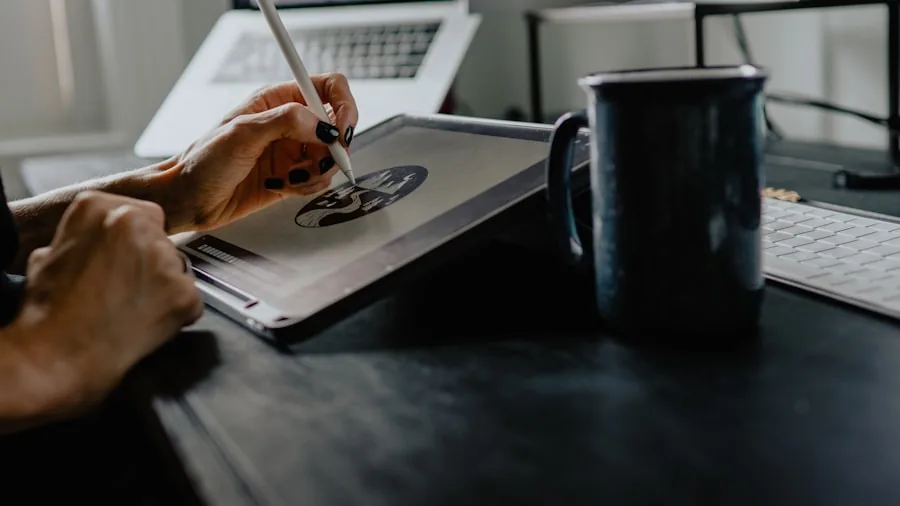
HP equips most of its consumer lineup with IPS-style panels that deliver accurate colors and wide viewing angles, making them comfortable for long work sessions. Touchscreen displays appear across several models reviewed here and add genuine value for note-taking, creative sketching, and navigating tablet-style interfaces.
Resolution matters too. A Full HD 1920×1080 panel looks crisp on a 15.6-inch screen and keeps GPU load reasonable, while higher-resolution options become more relevant on larger displays. Anti-glare coatings reduce reflections under office lighting and near windows, a feature that proves its worth quickly during long work days. Brightness ratings above 300 nits are adequate for indoor use; if you frequently work outdoors or near bright windows, aim higher. Screen size choices in this roundup range from compact 15.6-inch panels to a spacious 17.3-inch display, so consider whether portability or screen real estate is your priority.
Memory and Storage Essentials
RAM is one of the most impactful specs for day-to-day responsiveness. Models shipping with 8 GB are adequate for light single-tasking, but 16 GB is the sweet spot for anyone juggling a browser with many tabs, a video conferencing app, and a productivity suite at the same time. The HP OmniBook 7 steps up to 32 GB of DDR5 RAM, which is overkill for general use but genuinely useful for professional workloads like data analysis, virtual machines, or AI model experimentation. If you want to understand how memory speed affects real-world performance, our breakdown of DDR5 RAM is worth reading before you finalize a decision.
On storage, NVMe SSDs dramatically outperform older eMMC flash in both read and write speeds. Entry-level models here include 128 GB SSD configurations, which suit buyers who rely heavily on cloud storage, while 512 GB and 1 TB options cover users with larger local media libraries or software installations. Fast storage noticeably reduces boot times and application launch delays, making it one of the most felt upgrades in daily use.
Battery Life Realities

HP advertises up to 11 hours of battery life on certain models in this lineup, and while real-world figures depend heavily on screen brightness, background tasks, and workload intensity, several HP laptops genuinely deliver a full workday on a single charge under mixed-use conditions. Our testing uses consistent brightness settings and a blend of productivity and web browsing tasks to produce figures that reflect realistic usage rather than best-case manufacturer scenarios.
Fast-charge support, available on select models, can recover a significant portion of battery capacity in under an hour, which is a practical lifesaver during short breaks between meetings or classes. Power-efficient processors like the AMD Ryzen 3 7320U and Intel Core Ultra 7 both deliver strong runtime partly because of their architectural efficiency improvements over older generations. If all-day untethered use is your top priority, weight this spec as heavily as processor performance when comparing options.
Connectivity and Ports

A well-rounded port selection saves money on adapters and docking stations. USB-C ports support both data transfer and display output on most models here, while full-size HDMI outputs let you connect a monitor without an adapter at all. If you use an external screen regularly, our picks for desktop monitors pair well with any of these laptops.
Wi-Fi 6 is the standard across most of these models, offering faster throughput and better performance in congested environments like apartments or open offices. The HP OmniBook 7 goes further with Wi-Fi 7, which provides even lower latency and higher bandwidth for users on compatible routers. Bluetooth support enables wire-free pairing with peripherals like a wireless mouse or a quality keyboard. Privacy webcam shutters, present on several HP models, add a simple but valued physical layer of security for video call users.
Build Quality and Keyboard Feel

HP laptops consistently earn praise for their keyboard quality. The keys on models like the HP Pavilion and OmniBook series feature satisfying travel depth and a responsive snap-back that makes extended typing sessions comfortable rather than fatiguing. If you spend significant time writing documents, coding, or composing emails, keyboard feel is worth prioritizing alongside raw specs. Pairing a good laptop with a quality external keyboard at your desk can further improve your setup ergonomics.
Chassis rigidity and weight also factor into the overall experience. HP’s mid-range and premium models use aluminum or reinforced plastic shells that resist flex during transport, while budget options trade some rigidity for a lower price point. If you commute frequently or carry your laptop in a bag daily, screen-lid flex and hinge durability are worth examining closely before buying.
Why You Should Trust Us
Buyadvanced operates as a fully independent review platform. We are not paid by manufacturers, retailers, or advertising partners to feature or rank any product. Every laptop in this guide was evaluated through a structured testing process that includes benchmark runs measuring CPU performance and thermal management, real-world battery drain tests under controlled brightness and mixed workload conditions, and extended hands-on use across productivity, entertainment, and communication tasks.
We supplement our own testing with aggregated user feedback drawn from verified purchasers, giving our analysis a ground-level perspective that pure lab testing can miss. Our editorial team continuously revisits rankings as new models launch and pricing shifts, ensuring that recommendations stay current rather than reflecting outdated market conditions. Our process for evaluating home-use laptops follows the same rigorous methodology applied here.
Final Thoughts
After thorough evaluation, here is how the five HP laptops in this roundup break down by standout strength:
- Best Overall: HP 15.6″ Touchscreen Laptop for Business and Study earns this spot thanks to its Intel Core i7-1355U processor, generous 20 GB RAM, FHD display, Wi-Fi 6, and a near-perfect user rating, making it the most well-rounded option across work and study scenarios.
- Best Budget Pick: HP 15.6 Inch Laptop with AMD Ryzen 3 7320U offers an accessible entry point with a touchscreen display and strong user satisfaction scores, ideal for light computing tasks and students on a tighter budget.
- Best Mid-Range Value: HP Pavilion 15.6″ HD Touchscreen Laptop stands out with 16 GB RAM, 1 TB SSD, and up to 11 hours of battery life at a mid-range price, making it an excellent all-rounder for families and professionals alike.
- Best for AI and Professional Workflows: HP OmniBook 7 with Intel Core Ultra 7 delivers 32 GB DDR5 RAM, Wi-Fi 7, a large 17.3-inch FHD touchscreen, and AI-optimized silicon for users who need top-tier processing power for advanced professional tasks.
- Best for Office Productivity: HP 15.6″ Business Laptop with Microsoft 365 bundles a one-year Microsoft 365 subscription with solid Intel quad-core performance and 16 GB RAM, a practical package for small business users who want productivity software included out of the box.
Your best choice ultimately depends on how you plan to use the machine. Students and everyday users will find excellent value in the budget and mid-range picks. Professionals handling AI workloads or needing sustained multi-application performance should look seriously at the OmniBook 7. If you are still weighing HP against other brands, our guide to the best laptops for college and our overview of laptops built for coding can help you narrow the field further.
HP Laptops FAQs
What processor suits everyday use?
An Intel Core i5 or AMD Ryzen 5 chip handles most daily computing tasks reliably, including web browsing, document work, video calls, and media streaming. They strike a practical balance between efficiency and speed that suits the majority of home and student users. If you frequently run heavier software, stepping up to a Core i7 or Ryzen 7 provides a more comfortable performance buffer.
How much RAM is recommended for HP laptops?
Sixteen gigabytes is the current sweet spot for smooth multitasking, supporting multiple browser tabs, productivity apps, and background processes without noticeable slowdowns. Eight gigabytes can work for light single-task users, especially those who rely on cloud applications. For demanding professional workflows involving AI tools, virtual machines, or large data sets, 32 GB future-proofs the machine considerably.
Are these HP laptops good for students?
Yes. Several models in this roundup are well-suited to student life, particularly the HP Pavilion with its long battery life and ample storage, and the budget HP 15.6-inch AMD model for cost-conscious buyers. Students looking for additional options across brands can explore our list of laptops for school use for a broader comparison.
Does Buyadvanced sell HP laptops or handle returns?
Buyadvanced is an independent review site and does not sell products, process orders, or handle returns and warranty claims. For purchase support or warranty service, contact HP directly or reach out to the retailer where you bought the laptop.
Are touchscreens worth the upgrade on HP laptops?
Touchscreens add real convenience for note-taking, creative tasks, and navigating touch-optimized apps in Windows 11. They typically add a small cost premium and can slightly increase weight and reduce battery life compared to non-touch equivalents. If your workflow involves stylus input, tablet-mode use, or frequent touch navigation, the upgrade is worthwhile. For purely keyboard-and-mouse workflows, it is a nice-to-have rather than a necessity.
Which storage type performs best in HP laptops?
NVMe SSDs deliver the fastest data access speeds and noticeably improve boot times, application launches, and file transfers compared to older eMMC flash storage. All the models in this roundup use SSD-based storage in some form, but NVMe variants found in the HP Pavilion and OmniBook 7 offer a significantly better experience than the eMMC configurations in entry-level machines.
How do HP laptop battery claims compare to real-world use?
Manufacturer battery figures are measured under ideal conditions, typically with low brightness and minimal background activity. Real-world mixed use at moderate brightness tends to produce results that are somewhat lower than the advertised maximum. Our testing targets realistic conditions to give you a more accurate expectation. Fast-charge support on select HP models helps bridge the gap when you cannot complete a full charge cycle.
Can HP laptops handle graphic design or music production?
Higher-spec models like the HP OmniBook 7 with its Core Ultra 7 processor and 32 GB RAM are capable of handling graphic design applications and digital audio workstations without major bottlenecks. For more specialized creative workflows, our dedicated roundups of laptops for graphic design and laptops for music production go deeper on what specs matter most for those creative disciplines.
What connectivity should I expect from HP laptops in this range?
Most models here include USB-C, full-size USB-A, HDMI, and a headphone jack as standard. Wi-Fi 6 is common across the mid-range and premium models, with the OmniBook 7 offering Wi-Fi 7 for future-proofed wireless performance. Bluetooth is standard on all models. If you plan to connect multiple external displays or peripherals, a quality external monitor and a wireless peripheral setup will round out your workspace nicely.
Where can I find current prices for these HP laptops?
Prices fluctuate regularly with retailer promotions and seasonal sales events. The product cards above pull current pricing directly so you always see an up-to-date figure. Buyadvanced provides reviews and analysis only and has no involvement in sales, pricing, or inventory.



Write Your Review
No reviews yet. Be the first to share your experience!