


Microsoft has announced significant performance improvements coming to Windows 11 that will directly benefit anyone using a laptop with 8GB of RAM. The update promises faster multitasking, quicker app launches, and reduced memory consumption across the operating system and its built-in applications. For budget-conscious buyers, this development addresses a critical pain point in today’s laptop market.
Why This Matters Now
The budget laptop segment is facing unprecedented pressure. RAM prices have climbed to levels not seen in years, forcing manufacturers to choose between shipping machines with less memory or raising prices beyond what consumers are willing to pay. Apple’s efficient MacBook Neo has raised the bar for what’s possible on limited resources, putting additional pressure on Windows laptop makers to deliver comparable performance at competitive prices.
Many manufacturers have responded by equipping budget models with 8GB of RAM instead of the previous standard of 16GB. But Windows 11, historically, has not been kind to systems with limited memory. The operating system itself can consume significant resources, leaving little headroom for the applications users actually want to run. Microsoft’s latest optimization push changes that equation.
What’s Actually Improving

According to Microsoft’s testing, Windows 11 can now handle multitasking up to 40 percent faster on 8GB systems. The company achieved this through several targeted changes. The system can now keep roughly 2GB more data active in RAM instead of offloading it to slower storage drives. This means when you return to an app or browser tab you had open, it won’t need to reload as often.
Background tasks have been reworked for better efficiency. Windows Start, Search, and File Explorer will respond up to 20 percent faster. Microsoft Edge, the company’s browser, can launch up to 33 percent faster. Across Windows, Edge, and Microsoft 365 applications, the updates reduce committed memory growth by up to 900MB. Word, Excel, PowerPoint, and Outlook alone account for 360MB of those savings.
The improvements also include smart features like keeping widgets unloaded until you actually open them, and putting inactive Edge tabs to sleep after 15 minutes. These might sound minor, but they add up when your system only has 8GB to work with.
Who Should Care
If you’re shopping for an affordable laptop and wondering whether 8GB of RAM is enough, these optimizations make it a more viable option than before. Budget machines running this updated Windows 11 version should feel snappier during everyday tasks like browsing, email, and document editing. For business laptops used for work and travel, the faster responsiveness could meaningfully improve productivity.
Creative professionals and power users, however, should still target 16GB or higher. Microsoft explicitly recommends 16GB or more for heavier workloads involving video editing, 3D rendering, or running multiple resource-intensive applications simultaneously. These optimizations help 8GB systems perform acceptably, but they don’t change the fundamental limits of available memory.
What This Means for Pricing
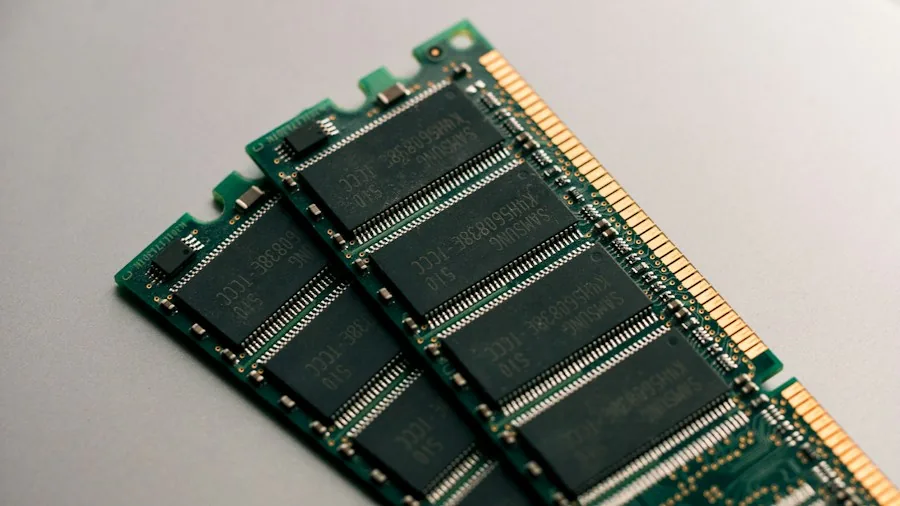
The ability to ship capable Windows laptops with 8GB RAM could help manufacturers defend sub-$500 and sub-$700 price points as memory costs continue climbing. Industry analysts have warned that the sub-$500 PC segment could vanish by 2028 if RAM prices don’t stabilize. These optimizations buy manufacturers and consumers some breathing room.
However, Microsoft cautions that memory costs may remain elevated for years. Smaller tech brands already feel the pressure acutely, and the shortage could lead to consolidation in the budget segment. Shoppers looking for affordable laptops with strong value should act sooner rather than later, as pricing dynamics remain in flux.
How to Get the Update
The improvements are available through Windows 11 version 26H2, build 26300.9818 or later. If you own a Windows 11 laptop with 8GB of RAM, you can check Settings > Update & Security to see if the latest build is available. For those shopping for new laptops, confirm that any system you’re considering ships with this build or newer to ensure you get the full benefit of the optimizations.
For users considering laptops for creative work, the best laptops for photo editing and similar specialty machines will still need more RAM regardless of these updates. But for mainstream computing, browsing, office productivity, and even music production using cloud-based tools, an 8GB system running optimized Windows 11 can now deliver acceptable performance.
These updates represent Microsoft’s concrete response to real market conditions. Rather than accepting that budget laptops should feel sluggish, the company has prioritized making the operating system itself leaner and more responsive. For shoppers on a tight budget, that’s genuinely good news.





Write Your Review
No reviews yet. Be the first to share your experience!