
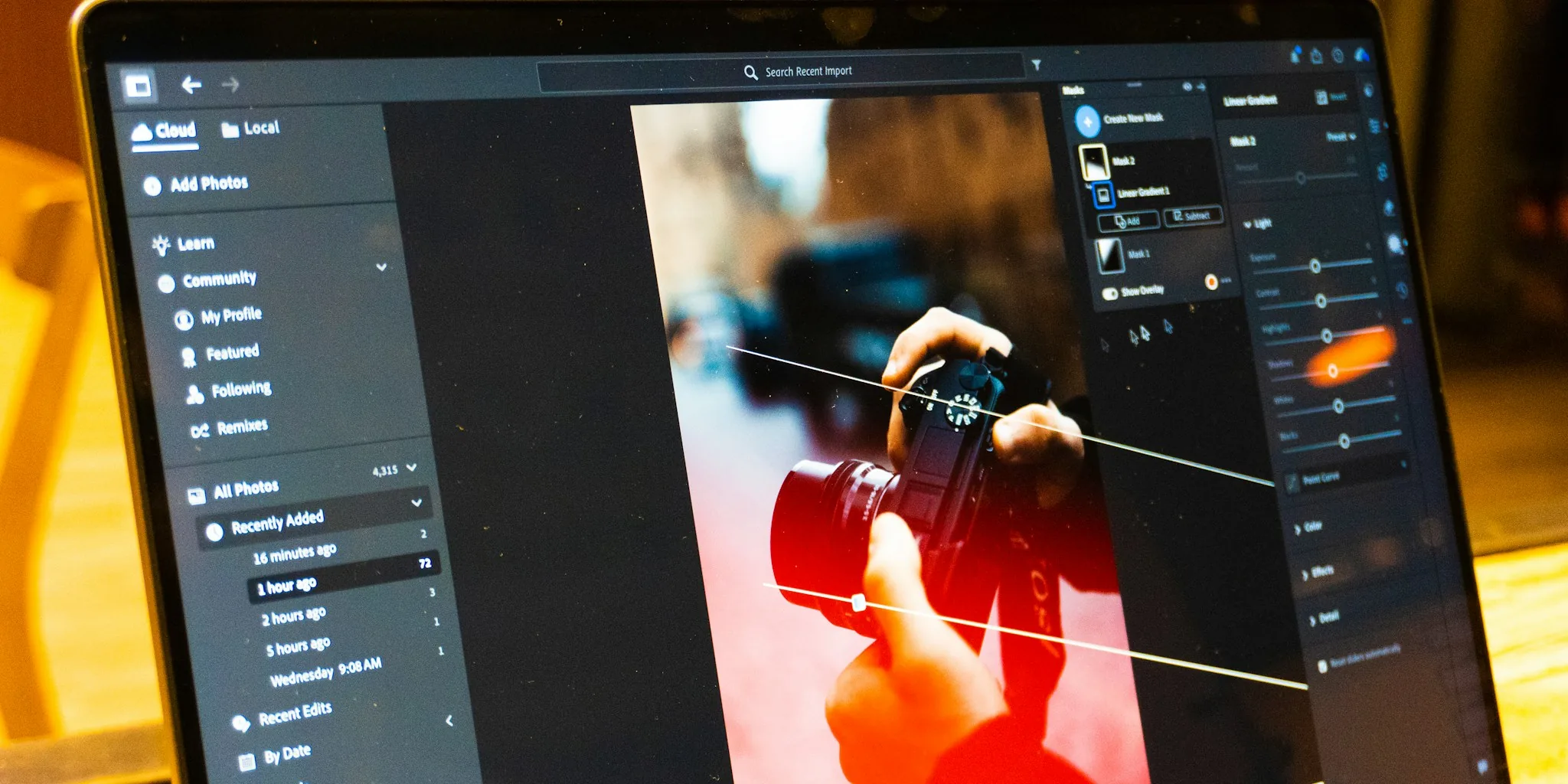

Finding the right laptop for photo editing means balancing display accuracy, raw processing power, storage speed, and battery endurance in a single portable machine. American photographers working in Lightroom Classic, Photoshop, or Capture One need hardware that keeps up with large RAW files, complex layer stacks, and marathon editing sessions without constant frustration. This 2026 guide covers 9 models tested by the Buyadvanced team, ranging from Apple’s M4-powered MacBook Air to dedicated Windows machines from ASUS and HP, so you can match the right tool to your actual workflow and budget.
Whether you shoot weddings, commercial campaigns, or street photography, the specs that matter most are not always the ones advertised loudest on the box. Color gamut coverage, peak display brightness, sustained CPU performance under thermal load, and real-world battery drain during active editing all shape the daily experience far more than headline clock speeds. We break down every critical factor below, so keep reading after the product list for our full buying guide.

Pros
- Exceptional OLED display with 100% DCI-P3 color accuracy and 500 nits brightness ideal for color-critical creative work
- Powerful RTX 4050 GPU paired with latest Intel processor handles professional video editing and 3D rendering without throttling
- Touchscreen with stylus support and pressure sensitivity provides natural interaction for digital artists and designers
- Backlit keyboard and premium Bang & Olufsen audio system enhance usability during extended work sessions
- Includes Windows 11 Pro and 1-year Microsoft Office 365 subscription, providing immediate productivity tools
Cons
- Premium pricing at $1,929.99 positions this as a high-end investment rather than a budget-friendly option
- No user reviews yet available to validate real-world performance and reliability claims
- Limited to 13.5-hour battery life, which may require charging during extended travel days for power users
The HP OmniBook X represents a thoughtfully engineered premium laptop designed for professionals who refuse to compromise between performance and portability. The 16-inch 2K OLED display stands out as the device's crown jewel, delivering exceptional color accuracy with its 100% DCI-P3 gamut coverage and 500-nit brightness. Combined with the 120Hz refresh rate and 0.2ms response time, this screen excels for video editing, photo retouching, and creative design work. The touchscreen functionality with stylus support and pressure sensitivity adds genuine utility for digital artists rather than serving as a gimmick.
Performance-wise, the Intel Core Ultra 7 255H processor with 16 cores and dedicated RTX 4050 GPU creates a formidable combination for creative professionals. The hybrid P-core and E-core architecture efficiently handles both demanding rendering tasks and background processes, while the RTX 4050 accelerates video encoding, 3D rendering, and AI-assisted workflows. The 32GB of LPDDR5X RAM and 2TB PCIe SSD ensure smooth multitasking and rapid file access. Wi-Fi 6E connectivity and Thunderbolt 4 with USB4 provide modern connectivity standards that support high-speed external storage and dual 4K display configurations.
Portability remains a key strength at just 4.3 pounds and 0.59 inches thick, making this laptop genuinely travel-friendly despite its 16-inch screen. The 13.5-hour battery life supports a full workday of mixed usage, though intensive GPU workloads will reduce runtime. The backlit keyboard, dual Bang & Olufsen speakers, and privacy shutter on the 5MP camera reflect attention to detail in the design. Windows 11 Pro and included Microsoft Office 365 provide immediate productivity, while the 1-year limited warranty covers manufacturing defects.
| Category | Specification |
|---|---|
| Display | 16-inch OLED, 2048 x 1280 (2K), 120Hz, 0.2ms response time, 500 nits, 100% DCI-P3, Corning Gorilla Glass |
| Processor | Intel Core Ultra 7 255H, 16-core, 4.4 GHz base / 5.1 GHz max, Intel AI Boost (13 NPU TOPS) |
| Graphics | NVIDIA GeForce RTX 4050 (6GB GDDR6) + Intel Arc 140T GPU |
| RAM | 32GB LPDDR5X (expandable to 64GB, 2 memory slots) |
| Storage | 2TB PCIe SSD (upgradeable) |
| Battery | 4-cell Li-Ion Polymer, 55Wh, up to 13.5 hours video playback |
| Connectivity | Wi-Fi 6E (802.11ax), Bluetooth 5.3, Thunderbolt 4 (USB4), HDMI 2.1, 4x USB ports |
| Audio | Dual speakers with Bang & Olufsen tuning |
| Camera | 5MP IR with HDR, temporal noise reduction, privacy shutter |
| Keyboard | Backlit with numeric keypad, Copilot key |
| Input | Touchscreen with stylus support and pressure sensitivity |
| Operating System | Windows 11 Pro |
| Dimensions | 14.08" W x 10.03" L x 0.59" H |
| Weight | 4.3 pounds |
| Color | Silver |
| Warranty | 1-year limited warranty |
| Included | 1-year Microsoft Office 365 subscription, wireless mouse |
Creative Professional Performance: The RTX 4050 GPU accelerates video encoding, 3D rendering, and AI image processing significantly faster than integrated graphics. Combined with the 16-core Intel Ultra 7 processor, this laptop handles 4K video editing timelines, complex 3D modeling, and batch photo processing without lag. The 32GB RAM ensures smooth multitasking between creative applications.
AI Boost & Copilot Integration: The Intel AI Boost technology with 13 NPU TOPS enables on-device AI processing for features like Windows Copilot and AI-assisted creative tools. This means faster AI image generation, intelligent upscaling, and real-time AI-powered effects without relying solely on cloud processing. The dedicated Copilot key provides quick access to Windows AI features.
Thermal & Power Efficiency: The hybrid core architecture intelligently distributes workloads between performance and efficiency cores, maintaining sustained performance while managing heat and power consumption. This balance enables the impressive 13.5-hour battery life during everyday tasks while still delivering peak performance when needed for demanding creative work.
Video Editors & Content Creators: The RTX 4050 GPU and powerful processor make this ideal for editing 4K video, color grading, and effects work. The stunning OLED display ensures accurate color representation, while the Thunderbolt 4 connectivity supports fast external storage for large media files.
Graphic Designers & Digital Artists: The touchscreen with stylus support, exceptional color accuracy (100% DCI-P3), and pressure sensitivity make this excellent for digital illustration, UI design, and photo retouching. The portable form factor allows working from coffee shops or client locations.
Business Professionals & Remote Workers: Windows 11 Pro, included Office 365, and all-day battery life serve professionals who need a powerful business laptop. The OLED display reduces eye strain during long work sessions, while the backlit keyboard supports late-night productivity.
College Students in Creative Fields: Computer science, film production, graphic design, and engineering students benefit from the performance and portability. The touchscreen and stylus support enhance note-taking and design work during lectures.
NOT Ideal For: Budget-conscious buyers or those primarily using web browsing and office work will find the RTX 4050 and premium display unnecessary. Gamers seeking high refresh rates may prefer 144Hz+ displays, though the 120Hz OLED performs excellently for most gaming scenarios.

Pros
- Exceptional value at $359 with Office 365 and comprehensive accessory bundle included
- Lightweight and compact design makes it ideal for students and mobile professionals
- Generous 16GB RAM ensures smooth multitasking and responsive performance
- Comprehensive port selection includes USB-C, USB-A, HDMI, and media card reader
- Bonus docking station and MicroSD card significantly expand storage options
Cons
- Intel N150 processor is entry-level and not suitable for demanding creative work or gaming
- 720p HD resolution is adequate but not sharp compared to modern 1080p standards
- Windows 11 S has app limitations compared to full Windows 11 Pro or Home editions
The HP Stream 14 represents an excellent value proposition for budget-conscious buyers seeking a reliable, portable laptop. With its lightweight 3.2-pound design and slim profile, this machine excels as a travel companion or student workhorse. The inclusion of 16GB DDR4 RAM ensures smooth multitasking across multiple applications, while the Intel N150 processor handles everyday computing tasks like web browsing, document editing, and video streaming without noticeable lag.
Storage deserves special attention here. While the base 128GB eMMC drive is modest, HP bundles a 7-in-1 docking station with 256GB of additional storage plus a 32GB MicroSD card, bringing total capacity to 416GB. This creative approach provides genuine flexibility for users who need expandable storage without paying premium prices for a higher-capacity internal drive. The 14-inch HD display with anti-glare coating delivers clear visuals for everyday use, and Wi-Fi 6 connectivity ensures you stay connected with modern network speeds.
The real standout feature is the software bundle. One year of Microsoft Office 365 saves you significant money upfront, while Windows 11 S with Copilot AI integration adds modern productivity features. Fast charging technology gets you to 50% battery in 45 minutes, making quick top-ups feasible during busy days. The comprehensive port selection including USB-C, USB-A, HDMI, and a media card reader provides solid connectivity options for peripherals and external displays.
| Display | 14-inch LED HD (1366 x 768 pixels) with anti-glare coating |
| Processor | Intel N150 (4-core, 3.6 GHz, 15th Gen) |
| RAM | 16GB DDR4 SDRAM (3200 MHz) |
| Storage | 128GB eMMC + 256GB via docking station + 32GB MicroSD card |
| Graphics | Intel Integrated Graphics |
| Operating System | Windows 11 S with Microsoft Copilot AI |
| Connectivity | Wi-Fi 6 (802.11ax), Bluetooth 5.0 |
| Ports | 1x USB Type-C, 2x USB Type-A, 1x HDMI 1.4b, 1x headphone/microphone combo, 1x media card reader, 1x AC smart pin |
| Webcam | HD camera with microphone |
| Battery | Fast charging (0-50% in ~45 minutes) |
| Weight | 3.2 pounds |
| Dimensions | 12.76 x 8.86 x 0.71 inches |
| Warranty | 1-year limited warranty on original components; 1-year SnowBell warranty on upgraded RAM/SSD |
| Included Accessories | 7-in-1 docking station, 32GB MicroSD card with adapter, Type-C data cable, 3-in-1 charging cable, suede cleaning cloth |
| Software | 1 year Microsoft Office 365 subscription included |
Ideal For:
- College Students - Lightweight, affordable, and includes Office 365 for coursework and essays
- Business Travelers - Ultraportable design fits easily in bags; fast charging keeps you productive on the go
- Budget-Conscious Buyers - Excellent value with included software and accessories reducing overall cost
- Home Office Users - Reliable performance for email, document editing, video calls, and web browsing
- Content Consumers - Smooth streaming, web browsing, and media playback without demanding performance
Not Recommended For:
- Video editors, graphic designers, or 3D modelers requiring powerful processors
- Gamers seeking dedicated graphics or high refresh rate displays
- Users needing full Windows 11 Pro features and capabilities
Everyday Performance
The Intel N150 processor delivers efficient performance for typical computing tasks. Web browsing, document editing, spreadsheet work, and video streaming all run smoothly thanks to the 16GB RAM configuration. The processor excels at power efficiency, meaning you get extended battery life without sacrificing responsiveness for everyday applications.
Microsoft Copilot AI Integration
Windows 11 S includes built-in Microsoft Copilot AI, which assists with writing, research, coding suggestions, and creative tasks. Copilot can help draft emails, summarize documents, answer questions, and provide productivity shortcuts. This modern AI integration adds genuine value for students and professionals looking to work smarter.
What to Expect
This laptop handles simultaneous browser tabs, document editing, and streaming without stuttering. Expect boot times around 20-30 seconds and responsive application launching. The integrated Intel graphics handle everyday visual tasks but lack the power for gaming or professional video work. Battery life comfortably exceeds 8 hours for typical usage patterns.

HP Stream 14 HD Laptop, Intel Celeron, 16GB RAM
Pros
- Excellent RAM capacity for the price point enables efficient multitasking
- Bonus docking station and accessories add significant practical value
- Lightweight and portable design ideal for students and mobile professionals
- Clear 14-inch HD display with anti-glare coating reduces fatigue
- Includes full year of Office 365 software suite
Cons
- Intel Celeron N150 processor is entry-level and struggles with demanding applications or heavy video editing
- 128GB base storage is limited; most users will rely heavily on the docking station's extra storage
- No touchscreen capability and lacks Bluetooth connectivity for wireless peripherals
The HP Stream 14 targets budget-conscious buyers seeking a no-frills laptop for everyday computing. The standout feature here is the value bundle: 16GB of RAM, a 7-in-1 docking station with 128GB storage, a 32GB MicroSD card, cables, and a full year of Microsoft Office 365. This combination makes the laptop substantially more capable than the base storage alone suggests, addressing one of the primary limitations of budget models.
Performance-wise, the Intel Celeron N150 processor handles web browsing, email, document editing, and video streaming without issue. The 14-inch HD display with anti-glare coating is bright and clear for everyday use, and the 720p webcam is adequate for virtual meetings. At just 3.24 pounds with a slim profile, portability is a genuine strength. The backlit keyboard and multiple connectivity options (USB-C, dual USB-A, HDMI) round out the practical design.
However, prospective buyers should understand the limitations. The Celeron processor is not suited for gaming, video production, or running resource-heavy software. Windows 11 S Mode restricts app installation to the Microsoft Store initially, though users can switch to full Windows 11 Home. The 128GB internal storage is genuinely tight, making the included docking station essential rather than optional. For students, light business use, and casual home computing, this laptop delivers solid performance; for power users, stepping up to a higher-tier processor is worthwhile.
| Processor | Intel Celeron N150 (4-core, 3.6 GHz) |
| RAM | 16GB DDR4 SDRAM (2400 MHz) |
| Storage | 128GB eMMC + 160GB via docking station (288GB total) |
| Display | 14-inch HD BrightView (1366 x 768 pixels), anti-glare coating |
| Graphics | Intel UHD Graphics (integrated) |
| Operating System | Windows 11 Home in S Mode |
| Webcam | 720p HD |
| Connectivity | Wi-Fi 802.11ac, 1x USB-C 3.0, 2x USB-A 3.0, HDMI 1.4, media card reader |
| Audio | Headphone/microphone combo jack |
| Keyboard | Backlit |
| Touchpad | Yes |
| Dimensions | 12.76 x 8.86 x 0.71 inches |
| Weight | 3.24 lbs |
| Color | Blue |
| Warranty | 1-year limited warranty (1-year on upgraded components, original 1-year on base) |
| Included Software | Microsoft Office 365 (1-year subscription) |
| Included Accessories | 7-in-1 docking station with 128GB storage, 32GB MicroSD card with adapter, USB-C cable, 3-in-1 charging cable, cleaning cloth |
Ideal For: Students, remote workers, and home users who prioritize affordability and portability. This laptop excels for web browsing, email, document creation, streaming, and light productivity tasks.
Not Ideal For: Gamers, video editors, software developers, and creative professionals who require sustained high performance and processing power.
Best Use Cases: College students balancing budget constraints with performance needs, professionals who work primarily in cloud-based applications, and casual users seeking reliable everyday computing without premium pricing.
The HP Stream 14 delivers exceptional value in the sub-$400 category, primarily due to the bundled accessories and software. The included docking station with 128GB storage effectively doubles your usable storage, while Office 365 typically costs $70 annually. These additions justify the price even if the base hardware alone would feel limited.
When comparing budget laptops at this price point, the 16GB RAM configuration stands out. Most competitors at this price offer 8GB, making this model more future-proof for multitasking. The anti-glare display and backlit keyboard are quality-of-life features often skipped on budget models.
The primary trade-off is processor performance. If you need better raw computing power for demanding applications, you'll need to spend $200-300 more. However, for the intended audience of students and casual users, this laptop represents one of the better value propositions available.

Pros
- Exceptional performance-to-weight ratio makes this the ideal ultraportable laptop for professionals
- Apple Intelligence features provide meaningful productivity gains with industry-leading privacy protections
- 18-hour battery life is genuinely impressive and supports real all-day work sessions
- Brilliant Liquid Retina display with 224 PPI delivers crisp text and vibrant media
- Two Thunderbolt 4 ports with support for up to two external displays expand your workspace
Cons
- 256GB base storage may feel tight for creative professionals working with large video or photo libraries
- Premium pricing reflects Apple's ecosystem positioning and may exceed budgets for casual users
- Limited to integrated graphics, so demanding 3D gaming performance lags behind dedicated GPU alternatives
The 2025 MacBook Air 15 with M4 represents a significant leap in portable computing. The M4 chip delivers remarkable speed across everyday tasks and demanding workloads alike, whether you're managing multiple browser tabs, editing 4K video, or running professional applications. The real standout is Apple Intelligence, a personal intelligence system that understands context and helps you write more effectively, organize information, and accomplish tasks faster while maintaining industry-leading privacy standards where your data stays entirely on your device.
The display is genuinely impressive for a portable machine. The 15.3-inch Liquid Retina panel with 224 pixels per inch produces exceptionally sharp text and vibrant colors across the full billion-color spectrum. Battery life consistently delivers on its 18-hour promise, allowing you to work through full days without hunting for power outlets. The 12MP Center Stage camera with Desk View automatically frames you perfectly during video calls, while the six-speaker system with Spatial Audio makes both content consumption and communication feel premium.
Connectivity and integration shine here. Two Thunderbolt 4 ports support external displays and fast data transfer, while MagSafe 3 charging and Wi-Fi 6E keep you connected smoothly. If you own other Apple devices, the seamless experience is unmatched: mirror your iPhone directly on your Mac, copy and paste between devices, and manage calls and messages across your entire ecosystem. The base 256GB storage may require management for content creators, but the overall package delivers exceptional value for anyone seeking a truly portable yet powerful laptop.
| Processor | Apple M4 chip (10-core CPU, 10-core GPU, 16-core Neural Engine) |
| Memory | 16GB Unified Memory |
| Storage | 256GB SSD |
| Display | 15.3-inch Liquid Retina, 2880x1864 resolution, 224 PPI, 500 nits, 1 billion colors |
| Battery | Up to 18 hours video streaming, 15 hours wireless web |
| Camera | 12MP Center Stage with Desk View, 1080p HD video |
| Audio | 6-speaker system with Spatial Audio, 3-mic array |
| Ports | 2x Thunderbolt 4, MagSafe 3, 3.5mm headphone jack |
| Connectivity | Wi-Fi 6E, Bluetooth 5.3 |
| Keyboard | Backlit Magic Keyboard with Touch ID |
| Dimensions | 13.4 x 9.35 x 0.45 inches |
| Weight | 3.32 pounds |
| Operating System | macOS |
| Color | Midnight |
Apple Intelligence Overview
Apple Intelligence is a personal intelligence system built directly into your MacBook Air with groundbreaking privacy protections. Unlike cloud-based AI solutions, Apple Intelligence processes information on your device, meaning your data never leaves your machine and not even Apple can access it.
Key Features:
- Writing Tools - Rewrite, proofread, and summarize text across any application with intelligent suggestions that maintain your voice
- Smart Replies - Get intelligent response suggestions in Mail and Messages to communicate faster
- Image Generation - Create original images directly in your documents and messages
- Search and Organization - Find exactly what you need across your Mac with contextual understanding
- Privacy-First Design - All processing happens on your device with optional cloud compute for complex tasks, always encrypted end-to-end
Apple Intelligence seamlessly integrates across macOS applications including Mail, Messages, Notes, Pages, and third-party apps like Microsoft 365 and Google Workspace, making it a natural extension of how you already work.
Who Should Buy This MacBook Air?
The 15-inch MacBook Air M4 is perfect for professionals, students, and creative users who need serious computing power in a portable package. If you spend time in coffee shops, travel frequently, or move between home and office, this laptop's lightweight design and all-day battery life make it ideal. Content creators working with video, photography, or design will appreciate the M4's performance, while the vibrant Liquid Retina display is excellent for media work.
Storage Considerations
The base 256GB storage is sufficient for most users who primarily work with cloud services like Google Drive, iCloud, or Microsoft OneDrive. However, if you work extensively with large video files, high-resolution photo libraries, or maintain local copies of substantial projects, consider stepping up to 512GB or 1TB configurations.
Ecosystem Integration
If you already own an iPhone, iPad, Apple Watch, or AirPods, this MacBook becomes exponentially more valuable. Features like iPhone Mirroring, universal clipboard, and seamless handoff between devices create a workflow that's difficult to replicate elsewhere. If you're primarily a Windows user, the learning curve and ecosystem mismatch may make a Windows laptop more practical.
Performance Expectations
The M4 chip handles everyday tasks effortlessly and excels at professional work including video editing, 3D design, coding, and data analysis. Gaming is possible but not optimized, as the integrated GPU prioritizes productivity over gaming performance. If gaming is your primary use case, consider alternatives with dedicated graphics cards.
Processor & Performance
The M4 chip combines 10 CPU cores (4 performance + 6 efficiency) with a 10-core GPU and 16-core Neural Engine. This architecture delivers exceptional multitasking, allowing you to run dozens of browser tabs, multiple professional applications, and creative software simultaneously without slowdown. Real-world performance is noticeably faster than previous generations for video encoding, image processing, and compilation tasks.
Display Quality
The 15.3-inch Liquid Retina display is exceptional for a laptop. With 2880x1864 native resolution, 500 nits brightness, and support for 1 billion colors, it rivals many desktop monitors for color accuracy and clarity. The wide color gamut (P3) and True Tone technology ensure consistent colors across different lighting conditions, making it excellent for photo and video work.
Camera & Audio
The 12MP Center Stage camera with Desk View automatically keeps you framed perfectly during video calls, while the three-mic array with directional beamforming ensures clear voice capture. The six-speaker system with Spatial Audio support creates immersive audio for movies, music, and calls. Video recording supports H.264, HEVC, ProRes, and ProRes RAW formats.
Connectivity
Two Thunderbolt 4 ports support up to 40Gb/s data transfer and external displays (up to two 6K displays simultaneously). Wi-Fi 6E provides the latest wireless connectivity, while MagSafe 3 charging is reliable and convenient. The inclusion of a 3.5mm headphone jack is increasingly rare and appreciated by those using high-impedance headphones.
Pros
- Exceptional value - includes $100+ in accessories and lifetime Office suite
- Lightweight and portable design perfect for students and traveling professionals
- Strong battery life keeps you productive without constantly hunting for outlets
- Windows 11 Pro delivers robust security features for business and sensitive work
- Quad-core Intel processor handles everyday tasks, streaming, and light content creation
Cons
- Intel N150 processor is entry-level; not ideal for demanding gaming or heavy video rendering
- HD resolution (1366x768) feels basic by 2025 standards, limiting screen real estate for detailed work
- Only 128GB internal storage requires reliance on external drive for large file collections
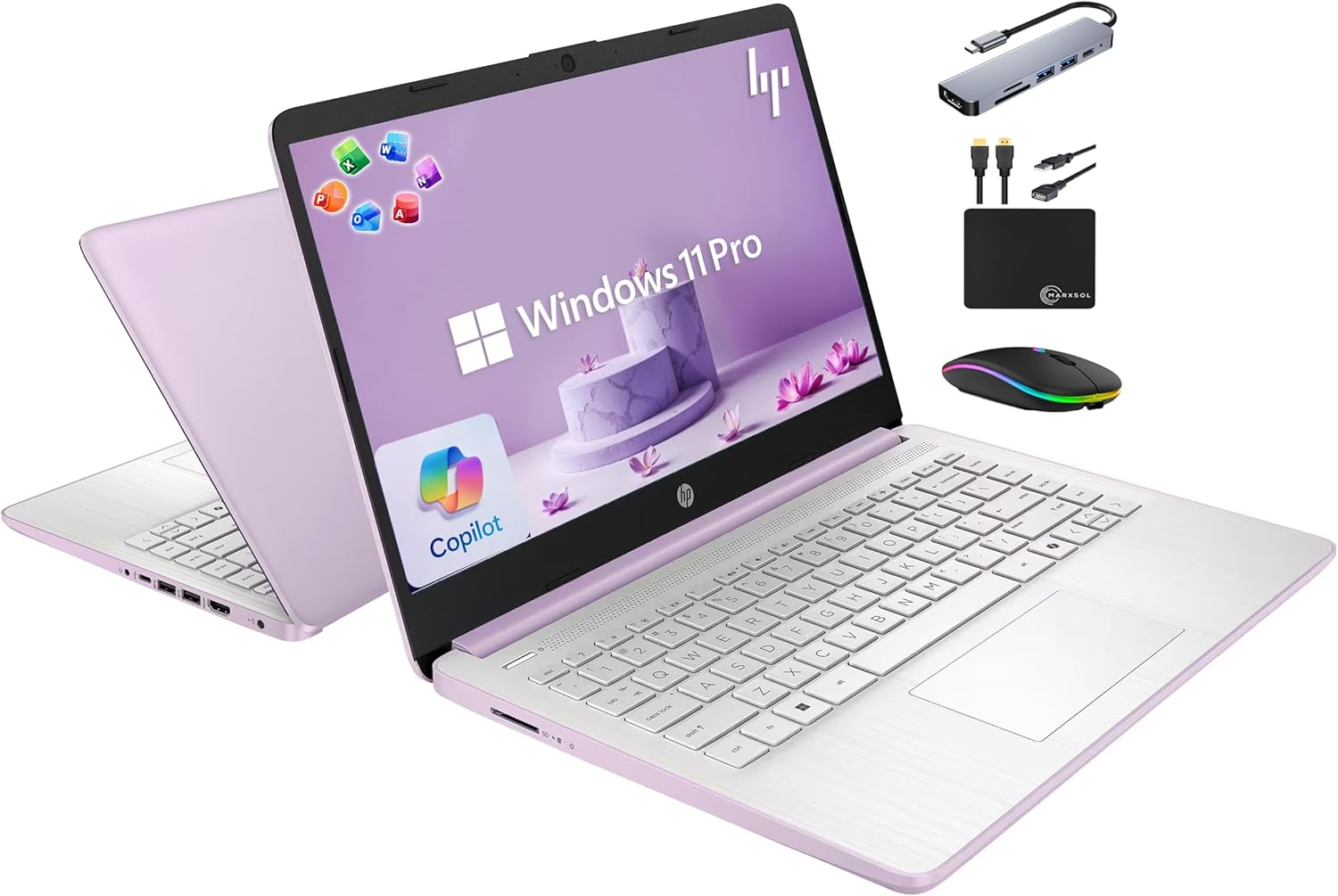
This HP 14-inch laptop strikes an impressive balance between affordability and practical functionality. The 16GB DDR4 RAM and quad-core Intel N150 processor deliver reliable performance for everyday computing, online learning, video conferencing, and moderate multitasking. The inclusion of free lifetime Microsoft Office 2024 eliminates ongoing subscription costs, making this an economical choice for students and small business owners who need essential productivity software without recurring fees.
Battery life reaches up to 9 hours under normal use, supported by HP Fast Charge technology that gets you back to work quickly. The ultra-portable 3.24-pound design and slim 0.71-inch profile make this laptop genuinely travel-friendly. Windows 11 Pro provides enterprise-grade security with hardware-based isolation and encryption, while the integrated Copilot AI key offers quick access to AI assistance. The 14-inch anti-glare display with 250 nits brightness handles remote work and online classes effectively, though the HD resolution (1366x768) is more utilitarian than immersive.
The real standout is the accessory bundle: a 6-in-1 USB-C docking station, 500GB external drive, wireless mouse, cables, and mouse pad add genuine value without extra cost. This makes setup straightforward for students and professionals. The Intel N150 processor is entry-level, so demanding gaming or professional video editing will feel sluggish. The limited internal storage (128GB) means you'll depend on the included external drive for larger files. Overall, this laptop excels as an affordable, complete package for productivity-focused users who prioritize practicality over cutting-edge performance.
| Category | Specification |
|---|---|
| Processor | Intel Quad-Core N150 (up to 3.6 GHz, 6MB L3 Cache, 4 cores/4 threads) |
| RAM | 16GB DDR4 SDRAM (3200 MHz) |
| Storage | 128GB UFS internal + 500GB external drive |
| Display | 14-inch HD (1366x768), LED, anti-glare, 250 nits |
| Graphics | Intel integrated graphics |
| Operating System | Windows 11 Pro |
| Battery | 3-cell 41Wh Li-ion, up to 9 hours |
| Connectivity | Wi-Fi 6 (802.11ax), Bluetooth 5.4 |
| Ports | 1x USB-C 5Gbps, 2x USB-A 5Gbps, 1x HDMI 1.4b, 1x 3.5mm audio jack, 1x AC power |
| Camera | HP True Vision 720p HD with dual-array digital microphones |
| Audio | HD audio with stereo speakers |
| Keyboard | Full-size English natural silver keyboard |
| Dimensions | 12.76 x 8.86 x 0.71 inches |
| Weight | 3.24 pounds |
| Color | Honey Lavender |
| Software | Free Lifetime Microsoft Office 2024 |
| Included Accessories | 6-in-1 USB-C docking station, 500GB external drive, wireless mouse, mouse pad, USB extension cord, HDMI cable |
Best For: College and high school students, remote workers, small business owners, and professionals who need reliable everyday computing without premium pricing.
Ideal Use Cases: Online learning and video conferencing, document editing and spreadsheets, web browsing and email, light photo editing, streaming and entertainment, remote work productivity.
Not Recommended For: Professional video editors, 3D designers, competitive gamers, or anyone requiring sustained high-performance computing or high-resolution displays.
Performance Level: Entry to mid-range. The Intel N150 processor handles everyday tasks smoothly but won't excel at demanding applications. Think of it as reliable and responsive rather than powerful.
Value Assessment: This laptop delivers exceptional value through its complete package approach. The free lifetime Microsoft Office suite, comprehensive accessory bundle, and solid hardware specifications justify the price point for budget-conscious buyers. You're getting a complete, ready-to-use system without hidden costs.
Battery & Portability: The 9-hour battery life and 3.24-pound weight make this genuinely portable. Fast Charge technology minimizes downtime, perfect for students moving between classes or professionals working from different locations.
Security & Updates: Windows 11 Pro includes enterprise-grade security features, automatic updates, and hardware-based encryption. The integrated Copilot AI key provides quick access to AI assistance for productivity tasks.

Pros
- Exceptional value at this price point with included accessories and Office 365 subscription
- Portable and lightweight design perfect for students and professionals on the move
- Generous 16GB RAM ensures smooth multitasking and future-proofing
- Wi-Fi 6 connectivity and Bluetooth 5.4 provide fast, reliable wireless performance
- Windows 11 Home in S Mode offers enhanced security with the option to switch to full Windows 11
Cons
- HD display resolution (1366 x 768) is adequate but not sharp; not ideal for detailed photo or video editing
- Intel N150 processor is entry-level; demanding applications or heavy gaming will struggle
- 9-hour battery life is decent but not class-leading; heavy users may need to charge during long days
The HP 14 2025 laptop delivers impressive value for students, remote workers, and everyday users who prioritize affordability and portability. With 16GB of DDR4 RAM and a quad-core Intel N150 processor, this machine handles web browsing, document editing, video conferencing, and streaming without hesitation. The inclusion of a 500GB external drive alongside 128GB of UFS storage provides plenty of room for your files, and the integrated Intel graphics are sufficient for casual use and light creative tasks.
Battery life is a strong point here, with up to 9 hours of real-world use per charge making this laptop genuinely portable. The 14-inch HD display features an anti-glare coating and micro-edge design that minimizes bezels, while the integrated 720p webcam with noise-reduction technology is well-suited for online classes, Zoom meetings, and remote collaboration. The addition of a Copilot key gives you instant access to AI tools for productivity and research, a feature increasingly important in modern computing.
The complete bundle transforms an already competitive package into exceptional value. You get a 6-in-1 USB-C docking station, wireless mouse, external drive, cables, and a full year of Microsoft Office 365 included. Windows 11 Home in S Mode prioritizes security and speed, and you can easily switch to full Windows 11 Home if you need additional software flexibility. This laptop is genuinely well-suited for its target audience of students, small business owners, and budget-conscious professionals.
| Category | Details |
|---|---|
| Processor | Intel N150 Quad-Core (4 cores, 4 threads, up to 3.6 GHz, 6MB L3 Cache) |
| RAM | 16GB DDR4 SDRAM (3200 MHz) |
| Storage | 128GB UFS + 500GB External Drive (628GB total) |
| Display | 14-inch HD LED (1366 x 768), anti-glare, 250 nits |
| Graphics | Intel Integrated Graphics |
| Operating System | Windows 11 Home in S Mode |
| Battery | 3-cell 41Wh Li-ion, up to 9 hours |
| Connectivity | Wi-Fi 6 (802.11ax), Bluetooth 5.4 |
| Ports | 1x USB-C 10Gbps, 2x USB-A 5Gbps, 1x HDMI 1.4b, 1x 3.5mm audio jack, 1x AC Smart pin |
| Webcam | HP True Vision 720p HD with temporal noise reduction, dual-array digital microphones |
| Audio | HD Audio with stereo speakers |
| Keyboard | Chiclet-style, natural silver, English layout |
| Dimensions | 12.76 x 8.86 x 0.71 inches |
| Weight | 3.24 lbs |
| Color | Honey Lavender |
| Software | 1-year Microsoft Office 365 Personal subscription included |
| Bundle Accessories | 6-in-1 USB-C Docking Station Hub, 500GB external drive, wireless mouse, USB extension cord, HDMI cable, mouse pad |
Everyday Productivity: This laptop excels at web browsing, email, document editing, and spreadsheet work. The 16GB RAM ensures smooth performance even with multiple browser tabs and applications running simultaneously.
Remote Learning & Video Conferencing: The 720p HD webcam, integrated dual-array microphones, and noise-reduction technology make this ideal for Zoom, Google Meet, and online classes. Windows 11's built-in security features protect your privacy during remote sessions.
Light Creative Work: Photo editing, basic video editing, and graphic design work are manageable on this machine. The integrated Intel graphics handle these tasks adequately, though demanding projects may see slower performance.
Gaming: Casual gaming and older titles will run fine, but don't expect smooth performance with modern AAA games. The Intel N150 is not designed for gaming workloads.
Portability: At just 3.24 lbs and 0.71 inches thin, this laptop is genuinely portable. The 9-hour battery life supports a full school or work day without needing to charge.
What's Included: Beyond the laptop itself, you receive a comprehensive accessory bundle worth significant additional value: a 6-in-1 USB-C docking station (USB 3.0, 4K HDMI, SD/TF card reader), 500GB external drive, wireless mouse, USB extension cord, HDMI cable, and mouse pad. This eliminates the need to purchase these items separately.
Software Value: The included 1-year Microsoft Office 365 Personal subscription normally costs $70 annually. This alone makes the overall package exceptionally competitive compared to purchasing a bare laptop and then buying Office separately.
Total Value Proposition: When you calculate the laptop base price, the accessory bundle value, and the Office 365 subscription, this represents outstanding value for students, small business owners, and budget-conscious professionals. Few competitors at this price point offer comparable specifications and included software.

Acer Aspire 16 AI Copilot+ PC Snapdragon X
Pros
- Excellent value at under $700 for a premium Copilot+ PC with cutting-edge AI capabilities
- Lightweight at 3.4 pounds with thin 0.63-inch profile makes it genuinely portable for work on the go
- High-refresh 120Hz touchscreen with vibrant colors transforms both productivity and entertainment
- Snapdragon X architecture prioritizes efficiency, delivering strong performance with minimal battery drain
- Built-in AI features like Windows Studio Effects and improved search enhance daily workflows immediately
Cons
- 512GB storage may feel tight for creative professionals working with large video or photo libraries
- No discrete graphics card limits performance for demanding 3D rendering or intensive gaming
- Arm-based Snapdragon processor means some legacy Windows software may require emulation or workarounds
The Acer Aspire 16 AI represents a significant shift in affordable laptop design, bringing Microsoft's Copilot+ PC experience to a sub-$700 price point. The Snapdragon X X1-26-100 processor paired with a dedicated 45 TOPS NPU creates a machine genuinely optimized for AI-accelerated tasks. Whether you're using Windows Studio Effects for video calls, leveraging Recall to search your digital history, or running productivity software, the architecture prioritizes both performance and efficiency in ways traditional Intel or AMD chips simply cannot match. The 16-inch 120Hz WUXGA touchscreen delivers crisp visuals with excellent color accuracy, making it equally comfortable for spreadsheets, creative projects, or streaming content.
Real-world performance strikes a smart balance between capability and battery life. The 18-hour battery rating isn't marketing hyperbole, thanks to the Snapdragon X's power-efficient design. With 16GB of LPDDR5X RAM and a 512GB PCIe Gen 4 SSD, everyday multitasking feels responsive and snappy. The addition of Wi-Fi 7 support future-proofs your connectivity, while the backlit keyboard and numeric keypad cater to users who value input precision. AcerSense, Acer's integrated AI assistant, adds practical value by automating common settings adjustments and video presence optimization without requiring constant manual tweaking.
Prospective buyers should understand this is an Arm-based system, which means compatibility with legacy Windows software may require emulation through Prism technology. For most modern applications, cloud services, and web-based workflows, this presents no practical limitation. The 512GB storage is adequate for general use but might feel constrictive if you work with large media files regularly. The lack of a discrete GPU means this isn't a gaming or professional 3D rendering machine. However, as an all-around productivity laptop with genuine AI integration, strong battery endurance, and a beautiful display, the Acer Aspire 16 AI delivers exceptional value and forward-thinking design.
| Processor | Qualcomm Snapdragon X X1-26-100 (8-core, 3 GHz base) |
| NPU (Neural Processing Unit) | Qualcomm Hexagon NPU, 45 TOPS |
| GPU | Qualcomm Adreno integrated, up to 1.7 TFLOPs |
| RAM | 16GB LPDDR5X |
| Storage | 512GB PCIe Gen 4 SSD |
| Display | 16-inch WUXGA (1920 x 1200), 120Hz, LCD, capacitive touchscreen, 350 nits, 100% sRGB |
| Battery | 53 Wh Lithium-Ion, up to 18 hours |
| Connectivity | Wi-Fi 7 (802.11be), Bluetooth 5.3 |
| Ports | 4x USB 3.2 Gen 1, 1x HDMI, Memory Card Slot |
| Keyboard | Backlit with numeric keypad |
| Webcam | Front-facing HD |
| Weight | 3.4 lbs |
| Thickness | 0.63 inches |
| Dimensions | 14L x 9.85W inches |
| Operating System | Windows 11 Home |
| Color | Gray |
| Warranty | One-year International Travelers Limited Warranty |
Copilot+ PC Features
The Acer Aspire 16 AI qualifies as a Copilot+ PC, unlocking exclusive AI-powered experiences built directly into Windows 11. The 45 TOPS NPU enables on-device processing of complex AI tasks while maintaining privacy, since your data stays local rather than uploading to the cloud.
Key AI Features Include:
- Recall (Preview) - Search through your entire digital history by describing what you remember. Find files, emails, or web content you viewed weeks ago without remembering exact names.
- Click to Do (Preview) - Select text or images and interact with them intelligently. Extract information, perform actions, or get contextual help without switching applications.
- Windows Studio Effects - AI-enhanced video conferencing with automatic background blur, eye contact correction, and lighting adjustment for professional-looking calls every time.
- AcerSense AI Assistant - Acer's proprietary tool streamlines settings, optimizes video presence, and elevates communication with voice-activated convenience.
- Improved Windows Search - Natural language search understands what you're asking and delivers smarter, faster results across your system.
These features require Windows updates rolling out through 2025, with some experiences like Recall and Click to Do arriving later in certain regions. The Qualcomm AI Engine ensures all these capabilities run smoothly without draining battery life.
Efficiency-First Architecture
The Snapdragon X platform prioritizes power efficiency without sacrificing performance. The 8-core processor, 30MB L2 cache, and 30MB L3 cache work together to handle everyday tasks smoothly while consuming significantly less power than traditional laptop processors. This efficiency translates directly to the exceptional 18-hour battery life rating, making all-day work sessions realistic without hunting for outlets.
Real-World Performance Expectations
The Acer Aspire 16 AI excels at productivity workloads: web browsing, document editing, spreadsheet work, video conferencing, and creative applications like photo editing. The integrated Adreno GPU handles casual gaming and video playback without strain. However, this is not a machine for professional 3D rendering, 4K video editing, or intensive computational tasks that benefit from discrete graphics. The 16GB RAM and fast PCIe Gen 4 SSD ensure smooth multitasking and quick application launches, even with many browser tabs and programs running simultaneously.
Thermal & Noise Considerations
Snapdragon X's efficiency means lower heat generation compared to power-hungry Intel or AMD processors, which typically translates to quieter cooling fans and a more pleasant user experience during extended work sessions. The thin 0.63-inch profile doesn't compromise thermal design, as the processor generates less waste heat to begin with.
Who Should Buy This Laptop?
- Business Professionals - Copilot+ PC features, long battery life, and productivity-focused design make this ideal for executives, consultants, and office workers.
- College Students - Affordable price, lightweight portability, and AI-enhanced research tools support academic work without excessive cost.
- Content Creators (Photo/Writing) - The 16-inch 120Hz touchscreen with 100% sRGB accuracy suits photo editing and digital art. The 512GB storage works for moderate libraries with cloud backup.
- Remote Workers - Excellent webcam, Windows Studio Effects, and all-day battery make this perfect for video calls and home office setups.
- Travel-Conscious Users - At 3.4 pounds with 18-hour battery, this laptop handles weeks of business travel without constant charging.
Who Should Look Elsewhere?
- Professional Video/3D Editors - Lack of discrete GPU and limited storage make heavy creative work challenging.
- Gaming Enthusiasts - The integrated Adreno GPU handles casual gaming but won't satisfy demanding AAA titles.
- Legacy Software Users - If you rely on older Windows applications not optimized for Arm processors, emulation may cause compatibility issues.
- Heavy Storage Users - 512GB fills quickly with large media libraries; consider cloud storage or external drives.
Configuration & Upgrades
This model ships with 16GB RAM and 512GB storage as fixed configurations. Unlike some laptops, you cannot upgrade these components after purchase, so choose your storage needs carefully at the point of sale.
How to Choose the Right Laptop for Photo Editing
Display Quality and Color Accuracy

The display is the single most important component for photo editing work because every color decision you make depends on what you see on screen. A panel that covers at least 100% of the sRGB color space is the minimum acceptable standard, but professionals targeting print output or wide-gamut delivery should look for displays covering 90% or more of the DCI-P3 color space. The ASUS Zenbook 14 Creator stands out here with its Lumina OLED Touch panel rated at 100% DCI-P3 coverage, making it one of the most color-accurate options in this lineup. The HP OmniBook X also features a 16-inch OLED display that renders deep blacks and saturated colors that make subtle tonal work genuinely easier.
OLED technology delivers infinite contrast ratios and per-pixel illumination, which helps when dodging and burning or evaluating shadow detail. LCD panels can still be excellent if they are properly calibrated and bright enough, but peak luminance matters too. Aim for at least 400 nits for comfortable use in varied ambient lighting. Touchscreen capability, available on several models in this list including the Acer Aspire 16 AI and the ASUS Zenbook 14, adds gesture-based editing flexibility but can introduce reflective glare in brightly lit studios. A matte coating reduces glare but slightly softens perceived sharpness, so weigh that tradeoff against your workspace conditions. Whichever panel you choose, running a hardware calibration tool after purchase ensures the display stays accurate over time as panels drift.
If you also work with external monitors, pairing your laptop with a quality external monitor calibrated to match your laptop’s output can dramatically improve consistency between your portable and desktop editing environments.
Processor Performance for Editing Tasks
CPU performance determines how quickly Lightroom applies develop presets, how fast Photoshop renders smart filters, and how smoothly you can scrub through adjustments on large stacks of high-resolution images. For photographers working primarily with 24-megapixel or larger RAW files, a modern multi-core processor is essential. The ASUS ROG Strix G16 ships with an Intel Core i7-14650HX, a high-performance chip with strong multi-core scores that handles batch exporting without breaking a sweat. Apple’s M4 chip in the MacBook Air 15 delivers exceptional sustained performance in a fanless chassis, with unified memory architecture that allows the CPU and GPU to share a fast pool of RAM rather than bouncing data across separate buses.
The HP OmniBook X features an Intel Core Ultra 7 255H, a processor built for demanding creative workloads with dedicated AI acceleration that can speed up certain Lightroom AI tools like Denoise and Select Subject. The Acer Aspire 16 AI uses the Snapdragon X X1-26-100, a chip optimized for efficiency rather than raw throughput. It handles day-to-day editing tasks confidently but may feel slower than Intel or Apple Silicon options when processing hundreds of files in a single batch. Budget-tier options like the HP Stream 14 and the HP 14 Copilot models use Intel Celeron or Quad-Core Intel processors that are well-suited to basic JPG edits but will struggle with complex RAW workflows. Photographers who work with 4K video alongside stills should prioritize a processor with at least six performance cores and 16GB of RAM, which all mid-range and premium picks here provide.
If you are also interested in laptops optimized for creative coding workflows, our coverage of laptops built for coding overlaps usefully with photo editing needs, particularly around sustained CPU performance and thermal management.
Storage and Memory Considerations
Storage speed directly affects how quickly Adobe Camera Raw can load RAW files into memory, how fast Photoshop scratch disk operations run, and how snappy your editing catalog feels overall. A PCIe Gen 4 SSD is the current sweet spot, offering sequential read speeds well above 5,000 MB/s that keep file access nearly instantaneous. The ASUS ROG Strix G16 ships with a 1TB Gen 4 SSD, which is a generous base capacity for storing active project libraries. The HP OmniBook X goes further with a 2TB SSD, making it the roomiest internal storage option in this roundup and genuinely useful for photographers who carry large travel libraries on the road.
RAM plays an equally important role. Lightroom Classic alone can consume 4GB to 8GB of RAM during active editing sessions, and having Photoshop, a browser, and a color reference tool open simultaneously pushes that figure much higher. All of the mid-range and premium laptops in this list ship with 16GB of RAM, which is a comfortable working minimum. The HP OmniBook X doubles that with 32GB, which future-proofs the machine as editing software becomes more memory-hungry. Apple’s unified memory in the MacBook Air means the 16GB pool is shared efficiently between CPU and GPU tasks, so it punches above its weight compared to traditional 16GB configurations on Windows laptops. The budget HP models provide 16GB of RAM but rely on slower UFS storage rather than a full NVMe SSD, which noticeably limits file access speeds during heavier workloads.
Photographers managing large local libraries may also want to look at capable home-use laptops designed with generous storage configurations and expandability in mind.
Battery Life and Portability

Location photographers, wedding shooters, and travel photographers often need to edit away from power outlets for extended periods. Battery endurance during real editing sessions, not just video playback loops, is the relevant benchmark. Apple’s MacBook Air 15 is the standout here, regularly delivering full-day battery life even under moderate Lightroom loads thanks to the power-efficient M4 chip. The Acer Aspire 16 AI leverages the efficiency of the Snapdragon X platform to offer strong runtime despite its larger 16-inch screen. The HP 14 Copilot model claims up to 12 hours of runtime, which is impressive for an entry-level machine, though real-world editing workloads will reduce that figure.
High-performance gaming-class hardware like the ASUS ROG Strix G16 trades battery endurance for processing power. Plugging in is recommended for any serious editing session on that machine. Portability also means physical weight. The MacBook Air 15 and Acer Aspire 16 sit at the lighter end of the spectrum, while the ROG Strix G16 is heavier and thicker by design. USB-C charging is available across most models here, which means a single cable can top up the battery from a portable battery pack or a hotel room charger. Check that your chosen laptop supports fast charging over USB-C so you can recoup meaningful battery capacity during short breaks.
For photographers who need even greater portability and are also comparing options across the broader Apple lineup, our guide to Apple laptops covers the full range of MacBook models with in-depth comparisons.
Graphics and GPU Capabilities
A capable GPU accelerates GPU-accelerated features inside Lightroom and Photoshop, including the Develop module’s real-time preview rendering, neural filter processing, and content-aware tools. For most photo editing workflows, a mid-range dedicated GPU is sufficient, though video editors or photographers who also work with motion graphics will benefit from a more powerful card. The ASUS ROG Strix G16 ships with an NVIDIA GeForce RTX 5060 Laptop GPU, one of the strongest options in this category and more than capable of handling even demanding compositing and retouching work at high resolution. The HP OmniBook X pairs its Intel Core Ultra 7 processor with an NVIDIA RTX 4050, a solid mid-range choice that accelerates AI-enhanced editing features while staying relatively efficient.
Apple Silicon’s integrated GPU in the MacBook Air handles photo editing tasks surprisingly well because the unified memory architecture eliminates the bandwidth bottleneck that dedicated mobile GPUs typically face. For photographers working exclusively with stills, this integrated solution is genuinely competitive. The Snapdragon X chip in the Acer Aspire 16 includes an integrated Adreno GPU rated at up to 1.7 TFLOPs, which covers standard editing previews but may slow down when running multiple GPU-heavy filters simultaneously. Budget models from HP with Intel UHD Graphics are best reserved for basic JPG or low-resolution editing rather than full professional RAW workflows.
Photographers who want to understand GPU specifications in more depth before buying will find useful context in our overview of current GPU options and how different architectures compare under sustained creative workloads.
Keyboard, Build, and Connectivity

Photo editors spend significant time typing metadata, keywording images, and navigating keyboard shortcuts in Lightroom and Photoshop. A comfortable, well-spaced keyboard with good key travel reduces fatigue during long sessions. The MacBook Air’s keyboard remains one of the best on any laptop for extended typing comfort. The HP OmniBook X includes a backlit keyboard suited to studio work in dim conditions, and the ASUS ROG Strix G16 features a responsive mechanical-feel keyboard optimized for gaming but equally useful for creative work. Backlit keyboards are available across most mid-range and premium options here, which is a practical necessity for editing in dark environments.
Connectivity is worth auditing carefully before purchase. Photographers need ports for SD card readers, external hard drives, backup drives, and secondary monitors. The HP OmniBook X and ASUS ROG Strix G16 offer broad port selections including HDMI for direct external monitor connections. The MacBook Air relies more heavily on USB-C and Thunderbolt 4, so budget for a hub or dongle if your workflow involves multiple peripherals. Wi-Fi 7 support, found on the ASUS ROG Strix G16 and Acer Aspire 16 AI, future-proofs network transfers for moving large RAW batches to and from network storage. Build quality matters for photographers who travel frequently. A chassis that can withstand daily transport and repeated opening cycles is worth prioritizing over slightly shinier but more fragile alternatives.
If you frequently connect your laptop to an external setup, exploring 1440p monitors as a secondary editing display is a cost-effective way to gain more screen real estate without stepping up to a full 4K panel. A well-organized computer desk also makes a meaningful difference when setting up a permanent editing station at home.
Who Should Buy Which Laptop for Photo Editing
Not every photographer needs the same machine. A wedding photographer who edits thousands of RAW files per week needs different hardware than a hobbyist who processes JPGs on weekends. Here is a quick framework for matching these laptops to real editing scenarios.
Professional photographers who need the fastest possible export times and the most accurate color reproduction should look at the HP OmniBook X or the ASUS ROG Strix G16. Both offer dedicated NVIDIA GPUs, high-resolution displays, and premium processors that handle even the most demanding batch workflows. If macOS is your preferred platform, the Apple MacBook Air 15 with M4 is the clear choice, delivering exceptional color accuracy on its Liquid Retina display and all-day battery life in a lightweight chassis. It is also an excellent pick for photographers who want seamless integration with iCloud Photos, Final Cut Pro, and other Apple ecosystem tools. For a deeper look at available Windows laptop options across a broader range of use cases, our dedicated roundup covers additional models worth considering.
Mid-range photographers who want a capable machine at a more accessible price will find the ASUS Zenbook 14 Creator compelling, thanks to its OLED display and Intel Core Ultra 7 processor in a compact 14-inch form factor. The Acer Aspire 16 AI offers a large 16-inch touchscreen and Snapdragon X efficiency at a mid-range price, making it a good option for travel photographers who want screen real estate without sacrificing battery life. Entry-level options like the HP 14 Copilot models and the HP Stream 14 are best suited to students or casual photographers just starting out. They handle basic photo organization and light editing competently but are not suitable for professional RAW workflows. If you are helping a student choose a first creative machine, our guide to laptops for school covers budget-friendly models with solid build quality.
Why You Should Trust Us
Buyadvanced conducts hands-on testing under controlled conditions alongside extended real-world use by reviewers across the United States. Performance evaluations include multi-core CPU benchmarks, sustained-load thermal testing, battery drain measurements during active photo editing sessions, and display color accuracy checks using professional calibration tools. Every metric we report reflects actual measured performance rather than manufacturer specifications alone.
Our editorial process incorporates structured feedback from American photographers at various experience levels and evolves as new products are released. Independence is central to everything we publish. Buyadvanced accepts no payments from manufacturers for reviews, holds no affiliate arrangements that influence rankings, and prioritizes objective data-driven analysis of real-world performance, ergonomics, value, and overall package quality. We are not affiliated with any retailer and do not handle sales, returns, or warranty claims. For those decisions, contact the manufacturer directly.
If you are researching creative tools more broadly, our roundups of laptops built for graphic design and music production laptops apply similar testing standards to overlapping hardware categories, giving you additional data points for cross-category comparisons.
Final Thoughts
After testing all 9 models in real editing workflows, here are our top picks by category:
- Best Overall: Apple 2025 MacBook Air 15-inch with M4 delivers the best combination of display accuracy, all-day battery life, and sustained performance for professional photo editors working on macOS.
- Best for Power Users: ASUS ROG Strix G16 (2025) offers the strongest raw processing and GPU performance in this lineup, ideal for photographers who also handle heavy video or compositing work.
- Best OLED Display Pick: ASUS Zenbook 14 Creator stands out with its 100% DCI-P3 OLED Touch panel, making it the top choice for color-critical work in a compact 14-inch package. View the product at this listing.
- Best for Travel Photographers: Acer Aspire 16 AI Copilot+ combines a large 16-inch touchscreen with Snapdragon X efficiency and Wi-Fi 7 connectivity, offering strong battery life for on-location editing sessions.
- Best Budget Pick: HP 14 Business Student Slim Laptop (2025) gives entry-level photographers 16GB of RAM and AI Copilot features at an accessible price, covering basic editing needs without a large investment.
Review all models carefully against your specific workflow before purchasing. Consider display type, GPU strength, and real-world battery drain as your three primary filters. Our full category page at Buyadvanced Laptops and Computers provides additional options and comparisons across the broader category. You can also explore laptops for college students if you need a machine that doubles as a study and creative tool.
Laptops for Photo Editing FAQs
Which laptops handle large RAW files best?
The Apple MacBook Air 15 with M4, the HP OmniBook X with Intel Core Ultra 7 and 32GB of RAM, and the ASUS ROG Strix G16 all excel at large RAW file workflows. The key factors are fast PCIe Gen 4 SSD storage, a minimum of 16GB of RAM, and a multi-core processor capable of sustained load without heavy thermal throttling. The HP OmniBook X’s 32GB configuration gives it the most headroom for working with hundreds of files simultaneously. For photographers also considering HP laptop options across a wider range of budgets, our dedicated roundup covers additional HP models in detail.
Do these laptops require external support from Buyadvanced?
Buyadvanced is an independent review site and does not sell products, process orders, or provide product support. For warranty claims, technical assistance, or returns, contact the manufacturer directly through their official support channels.
How do Snapdragon models compare to Intel for photo editing?
Snapdragon X processors like the one in the Acer Aspire 16 AI prioritize power efficiency, which translates to longer battery life and cooler operating temperatures. Intel Core Ultra processors offer stronger raw multi-core performance for batch processing heavy RAW files. For photographers who primarily edit on the go and value all-day battery life, Snapdragon is a compelling choice. For studio-based professionals running demanding export queues, Intel delivers more throughput per session.
What storage capacity is ideal for photo libraries?
A 512GB SSD covers active project libraries for most working photographers, but 1TB or more is recommended if you store multiple years of shoots locally. The ASUS ROG Strix G16 ships with 1TB and the HP OmniBook X with 2TB, both solid starting points. External drives or network-attached storage work well for archiving completed projects and freeing up internal space. Plan for cloud backup as a secondary layer regardless of internal capacity.
Are touchscreens worth it for photo editing?
Touchscreens add useful functionality for zooming into fine details, swiping through image galleries, and making quick local adjustments using touch-optimized tools. The Acer Aspire 16 AI and ASUS Zenbook 14 Creator both include touch displays. The main tradeoff is increased screen reflectivity, which can be distracting in bright ambient light. If you edit primarily indoors under controlled lighting, a touchscreen is a genuine productivity benefit rather than a gimmick.
Which brand leads in color accuracy for photo editing laptops?
Apple consistently delivers strong display accuracy out of the box on MacBook models, with the MacBook Air 15’s Liquid Retina panel being a reliable choice for color-critical work. ASUS’s OLED panels on the Zenbook 14 Creator match or exceed Apple’s coverage of wide color gamuts, particularly in DCI-P3 performance. HP’s OLED panel on the OmniBook X also delivers excellent color reproduction. Across all three, a hardware calibration after purchase ensures the display stays accurate as the panel ages. Our reviews of gaming monitors and external monitor options can help you choose a secondary display that matches your laptop’s color profile.
Can budget models handle photo editing for beginners?
Yes, with appropriate expectations. Budget options like the HP 14 Copilot models and the HP Stream 14 handle JPG editing, basic Lightroom adjustments, and photo organization in Google Photos or Apple Photos comfortably. They struggle with large RAW files, complex Photoshop layer stacks, and batch export queues involving hundreds of images. Beginners who plan to grow their photography seriously should consider starting with at least a mid-range configuration to avoid outgrowing the hardware within a year or two. For students balancing photo editing with academic work, our coverage of college laptops identifies models that handle both tasks well.
How important is battery life for mobile photo editing?
For location photographers and travel shooters, battery endurance is critical. Editing in Lightroom with the display at full brightness drains batteries significantly faster than simple video playback, so always test endurance under actual editing loads rather than relying solely on manufacturer claims. The Apple MacBook Air 15 and Acer Aspire 16 AI are the standout performers for real-world mobile editing endurance among the laptops in this guide. A lightweight wireless mouse paired with a long-battery laptop rounds out a capable portable editing kit for working on location.
Should I consider an extended warranty for a photo editing laptop?
Extended warranties from manufacturers are worth reviewing for premium machines that will see heavy daily use. Accidental damage protection is particularly relevant for photographers who travel frequently with their laptops. Buyadvanced does not handle warranty claims or returns. Review the terms directly with Apple, HP, or ASUS depending on which model you purchase. For context on how different builds hold up over time, our reviews of Dell laptops and Windows laptops include durability observations from extended use periods.


Write Your Review
No reviews yet. Be the first to share your experience!