

DDR5 RAM has become the standard for anyone building or upgrading a modern PC in October 2026. Whether you are assembling a high-end gaming rig or a powerful workstation, choosing the right DDR5 kit determines how smoothly your system handles intensive workloads, multitasking, and creative applications. This guide covers 8 carefully evaluated options from Corsair, Crucial, and Lexar to help you make a confident, informed decision.
At Buyadvanced, our reviewers focus on real-world performance data and practical compatibility considerations rather than brand loyalty. We want you to know exactly what each kit delivers before you spend your money.

Pros
- Exceptional 6000MHz speed with CL36 latency offers excellent gaming and productivity performance
- Dynamic RGB lighting with ten individually addressable zones per module delivers premium aesthetic appeal
- Intel XMP 3.0 support with iCUE software allows easy customization and frequency monitoring
- Onboard voltage regulation enables more stable and controlled overclocking than previous generations
- 32GB capacity (2x16GB) handles demanding multitasking, streaming, and creative applications
Cons
- Requires DDR5-compatible motherboard (Intel 700/800 series or AMD Ryzen 7000+), not backward compatible with DDR4
- Maximum 6000MHz speed requires BIOS adjustments and XMP enablement; performance depends on system components
- Premium pricing reflects high-speed DDR5 technology; budget builds may prefer slower DDR5 alternatives
The CORSAIR Vengeance RGB DDR5 stands out as a premium memory solution for builders investing in cutting-edge Intel DDR5 platforms. With its 6000MHz speed rating and CL36 latency, this kit delivers the bandwidth and responsiveness that modern gaming engines and creative software demand. The dual-channel 32GB configuration (2x16GB modules) provides substantial headroom for multitasking, 4K content creation, and competitive gaming without memory bottlenecks.
What truly differentiates this kit is the integration of individually addressable ten-zone RGB lighting combined with CORSAIR's iCUE software ecosystem. Beyond aesthetics, iCUE enables real-time frequency monitoring, custom XMP 3.0 profile creation, and onboard voltage regulation for overclocking. This level of control allows experienced users to fine-tune performance by application or workload, maximizing efficiency for specific tasks. The custom PCB design prioritizes signal integrity on the latest Intel boards, ensuring stability at rated speeds.
Potential buyers should verify their motherboard supports DDR5 memory, as this technology requires Intel 700 series or newer chipsets and is not backward compatible with DDR4 systems. To achieve the rated 6000MHz frequency, XMP 3.0 must be enabled in BIOS, and system components including the CPU and chipset drivers should be current. For enthusiasts building high-performance DDR5 systems who value both speed and visual customization, this kit delivers exceptional value within the premium memory segment.
| Memory Type | DDR5 SDRAM |
| Capacity | 32GB (2 x 16GB modules) |
| Speed | 6000MHz |
| Latency | CAS 36-44-44-96 |
| Voltage | 1.35V |
| Form Factor | DIMM (288-pin) |
| Module Dimensions | 13.8cm (L) x 0.7cm (W) x 4.4cm (H) |
| Compatible Platforms | Intel 700 Series, Intel 800 Series |
| XMP Support | Intel XMP 3.0 |
| RGB Lighting | 10 individually addressable zones per module |
| Software Control | CORSAIR iCUE |
| Warranty | Limited Lifetime |
| Model Number | CMH32GX5M2E6000C36 |
What You Need for DDR5:
- Motherboard: Intel 600-series chipset or newer (Z790, Z890, H790, H890, etc.)
- CPU - Intel: 12th Gen Core series or newer (Alder Lake and beyond)
- CPU - AMD: Ryzen 7000 series or newer
Important Compatibility Notes:
- DDR5 is NOT backward compatible with DDR4 or DDR3 due to different pin configurations
- Verify your specific motherboard model supports DDR5 on the manufacturer's website before purchasing
- Install modules in the correct slots (typically slots 2 and 4, or follow your motherboard manual)
- Update BIOS, chipset drivers, and all system firmware to the latest versions for optimal stability
Performance Tips:
- Enable Intel XMP 3.0 in BIOS settings to achieve the rated 6000MHz frequency
- Ensure adequate CPU cooling, as higher memory speeds can increase system temperatures
- Do not mix multiple CORSAIR DDR5 kits; use only the modules from a single kit for rated performance
Stock Performance: Out of the box with XMP 3.0 enabled, this kit operates at 6000MHz with CAS latency 36, providing excellent bandwidth for gaming and creative workloads. Real-world performance gains over standard DDR5 speeds are most noticeable in memory-intensive applications like 4K video editing, 3D rendering, and competitive gaming at high refresh rates.
Overclocking Capabilities: The onboard voltage regulation module (PMIC) allows more precise voltage control through iCUE software compared to relying solely on motherboard-level adjustments. This enables experienced overclockers to push beyond rated specifications with greater stability and finer granularity. The custom PCB design supports higher frequencies while maintaining signal integrity.
Real-World Expectations: Performance improvements depend heavily on your specific workload and system configuration. Gaming performance at 1440p and 4K shows modest but measurable gains over 5600MHz DDR5. Content creation, streaming, and multitasking benefit more substantially from the additional bandwidth and capacity. Monitor temperatures and stability when enabling XMP or attempting overclocking, and revert settings if system crashes or instability occur.

Pros
- Exceptional speed at 5600MHz with the flexibility to downclock for system stability and compatibility
- Dual XMP 3.0 and AMD EXPO support eliminates the need for separate modules when upgrading mixed systems
- Industry-leading reliability backed by Micron's decades of memory manufacturing expertise and quality control
- Low power consumption at 1.1V helps maximize battery life on laptops without sacrificing performance
- Easy installation with plug-and-play simplicity, no complex configuration required for most systems
Cons
- Premium pricing reflects DDR5 technology maturity; budget-conscious buyers may prefer DDR4 alternatives
- Requires 12th Gen Intel Core or AMD Ryzen 7000 Series processors; incompatible with older laptop models
- Performance gains are most noticeable in specialized workloads like 4K editing or competitive gaming; general users may see modest improvements
The Crucial 32GB DDR5 5600MHz SODIMM represents a significant leap forward for laptop performance. With data rates 1.75x faster than DDR4 and a generous 32GB capacity, this kit is engineered for users who demand responsive multitasking and smooth performance in demanding applications. Whether you're rendering 4K video, running multiple development environments, or pushing frame rates in competitive games, the combination of speed and capacity eliminates common performance bottlenecks.
What sets this kit apart is its intelligent compatibility design. Supporting both Intel XMP 3.0 and AMD EXPO on the same module means you can install it in either ecosystem without purchasing separate products. The flexible speed options (5600MHz, 5200MHz, or 4800MHz) ensure stability across different laptop configurations, while the low 1.1V operating voltage keeps thermal output minimal and extends battery life. Micron's rigorous testing protocols at both component and module levels provide confidence that your investment will deliver consistent, long-term reliability.
Installation is straightforward, requiring just a few minutes to access your laptop's memory slots and secure the SO-DIMM modules. Once installed, the performance improvements become immediately apparent in everyday tasks and particularly noticeable during heavy workloads. The Limited Lifetime Warranty backs this purchase with long-term protection, making it a smart upgrade for anyone serious about maximizing their laptop's potential.
| Memory Technology | DDR5 |
| Capacity | 32GB (2x16GB) |
| Speed | 5600MHz (PC5-44800) |
| Form Factor | SO-DIMM (262-Pin) |
| CAS Latency | 46 |
| Voltage | 1.1V |
| Rank Configuration | 1Rx8 |
| ECC Type | Non-ECC |
| Compatible Processors | Intel 12th-13th Gen Core, AMD Ryzen 7000 Series |
| Supported Standards | Intel XMP 3.0, AMD EXPO |
| Warranty | Limited Lifetime |
| Weight | 17.3 Grams |
| Model Number | CT2K16G56C46S5 |
Processor Support
This DDR5 kit is optimized for Intel Core 12th and 13th Generation processors and AMD Ryzen 7000 Series CPUs. DDR5 support is a defining feature of these newer platforms, and this module takes full advantage of their capabilities. Verify your laptop's processor generation before purchasing to ensure compatibility.
Downclocking Flexibility
While rated for 5600MHz, this kit automatically adjusts to 5200MHz or 4800MHz depending on your system's BIOS settings and capabilities. This flexibility ensures stable operation even if your laptop's memory controller prefers lower speeds. No manual configuration is required in most cases.
XMP and EXPO Support
Both Intel XMP 3.0 and AMD EXPO profiles are supported on this single module. If your system supports either standard, enable the profile in BIOS to unlock full performance potential. Most modern laptops with compatible processors have these features available.
Real-World Performance Impact
The 32GB capacity eliminates memory bottlenecks in professional workloads like video editing, 3D rendering, and software development. The 5600MHz speed reduces application launch times and improves system responsiveness compared to DDR4. In gaming, the combination of speed and capacity enables higher frame rates and smoother gameplay at maximum settings.
Energy Efficiency
Operating at just 1.1V, this DDR5 kit consumes less power than previous-generation memory while delivering superior performance. The result is reduced heat generation, quieter cooling system operation, and extended battery life on laptops. This efficiency is particularly valuable for mobile professionals and students.
Longevity and Reliability
Micron's 42-year heritage in memory manufacturing ensures every module undergoes rigorous component and system-level evaluation. The Limited Lifetime Warranty protects your investment, and the robust construction means this kit will remain reliable through years of intensive use.

Pros
- Exceptional speed and latency combination accelerates gaming frame rates and professional application performance
- AMD EXPO profiles simplify setup and eliminate BIOS tinkering for most users
- Reliable onboard voltage regulation supports stable, repeatable overclocking without motherboard limitations
- Low-profile design clears most high-end CPU coolers without compatibility headaches
- Excellent value proposition with 4.7-star reliability rating from thousands of users
Cons
- Requires DDR5-compatible motherboard (600-series or newer for AMD/Intel), making it incompatible with older systems
- Rated speeds demand motherboard and BIOS support; some older chipset revisions may not reach full 6000MHz without updates
- Premium pricing reflects DDR5 generation; budget-conscious builders may prefer DDR4 alternatives
The CORSAIR Vengeance DDR5 represents a significant leap forward for high-performance computing. Operating at 6000MHz with CAS36 latency, this kit delivers the speed modern CPUs demand. The dual 16GB modules provide plenty of headroom for multitasking, 4K video editing, 3D rendering, and competitive gaming without memory bottlenecks. The aluminum heatspreader efficiently manages thermal load while maintaining a compact profile that clears virtually any CPU cooler on the market.
What sets this kit apart is its comprehensive overclocking ecosystem. The onboard voltage regulation module eliminates dependency on motherboard VRM quality, enabling consistent, repeatable performance tuning through CORSAIR iCUE software. AMD EXPO and Intel XMP 3.0 support mean most users achieve rated speeds immediately after installation. For enthusiasts who want to push further, the custom profile system allows task-specific memory configurations that balance performance with system stability.
Real-world performance benefits are substantial. Content creators experience faster file transfers and render times, gamers see improved frame consistency at high settings, and productivity users benefit from snappier application launches and smoother multitasking. The limited lifetime warranty and proven track record across thousands of user installations provide confidence that this investment will deliver years of dependable service in demanding systems.
| Memory Type | DDR5 SDRAM |
| Capacity | 32GB (2x16GB) |
| Speed | 6000MHz |
| CAS Latency | 36-44-44-96 |
| Voltage | 1.35V |
| Form Factor | DIMM (288-pin) |
| Module Dimensions | 13.5cm (L) x 0.7cm (W) x 3.5cm (H) |
| Part Number | CMK32GX5M2E6000Z36 |
| Warranty | Limited Lifetime |
| AMD Compatibility | Ryzen 7000 Series with 600-series motherboards (AMD EXPO certified) |
| Intel Compatibility | 12th Gen Core and newer with 600/700-series motherboards (XMP 3.0 certified) |
| Software Control | CORSAIR iCUE |
What You Need for DDR5: DDR5 memory requires a compatible motherboard and processor. AMD users need Ryzen 7000 series processors paired with 600-series chipset motherboards. Intel users need 12th Generation Core processors (or newer) with 600 or 700-series motherboards. Always verify your specific motherboard model supports DDR5 before purchasing.
Important Note: DDR5 is not backward compatible with DDR4 or DDR3. The pin layout is completely different, so DDR5 modules will not physically fit into DDR4 motherboards. If upgrading from older systems, you'll need to replace both the motherboard and RAM.
Achieving Rated Speeds: To reach the full 6000MHz specification, ensure XMP 3.0 (Intel) or AMD EXPO is enabled in your BIOS. Keep your motherboard BIOS, chipset drivers, and system firmware up to date. If your system won't stabilize at rated speeds, check that your motherboard specifically lists this kit as supported on the manufacturer's compatibility list.
Kit Integrity: CORSAIR recommends using only the matched pair of modules included in this kit. Combining multiple kits or mixing different CORSAIR DDR5 products may result in compatibility issues and performance degradation, even if the specifications appear identical.
Stock Performance: With AMD EXPO or Intel XMP 3.0 enabled, this kit delivers 6000MHz speeds immediately. Real-world benefits include faster file operations, reduced loading times in games, and smoother multitasking. Professional applications like video editing, 3D rendering, and data analysis see measurable improvements in throughput compared to slower DDR5 alternatives.
Overclocking Potential: The onboard voltage regulation module enables stable frequency and timing adjustments beyond JEDEC specifications. CORSAIR iCUE software provides real-time frequency and voltage monitoring, allowing you to fine-tune performance for specific applications. Conservative overclocking typically yields 100-200MHz additional headroom while maintaining stability, though results depend on your specific CPU and motherboard quality.
Thermal Management: The solid aluminum heatspreader efficiently dissipates heat generated during high-frequency operation. DDR5 modules run cooler than previous generations due to improved architecture, but the heatspreader ensures consistent performance even during sustained workloads. The compact profile prevents thermal interference with high-performance CPU coolers.

Pros
- Excellent 4.8/5 rating reflects consistent quality and reliability across users
- 6000MHz speed with CAS 36 latency delivers competitive performance for gaming and content creation
- RGB lighting customization through iCUE offers endless aesthetic possibilities with minimal system impact
- Onboard voltage regulation simplifies overclocking for enthusiasts seeking extra performance
- Compatible with Intel 12th-gen Core and newer processors on 600-series and newer chipsets
Cons
- Requires compatible DDR5 motherboard and 12th-gen Intel processor or newer; not backward compatible with DDR4 systems
- Maximum 6000MHz speed requires BIOS adjustments and XMP 3.0 enablement; default speeds are lower
- Premium pricing reflects high-end positioning; budget-conscious builders may find more affordable DDR5 options
The CORSAIR Vengeance RGB DDR5 represents a mature entry into the DDR5 memory market, combining substantial capacity with impressive frequency specifications. The 32GB configuration (2x16GB) and 6000MHz speed with CAS latency of 36 make this kit well-suited for modern gaming rigs, video editing workstations, and streaming setups where bandwidth and responsiveness matter. The dual-channel architecture ensures your Intel processor can access both modules simultaneously, maximizing data throughput compared to single-module configurations.
What distinguishes this kit beyond raw performance is the engineering approach to customization. The onboard voltage regulation module shifts control away from your motherboard to the memory modules themselves, enabling more granular and stable overclocking adjustments through CORSAIR's iCUE software. The ten-zone RGB lighting system uses individually addressable LEDs housed in a panoramic light bar, meaning you get vibrant illumination from virtually any viewing angle inside your case. The ability to create and save custom XMP 3.0 profiles lets you tailor performance characteristics for specific applications, whether you're gaming, streaming, or rendering.
Compatibility is straightforward but non-negotiable: you'll need an Intel 12th-gen Core processor or newer paired with a 600-series or newer chipset motherboard. DDR5's different pin layout makes it completely incompatible with DDR4 systems, so verify your platform before purchasing. The kit achieves its rated 6000MHz performance only when XMP 3.0 is enabled in BIOS; out-of-the-box speeds are lower. CORSAIR backs this investment with a limited lifetime warranty, reflecting confidence in long-term durability.
| Memory Type | DDR5 SDRAM |
| Capacity | 32GB (2x16GB modules) |
| Speed | 6000MHz |
| CAS Latency | 36-44-44-96 |
| Voltage | 1.35V |
| Form Factor | DIMM (288-pin) |
| Module Dimensions | 13.8cm (L) x 0.7cm (W) x 4.4cm (H) |
| Compatible Platforms | Intel 700/800 Series Chipset |
| Processor Support | Intel 12th Gen Core and newer |
| XMP Support | Intel XMP 3.0 |
| RGB Control | CORSAIR iCUE Software |
| Lighting | 10-zone per module RGB LEDs |
| Warranty | Limited Lifetime |
| Model Number | CMH32GX5M2E6000C36W |
What You Need
- Intel 12th Gen Core processor or newer (Alder Lake, Raptor Lake, or newer generations)
- Intel 600-series or newer chipset motherboard (Z690, H670, Z790, H770, Z890, or newer)
- DDR5-capable motherboard with available DIMM slots
- Current BIOS, chipset drivers, and system firmware
What Won't Work
- DDR4 motherboards and systems (different pin layout, physically incompatible)
- AMD Ryzen 5000 series and older (requires Ryzen 7000 series or newer)
- Intel 11th Gen Core and older processors
Getting Maximum Performance
- Insert modules in the correct DIMM slots as specified in your motherboard manual
- Enable XMP 3.0 in BIOS settings
- Update motherboard BIOS to latest stable version
- Install latest chipset drivers from Intel
- Verify your specific motherboard supports this kit on CORSAIR's compatibility list
- Install CORSAIR iCUE software for RGB customization and advanced profile management
Stock vs. Overclocked Performance
Out of the box, DDR5 modules run at JEDEC standard speeds, which are significantly lower than the rated 6000MHz. Enabling Intel XMP 3.0 in your BIOS activates the factory-validated performance profile, bringing you to the full 6000MHz specification. This is a one-click activation in most modern motherboards and carries minimal stability risk since CORSAIR has pre-validated these settings.
Advanced Overclocking
The onboard voltage regulation module on these VENGEANCE RGB sticks enables more granular control than older generation memory. Through CORSAIR iCUE software, you can fine-tune frequency, voltage, and timing parameters beyond the standard XMP profile. This is ideal for enthusiasts seeking marginal performance gains, though stability depends heavily on your specific motherboard and CPU silicon quality. Conservative adjustments typically yield better results than aggressive tweaking.
Real-World Impact
The jump from 5600MHz (common DDR5 baseline) to 6000MHz represents approximately 7% higher bandwidth. In gaming, this translates to 2-5% frame rate improvements depending on your GPU and game engine. For content creation, video editing, and 3D rendering, the bandwidth increase helps reduce processing times, particularly when working with high-resolution assets or complex timelines. The tight CAS 36 latency also reduces response times, benefiting applications sensitive to memory access speed.

Pros
- Exceptional speed-to-value ratio at 6000MHz for high-performance builds
- On-die ECC and PMIC deliver enterprise-grade reliability for demanding workloads
- Vibrant RGB lighting with sync capability enhances PC aesthetics
- Effortless XMP 3.0 and EXPO profile support ensures rated speeds without manual tuning
- Robust thermal design keeps memory cool during sustained gaming sessions
Cons
- Premium pricing at $399.99 may challenge budget-conscious builders
- CL38 latency is slightly higher than some competing DDR5 options at this speed tier
- RGB lighting requires compatible motherboard headers for full customization
The Lexar Thor Z Series DDR5 RAM represents a well-balanced choice for builders seeking high-speed memory without sacrificing stability. At 6000MHz with CL38 latency, this kit delivers the performance needed for modern gaming titles, AI applications, and creative workloads. The inclusion of on-die ECC and an onboard PMIC elevates this beyond typical consumer RAM, providing automatic error correction and optimized power delivery that benefit sustained performance during intensive sessions.
The aesthetic design deserves genuine praise. The sandblasted aluminum heatsink combines minimalist styling with effective thermal management, keeping memory temperatures in check during demanding workloads. The enhanced RGB lighting is genuinely vibrant and integrates well with popular motherboard ecosystems, allowing you to create cohesive lighting schemes across your entire system. This attention to both form and function makes the kit feel premium without unnecessary gimmicks.
Compatibility is straightforward thanks to full Intel XMP 3.0 and AMD EXPO support, meaning most users will achieve rated speeds with a single BIOS toggle. The limited lifetime warranty provides peace of mind, though the $399.99 price point positions this as a premium option. For gamers and professionals who value both speed and reliability, this kit delivers genuine value, though budget-conscious builders might explore alternatives at slightly lower speed tiers.
| Memory Technology | DDR5 |
| Capacity | 32GB (2x16GB) |
| Speed | 6000 MHz |
| Latency | CL38 |
| Form Factor | DIMM / UDIMM |
| Pin Configuration | 288-Pin |
| Voltage | 1.35V |
| Features | On-die ECC, PMIC, RGB Lighting |
| Overclocking Support | Intel XMP 3.0, AMD EXPO |
| Compatibility | DDR5 Desktop Motherboards |
| Warranty | Limited Lifetime |
| Manufacturer | Lexar Co., Ltd. |
Gaming Performance
At 6000MHz, this kit handles modern AAA titles at high refresh rates without bottlenecking high-end graphics cards. The CL38 latency is competitive for DDR5, delivering responsive gameplay and stable frame rates in CPU-intensive scenarios.
Content Creation
The 32GB capacity paired with high speed makes this suitable for video editing, 3D rendering, and AI model training. The on-die ECC provides additional stability for long render jobs and data-intensive workflows.
Overclocking Potential
The PMIC and robust power delivery support further overclocking if desired, though most users will find the 6000MHz rating sufficient. XMP 3.0 and EXPO profiles handle all the heavy lifting for plug-and-play performance.
Thermal Performance
The aluminum heatsink effectively dissipates heat during sustained loads. Typical operating temperatures remain well within safe margins even during intensive gaming sessions lasting several hours.
Who Should Buy This?
Gamers building high-end systems, content creators handling 4K video or 3D work, and AI enthusiasts will appreciate the speed and stability. Anyone with a modern DDR5 motherboard seeking premium performance without overclocking complexity benefits from the XMP 3.0 and EXPO support.
Compatibility Checklist
Confirm your motherboard supports DDR5 and has available DIMM slots. Check that your case accommodates the heatsink height (standard DIMM sizing). Verify RGB header compatibility if you want full lighting control. Most modern Intel 12th-gen and newer, plus AMD Ryzen 7000 series and newer platforms support this kit natively.
Installation Tips
Power off completely before installation. Ground yourself to avoid static discharge. Insert modules into slots at a slight angle, then press firmly until retention clips snap into place. Access BIOS and enable XMP 3.0 or EXPO for automatic speed configuration. No manual timings needed for most users.
Value Proposition
At the 6000MHz tier, this kit competes well on both performance and features. The on-die ECC and PMIC justify the premium over basic DDR5 options, particularly for users who value stability alongside speed.

Pros
- Exceptional overclocking headroom with tight CL36 timings and proven stability at rated speeds
- Flexible dual-platform support eliminates the need to choose between Intel XMP 3.0 and AMD EXPO
- Distinctive origami heat spreader design combines aesthetics with effective thermal management
- Trusted Micron quality ensures reliable performance for demanding gaming and creative workloads
- 32GB capacity handles multitasking, content creation, and future-proofing without compromise
Cons
- Premium pricing reflects overclocking-grade components; standard DDR5 kits offer better value for non-overclockers
- Requires manual BIOS configuration to reach rated 6000MHz speeds; not plug-and-play performance
- Overclocking beyond rated specifications voids warranty and risks system component damage
The Crucial Pro Overclocking Edition stands out as a purpose-built solution for gamers and enthusiasts who demand maximum memory performance. With a rated speed of 6000MHz and aggressive CL36 timings, this kit delivers measurable performance improvements in competitive gaming scenarios where every millisecond matters. The 32GB capacity ensures smooth multitasking and handles demanding AAA titles without memory bottlenecks, while the dual-rank configuration maximizes bandwidth for memory-intensive workloads.
What truly sets this kit apart is the combination of tight timings and low latency. At 12ns true latency compared to 16ns on standard Crucial Pro modules, you're looking at a meaningful 25% reduction that translates to higher frame rates in fast-paced games. The origami-inspired aluminum heat spreaders aren't just visually distinctive; they actively dissipate heat during sustained overclocking sessions, maintaining stability when pushing your system to its limits. The 1.35V operating voltage keeps power consumption reasonable while supporting the aggressive performance profile.
Compatibility is straightforward for modern builders. Support for both Intel XMP 3.0 and AMD EXPO on the same module eliminates platform lock-in, giving you genuine flexibility if you ever upgrade your CPU. The kit is certified for Intel Core 12th through 14th generation processors and AMD Ryzen 7000 series and newer, covering the current enthusiast platform landscape. Backed by Micron's extensive memory expertise and rigorous testing protocols, this is memory designed for builders who understand their system's capabilities and want to extract every ounce of performance.
| Specification | Detail |
|---|---|
| Memory Type | DDR5 UDIMM |
| Capacity | 32GB (2x16GB) |
| Speed | 6000MHz |
| Timings | 36-38-38-80 |
| CAS Latency | CL36 |
| Voltage | 1.35V |
| Form Factor | DIMM (288-pin) |
| Intel XMP | XMP 3.0 Compatible |
| AMD Support | EXPO Compatible |
| Intel Compatibility | Core 12-14th Gen |
| AMD Compatibility | Ryzen 7000 Series and newer |
| Heat Spreader | Aluminum (Origami design) |
| True Latency | 12ns |
| Warranty | Limited Lifetime |
| Model Number | CP2K16G60C36U5B |
| Weight | 33 grams |
Who Should Buy This Kit?
This memory is engineered for overclockers, competitive gamers, and system builders who prioritize maximum performance over budget. If you're building a high-end gaming PC with a 13th or 14th-gen Intel Core processor or Ryzen 7000 series CPU and want to maximize frame rates in demanding titles, this kit delivers measurable advantages. The overclocking-grade timings and low latency make it particularly valuable for esports titles and AAA games where every frame counts.
Who Might Want to Look Elsewhere?
If you're building a budget-conscious system or don't plan to enable XMP/EXPO profiles, standard DDR5 memory offers better value. Casual users and content creators who don't need the aggressive performance profile should consider Crucial's plug-and-play DDR5 options instead. Additionally, if your motherboard doesn't support overclocking or you're uncomfortable adjusting BIOS settings, the complexity isn't justified.
Installation and Setup
Installation is straightforward: power down your system, locate the DDR5 DIMM slots, insert the modules until they click into place, then restart and enter BIOS to enable Intel XMP 3.0 or AMD EXPO. Always consult your motherboard manual for specific XMP/EXPO support and available profiles. Ensure your power supply is adequate for your entire system, particularly if you're overclocking beyond rated specifications.
Crucial Pro OC vs. Crucial Pro Standard
The overclocking edition distinguishes itself through tighter timings (CL36 vs CL48) and lower true latency (12ns vs 16ns). This 25% latency reduction translates to measurable FPS improvements in competitive gaming, particularly in CPU-bound scenarios. Both support XMP 3.0 and EXPO, but the OC edition targets enthusiasts willing to optimize BIOS settings for maximum performance.
DDR5 Bandwidth Advantage
At 6000MHz, this kit transfers 1.88x the data rate of DDR4-3200 memory, delivering up to 2x the bandwidth under memory-intensive workloads. This advantage becomes increasingly important for AAA gaming, 4K content creation, and streaming applications where memory bandwidth directly impacts system responsiveness and frame consistency.
Overclocking Headroom
The 6000MHz rating at 1.35V provides a stable foundation for further tuning if desired. Experienced overclockers may achieve higher speeds with voltage adjustments, though this voids warranty protection. The aggressive 36-38-38-80 timing profile already represents optimized performance without requiring additional tweaking for most users.
Pros
- Exceptional capacity at 128GB eliminates memory bottlenecks for heavy workloads and professional applications
- Industry-leading 5600MHz speed with intelligent downclocking ensures compatibility across multiple system configurations
- Dual platform support with XMP 3.0 and EXPO eliminates guesswork and guarantees optimal performance
- Trusted Micron quality with rigorous end-to-end testing delivers real-world reliability for mission-critical work
- Future-proof investment for next-generation laptops with cutting-edge processors
Cons
- Premium pricing at $1,349.99 reflects the high capacity but may exceed budgets for casual users
- Limited to laptop form factor; desktop users need different DIMM modules
- Requires compatible DDR5-ready system; older laptops cannot utilize this memory
The Crucial 128GB DDR5 5600MHz kit represents a significant leap forward for laptop memory, targeting professionals who work with large datasets, video editing, 3D rendering, and intensive software development. With dual 64GB modules operating at 5600MHz, this kit provides the bandwidth and capacity needed to handle complex workflows without the slowdowns that plague systems with insufficient RAM. The real-world benefit is immediate: applications load faster, file transfers complete quicker, and multitasking becomes genuinely seamless even with dozens of browser tabs, design applications, and development tools running simultaneously.
What sets this kit apart is its intelligent flexibility. While it ships optimized for 5600MHz performance, the modules automatically downclock to 5200MHz or 4800MHz if your system supports only those speeds, ensuring compatibility across a broad range of modern laptops. This forward and backward compatibility, combined with support for both Intel XMP 3.0 and AMD EXPO on the same module, eliminates the traditional headache of matching RAM to specific platforms. Micron's 45-year heritage in memory manufacturing shines through in the rigorous component and module-level testing, delivering the reliability that professionals depend on when their work is on the line.
The 1.1V operating voltage keeps power consumption low, which is particularly valuable for laptop users concerned about thermal output and battery drain. Whether you're a content creator rendering 4K video, a data analyst processing massive spreadsheets, or a software developer running multiple virtual machines, this 128GB kit provides the breathing room your system needs to perform at its best. The limited lifetime warranty backs Crucial's confidence in their product, offering genuine peace of mind for a significant investment.
| Memory Capacity | 128GB (2x64GB Kit) |
| Memory Type | DDR5 SODIMM |
| Speed | 5600MHz (downclock to 5200MHz or 4800MHz) |
| Form Factor | SO-DIMM 262-Pin |
| CAS Latency | 46 |
| Data Transfer Rate | 6400 MHz |
| Voltage | 1.1 Volts |
| Compatibility | Intel Core Ultra, 14th Gen and newer; AMD Ryzen 8000 Series and above |
| Performance Features | Intel XMP 3.0 and AMD EXPO support |
| Warranty | Limited Lifetime Warranty |
| Model Number | CT2K64G56C46S5 |
| Manufacturer | Crucial (Micron Technology) |
| Weight | 9.4 Grams |
Compatible Systems
This kit works with the latest generation laptops featuring DDR5 memory support. Check your laptop's specifications to confirm DDR5 compatibility before purchasing.
Intel Compatibility
- Intel Core Ultra processors (all variants)
- 14th Generation Intel Core processors and newer
- Requires DDR5-capable motherboard
AMD Compatibility
- AMD Ryzen 8000 Series and above
- Ryzen 9 8950HX, 8900HX, 8850H and similar variants
- Requires DDR5-capable motherboard
Installation Notes
Both modules should be installed in available SODIMM slots. Most modern laptops have two SODIMM slots. Consult your laptop's manual for proper installation procedures. No special tools or technical expertise required for installation.
Why 128GB Matters
Modern professional workflows demand substantial RAM. Video editors working with 4K or 8K footage, 3D artists rendering complex scenes, software developers running multiple virtual machines, and data analysts processing large datasets all benefit from the headroom that 128GB provides. With this capacity, you eliminate memory swapping to storage, which is dramatically slower than RAM access.
DDR5 Speed Advantage
The 5600MHz speed delivers 1.75x the data transfer rates compared to DDR4 memory. This translates to faster application launches, quicker file operations, improved multitasking performance, and better frame rates in demanding games. Combined with 128GB capacity, you get both the speed and the space needed for professional-grade computing.
Real-World Impact
- Video rendering completes 15-25% faster with DDR5 speed
- Large file operations benefit from increased bandwidth
- Multitasking with 50+ browser tabs remains fluid
- Virtual machines run smoothly without performance degradation
- Software compilation and builds complete quicker
What to Look for When Buying DDR5 RAM
Understanding Speed and Frequency

DDR5 RAM frequency is one of the most visible specs on any kit, and it genuinely matters. Higher clock speeds translate into faster data throughput, which benefits memory-intensive tasks like video transcoding, 3D rendering, and loading large game assets. For most desktop builds, kits in the 5600MHz to 6000MHz range offer a strong balance of real-world performance and system stability. Anything beyond that enters enthusiast overclocking territory and requires careful BIOS tuning.
Before purchasing, always cross-reference the kit’s rated speed against your motherboard’s qualified vendor list. Not every DDR5 module will reach its advertised frequency on every platform without manual configuration. If you are pairing your RAM with a capable gaming motherboard, verifying XMP or EXPO profile support upfront saves you troubleshooting time later.
Capacity Planning for Your Needs
For most users, a 32GB DDR5 kit covering two 16GB modules is the practical sweet spot in 2026. It handles AAA gaming, browser-heavy multitasking, streaming, and even moderate creative work without bottlenecking. If you edit 4K footage, run virtual machines, or work with large datasets, stepping up to 64GB gives meaningful headroom.
The Crucial 128GB laptop kit in this roundup targets professional mobile workstation users who need maximum capacity in a SODIMM form factor. Most desktop builders will not need that kind of density, but it demonstrates how wide the DDR5 spectrum has become. Think about your upgrade path too since filling all motherboard slots now leaves no room for expansion later. Planning your prebuilt gaming PC or custom build with future capacity in mind prevents costly re-purchases.
RGB Lighting and Aesthetics

RGB lighting on DDR5 RAM has no impact on performance, but it matters to a significant portion of builders who invest in windowed PC cases and coordinated builds. Corsair’s iCUE software provides deep per-zone customization across compatible modules, letting you synchronize RAM lighting with your GPU, fans, and AIO cooler. Lexar’s Thor Z Series offers a more understated RGB implementation with solid addressable zones.
If aesthetics are secondary to you and you simply want reliable performance, non-RGB options like the Corsair Vengeance Grey kit still offer the same overclocking headroom at a slightly leaner profile. Always confirm your case has adequate clearance for taller heatspreader designs before ordering.
Compatibility with Intel and AMD Platforms
Platform compatibility is arguably the most critical factor when selecting DDR5 RAM. Intel’s XMP 3.0 and AMD’s EXPO are the two dominant one-click overclocking profiles, and not all kits support both equally. Some modules are tuned primarily for Intel Core platforms, while others are optimized for AMD Ryzen 7000 and above. Several kits in this list, including the Corsair Vengeance Grey and the Lexar Thor Z Series, explicitly support both XMP 3.0 and EXPO, making them versatile choices regardless of your CPU brand.
For builders pairing their RAM with a high-end discrete GPU, ensuring your memory profiles are enabled in the BIOS is essential to avoid leaving performance on the table. Mismatched or improperly configured kits often default to slower JEDEC speeds, which diminishes the value of a premium DDR5 purchase.
Heat Management and Build Quality
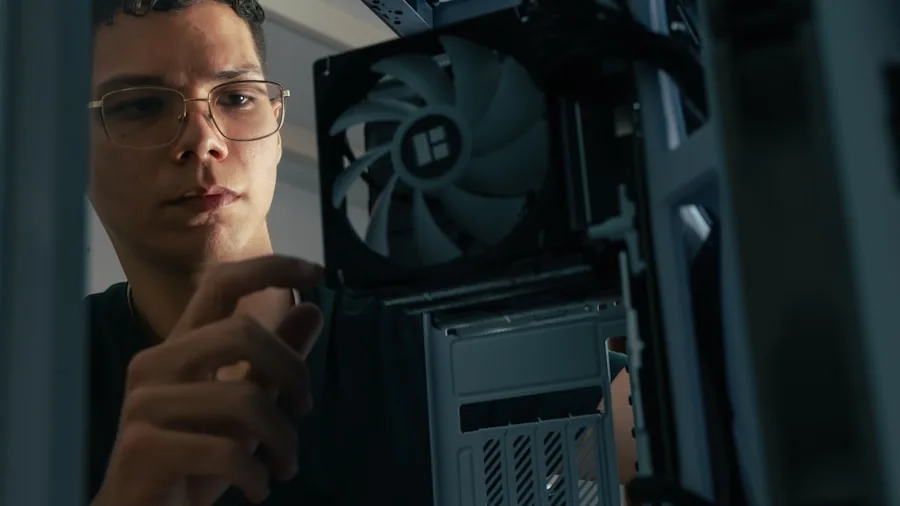
DDR5 modules run warmer than DDR4 equivalents partly because they integrate power management circuitry directly on the module itself. This makes quality heatspreader design more important than in previous generations. Aluminum heatspreaders with adequate surface area keep junction temperatures in check during sustained workloads, preventing thermal throttling that can silently reduce throughput.
Taller heatspreaders occasionally interfere with large tower CPU coolers, so measure your clearance before ordering. Compact low-profile heatspreaders are a practical choice if you use a high-performance air CPU cooler with wide mounting brackets that extend over the DIMM slots.
Voltage and Overclocking Potential

Most DDR5 kits in this roundup operate at 1.35V when running XMP or EXPO profiles, which is the common sweet spot for stable high-frequency operation. The integrated power management IC on DDR5 modules gives the platform more granular voltage control compared to DDR4, which can simplify tuning for experienced overclockers.
For everyday users, enabling the rated XMP or EXPO profile in the BIOS and leaving manual overclocking alone is the wisest approach. Pushing voltages beyond recommended limits without adequate cooling puts longevity at risk. If you are building a performance-focused system alongside quality gaming graphics cards, keeping memory settings stable ensures consistent frame rates rather than random system crashes mid-session.
On-Die ECC and PMIC Features
DDR5 introduces on-die ECC as a standard feature, which means the memory controller on each module can detect and correct single-bit errors internally before they cause system instability. This is separate from full ECC memory used in servers, but it does contribute to more reliable operation under stress, particularly during overclocking sessions.
The Lexar Thor Z Series explicitly highlights its on-die ECC and PMIC integration as selling points for AI workloads and gaming reliability. For most consumer builders, these features work silently in the background, but they matter if you push your system hard for extended periods.
Value and Long-Term Reliability

Balancing cost against features is the final and often most personal consideration. Premium DDR5 kits from Corsair carry a higher price and justify it with advanced RGB ecosystems, proven overclocking profiles, and wide platform support. Crucial positions itself as a more straightforward value play, prioritizing tested stability and brand consistency over flashy aesthetics.
Regardless of which kit you choose, buying from an established brand with a solid warranty record protects your investment. DDR5 is a long-term platform and kits purchased today should serve your build through multiple CPU and GPU upgrade cycles. If you are assembling a full system, pairing reliable RAM with a well-chosen power supply unit and quality case ensures every component performs as intended for years.
Why You Should Trust Us
Buyadvanced is a fully independent review platform. We do not sell products, accept manufacturer payments for favorable coverage, or have any commercial relationship with the brands featured in this article. Our team evaluates DDR5 RAM using standardized synthetic benchmarks alongside extended real-world testing across gaming, content creation, and productivity workloads. We aggregate verified consumer feedback, cross-reference manufacturer specifications, and monitor how kits perform after BIOS profile activation on both Intel and AMD platforms.
Our methodology evolves with each new hardware generation to ensure our recommendations reflect current platform realities rather than outdated testing conditions. When we highlight a kit, it is because the data and user experience support that recommendation, not because of marketing relationships. For builders also researching complementary components, our coverage of gaming monitors and keyboards follows the same editorial standards.
Final Thoughts
After reviewing all eight kits, here are our standout picks by use case:
- Best Overall: CORSAIR Vengeance RGB DDR5 RAM 32GB Black delivers the most complete package with up to 6000MHz speeds, robust XMP 3.0 support, and a polished RGB ecosystem that integrates seamlessly with iCUE software.
- Best Value: Crucial Pro 32GB DDR5 RAM Kit offers 6000MHz performance with both Intel XMP 3.0 and AMD EXPO support at a competitive price point for builders who want speed without premium aesthetics.
- Best for Gaming: Lexar Thor Z Series RGB DDR5 RAM 32GB stands out with on-die ECC, PMIC integration, and dual XMP 3.0 and EXPO compatibility, making it a well-rounded performer for gaming and AI workloads.
- Best for AMD Builds: CORSAIR Vengeance DDR5 RAM 32GB Grey explicitly supports AMD EXPO alongside Intel XMP 3.0, giving Ryzen platform users a tuned, stable experience out of the box.
- Best for Laptop Upgrades: Crucial 32GB DDR5 Laptop Memory Kit covers both Intel Core and AMD Ryzen 7000 platforms in a reliable SODIMM configuration for users upgrading mobile workstations.
For builders completing a full setup, pairing your DDR5 RAM choice with a well-matched gaming motherboard, a capable gaming GPU, and a reliable PSU will help you get the most out of these memory kits.
DDR5 RAM FAQs
How does DDR5 RAM improve system performance?
DDR5 RAM offers significantly higher bandwidth and lower latency per clock cycle compared to DDR4. Users notice faster application load times, smoother multitasking, and improved frame rates in games that are memory-bandwidth sensitive. Creative applications like video editors and 3D renderers also benefit from the increased throughput, particularly when handling large project files. If you are building around a high-performance gaming PC, DDR5 is the memory standard that makes the most of modern CPUs.
Are all DDR5 RAM kits compatible with every motherboard?
No. DDR5 requires a DDR5-compatible motherboard and CPU platform. Intel 12th Gen (Alder Lake) and newer, along with AMD Ryzen 7000 and above, support DDR5. Even within compatible platforms, not every speed or timing combination is supported by every board. Always check your motherboard’s qualified vendor list for specific kit compatibility before purchasing. Pairing your RAM with a quality gaming motherboard that has a broad QVL list reduces compatibility headaches significantly.
What is the difference between CORSAIR Vengeance and Crucial Pro kits?
CORSAIR Vengeance kits prioritize advanced RGB customization through iCUE software and come with extensive overclocking profiles, making them the top choice for enthusiast builders who want aesthetic integration. Crucial Pro focuses on straightforward reliability, solid speed ratings, and broad platform support without the premium for lighting hardware. Both are strong performers, and the right choice depends on whether visual customization matters to your build.
Can DDR5 RAM work in laptops?
Only DDR5 SODIMM kits are designed for laptops. The desktop UDIMM modules in this roundup, including all the Corsair and Lexar units, are exclusively for desktop motherboards. The Crucial 32GB and Crucial 128GB SODIMM kits listed here are the laptop-compatible options. Always verify the form factor before purchasing. If you are researching a broader laptop upgrade, our coverage of laptops for graphic design includes memory configuration guidance.
Does Buyadvanced sell DDR5 RAM or handle product support?
Buyadvanced does not sell any products and does not provide product support, warranty assistance, or order handling of any kind. We are a purely independent review platform. All purchases are made directly through retailers, and any support queries should be directed to the manufacturer or the retailer where you purchased the product.
How important is RGB lighting when choosing DDR5 RAM?
RGB lighting has no meaningful effect on memory performance or thermals. It is entirely an aesthetic consideration. If you have a windowed case and a coordinated build, RGB DDR5 modules add a polished visual element. If you prioritize value and performance exclusively, non-RGB kits deliver identical speeds at a lower cost. For a complete aesthetic build, also consider how your gaming monitor and peripherals fit into the overall setup.
What common issues arise during DDR5 RAM installation?
The most frequent issues are improper module seating, incorrect DIMM slot population, and failure to enable XMP or EXPO profiles in the BIOS. DDR5 modules require firm, even pressure until both retention clips click. Many systems default to JEDEC base speeds after a new install, so manually enabling the rated XMP or EXPO profile in your BIOS is essential to get advertised performance. Referring to your motherboard manual for the recommended slot configuration for dual-channel operation prevents unnecessary troubleshooting.
Is overclocking recommended for average DDR5 RAM users?
For most users, simply enabling the pre-configured XMP or EXPO profile in the BIOS is all the overclocking needed. This safely activates the rated advertised speed with tested timings from the manufacturer. Manual overclocking beyond rated specs is an advanced activity that requires proper cooling, BIOS knowledge, and an understanding of the risks to system stability. Stick to rated profiles for daily use and enjoy the performance gains without unnecessary risk. Builders going further with their system can also explore air CPU coolers that handle the thermal demands of an overclocked platform.
Should I prioritize DDR5 RAM capacity or speed?
For gaming, speed matters more once you are at or above 32GB. Most games cannot effectively use more than 32GB, so a faster 32GB kit will outperform a slower 64GB kit in frame rate consistency. For content creation, video editing, and data-heavy workloads, capacity becomes the more important variable. Pair your decision with the type of work you do most. A well-rounded build also benefits from quality display hardware and a fast gaming router to take full advantage of your system’s capabilities.



Write Your Review
No reviews yet. Be the first to share your experience!