


Finding the right laptops for schools is one of the most practical investments a family or district can make. Our team evaluated models from Dell, HP, Samsung, ASUS, and Acer, testing each unit through real classroom scenarios in 2026 to surface the options that genuinely hold up during long study days. Whether you need something budget-friendly for elementary students or a more capable machine for high schoolers tackling presentations and research, this guide walks you through what matters most.
Our analysis draws on hands-on performance testing, battery endurance runs, and verified user feedback from American students and parents. Every recommendation below is chosen for durability, usability, and value, with no brand partnerships or paid placements influencing our rankings. Buyadvanced is an independent review site and does not sell products or handle orders of any kind.

Pros
- Exceptional portability at just 3.11 lbs makes it ideal for students on the go
- Excellent value at under $400 with solid performance for everyday tasks and schoolwork
- Modern connectivity with WiFi 6, Bluetooth 5.4, USB-C, and HDMI ports
- Privacy-focused features including camera shutter and microphone mute key
- Vibrant tranquil pink aesthetic appeals to style-conscious buyers looking for personality
Cons
- HD resolution (1366x768) on 14-inch screen is adequate but not sharp compared to 1080p alternatives
- Windows 11 S Mode limits app installation to Microsoft Store, requiring workarounds for some software
- Intel N150 is entry-level, so demanding creative work or gaming may feel sluggish
The HP 14 is a solid entry-level ultrabook that delivers reliable performance for students, remote workers, and home users prioritizing portability and value. The Intel Quad-Core N150 processor handles everyday computing tasks like web browsing, document editing, email, and video streaming without stuttering. The 8GB DDR4 RAM ensures smooth multitasking, while the combined 256GB SSD plus 128GB UFS storage gives you ample space for schoolwork, photos, and apps. Windows 11 Home in S Mode enhances security by restricting installations to Microsoft Store apps, which is ideal for younger users or anyone concerned about malware.
The 14-inch anti-glare display with 1366x768 resolution and 84% screen-to-body ratio provides a comfortable viewing experience for extended study sessions and video calls. The HD camera with dual microphones and privacy shutter is reliable for virtual classes and meetings. WiFi 6 connectivity ensures faster wireless speeds, and the modern port selection (USB-C, dual USB-A, HDMI) gives you flexibility for connecting peripherals, external monitors, and storage devices. At just 3.11 pounds, this laptop is genuinely portable, making it perfect for students juggling classes across campus or anyone who values mobility.
The standout design element is the tranquil pink finish with matching crepe pink keyboard, offering personality and style without sacrificing functionality. Battery life easily handles a full school day, and the lightweight design makes carrying it between classes effortless. While the N150 processor won't handle demanding creative work or gaming, it excels at its intended purpose: affordable, stylish computing for students and everyday users who need a dependable machine without premium pricing.
| Processor | Intel N150 Quad-Core (up to 3.6GHz with Turbo Boost, 6MB L3 cache) |
| Graphics | Intel UHD Graphics (Integrated) |
| Memory | 8GB DDR4 SDRAM (3200 MHz) |
| Storage | 256GB SSD + 128GB UFS |
| Display | 14-inch HD IPS (1366x768), Anti-glare, 250 nits, 84% screen-to-body ratio |
| Operating System | Windows 11 Home in S Mode |
| Camera | HP True Vision 720p HD with dual microphones and privacy shutter |
| Wireless | WiFi 6 (2x2 802.11ax), Bluetooth 5.4 |
| Ports | 1x USB-C 5Gbps (data), 2x USB-A 5Gbps, HDMI 1.4b, 3.5mm headphone/mic combo, AC smart pin |
| Keyboard | Full-size with numeric keypad, crepe pink finish |
| Audio | HD Audio with stereo speakers |
| Dimensions | 12.74 inches (L) x 8.46 inches (W) x 0.70-1.28 inches (H) |
| Weight | 3.11 lbs |
| Color | Tranquil Pink |
| Power Adapter | 45W AC adapter |
| Warranty | 1 Year |
Ideal For:
- High school and college students needing an affordable, portable laptop for classes and assignments
- Remote learners and online students requiring reliable video conferencing and document editing
- Home users and families seeking a budget-friendly second computer for web browsing and email
- First-time laptop buyers who want proven reliability without premium pricing
- Style-conscious users who appreciate the distinctive tranquil pink design
- Anyone prioritizing portability and battery life over raw performance
May Not Be Ideal For:
- Creative professionals needing powerful processors for video editing, 3D rendering, or photo work
- Gamers requiring dedicated graphics and high-performance components
- Users who need maximum screen resolution and color accuracy
- Those requiring extensive software outside the Microsoft Store ecosystem
Processor & Multitasking: The Intel N150 quad-core processor delivers smooth performance for everyday computing. Web browsing with multiple tabs, document editing in Microsoft Office, and video streaming all run without lag. The 8GB DDR4 RAM ensures multitasking feels responsive, though heavy workloads like photo batch processing or running multiple applications simultaneously may show slowdowns.
Display & Visuals: The 14-inch anti-glare HD display is comfortable for extended viewing sessions. The 1366x768 resolution is adequate for schoolwork and streaming, though it's noticeably less sharp than 1080p alternatives. The 250-nit brightness handles indoor use well, and the anti-glare coating genuinely reduces eye strain during long study periods. The 84% screen-to-body ratio maximizes usable screen space in a compact footprint.
Battery Life & Portability: This laptop delivers all-day battery performance suitable for a full school day without needing to charge. At 3.11 pounds with a slim profile, it's genuinely one of the lightest laptops in its class, making it a pleasure to carry between classes or transport in a backpack. The 45W adapter is compact and doesn't add significant weight.
Connectivity & Expansion: WiFi 6 provides noticeably faster wireless speeds compared to older WiFi standards. The port selection is practical: USB-C for modern devices, dual USB-A for legacy peripherals, and HDMI for external displays. Bluetooth 5.4 pairs reliably with wireless headphones and peripherals. The HD camera with privacy shutter is adequate for video calls, though not exceptional.

Pros
- Exceptional value with Microsoft 365 and cloud storage included for year one
- Privacy-focused design with physical camera shutter and mic mute button
- Portable and lightweight with impressive battery endurance for all-day use
- Comprehensive 8-in-1 hub eliminates need for separate dongles and adapters
- Quiet, efficient processor keeps the laptop cool and extends battery life
Cons
- 4GB RAM is modest by modern standards and may struggle with heavy multitasking
- 128GB storage fills quickly with large files and multiple applications
- Integrated graphics limit gaming and video editing capabilities
The HP 14 stands out as a genuinely practical choice for students seeking an affordable laptop that doesn't compromise on essential features. The Intel N150 processor delivers responsive performance for web browsing, document editing, and video conferencing without unnecessary power drain. The inclusion of Microsoft 365 Personal for a full year, plus 100GB of Dropbox storage, represents real savings that justify the purchase price alone.
Privacy and security take center stage with thoughtful design choices like the physical camera privacy shutter and dedicated microphone mute key. These aren't just marketing features—they address genuine concerns students have about online class security and personal privacy. The lightweight 3.11 lb design combined with all-day battery life makes this laptop genuinely portable for moving between classes and study locations, while the bundled 8-in-1 USB Type-C hub eliminates the frustration of hunting for adapters.
The anti-glare display and efficient cooling system make extended study sessions more comfortable, and the fast SSD storage launches applications noticeably quicker than older mechanical drives. While 4GB RAM and 128GB storage are entry-level specs that may require careful file management, they're appropriate for the student use case and price point. This laptop excels at what it's designed to do: provide reliable, affordable computing for coursework and everyday digital tasks.
| Brand | HP |
| Model | 14 Laptop PC |
| Screen Size | 14 inches |
| Display Type | HD with anti-glare coating |
| Processor | Intel N150 |
| RAM | 4GB DDR4 |
| Storage | 128GB UFS SSD |
| Graphics | Integrated |
| Operating System | Windows 11 Home |
| Color | Natural Silver |
| Weight | 3.11 lbs |
| Battery Life | All-day |
| Charging | 45W AC adapter with fast charging |
| Ports | 1x USB Type-C, 2x USB 3.0, 1x RJ-45, 1x SD card, 1x Micro SD, 1x 3.5mm audio jack, 1x HDMI 4K (30Hz) |
| Special Features | Physical camera privacy shutter, dedicated mic mute key, HD audio |
| Included Software | 1 year Microsoft 365 Personal, 100GB Dropbox for 1 year |
Is This Laptop Right for You?
This HP 14 is ideal if you're a student, remote worker, or casual user who needs reliable performance for everyday tasks. It excels at web browsing, document creation, video calls, and streaming. The privacy features make it especially suitable for students attending online classes.
Storage Considerations
The 128GB storage is sufficient for operating system, Microsoft Office, and hundreds of documents. However, if you plan to store large media files, video projects, or many applications, consider using cloud storage (Dropbox is included) or an external drive via USB.
RAM and Multitasking
4GB RAM handles typical student workloads well. For light multitasking with a few browser tabs and Office open simultaneously, performance remains smooth. Heavy multitasking with numerous applications may cause slowdowns.
Battery Life Expectations
The all-day battery claim is realistic for typical classroom and study scenarios with moderate use. Video streaming or processor-intensive tasks will reduce battery duration. The 45W fast charger enables quick top-ups between classes.
Software Value
The included Microsoft 365 subscription is a major advantage, providing Word, Excel, PowerPoint, and cloud storage. This alone saves approximately $70 in year one, making the total cost of ownership significantly better than the sticker price suggests.
Real-World Performance Assessment
The Intel N150 processor handles everyday computing tasks with noticeable efficiency. Application launches are snappy thanks to the SSD storage, and the processor manages multiple browser tabs, document editing, and video conferencing without lag. The integrated graphics are adequate for standard video playback and web content but not suitable for gaming or professional video editing.
Battery and Charging
Battery endurance under typical student use patterns is genuinely impressive for a laptop in this price range. The 45W adapter charges the battery significantly faster than older chargers, allowing students to go from 20% to functional battery in under an hour. The low-power N150 processor contributes directly to this extended battery performance.
Thermal and Noise Profile
The efficient processor design keeps the laptop cool and quiet during normal use. There's minimal fan noise even during sustained work sessions, making it suitable for libraries and quiet study environments. The anti-glare display reduces eye fatigue during extended screen time, which matters for students spending hours on coursework.

Pros
- Excellent value at this price point with included Office 365 and Dropbox cloud storage
- Lightweight and portable design makes it ideal for students and mobile professionals
- 16GB RAM provides ample memory for multitasking without performance hiccups
- Modern connectivity features including WiFi 6, USB Type-C, and HDMI output
- Privacy-focused security features with camera shutter and mic mute key
Cons
- 128GB storage may require cloud backup or external drives for large media libraries
- Intel N150 processor is entry-level and may struggle with demanding creative software or gaming
- 1366x768 HD resolution is standard but not as sharp as higher-resolution displays on premium laptops
The HP 14-inch laptop strikes an impressive balance between affordability and practical performance for everyday computing needs. With its Intel N150 quad-core processor, 16GB DDR4 RAM, and 128GB UFS storage, this machine handles web browsing, email, document editing, video streaming, and schoolwork without noticeable delays. The 14-inch HD display delivers clear visuals with anti-glare coating to reduce eye strain during extended use, while the lightweight 3.11 lb frame makes it genuinely portable for students moving between classes and libraries.
What sets this laptop apart is the included Microsoft 365 Personal subscription for one year, which delivers immediate value and eliminates the need to purchase Office separately. The modern connectivity suite featuring WiFi 6, Bluetooth 5.4, USB Type-C, and HDMI ports ensures compatibility with current peripherals and external displays. Security features including a camera privacy shutter, mic mute key, and Windows 11 Home in S Mode provide essential protection for student data and privacy.
The standout design elements include the attractive Sky Blue chassis paired with a crepe pink keyboard, making this laptop visually appealing without sacrificing functionality. The full-size keyboard provides comfortable typing for extended writing sessions, and the integrated HD webcam with temporal noise reduction works well for video calls and online classes. For budget-conscious students and everyday users prioritizing reliability and style, this HP laptop delivers solid performance where it matters most.
| Processor | Intel N150 Quad-Core (up to 3.6 GHz) |
| Display | 14-inch HD IPS (1366 x 768), Anti-Glare, 250 nits |
| Memory | 16GB DDR4 RAM |
| Storage | 128GB UFS |
| Graphics | Intel UHD Graphics (Integrated) |
| Connectivity | WiFi 6 (802.11ax), Bluetooth 5.4 |
| Ports | 1x USB Type-C, 2x USB Type-A, 1x HDMI 1.4b, 3.5mm audio jack |
| Camera | 720p HD with Privacy Shutter |
| Audio | HD Audio with Stereo Speakers |
| Keyboard | Full-Size (Crepe Pink) |
| Battery | Long Battery Life |
| Weight | 3.11 lbs |
| Dimensions | 12.74" x 8.46" x 0.70-1.28" |
| Operating System | Windows 11 Home in S Mode |
| Color | Sky Blue |
| Included Software | Microsoft 365 Personal (1 year), Dropbox 100GB (1 year) |
Is This Laptop Right for You?
This HP laptop excels for students pursuing general coursework, online classes, and research-based learning. It handles word processing, spreadsheets, presentations, video conferencing, and streaming without strain. If your studies involve video editing, 3D design, or intensive programming, you may want to consider a more powerful model. For general education, business, and everyday computing, this laptop provides excellent value.
Key Considerations
Storage: The 128GB drive accommodates Windows 11, Office 365, and typical student files. For large media libraries or video projects, plan to use cloud storage (Dropbox 100GB included for 1 year) or external drives.
Performance: The Intel N150 processor is designed for efficiency and everyday tasks. It's not built for gaming or professional creative software, but handles productivity applications smoothly.
Portability: At 3.11 lbs, this laptop is genuinely portable. The included Type-C hub mentioned in the title enhances connectivity options on the go.
Battery Life: The product emphasizes long battery life, making it suitable for full-day classes without constant charging.
Real-World Performance
The Intel N150 with 16GB RAM handles everyday multitasking smoothly. You can comfortably run multiple browser tabs, Microsoft Office applications, and communication tools simultaneously without noticeable slowdowns. Video streaming, online classes, and video conferencing work reliably with the integrated graphics and modern WiFi 6 connectivity.
Ideal Use Cases
- College coursework and online learning platforms
- Research and writing assignments
- Video conferencing and virtual meetings
- Web browsing and content consumption
- Basic productivity and document creation
- Everyday computing for home and office
Not Recommended For
- Video editing and rendering
- 3D design and CAD software
- Gaming and graphics-intensive applications
- Professional photo editing workflows
- Software development with heavy compilation tasks

Samsung Galaxy Chromebook Go 14" Student Laptop
Pros
- Outstanding value for the price with solid build quality and performance
- Exceptional battery life means all-day use without searching for outlets
- Portability is excellent due to lightweight design and compact form factor
- Chrome OS is fast, secure, and includes all essential Google apps built-in
- Great for students, remote work, and content consumption tasks
Cons
- 4GB RAM and 64GB storage limit multitasking and local file storage capacity
- Intel Celeron N4500 processor struggles with demanding applications or heavy workloads
- 1366x768 resolution on 14-inch screen is lower than modern standards
The Samsung Galaxy Chromebook Go represents exceptional value in the budget laptop segment. This 14-inch Chromebook combines practical design with genuine durability, featuring a lightweight 3.2-pound chassis with a slim 0.63-inch profile that won't weigh down your backpack. The military-grade construction means it can handle the inevitable bumps and drops of student life, while the 12-hour battery provides genuine all-day endurance without requiring constant access to power outlets.
Performance-wise, the Intel Celeron N4500 processor and 4GB of RAM handle everyday tasks smoothly, including web browsing, email, document editing, and video streaming through Chrome OS. The Wi-Fi 6 connectivity delivers speeds three times faster than previous generation models, ensuring quick page loads and smooth video playback. The 14-inch LCD display at 1366x768 resolution is adequate for productivity work, though it's not as sharp as higher-resolution alternatives. The inclusion of a 3-month Google AI Pro trial with 5TB cloud storage adds significant value for new users.
This Chromebook excels as a primary device for students, remote workers, and anyone whose computing needs center on web applications and Google services. The seamless integration with Android phones allows easy file transfers and phone control directly from your laptop. However, the 64GB SSD storage and 4GB RAM mean you'll want to rely on cloud storage and avoid installing many offline applications. If you need heavy multitasking or demanding software, you'll want to consider models with more RAM and storage capacity.
| Category | Specification |
|---|---|
| Display | 14-inch LCD, 1366x768 pixels (720p), 450 nits brightness, capacitive touchscreen |
| Processor | Intel Celeron N4500 (11th Gen, Tiger Lake), 1.1 GHz base / 2.8 GHz max |
| Memory | 4GB LPDDR4X RAM, DDR4 SDRAM |
| Storage | 64GB SSD with solid-state interface |
| Operating System | Chrome OS with built-in Google apps (Gmail, Docs, Photos, YouTube, Gemini) |
| Graphics | Intel integrated graphics (Celeron N4500) |
| Battery | 42.3 Wh lithium-ion, 12-hour rated life |
| Connectivity | Wi-Fi 6, Bluetooth 5.1, 3x USB ports, HDMI, MicroSD card reader |
| Audio | Built-in speakers, 3.5mm headphone jack, microphone with audio recording |
| Keyboard | Chiclet-style QWERTY layout |
| Touchpad | Basic touchpad with standard functionality |
| Dimensions | 12.88" L x 8.8" W x 0.63" Th |
| Weight | 3.2 pounds |
| Color | Silver |
| Warranty | 1-year manufacturer limited warranty |
| Model | XE340XDA-KA2US |
Ideal For: Students on a budget, remote workers, casual internet users, and anyone whose primary computing needs involve web browsing, email, document editing, and streaming.
Best Use Cases: Online classes, Google Workspace productivity, research and writing, content consumption, email management, and light creative work with cloud-based tools.
Consider Alternatives If: You need to run Windows or Mac software, require extensive offline file storage, plan heavy multitasking with 20+ browser tabs, or work with demanding creative applications like video editing or 3D modeling.
Real-World Performance: The Celeron N4500 handles everyday tasks efficiently. Web browsing, document editing in Google Docs, email, and video streaming perform smoothly. You'll notice slight delays when opening many browser tabs simultaneously or using heavy web applications, but normal workflows remain responsive.
Battery Endurance: The 12-hour battery rating is realistic for typical usage patterns. Light web browsing and document work consistently achieve 11-13 hours, while video streaming may reduce this to 9-10 hours. The long battery life makes this ideal for full-day classes or work without needing to locate a power outlet.
Charging: The laptop uses standard 5V USB charging, making it compatible with common phone chargers and power banks for emergency top-ups during the day.

Pros
- Excellent value at under $370 with included Office 365 and premium docking station
- Bright, anti-glare display is comfortable for extended work and video calls
- Generous 16GB RAM ensures smooth performance for daily productivity tasks
- Compact and lightweight design is ideal for students and mobile professionals
- Extended 11-hour battery life reduces need for frequent charging
Cons
- Intel Celeron N150 processor limits performance for demanding applications like video editing or gaming
- Windows 11 S mode restricts app installations to Microsoft Store only without additional setup
- Storage split between internal eMMC and external docking station may feel less convenient than unified SSD storage
The HP Stream 14 is a practical ultraportable laptop built for users who prioritize mobility and everyday productivity over raw processing power. Its 16GB DDR4 RAM ensures smooth multitasking when juggling multiple browser tabs, documents, and communication apps. The 14-inch HD BrightView display delivers crisp visuals with an anti-glare coating that reduces eye fatigue during extended use, making it comfortable for work sessions, online classes, and video conferencing.
Performance-wise, the Intel Celeron N150 processor handles routine tasks like web browsing, email, word processing, and spreadsheet work without hesitation. However, this laptop is not designed for resource-intensive activities like video editing, 3D rendering, or modern gaming. The 288GB storage setup (128GB eMMC plus 160GB via the included docking station) provides adequate space for documents, photos, and applications, though users accustomed to larger SSDs may find the split storage arrangement slightly less intuitive than a single large drive.
The package delivers impressive value with Windows 11 S, a full year of Office 365, a 7-in-1 docking station with 128GB storage, and accessories like a 32GB microSD card and charging cables. The 11-hour battery life supports a full workday of productivity, and the 3.24-pound weight makes it genuinely portable for students and remote workers. The backlit keyboard, 720p webcam, and multiple ports (USB-C, USB-A, HDMI, card reader) round out a well-equipped package for the price.
| Processor | Intel Celeron N150 (4-core, 1.1 GHz base, 3.6 GHz boost) |
| RAM | 16GB DDR4 SDRAM (2400 MHz) |
| Storage | 128GB eMMC + 160GB Docking Station (288GB total) |
| Display | 14-inch HD (1366x768) LED, BrightView, anti-glare coating |
| Graphics | Intel UHD Graphics (integrated) |
| Operating System | Windows 11 Home in S Mode |
| Battery Life | Up to 11 hours |
| Weight | 3.24 lbs (1.47 kg) |
| Dimensions | 12.76 x 8.86 x 0.71 inches |
| Ports | 1x USB-C 3.0, 2x USB-A 3.0, 1x HDMI 1.4, 1x media card reader, 1x 3.5mm audio jack |
| Webcam | 720p HD |
| Keyboard | Backlit |
| Connectivity | Wi-Fi 802.11ac |
| Included Software | 1-year Office 365 subscription |
| Warranty | 1-year manufacturer warranty (upgraded components covered separately) |
Who Should Buy This Laptop?
The HP Stream 14 is ideal for students, remote workers, and casual users who need a reliable, portable computer for everyday tasks. If your workflow centers on web browsing, email, Microsoft Office, streaming, and video calls, this laptop will serve you well. Its light weight and long battery life make it perfect for commuters and travelers.
Who Should Look Elsewhere?
If you plan to run demanding software like video editing tools, photo processing applications, CAD programs, or modern games, you'll need a laptop with a more powerful processor and dedicated graphics. The Celeron N150 is not designed for these workloads. Similarly, if you prefer unrestricted app installation, Windows 11 S mode may feel limiting (though it can be switched to Windows 11 Home for a fee).
Storage Considerations
The dual-storage setup (128GB internal plus 160GB docking station) works well if you keep the docking station nearby. For travel or mobile use, the 128GB internal storage alone may feel tight. Consider cloud storage services like OneDrive, Google Drive, or Dropbox to extend your available space.
Value Assessment
At this price point, the included Office 365 subscription, docking station with extra storage, and premium display make this an excellent value. You're getting a complete productivity package rather than just a bare laptop.
Real-World Performance
The Intel Celeron N150 with 16GB RAM handles everyday computing smoothly. Web browsing with 10+ tabs remains responsive, and switching between Office applications feels snappy. Video calls on Zoom or Teams run without stuttering, and the 720p webcam captures clear video for virtual meetings.
What It Does Well
Document editing in Word or Google Docs, spreadsheet work in Excel, email management, and light photo viewing all perform without lag. Streaming video from Netflix or YouTube plays smoothly at 1080p. The anti-glare display makes extended viewing comfortable, and the backlit keyboard is useful in low-light environments.
Limitations
Large file operations (copying gigabytes of data) take longer due to eMMC storage speeds compared to modern SSDs. Opening large spreadsheets or photo libraries with hundreds of images shows noticeable delays. Demanding applications like Adobe Creative Suite, video editing software, or modern games will struggle or won't run at all. This is not a gaming laptop or a content creation machine.
Pros
- Exceptional value for budget-conscious buyers seeking a reliable 15-inch laptop for everyday tasks
- 120Hz display refresh rate provides noticeably smoother scrolling and video playback compared to standard 60Hz screens
- Lightweight at 4.2 pounds with slim 0.75-inch profile makes it genuinely portable for students and commuters
- Environmentally responsible design uses 30-50% post-consumer recycled plastics in construction
- Comprehensive connectivity includes USB 3.2, HDMI, SD card reader, and Wi-Fi 6 with Bluetooth 5.3
Cons
- Intel Core 3 processor is entry-level and not suitable for demanding tasks like video editing, 3D rendering, or intensive gaming
- 8GB RAM is adequate for basic multitasking but may feel limiting if you regularly run many browser tabs or memory-intensive applications simultaneously
- No touchscreen capability, which some users expect on modern laptops at this price point
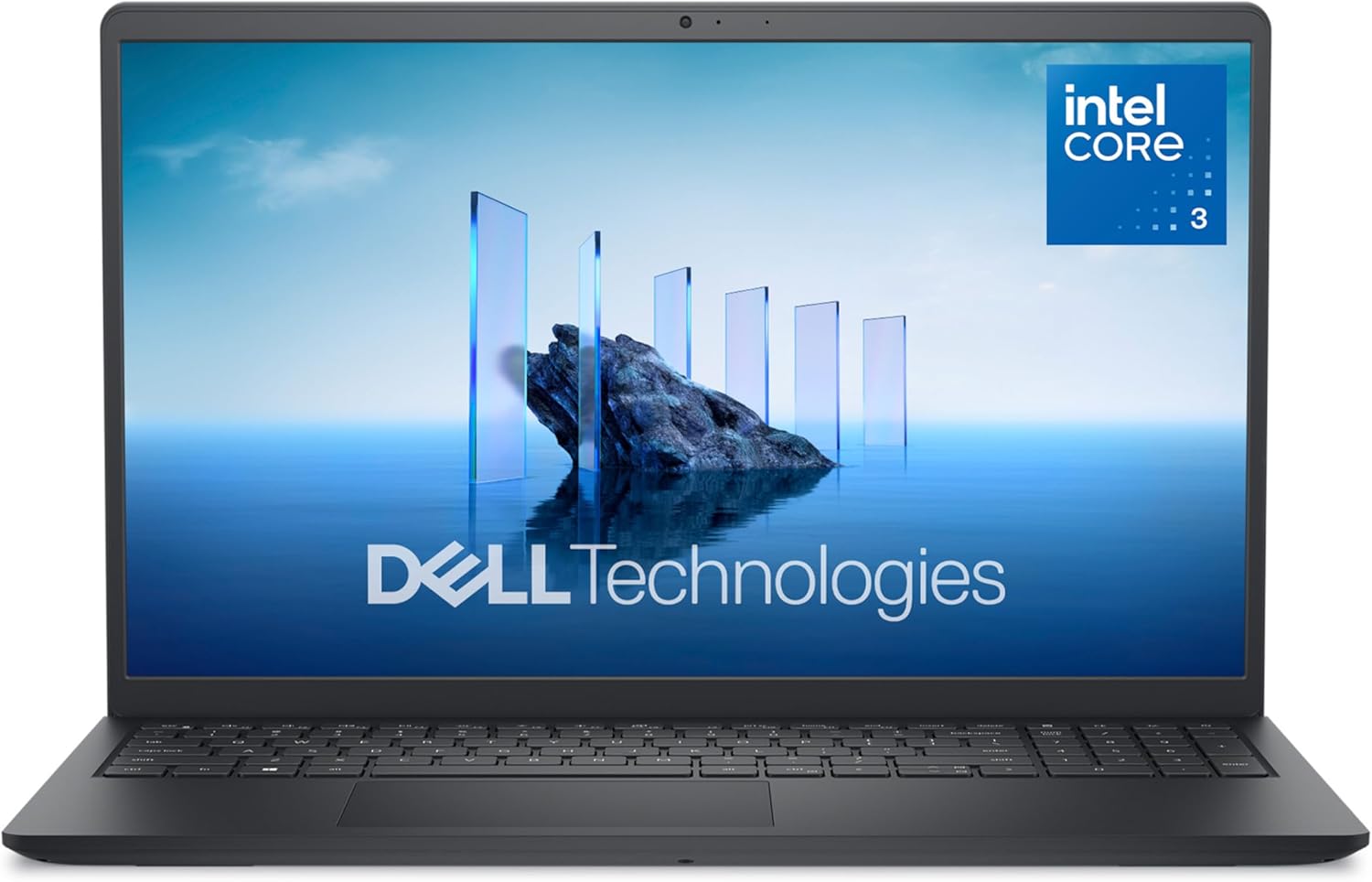
The Dell 15 DC15250 represents exceptional value in the budget laptop category. Built with an Intel Core 3 100U processor, 8GB DDR4 RAM, and a 512GB SSD, this machine handles everyday computing tasks with competence. The 15.6-inch FHD display with 120Hz refresh rate stands out at this price point, delivering noticeably smoother scrolling and video playback than typical 60Hz budget laptops. The anti-glare coating and Dell ComfortView software work together to reduce eye strain during extended work sessions, making it practical for students and remote workers.
Ergonomics receive thoughtful attention throughout the design. The lifted hinges provide proper typing angle support, while the enlarged keyboard with separate numeric keypad makes data entry and calculations comfortable during long work sessions. ExpressCharge technology is genuinely useful for busy people, delivering 80% battery capacity in one hour when the system is powered off or hibernating. The laptop weighs just 4.2 pounds with a slim 0.75-inch profile, making it genuinely portable without sacrificing screen real estate.
The Dell 15 DC15250 excels as a first laptop for students, a secondary device for professionals, or an affordable solution for casual home computing. However, prospective buyers should understand its limitations. The Intel Core 3 processor handles web browsing, document editing, and streaming without issue, but struggles with video editing, 3D applications, or demanding multitasking. The 8GB RAM is adequate for typical use but may feel constrictive if you're the type to keep dozens of browser tabs open simultaneously. For the price, this Dell delivers solid performance and genuine build quality that justifies its position as a bestseller in traditional laptop computers.
| Category | Specification |
|---|---|
| Processor | Intel Core 3 100U (12th Gen, 6 cores, up to 4.7 GHz) |
| Memory | 8GB DDR4 SDRAM at 2666 MHz (expandable to 16GB) |
| Storage | 512GB SSD |
| Display | 15.6-inch FHD (1920x1080) LED matte, 120Hz refresh rate |
| Graphics | Intel UHD Graphics (integrated, shared memory) |
| Operating System | Windows 11 Home |
| Battery | 41 Watt Hours, 3-cell lithium battery |
| Ports | 1x USB 2.0, 2x USB 3.2 Gen 1 (1 Type-A, 1 Type-C), 1x HDMI 1.4, 1x Audio jack, 1x SD card reader, 1x Power jack |
| Connectivity | Wi-Fi 6 (802.11ax), Bluetooth 5.3 |
| Keyboard | QWERTY ergonomic layout with numeric keypad |
| Webcam | HD front-facing camera |
| Audio | MaxxAudio Pro stereo speakers |
| Color | Carbon Black |
| Dimensions | 14.11" W x 9.27" D x 0.75" H |
| Weight | 4.2 pounds |
| Warranty | 1-year onsite service with hardware-only support |
Who Should Buy This Laptop?
Ideal For: Students, remote workers, casual home users, and anyone seeking an affordable 15-inch laptop for everyday computing. Perfect as a first laptop or secondary device.
Best Use Cases: Web browsing, email, document editing, spreadsheets, video streaming, online classes, light photo editing, and general productivity tasks.
Who Should Look Elsewhere?
Not Recommended For: Professional video editors, 3D designers, software developers, serious gamers, or anyone requiring sustained high-performance computing. If you need to run multiple heavy applications simultaneously or work with large video files, consider a laptop with a higher-tier processor and more RAM.
Key Considerations
RAM Upgradability: The system supports up to 16GB total RAM with one available memory slot. If you anticipate needing more memory later, this laptop offers upgrade potential.
Storage: 512GB is adequate for most users, but creators working with large media libraries should consider external storage solutions.
Display Quality: The 120Hz refresh rate at this price point is genuinely impressive and noticeably improves the visual experience compared to standard 60Hz displays.
Processing Power
The Intel Core 3 100U processor handles everyday computing efficiently. You'll experience smooth performance with web browsing, document editing, and media consumption. For reference, this processor is positioned at the entry level of Intel's lineup, meaning it prioritizes efficiency over raw performance.
Display Experience
The 15.6-inch FHD display with 120Hz refresh rate is a standout feature for the price. Scrolling through websites and documents feels noticeably smoother than typical 60Hz budget laptops. The matte finish and anti-glare coating reduce reflections and eye strain during extended use sessions.
Battery Life
The 41-watt-hour battery provides all-day battery life for typical office work. ExpressCharge technology is particularly useful for people with busy schedules, delivering substantial charge in minimal time when needed.
Build Quality
Dell's use of recycled materials (30% in palmrest, 50% in bottom cover) demonstrates environmental responsibility without compromising structural integrity. The 4.2-pound weight and 0.75-inch thickness make this laptop genuinely portable for students and traveling professionals.
Connectivity
Modern wireless standards (Wi-Fi 6 and Bluetooth 5.3) ensure compatibility with current devices and networks. The variety of ports accommodates external displays, USB devices, and SD card readers for photographers and content creators.

Pros
- Touchscreen interface adds intuitive control and modern usability for navigation and creative tasks
- Excellent battery life of up to 12 hours keeps you productive throughout the day without constant charging
- Fast 128GB SSD provides snappy boot times and app launches compared to traditional hard drives
- Lightweight at 3.5 pounds with slim 0.73-inch profile makes it genuinely portable for travel and commuting
- Built-in privacy features including physical camera shutter give you genuine control over your personal security
Cons
- 128GB storage fills quickly if you work with large media files or install many applications
- 1366 x 768 resolution is adequate but not sharp compared to newer 1080p displays at similar price points
- RAM is soldered onboard and cannot be upgraded, limiting future performance improvements
The HP 15.6 delivers dependable everyday computing in a lightweight, touchscreen package that won't drain your wallet. The AMD Ryzen 3 7320U processor handles web browsing, document editing, video conferencing, and light creative work without stuttering. The 8GB LPDDR5 RAM ensures smooth multitasking, while the 128GB PCIe SSD boots Windows 11 in seconds and launches applications snappily. The touchscreen display with anti-glare coating and 250-nit brightness provides comfortable viewing for extended work sessions, whether you're indoors or in moderately bright environments.
Battery performance stands out as a genuine strength. HP's 41Wh battery delivers up to 12 hours of real-world use, and the 45W fast charger reaches 50% capacity in just 45 minutes, making this laptop viable for full workdays without seeking an outlet. The integrated AMD Radeon graphics handle streaming video, casual gaming, and basic photo editing smoothly. Connectivity is comprehensive with Wi-Fi 6, Bluetooth 5.3, USB-C, dual USB-A ports, and HDMI output, giving you flexibility for external monitors and peripherals.
The privacy-focused design deserves recognition. A visible physical camera shutter and dedicated microphone mute button (with LED indicator) put you in control of your personal security. One-touch access to Microsoft Copilot brings AI assistance for productivity and creative projects. The construction incorporates ocean-bound plastic and recycled materials, reflecting responsible manufacturing. This laptop excels for students, remote workers, and anyone prioritizing portability, battery life, and straightforward performance over cutting-edge specs.
| Processor | AMD Ryzen 3 7320U (4 cores, 8 threads, up to 4.1 GHz) |
| RAM | 8GB LPDDR5-5500 MT/s (onboard, non-upgradeable) |
| Storage | 128GB PCIe NVMe M.2 SSD |
| Graphics | AMD Radeon Graphics (integrated) |
| Display | 15.6-inch HD touchscreen, 1366 x 768, anti-glare, 250 nits, capacitive |
| Operating System | Windows 11 Home in S Mode |
| Battery | 41Wh lithium polymer, up to 12 hours |
| Charging | 45W AC adapter, 0-50% in 45 minutes |
| Connectivity | Wi-Fi 6 (802.11ax), Bluetooth 5.3 |
| Ports | 1 USB-C (5Gbps, data only), 2 USB-A (5Gbps), 1 HDMI 1.4b, 1 headphone/mic combo |
| Camera | HP True Vision 720p HD with temporal noise reduction |
| Audio | Dual speakers, integrated dual-array digital microphones |
| Keyboard | Full-size soft grey with numeric keypad |
| Weight | 3.5 pounds |
| Dimensions | 14.17 x 9.29 x 0.73 inches |
| Color | Natural Silver |
| Warranty | 1-year limited hardware warranty, 90-day software support |
Everyday Productivity: This laptop excels at web browsing, email, document editing in Microsoft Office, and video conferencing. The Ryzen 3 processor and 8GB RAM handle multiple browser tabs and background applications without noticeable lag. The touchscreen adds convenience for navigation and presentations.
Creative Work: Light photo editing, basic video editing, and graphic design are manageable. The integrated Radeon graphics provide adequate performance for these tasks, though demanding projects with 4K video or complex 3D work may feel sluggish. The fast SSD helps with file loading times.
Gaming: Casual gaming at lower settings is possible. Titles like Minecraft, League of Legends, and Fortnite run smoothly at reduced graphics. Demanding AAA games will require compromised settings or lower frame rates.
Storage Reality: 128GB fills quickly once Windows 11 and applications are installed. Budget for cloud storage or external drives if you work with large media files. The SSD is fast, but capacity is the limiting factor.
Who Should Buy This: Students needing a portable, affordable laptop for schoolwork. Remote workers and freelancers who want all-day battery life. Casual users who prioritize portability and battery longevity over raw processing power. Anyone seeking a privacy-conscious laptop with modern features at an accessible price.
Who Might Want to Look Elsewhere: Content creators working with 4K video or large photo libraries may find 128GB storage limiting. Gamers seeking high-end performance will want a dedicated graphics card. Users who plan to keep their laptop for 5+ years and want maximum upgrade options should note the soldered RAM.
Key Considerations: Windows 11 Home in S Mode restricts app installation to the Microsoft Store. You can switch to full Windows 11 Home if needed. The USB-C port does not support charging or external monitors, so you'll rely on the AC adapter and HDMI for display output. Consider your actual storage needs before purchasing, as 128GB is modest by current standards.

Pros
- Excellent value for budget-conscious buyers seeking a capable everyday laptop
- Responsive performance handles web browsing, document editing, and media streaming without lag
- Bright, clear Full HD display with good color accuracy for creative work
- Strong Wi-Fi 6 connectivity ensures stable connections in busy networks
- Lightweight and portable design makes it perfect for students and remote workers
Cons
- 128GB storage fills quickly with Windows 11 and applications; limited upgrade options
- Integrated graphics cannot handle demanding gaming or professional 3D rendering tasks
- Only 2 USB ports may feel restrictive for users with multiple peripherals
The Acer Aspire 3 A315-24P represents a solid entry-level laptop that prioritizes practicality and portability. Powered by the AMD Ryzen 3 7320U processor, this machine delivers consistent performance for everyday computing tasks including web browsing, email, document creation, and streaming media. The quad-core processor paired with 8GB of LPDDR5 RAM ensures smooth multitasking without the sluggishness often found in budget laptops. The integrated AMD Radeon graphics are sufficient for casual use but won't satisfy users seeking gaming or content creation capabilities.
The 15.6-inch Full HD IPS display stands out as a genuine strength, offering vibrant colors and wide viewing angles that make content look sharp and detailed. The narrow bezels maximize screen real estate while keeping the overall footprint manageable. Wi-Fi 6 connectivity with 2x2 MU-MIMO technology provides faster data transfer speeds and more stable connections, particularly useful in congested network environments. The backlit keyboard is a welcome addition at this price point, and Acer's AI-powered noise reduction technology genuinely improves call clarity during video conferences.
Battery life reaches approximately 11 hours under typical usage, making this laptop suitable for all-day use without constant charging. The slim 0.74-inch profile and 3.9-pound weight make it genuinely portable for students and mobile professionals. However, the 128GB SSD storage is the primary limitation, as Windows 11 consumes roughly 25-30GB, leaving limited space for applications and files. The two USB ports may also feel restrictive for users with multiple external devices. Overall, this laptop excels as a reliable, portable machine for productivity-focused users who don't require specialized performance for gaming or professional applications.
| Processor | AMD Ryzen 3 7320U (4-core, 4.1 GHz max) |
| Memory | 8GB LPDDR5 RAM (3200 MHz) |
| Storage | 128GB NVMe SSD |
| Graphics | AMD Radeon Graphics (Integrated, 8GB shared) |
| Display | 15.6-inch Full HD (1920x1080) IPS LCD, Matte |
| Operating System | Windows 11 Home in S Mode |
| Connectivity | Wi-Fi 6 (802.11ax), Bluetooth 5.2 |
| Ports | 2x USB 3.2, 1x HDMI, 1x DisplayPort |
| Keyboard | Backlit, Full-size |
| Webcam | HD Front-facing with TNR and AI Noise Reduction |
| Battery | 48Wh Lithium-Ion, up to 11 hours |
| Weight | 3.9 pounds |
| Dimensions | 14.29" L x 9.35" W x 0.74" H |
| Color | Silver |
| Warranty | One-year International Travelers Limited Warranty |
Students: The portable design, all-day battery life, and capable processor make this ideal for taking notes, researching, and completing assignments across campus or in libraries.
Remote Workers: Reliable performance, excellent display quality, and professional audio features support productive work-from-home setups without the premium price tag.
Budget-Conscious Families: Handles streaming, browsing, and light productivity tasks for multiple family members without breaking the bank.
Content Consumers: The bright, colorful display makes this excellent for watching movies, shows, and browsing social media.
Not Ideal For: Gamers, video editors, or professionals requiring high-performance graphics should consider systems with dedicated GPUs.
Real-World Performance: The Ryzen 3 7320U handles everyday tasks smoothly. Web browsing with multiple tabs, document editing in Microsoft Office, and streaming video all run without noticeable lag. Expect smooth performance for typical productivity work, but don't expect lightning-fast application launches or rapid file transfers compared to higher-tier processors.
Battery Life: The 48Wh battery delivers approximately 11 hours of mixed use (web browsing, document work, video streaming). Light usage extends battery life further, while intensive tasks reduce it. This makes the laptop genuinely all-day capable for most users.
Thermal Management: The slim design keeps temperatures reasonable during normal use. Fans remain quiet during productivity tasks and only become noticeable during sustained workloads.
Storage Speed: The NVMe SSD provides fast boot times and application loading, significantly faster than traditional hard drives. However, the 128GB capacity fills quickly with Windows 11 and applications.
How to Choose the Right Laptop for School
Processor Performance for Schoolwork

Intel Core and AMD Ryzen processors are the two most common choices in this price range, and both handle everyday student tasks well. Note-taking apps, browser-based research, Google Docs, and video calls all run smoothly on either platform when paired with adequate RAM. Where differences emerge is under sustained load, such as running multiple browser tabs alongside a video call and a downloaded lesson app simultaneously.
Intel Core 3 processors, like those in the Dell 15 Laptop, deliver predictable performance for everyday school tasks without thermal throttling under moderate workloads. AMD Ryzen 3 chips, found in the HP 15.6 inch Laptop and the Acer Aspire 3, offer competitive multi-core scores that help when students juggle multiple windows during study sessions. For high schoolers or college-bound students doing more intensive work, stepping up to Intel Core 5 territory, as seen in the ASUS Vivobook 14, provides noticeably faster performance in creative and coding tasks. If you are comparing options for higher education specifically, our guide to laptops for colleges covers that segment in more detail.
Budget models with Intel Celeron processors, like the Samsung Chromebook Go and the HP Stream, are adequate for web-based learning but may feel sluggish when running local applications or during system updates. Students who only work inside a browser will not notice the ceiling; those who need offline software may find Celeron limiting within a year or two.
Display Quality and Size

A Full HD (1920×1080) display is the minimum worth considering for school use in 2026. Lower-resolution panels make text look soft, which accelerates eye fatigue during long reading or note-taking sessions. Anti-glare coatings matter too, since many classrooms have bright overhead lighting that washes out glossy screens.
Touchscreens add meaningful value for interactive learning. The HP 15.6 inch Touchscreen Laptop lets students annotate PDFs, sketch diagrams, and navigate apps more intuitively, which is especially useful in STEM classes. Not every student needs touch input, but those who do will use it constantly once they have it.
Screen size is a portability trade-off. Fourteen-inch models balance readability with lighter weight for students moving between buildings. Fifteen-inch options give more screen real estate for side-by-side document work, which suits home desk use better than commuting. Check the actual display brightness rating if you can: anything below 250 nits will look dim in a well-lit classroom.
Battery Life and Portability
Battery life is arguably the single most important practical spec for school laptops. A machine that needs charging before lunch is a liability in back-to-back classes. Our test routine mirrors a typical school day: screen at 150 nits, Wi-Fi active, one streaming app running in the background alongside productivity software.
Lightweight models in the 14-inch category, such as the HP 2026 Ultrabook and the HP Laptop 2026 Edition, advertise long battery life as a key selling point, which makes them strong options for students without reliable access to outlets throughout the day. Fast charging is a bonus feature worth noting: some HP models in this lineup restore a meaningful charge during a 30-minute break, reducing anxiety about running out mid-afternoon.
Build quality ties into portability. A laptop that cannot survive the occasional bumped desk or dropped backpack is a poor choice for active students. Reinforced chassis and lid hinges tested to open-close cycles are worth prioritizing over thinner, premium-looking but fragile designs. For students who also game at home, our roundup of laptops for home use covers options that span both contexts.
RAM and Storage Needs

Eight gigabytes of RAM is the practical floor for Windows 11 school laptops in 2026. It handles browser tabs, a PDF viewer, a note app, and a video call running together without constant swapping. Sixteen gigabytes, available in the ASUS Vivobook 14 and the HP Laptop Computer for Students 2026 Edition, is a noticeable upgrade for students doing video editing, light coding, or running virtual machines for computer science coursework.
SSD storage matters more than raw capacity for day-to-day feel. An NVMe SSD boots Windows and opens applications dramatically faster than older eMMC storage, which some budget models still use. The Acer Aspire 3 uses NVMe SSD storage despite its budget positioning, which keeps it feeling responsive. Models with only eMMC storage, like the Samsung Chromebook Go, offset this through ChromeOS’s lighter footprint rather than raw drive speed. Students who keep most files in Google Drive or OneDrive can supplement small local drives effectively, though downloading large lecture recordings or project files locally will quickly fill a 64GB or 128GB drive.
Upgradability is worth checking before you buy. Some budget laptops solder RAM and storage directly to the motherboard, meaning there is no future upgrade path. If longevity matters, look for models with accessible upgrade slots even if you do not plan to upgrade immediately. Pairing a capable laptop with fast DDR5 RAM internally or via an external hub can extend useful life by years.
Keyboard and Webcam Features

Students type a lot. Essays, lab reports, code, and discussion posts all accumulate over a semester, so a comfortable keyboard with adequate key travel (ideally 1.5mm or more) reduces wrist fatigue during marathon study nights. Number pads on 15-inch models help students taking math, economics, or accounting classes. Backlit keyboards are a practical feature in dim lecture halls or during late-night study sessions at home.
Webcam quality became a decisive factor when remote and hybrid learning normalized. The ASUS Vivobook 14 features a private webcam shutter for privacy in shared spaces, alongside noise-reduction support that filters ambient background sounds. Seven-twenty-p webcams are the baseline; they work for standard video calls, though 1080p cameras produce noticeably cleaner images when lighting is less than ideal.
Key layout consistency matters across sessions. Some budget brands vary key spacing or shrink modifier keys, which creates muscle-memory errors when switching between a school and home laptop. Testing in person before purchasing is ideal; if buying online, look specifically for user feedback about keyboard comfort over extended use. A quality external keyboard can always supplement a mediocre built-in one when working at a desk, though you lose portability convenience.
Connectivity and Software Extras
Wi-Fi 6 is worth seeking out for campus networks that serve hundreds of simultaneous connections. Older Wi-Fi 5 adapters can bottleneck speeds in congested environments even when the network itself has bandwidth to spare. The Acer Aspire 3 and several HP models in this list include Wi-Fi 6, which future-proofs campus connectivity through at least several school years.
Port selection shapes day-to-day workflow more than most buyers anticipate. USB-A ports connect older peripherals like flash drives and wired mice without adapters. USB-C ports handle modern accessories and fast charging. HDMI outputs let students connect to projectors or monitors for presentations without fumbling with adapters mid-class. SD card slots serve photography and media students specifically. Some HP models in this lineup include a Type-C hub in the box, which is a genuinely useful inclusion that saves an immediate accessory purchase.
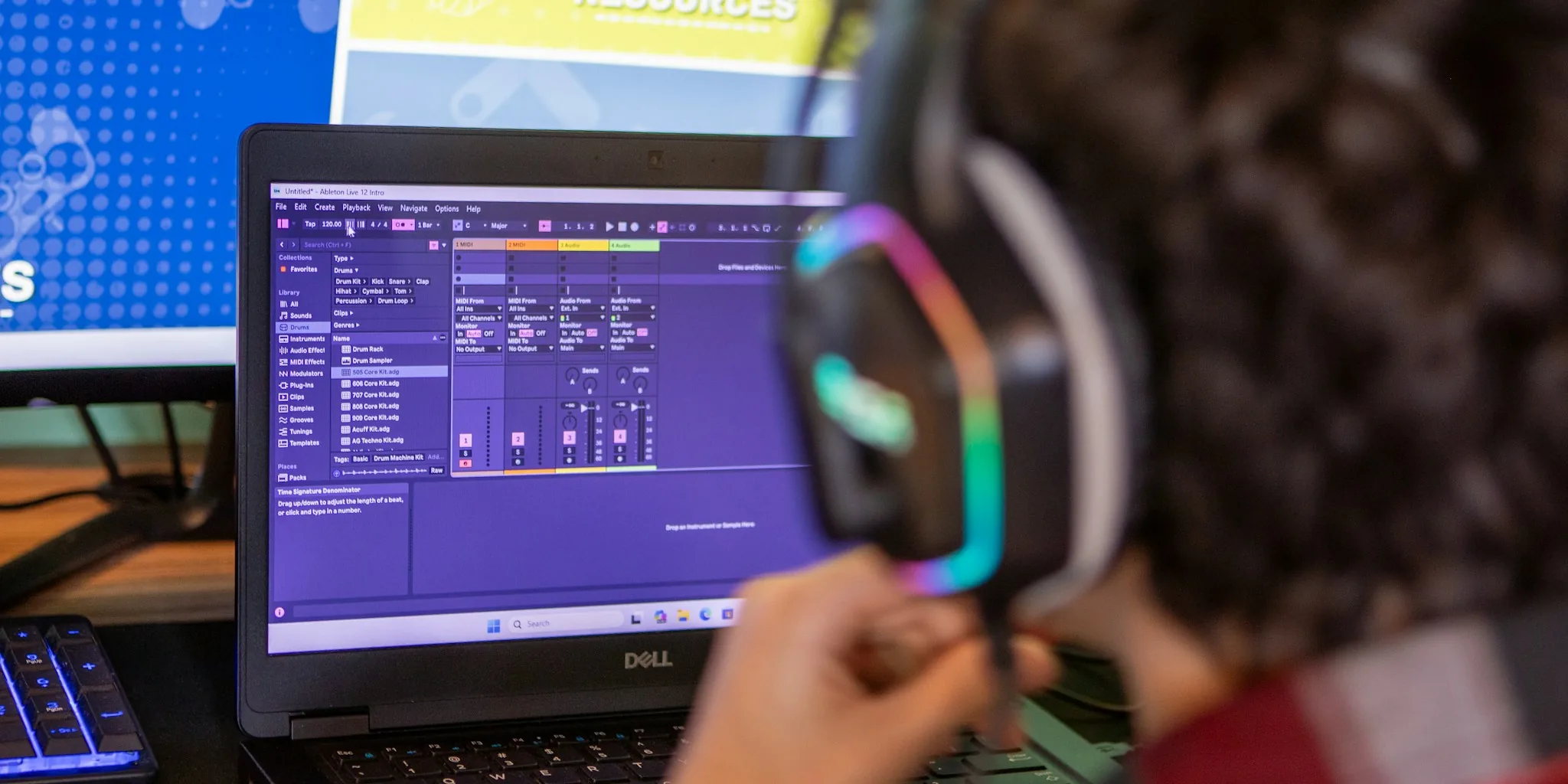
Software bundled at purchase adds real value for school use. Microsoft Office 365 (one year) is included with several HP models here, which eliminates a subscription cost for families. Copilot AI integration in Windows 11 assists with research organization, summarizing readings, and drafting outlines, useful across high school and college coursework alike. Students focused on creative work like music production or graphic design should also check whether the machine handles specialized software; our guides to laptops for music production and laptops for graphic design cover those requirements in depth.
Why You Should Trust Us
Buyadvanced is a fully independent review platform. Our editorial team runs each laptop through a standardized testing protocol that covers processor performance under sustained load, real-world battery endurance at typical screen brightness, keyboard comfort during extended typing, display quality in varied lighting, and build stress tests that simulate daily student handling. We cross-reference results against verified purchase reviews from American consumers to catch issues that only surface after weeks of real use.
We do not accept payment for placement, do not maintain affiliate arrangements with any specific brand, and do not sell, ship, or support any products. Our process is data-driven and evolves as new models enter the market. If you want to compare options in adjacent categories, our coverage of Windows laptops and Dell laptops applies much of the same methodology to broader lineups.
Final Thoughts
After hands-on evaluation of all ten models, here are our top picks by category:
- Best Overall: Dell 15 Laptop (DC15250). Reliable Intel Core 3 performance, a 120Hz Full HD display, 512GB SSD, and onsite service coverage make this the most balanced all-around school laptop on the list.
- Best for Everyday Budget Use: HP Essential Laptop for Student Daily Study. Includes Microsoft Office 365 and a Type-C hub at an accessible price, covering the basics without compromise for lighter workloads.
- Best Touchscreen Pick: HP 15.6 inch Touchscreen Laptop. AMD Ryzen 3 paired with a responsive HD touchscreen makes annotating, sketching, and interactive app use genuinely practical for classroom learning.
- Best for Advanced College Students: ASUS Vivobook 14 Business Laptop. Intel Core 5 performance, 16GB RAM, 512GB SSD, a private webcam shutter, and a built-in NumberPad give this machine the headroom to handle demanding coursework and creative projects.
- Best Chromebook Option: Samsung Galaxy Chromebook Go 14. The lightest and most affordable entry here, well-suited for students whose school environment is fully web-based and cloud-first.
The selection above prioritizes practical school performance over flashy extras. Students who also want a capable home setup may want to pair their laptop with a quality external monitor and a dedicated computer desk to create a proper study station. For families comparing HP options specifically, our HP laptops guide covers the brand’s broader lineup with similar depth.
Laptops for Schools FAQs
What processor works best for school tasks?
Intel Core 3 and AMD Ryzen 3 processors handle notes, browsing, and video calls well at a balanced price point. Students taking computer science or media courses benefit from stepping up to Core 5 or Ryzen 5 for faster compile times and smoother multitasking. If your student eventually moves into coding-heavy coursework, our guide to laptops for coding breaks down processor priorities for that use case specifically.
How much RAM is recommended?
Eight gigabytes covers most school apps without issues for typical K-12 use. Sixteen gigabytes makes a meaningful difference for students multitasking heavily or running creative software. If the machine will also serve as a home workstation, that extra headroom pays off quickly.
Are Chromebooks suitable for schools?
Chromebooks work well for web-based learning, Google Classroom, and cloud storage workflows. Check app compatibility carefully if specific course software requires Windows or macOS applications. Schools fully invested in Google Workspace will find Chromebooks like the Samsung Galaxy Chromebook Go an excellent fit.
What screen size fits student use best?
Fourteen to fifteen inches offers a practical balance of portability and readability. Fourteen-inch models are easier to carry between classes; fifteen-inch screens give more room for side-by-side document work. Smaller twelve-inch or thirteen-inch machines sacrifice screen real estate that students doing long reading sessions will miss. When studying at a desk, connecting to a larger external display extends your workspace without adding to your carry weight.
Does Buyadvanced sell these laptops?
Buyadvanced does not sell products, process orders, or provide customer support for purchases. We focus exclusively on independent reviews and analysis to help shoppers make informed decisions.
How important is battery life?
Very important. Long runtime prevents mid-day charging interruptions during classes. Look for models rated above six hours under real-use conditions, not just manufacturer claims. Fast-charge capability is a practical bonus that restores meaningful battery during a short break between classes.
Should I consider warranty options?
One-year onsite service, as included with the Dell 15 Laptop, adds significant peace of mind for hardware failures. Extended accidental damage protection is worth evaluating for younger students whose devices face a higher risk of drops and spills. Check what the base warranty covers before assuming extended plans are necessary.
Which brands show the strongest durability for school use?
Dell and HP models in this list show solid build quality based on chassis construction and hinge stress testing. Acer’s Aspire 3 also holds up well for its price tier. Samsung’s Chromebook Go is lightweight but benefits from ChromeOS’s simpler software stack reducing wear from system overhead. For Dell-specific options across price tiers, our Dell laptops roundup provides additional context.
Are touchscreens worth the extra cost for students?
For students who annotate readings, sketch diagrams, or use interactive learning apps frequently, touchscreens provide genuine daily value. Students who primarily type papers and browse the web may not use the feature enough to justify the premium. Consider your student’s specific learning style before prioritizing touch capability over other specs.
What accessories pair well with a school laptop?
A reliable wireless mouse reduces trackpad fatigue during long editing sessions. A comfortable home office chair supports better posture during homework hours. Students studying at a fixed desk setup also benefit from a proper computer desk that keeps everything organized and ergonomically positioned.


Write Your Review
No reviews yet. Be the first to share your experience!