
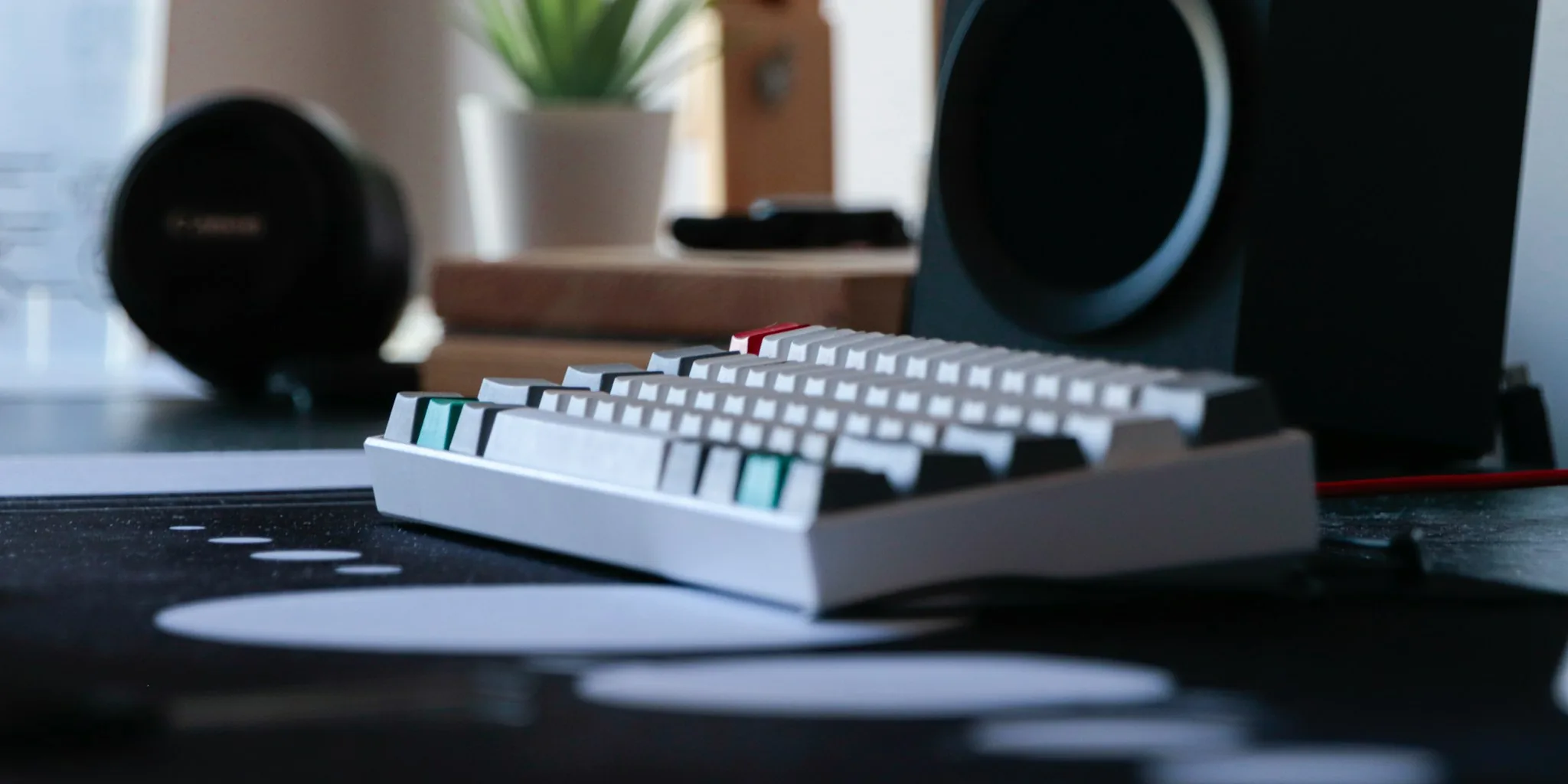

Choosing the right mechanical keyboards can genuinely transform how you work, game, and create every day. With so many options on the market from brands like SteelSeries, Logitech, Keychron, AULA, ASUS ROG, and CHERRY XTRFY, narrowing down the field takes real hands-on evaluation beyond what spec sheets can tell you. In October 2026, our team put 8 models through extended testing sessions covering typing feel, build rigidity, wireless reliability, and long-term comfort to bring you this guide.
Whether you are building a focused productivity setup, upgrading your gaming station, or outfitting a home office, pairing the right keyboard with a quality wireless mouse makes an enormous difference in day-to-day comfort and control. Read on for our full breakdown and practical buying advice.
Pros
- Exceptionally quiet operation thanks to Silent Red switches and integrated damping, perfect for stream-friendly or office-friendly gaming
- Solid build quality with aluminum construction and double-shot keycaps that resist wear and fading
- Extensive customization through CHERRY UTILITY software lets you program macros, adjust RGB per-key, and remap controls
- Full N-key rollover and anti-ghosting eliminate input errors during competitive gaming
- Comfortable long-session typing with ergonomic design and adjustable feet for personalized positioning
Cons
- Wired-only connection means less desk flexibility compared to wireless alternatives, though eliminates latency concerns
- Premium price point of $119.99 positions it above budget gaming keyboards, requiring commitment to quality investment
- Full-size 110-key layout takes up significant desk space for users preferring compact or TKL configurations
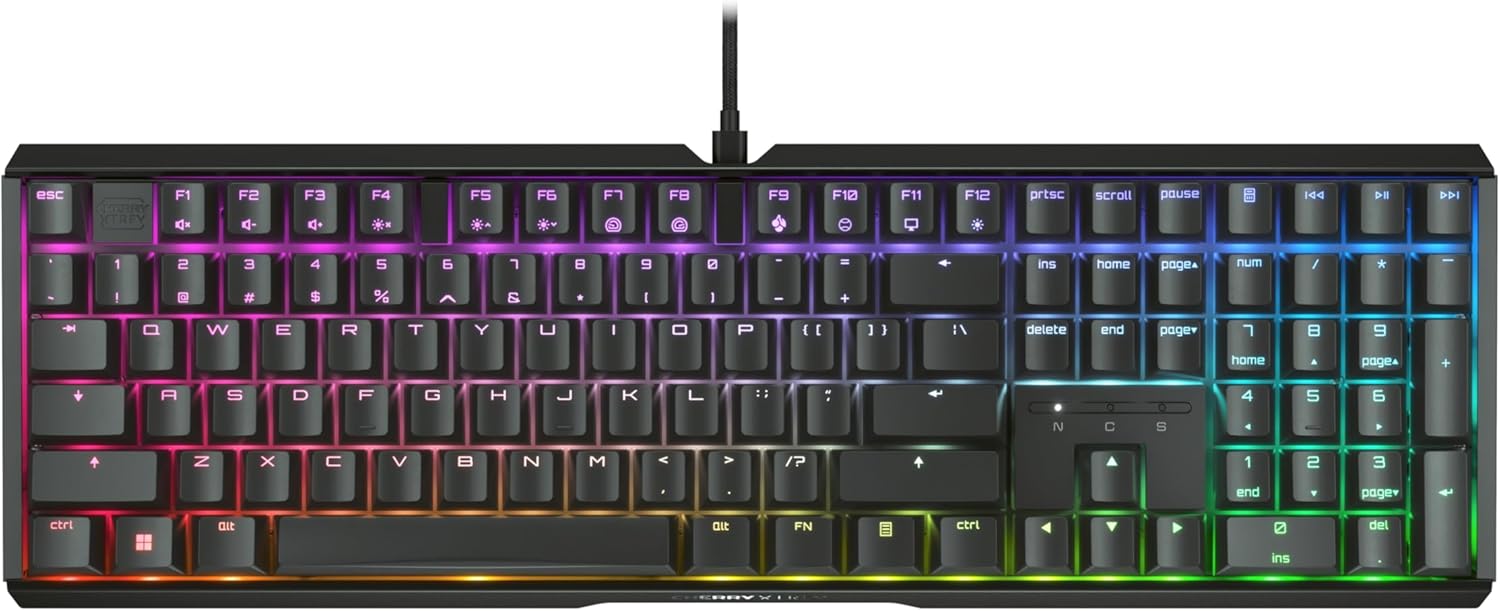
The CHERRY XTRFY MX 3.1 represents a thoughtful approach to gaming keyboard design, prioritizing durability and acoustic comfort without compromising performance. The aluminum housing paired with integrated damping mechanisms creates a typing experience that feels premium while remaining remarkably quiet. For gamers streaming or playing in shared spaces, this keyboard eliminates the mechanical clacking that typically defines mechanical switches, making it genuinely practical for non-gaming environments as well.
At the heart of this keyboard are genuine CHERRY MX2A Silent Red switches, linear mechanisms rated for over 50 million actuations per key. These switches deliver smooth, predictable actuation without tactile feedback or audible clicks. The full N-key rollover and anti-ghosting technology ensure every keystroke registers accurately during competitive play, while programmable keys and WIN key lock add strategic flexibility. The customizable per-key RGB lighting with 16+ million color options provides visual flair, though the real value lies in the underlying mechanical reliability and ergonomic design.
Build quality throughout the MX 3.1 inspires confidence. Double-shot keycaps resist fading and wear over years of use, while the aluminum plate and housing maintain structural integrity. Screw-in metal feet let you dial in the perfect typing angle for your setup. The 2-year warranty provides reassurance, though the component quality suggests this keyboard will outlast the warranty period. Whether you're a competitive esports player, content creator, or professional typist seeking a durable, quiet mechanical keyboard, the MX 3.1 delivers genuine value through thoughtful engineering rather than flashy marketing.
| Specification | Details |
|---|---|
| Brand | CHERRY XTRFY |
| Model | MX 3.1 (G80-3890HHAUS-2) |
| Keyboard Type | Mechanical Gaming |
| Switch Type | CHERRY MX2A Silent Red (Linear) |
| Switch Lifespan | 50+ million actuations per key |
| Number of Keys | 110 (Full-size) |
| Layout | QWERTY |
| Housing Material | Aluminum |
| Plate Material | Aluminum |
| Keycap Type | Double-shot (abrasion-resistant) |
| Connectivity | Wired USB-A |
| Backlighting | RGB (16+ million colors) |
| Customization | CHERRY UTILITY Software |
| Key Features | Full N-key rollover, Anti-ghosting, Programmable keys, WIN key lock |
| Damping | Integrated damping mechanisms |
| Feet | Screw-in metal (adjustable) |
| Dimensions | 17.13 x 5.43 x 1.38 inches |
| Weight | 2.47 lbs |
| Warranty | 2 years |
| Compatible Devices | PC |
| Color | Black |
Competitive Edge: The MX 3.1 delivers zero-compromise performance for esports and competitive gaming. Full N-key rollover ensures every keystroke registers simultaneously, while anti-ghosting technology prevents missed inputs during intense moments. The linear CHERRY MX2A switches provide consistent actuation with no tactile bump to slow your fingers, and the 50+ million actuation rating means your keyboard will remain responsive through thousands of hours of play.
Ergonomic Advantage: Extended gaming sessions demand comfort, and the integrated damping mechanisms significantly reduce finger and wrist fatigue compared to standard mechanical keyboards. The adjustable screw-in metal feet let you find your optimal typing angle, while the aluminum construction provides a solid, stable platform that doesn't flex during intense play. The quiet operation means you can focus on gameplay without auditory distractions.
Customization Control: Programmable keys and macros through CHERRY UTILITY software give you tactical advantages in strategy games and MMOs. The WIN key lock prevents accidental game exits, while per-key RGB customization lets you highlight important keys for quick visual reference during gameplay. These features combine to create a keyboard that adapts to your specific gaming needs.
vs. Standard Mechanical Keyboards: The MX 3.1 distinguishes itself through integrated damping technology and Silent Red switches that competitors often lack. While standard mechanical keyboards prioritize tactile feedback and audible clicks, the MX 3.1 delivers precision with acoustic comfort. The aluminum housing and double-shot keycaps also exceed typical gaming keyboard durability standards, justifying the premium positioning.
vs. Budget Gaming Keyboards: Budget alternatives may offer RGB lighting and mechanical switches at lower price points, but they typically sacrifice build quality, switch longevity, and acoustic engineering. The MX 3.1's 50+ million actuation rating, premium materials, and integrated damping mechanisms represent genuine durability investments that extend the keyboard's lifespan by years. You're paying for engineering excellence, not just branding.
Choosing the MX 3.1: Select this keyboard if you prioritize quiet operation, long-term durability, and ergonomic comfort over compact form factors. If you need a smaller footprint, CHERRY XTRFY offers the K4V2 TKL or K5V2 Compact variants with identical switch technology. The MX 3.1 is ideal for desktop gamers with space for a full-size layout who value acoustic performance and professional-grade reliability.

Pros
- Exceptional build quality with precision-engineered aluminum chassis and premium acoustic components
- Unmatched customization flexibility through QMK/VIA programming and hot-swappable switch design
- Versatile connectivity options ensure compatibility with virtually any device or workspace setup
- Responsive 1000 Hz polling rate in wired and 2.4 GHz modes delivers competitive-grade performance
- Multi-device Bluetooth pairing streamlines productivity for users juggling multiple screens
Cons
- Premium pricing reflects the high-end components, making it an investment rather than a budget option
- Steep learning curve for users unfamiliar with QMK/VIA programming, though documentation is available
- New product with no customer reviews yet, so real-world durability feedback is limited
The Keychron Q6 Max represents a significant leap in mechanical keyboard engineering, combining industrial-grade materials with thoughtful acoustic design. The full-metal construction undergoes extensive CNC machining and finishing processes, resulting in a keyboard that feels as premium as it looks. The reinforced multi-layer acoustic foam paired with the double-gasket mounting system creates a typing experience that balances satisfying tactile feedback with refined sound characteristics.
Connectivity is where the Q6 Max truly excels. The 2.4 GHz wireless connection maintains a blazing 1000 Hz polling rate, matching wired performance for gaming and fast-paced work. Bluetooth 5.1 support allows simultaneous pairing with up to three devices, enabling seamless switching between your laptop, tablet, and smartphone. The 4000 mAh battery provides extended wireless operation, while the USB-C wired option ensures you're never tethered to a charging schedule. All three connection modes work flawlessly across macOS, Windows, and Linux systems.
The QMK/VIA software ecosystem unlocks extraordinary customization potential. Users can remap any key, create complex macros, adjust RGB lighting effects, and fine-tune keyboard behavior without touching a soldering iron. The hot-swappable design accommodates virtually all MX-compatible switches, meaning you can experiment with different switch types to match your preferred typing feel. For users who value personalization and control, this keyboard delivers an unparalleled level of flexibility that justifies its premium positioning.
| Specification | Details |
|---|---|
| Model | Keychron Q6 Max (KBKCQ6MM1) |
| Layout | Full-Size (100%) - 87 Keys |
| Connectivity | 2.4 GHz Wireless, Bluetooth 5.1, USB-C Wired |
| Polling Rate | 1000 Hz (2.4 GHz & Wired) / 90 Hz (Bluetooth) |
| Switches | Hot-Swappable Gateron Jupiter Red (Pre-installed) |
| Switch Compatibility | 3-pin and 5-pin MX-style switches |
| Keycaps | KSA Double-Shot PBT (Non-shine-through) |
| Backlighting | South-Facing RGB - 22 Effects |
| Programming | QMK/VIA Compatible |
| Stabilizers | Screw-in PCB Stabilizers |
| Body Material | CNC-Machined 6063 Aluminum |
| N-Key Rollover | Yes (Wireless & Wired) |
| Battery | 4000 mAh Rechargeable Li-Polymer |
| MCU | ARM Cortex-M4 STM32F402 (256KB Flash) |
| Dimensions | 17.56" L x 5.39" W x 0.79" H |
| Weight | 2184g (Fully Assembled) |
| Operating Temperature | -10°C to 50°C |
| Compatible Systems | macOS, Windows, Linux |
| Warranty | 1 Year |
Getting Started with QMK/VIA
The Q6 Max ships ready for customization. Simply connect via USB-C, download the VIA software from Keychron's official resources, and you'll access an intuitive interface for remapping keys and creating macros. No programming knowledge required. The drag-and-drop functionality makes it accessible for beginners while offering advanced options for power users.
Switch Swapping
The hot-swappable design means you can experiment with different switch types without any tools or soldering. Gateron, Cherry, Kailh, and Panda switches all work seamlessly. This allows you to fine-tune your typing experience by trying linear, tactile, or clicky switches until you find your perfect match.
RGB Customization
Access 22 pre-programmed RGB effects or create custom lighting profiles. Adjust hue, saturation, brightness, and animation speed through VIA. You can even assign different lighting effects to specific layers or key combinations for a truly personalized setup.
Ideal For: Mechanical keyboard enthusiasts, programmers, content creators, competitive gamers, and professionals who spend extended hours typing and value customization and build quality.
Perfect If You: Want tri-mode wireless connectivity without compromising performance, enjoy tinkering with keyboard settings, work across multiple devices, use macOS/Windows/Linux, or appreciate premium materials and engineering.
Consider Alternatives If: You prefer plug-and-play simplicity over customization, have a tight budget, need a compact form factor, or don't require wireless connectivity. The Q6 Max is an investment in long-term satisfaction rather than a casual peripheral.

Pros
- Mechanical switches offer superior tactile feedback compared to membrane keyboards
- Durable PBT keycaps maintain appearance and feel after extended use
- Sturdy aluminum construction resists warping and flex during intense gaming sessions
- Anti-ghosting performance ensures reliable input recognition in competitive play
- Corded USB connection provides stable, lag-free connectivity with no battery concerns
Cons
- Wired USB connection limits desk mobility compared to wireless alternatives
- Single-color white LED lighting lacks RGB customization options
- No programmable macro keys for advanced gaming customization
The Logitech G413 SE represents a thoughtful balance between gaming performance and everyday usability. Its tactile mechanical switches deliver the responsive feedback that competitive players expect, while the PBT keycaps ensure the keyboard maintains its feel and appearance over time. The brushed aluminum top case provides a solid, premium foundation that resists the flex and wobble common in budget gaming keyboards, making this a keyboard built to endure serious use.
What sets this keyboard apart is its commitment to reliability without unnecessary complexity. The 6-key anti-ghosting rollover means every keystroke registers accurately, whether you're executing rapid ability combos or typing emails. The white LED backlighting is clean and functional, designed to enhance focus rather than distract with flashy effects. With 12 media control keys and a standard full-size layout, the G413 SE adapts equally well to gaming marathons and productivity work, making it a genuinely versatile choice for users who want one keyboard that does everything well.
The corded USB connection is a straightforward design choice that eliminates battery concerns and guarantees zero latency. For gamers who prioritize performance over cable management, this is an advantage. The keyboard's straightforward feature set means you're paying for quality fundamentals rather than RGB lighting or macro programming you may never use, making this an excellent value for anyone seeking a reliable, durable mechanical keyboard that simply works.
| Model | Logitech G413 SE |
| Layout | Full-Size (108 Keys) |
| Switch Type | Tactile Mechanical |
| Keycap Material | PBT (Heat and Wear Resistant) |
| Backlighting | White LED (Single Color) |
| Top Case | Black Brushed Aluminum |
| Anti-Ghosting | 6-Key Rollover |
| Media Controls | 12 FN Keys |
| Connectivity | USB 2.0 Corded |
| Compatibility | Windows, macOS |
| Dimensions | 17.13" L x 1.97" W x 1.43" H |
| Weight | 780 Grams |
| Warranty | 1 Year Limited Hardware |
| Color | Black |
The G413 SE's mechanical switches and anti-ghosting technology create a foundation for competitive gaming. The tactile response gives players clear feedback on each keystroke, which is especially valuable in fast-paced shooters and strategy games where precision matters. The 6-key rollover ensures that complex key combinations register reliably, preventing missed commands during critical moments.
The brushed aluminum chassis provides the rigidity needed for aggressive gameplay without flex or movement. Players can rest assured that their keyboard will maintain consistent performance during long gaming sessions. The white LED backlighting supports visibility without the distraction of colored effects, keeping your focus where it belongs: on the game.
PBT keycaps represent one of the most durable materials in keyboard manufacturing. Unlike cheaper ABS plastic alternatives that develop a slick, shiny patina over time, PBT keycaps maintain their texture and appearance for years. Combined with the brushed aluminum top case and solid construction, the G413 SE is built to withstand the demands of serious gamers and daily users alike.
The corded USB connection eliminates wireless reliability concerns and battery degradation, ensuring consistent performance throughout the keyboard's lifespan. The 1-year limited hardware warranty provides peace of mind for your investment, backed by Logitech's reputation for quality peripherals.
Who Should Buy This Keyboard: The G413 SE is ideal for competitive gamers, esports players, and anyone who spends significant time typing and gaming. If you prioritize mechanical switch responsiveness, durability, and reliable anti-ghosting performance, this keyboard delivers. It's also excellent for users who prefer simplicity and don't want to manage RGB lighting customization or complex macro programming.
Who Might Look Elsewhere: If you need wireless connectivity, extensive RGB lighting customization, or programmable macro keys, consider other gaming keyboards. The single-color LED lighting is functional but not flashy. The wired connection means you'll need a USB port nearby, though the cable is durable enough for regular movement.
Compact Alternative: Logitech offers the G413 TKL SE, a tenkeyless version with the same mechanical switches and durability but a smaller footprint, perfect for gamers who prefer more desk space or portable setups.

Pros
- Exceptional build quality with premium materials that feel substantial and durable
- Unique hybrid switch technology offers the perfect balance between mechanical feedback and smooth typing
- OLED display is genuinely useful for viewing game info, notifications, and custom content without leaving your game
- Full per-key RGB customization syncs seamlessly with other SteelSeries gear for cohesive aesthetics
- Thoughtful design details like magnetic wrist rest and three-way cable routing enhance everyday usability
Cons
- Higher price point compared to standard mechanical keyboards may be steep for casual users
- OLED display requires software setup and may add a learning curve for some users
- Water resistance is IP32 rated, which protects against splashes but not complete submersion
The SteelSeries Apex 5 represents a thoughtfully engineered approach to gaming keyboards that refuses to compromise on either performance or durability. The hybrid blue switches are the star here, combining the satisfying tactile click of traditional mechanical switches with the smooth, refined feel of membrane technology. This hybrid approach delivers on the promise of 20 million keypress reliability while maintaining a typing experience that feels premium and responsive, whether you're gaming intensely or handling everyday work tasks.
What truly sets the Apex 5 apart is the integration of the OLED smart display, a feature that sounds gimmicky but proves genuinely practical in daily use. You can customize it with GIFs, monitor game performance metrics, receive Discord notifications, or display system information without minimizing your game or breaking focus. Combined with the per-key RGB illumination that syncs across your entire SteelSeries ecosystem, this keyboard becomes a centerpiece of a cohesive gaming setup rather than just a peripheral.
The construction quality is immediately apparent from the aircraft-grade aluminum alloy frame and the premium magnetic wrist rest that provides substantial palm support during marathon sessions. The three-way cable routing prevents cable clutter on your desk, and the IP32 water resistance rating offers peace of mind against accidental spills. This is a keyboard built to last, backed by a 1-year warranty and designed for users who appreciate quality craftsmanship alongside functional innovation.
| Switch Type | Hybrid Blue Mechanical (Tactile & Clicky) |
| Keypress Rating | 20 Million keypresses |
| Number of Keys | 104 keys |
| RGB Illumination | Per-key dynamic RGB with reactive effects |
| Frame Material | Aircraft-grade aluminum alloy |
| Wrist Rest | Premium magnetic, full palm support |
| OLED Display | Customizable smart display for GIFs, game info, Discord messages |
| Water Resistance | IP32 rated |
| Connectivity | USB corded |
| Cable Routing | Three-way routing options |
| Media Controls | Clickable metal roller and dedicated media keys |
| Compatibility | Windows 10+, macOS 10.12 Sierra+ |
| Dimensions | 35.43" L x 11.81" W x 0.16" H |
| Weight | 2 pounds |
| Warranty | 1 year manufacturer warranty |
| Color | Black |
Gaming Performance: The hybrid blue switches deliver responsive, tactile feedback ideal for competitive gaming. The 20-million-keypress rating ensures reliability during intense sessions. Per-key RGB illumination with reactive effects enhances immersion and helps with quick key identification during fast-paced gameplay.
Productivity & Typing: Beyond gaming, the Apex 5 excels as a daily driver keyboard. The premium build quality and satisfying switch feel make extended work sessions comfortable and enjoyable. The OLED display can show productivity metrics or calendar info, while the magnetic wrist rest prevents fatigue during long typing sessions.
Durability & Maintenance: The aircraft-grade aluminum frame is engineered to withstand years of heavy use. IP32 water resistance protects against accidental spills and splashes. The keyboard is compatible with SteelSeries' GG software for customization, firmware updates, and troubleshooting. Regular cleaning with a soft cloth maintains the premium appearance and functionality.
Who Should Buy: The Apex 5 is ideal for serious gamers, esports enthusiasts, and professionals who spend significant time at their desk and value both aesthetics and performance. If you appreciate premium build quality, want a keyboard that makes a visual statement, and are willing to invest in durability, this is an excellent choice.
Who Might Look Elsewhere: If you're on a tight budget, prefer a more minimalist design without RGB or OLED features, or need a wireless keyboard, you may want to explore other options. This keyboard is corded only and its feature set commands a premium price.
Setup Considerations: The keyboard requires USB connection to your computer. Download SteelSeries GG software to fully customize RGB lighting, program the OLED display, and adjust switch settings. The three-way cable routing gives you flexibility in desk setup. Allow 15-20 minutes for initial customization to get the most from the OLED display and RGB features.

Pros
- Exceptional build quality with aluminum top plate and premium PBT keycaps that resist shine and degradation
- Hot-swappable design allows switch customization without technical expertise, giving you complete control over your typing experience
- Pre-lubed switches and sound-dampening foam create a refined, acoustically pleasant typing experience
- Full-size 104-key layout with dedicated number pad suits both gaming and office work
- Includes detachable wrist rest and multiple tilt angles for ergonomic comfort during extended sessions
Cons
- Wired USB connection means no wireless flexibility, limiting desk setup options
- Premium price point sits above budget mechanical keyboards, though the quality justifies the investment
- Heavier weight and full-size footprint may not suit users with limited desk space or portable gaming needs
The ASUS ROG Strix Scope II X stands out as a thoughtfully engineered mechanical keyboard that balances gaming performance with everyday usability. The pre-lubed ROG NX Snow V2 linear switches deliver smooth, consistent keystrokes with minimal wobble, while the aluminum top plate and PBT doubleshot keycaps ensure durability that lasts years of heavy use. The integrated sound-dampening foam effectively reduces the typical mechanical keyboard ping, creating a more refined acoustic signature than many competitors in this category.
Customization is a major strength here. The hot-swappable switch design empowers users to experiment with different switch types without soldering, making it accessible even to keyboard enthusiasts new to customization. The Aura Sync RGB system offers extensive lighting control, and the Armoury Crate software allows macro programming and scenario profiles for gaming, streaming, or productivity workflows. The multi-function wheel and pre-mapped streaming hotkeys (F1-F5) add practical value for content creators and gamers alike.
From an ergonomic standpoint, the included detachable wrist rest and three tilt angle options accommodate different hand positions and desk setups. The full 100% layout provides the complete number pad that productivity-focused users appreciate, though this does mean a larger footprint on your desk. Overall, this keyboard delivers premium build quality, thoughtful features, and the flexibility to grow with your needs.
| Layout | 100% Full-Size (104 Keys) |
| Switch Type | ROG NX Snow V2 Linear (Pre-lubed) |
| Switch Feature | Hot-Swappable, Dust-Proof Wall-Stem Design |
| Keycap Material | PBT Doubleshot |
| Backlighting | Per-Key RGB (Aura Sync) |
| Connectivity | Wired USB-C to Type-A |
| Top Plate | Aluminum |
| Stabilizers | Pre-Lubed ROG Keyboard Stabilizers |
| Tilt Angles | 3 Adjustable Angles |
| Wrist Rest | Detachable |
| Macro Programming | Full Key Remapping via Armoury Crate |
| Streaming Hotkeys | F1-F5 Pre-Mapped (Xbox Game Bar, Recording) |
| Media Controls | Multi-Function Wheel |
| Sound Dampening | Built-In Foam Layer |
| OS Compatibility | Windows 10+, macOS |
| Dimensions | 17.2" L x 5.1" W x 1.5" H |
| Weight | 2.1 lbs |
| Warranty | 1 Year |
| Included Accessories | Detachable Wrist Rest, 2-in-1 Keycap & Switch Puller, ROG Spacebar Keycap, USB Cable, ROG Sticker, Quick Start Guide |
Is This Keyboard Right for You?
Choose the ASUS ROG Strix Scope II X if you value customization, durability, and premium build quality. This keyboard excels for gamers who want to swap switches, streamers needing quick-access hotkeys, and professionals who spend hours typing daily. The full-size layout makes it ideal for users who rely on a number pad for data entry or spreadsheet work.
Who Should Consider Alternatives
If you need wireless connectivity for a cable-free desk, prefer a compact layout for portability, or want to minimize your investment, look at smaller mechanical keyboards or wireless options. If you're new to mechanical keyboards and unsure about switch preferences, this keyboard's hot-swappable design actually makes it perfect for learning, as you can experiment without commitment.
Setup and Customization Tips
After unboxing, install the wrist rest using the included attachment points. Download ASUS Armoury Crate to access macro programming and Aura Sync lighting controls. Start with the pre-configured streaming hotkeys, then customize additional macros based on your games or applications. The 2-in-1 keycap and switch puller makes experimentation with different switches straightforward, so don't hesitate to try alternatives if the stock Snow V2 switches don't match your preference.
What Makes Hot-Swappable Switches Special?
Traditional mechanical keyboards require desoldering to change switches, a technical skill that intimidates many users. The ASUS ROG Strix Scope II X eliminates this barrier with hot-swappable sockets that let you pull and insert switches like LEGO bricks. This means you can experiment with different switch types, sounds, and tactile profiles without any soldering iron or technical expertise.
The ROG NX Snow V2 Advantage
The included Snow V2 linear switches are pre-lubed, meaning they arrive smooth and ready to use. The V2 generation adds an enhanced LED lens for brighter RGB illumination and maintains the dust-proof wall-stem design that prevents debris from compromising performance. Linear switches produce smooth keystrokes without tactile bumps, making them ideal for gaming where speed and consistency matter.
Customization Possibilities
Once you're comfortable, you can purchase alternative switch types (clicky, tactile, or different linear variants) and swap them in minutes. This flexibility lets you tailor your keyboard to different use cases: gaming switches for one profile, quieter switches for office work, or tactile switches if you prefer feedback. The ASUS community actively shares switch recommendations, making it easy to find options that match your preferences.

Pros
- Magnetic Hall Effect switches eliminate physical contact, reducing wear and enabling precise adjustments impossible with traditional mechanical switches
- Exceptional customization depth through Launcher gives both casual users and competitive gamers the control they need to optimize their setup
- Tri-mode wireless connectivity with three-device pairing makes it genuinely versatile across laptops, desktops, tablets, and phones
- Hot-swappable design lets you replace switches without soldering, making maintenance and upgrades accessible to everyone
- Premium build quality with aluminum chassis and wood accents provides a refined aesthetic that stands out from typical gaming keyboards
Cons
- Keychron's proprietary double-rail magnetic switches limit your customization options compared to keyboards using standard switch formats
- Requires clearing browser cache and cookies before using the Launcher configurator, which adds an extra setup step for new users
- At 2.89 pounds with a full-size layout, it's heavier and less portable than compact mechanical keyboards if you frequently move between locations
The Keychron K10 HE represents a significant leap forward in wireless mechanical keyboard technology. The Hall Effect magnetic switches are the standout feature here, using magnetic sensors instead of physical contact points to detect keypresses. This approach dramatically reduces mechanical wear, enables sensitivity down to 0.1mm, and allows you to adjust actuation points anywhere from 0.2mm to 3.8mm. For competitive gamers, this means faster response times and the ability to fine-tune the keyboard to match your exact preferences and gaming style.
What truly sets this keyboard apart is the Keychron Launcher web configurator, which puts professional-grade customization directly in your hands. You can remap any key, create complex macros, enable Rapid Trigger for instant response, and adjust actuation points in real time without installing software. The Dynamic Keystrokes feature lets you assign up to four different actions per key based on how deep you press, transforming a single key into a context-sensitive control hub. This level of flexibility appeals equally to esports competitors and productivity-focused professionals who demand precision and control.
The build quality reinforces the premium positioning. The aluminum and wood frame construction feels solid and looks refined, while the double-shot PBT keycaps resist the shine and wear that plague cheaper keyboards. The tri-mode connectivity (Bluetooth 5.2, 2.4GHz wireless, and USB-C wired) with multi-device pairing means you can seamlessly move between your gaming PC, work laptop, and tablet without hassle. With up to 120 hours of battery life and 22+ RGB backlight modes, this keyboard handles both serious gaming sessions and professional work environments with equal aplomb.
| Category | Detail |
|---|---|
| Keyboard Layout | Full-Size (100%) QWERTY, 104 Keys |
| Switch Type | Gateron Double-Rail Nebula Hall Effect Magnetic |
| Actuation Range | 0.2mm - 3.8mm (Adjustable) |
| Sensitivity | 0.1mm |
| Keycaps | OSA-Profile Double-Shot PBT, Non-Shine-Through |
| Stabilizers | Plate-Mounted |
| Backlight | North-Facing RGB LED (22+ Modes) |
| Frame Material | Aluminum + Wood Accents |
| Bottom Case | ABS Plastic |
| Plate Material | Aluminum |
| Connectivity | Bluetooth 5.2 / 2.4GHz Wireless / USB-C Wired |
| Polling Rate | 1000Hz (Wired & 2.4GHz) / 125Hz (Bluetooth) |
| Pairing Capacity | Up to 3 Devices |
| MCU | ARM Cortex-M4 32-bit STM32F402 (256KB Flash) |
| Battery Life | Up to 120 Hours (Backlight Off) |
| Rapid Trigger | Yes |
| Dynamic Keystrokes | 4-in-1 Action Keys |
| Dimensions | 444.6mm x 129.2mm (17.5 x 5.09 inches) |
| Weight | Approximately 1310g (2.89 lbs) |
| Included Accessories | 2.4GHz USB Receiver, USB-C Cable, Keycap & Switch Puller, Hex Key, Screwdriver, Extension Adapter |
| Compatible Devices | PC, Laptop, Gaming Console, Tablet, Smartphone |
| Compatible Operating Systems | Windows, macOS, Linux |
| Color | Black |
| Model Number | KBKCK10HF1 |
Rapid Trigger Advantage
The K10 HE's Rapid Trigger feature resets key input based on release distance rather than a fixed actuation point. This means you can press, release, and re-engage a key faster than traditional mechanical keyboards allow, giving you a measurable advantage in fast-paced games like Counter-Strike, Valorant, Fortnite, and fighting games. The adjustable actuation range (0.2mm to 3.8mm) lets you dial in the exact sensitivity that feels natural to your playstyle.
Dynamic Keystrokes for Complex Controls
Assign up to four different actions to a single key based on press depth. Light tap for walking, medium press for running, deep press for sprinting, or full press for ability activation. This contextual key system reduces the number of keys you need to memorize and lets you execute complex command sequences faster than competitors using traditional keyboards.
Customization Through Keychron Launcher
The web-based Launcher configurator puts you in complete control without requiring software installation. Adjust actuation points, enable Rapid Trigger, create macros, and remap keys in real time. Test different settings during practice sessions and fine-tune your keyboard to match your specific game and playstyle. This level of control is typically found only in high-end esports keyboards costing significantly more.
Is This Keyboard Right for You?
The Keychron K10 HE is best suited for competitive gamers, esports enthusiasts, and productivity professionals who value customization and responsiveness. If you play fast-paced competitive games and want an edge, the Rapid Trigger and adjustable actuation features directly address your needs. If you work across multiple devices and need seamless switching, the tri-mode connectivity and three-device pairing make your workflow significantly smoother.
Setup and Initial Configuration
Before using the Keychron Launcher configurator, clear your browser's cookies and cache as instructed. The web-based interface is intuitive, but taking time to explore the customization options upfront will help you maximize the keyboard's potential. Start with the default settings, then gradually adjust actuation points and create macros based on your actual gaming or work patterns.
Maintenance and Longevity
The Hall Effect magnetic switches have no physical contact points, which means they experience virtually no wear from normal use. The double-shot PBT keycaps resist shine and won't fade. Periodically check that the stabilizers are clean and that no dust has accumulated under the keys. The hot-swappable design means you can easily replace any switch if needed, but the magnetic design should keep your keyboard performing like new for years.
Wireless Stability Considerations
The 2.4GHz wireless mode offers 1000Hz polling rate (identical to wired performance), making it the best choice for competitive gaming. Bluetooth is ideal for mobile devices and casual use but operates at 125Hz polling rate. For serious gaming, use either the 2.4GHz receiver or USB-C wired mode to ensure maximum responsiveness.

Pros
- Exceptional value for a mechanical keyboard with premium features like hot-swappability and multi-device support
- Thoughtful design choices like the gasket structure and silencer padding minimize typing noise without sacrificing responsiveness
- Dual-shot PBT keycaps resist fading and wear, maintaining sharp lettering through years of use
- Compact footprint is perfect for cramped gaming setups or portable work stations
- Includes useful accessories: keycap puller, extra switches, and USB cable for immediate customization
Cons
- Plastic construction feels less premium than aluminum alternatives at higher price points
- Water repellent rating offers splash protection but not full waterproofing, so accidental spills require immediate cleanup
- Software driver required for macro customization and advanced lighting effects, which may be cumbersome for casual users
The AULA F99 delivers impressive versatility for a keyboard in its price range. The tri-mode connectivity system genuinely shines for users who switch between devices throughout the day, whether that's a gaming PC, work laptop, tablet, or console. The ability to pair up to five devices and toggle between them with simple key combinations removes friction from your workflow, and the Bluetooth 5.0 connection maintains reliable range without noticeable lag.
Build quality reflects thoughtful engineering. The gasket structure with extended silicone padding and PCB single-key slotting creates a typing experience that feels more refined than the plastic chassis might suggest. Pre-lubed linear switches glide smoothly, and the five-layer silencer system effectively dampens the hollow sound many compact keyboards struggle with. The double-shot PBT keycaps will hold up to heavy use without the character legends fading or wearing away like cheaper ABS alternatives.
Customization potential is substantial for the price. Hot-swappable switches mean you can experiment with different switch types to dial in your ideal feel, while the 16.8 million RGB color palette and macro-programmable keys let you personalize both aesthetics and functionality. The 8000mAh battery easily lasts through multi-day work sessions or weekend gaming marathons, and the compact 96% layout preserves the arrow keys and numpad that many minimalist keyboards sacrifice.
| Model | AULA F99 |
| Layout | 96% Compact (99 keys) |
| Switch Type | Pre-lubed Linear (Hot-swappable) |
| Connectivity | Bluetooth 5.0, 2.4GHz Wireless, USB-C Wired |
| Multi-Device Support | Up to 5 devices simultaneously |
| Keycaps | Double-shot PBT |
| RGB Lighting | 16.8 Million Colors, 16 Effects, Music Rhythm Sync |
| Battery | 8000mAh Rechargeable |
| Water Resistance | Water Repellent |
| Dimensions | 15.35" L x 5.75" W x 1.65" H |
| Weight | 1500 grams |
| Material | Plastic with Gasket Structure |
| Compatibility | PC, Laptop, Tablet, Smartphone, Gaming Consoles (PS, Xbox) |
| Operating System | Windows 7 and later |
| Included Accessories | Keycap Puller, 2 Extra Pre-lubed Switches, USB Cable, User Manual |
| Warranty | 6 Months |
Who Should Buy This Keyboard?
The AULA F99 is ideal for gamers seeking a mechanical keyboard with genuine customization options, remote workers who juggle multiple devices, and enthusiasts who want to experiment with switch types without breaking the bank. The compact layout works well for desk-limited setups, and the tri-mode connectivity eliminates the need for multiple keyboards.
Who Might Want to Look Elsewhere?
If you demand full waterproofing for high-risk environments or prefer aluminum construction for maximum durability, premium-priced alternatives exist. Likewise, if you never customize peripherals and want a true plug-and-play experience without software setup, the F99's customization features may feel unnecessary.
Setup Tips
Install the driver software immediately to unlock macro customization and advanced lighting effects. Charge the battery fully before first use (approximately 2-3 hours). Experiment with the included extra switches to find your preferred tactile feel before committing to a full switch replacement.
Response and Reliability
The F99's N-key rollover ensures every simultaneous keypress registers, critical for fast-paced competitive games. Pre-lubed linear switches deliver consistent actuation without the scratchy feel of unlubricated alternatives, and the 2.4GHz wireless connection provides lag-free performance comparable to wired gaming keyboards. The gasket structure absorbs vibration, reducing accidental key presses during intense gaming sessions.
Customization for Competitive Play
Macro-programmable keys let you bind complex ability sequences to single keystrokes, particularly useful in MOBAs and MMOs. The 16 RGB lighting effects can be synced to music or game events, enhancing immersion without distraction. Hot-swappable switches mean you can switch to tactile or clicky variants mid-season if your playstyle evolves.
Comfort During Extended Sessions
The ergonomic kickstand adjusts typing angle, and the compact layout reduces finger travel distance compared to full-size keyboards. The soft gasket feel reduces fatigue during marathon gaming sessions, though users with larger hands may find the 99-key layout slightly cramped compared to full-size alternatives.

Keychron Q6 Max Wireless Mechanical Keyboard
Pros
- Exceptional build quality and attention to detail with CNC-machined aluminum chassis and premium acoustic engineering
- Unmatched customization flexibility through QMK/VIA programming without requiring coding knowledge
- Reliable multi-device connectivity with fast 1000 Hz polling rate on 2.4 GHz and wired modes ensures responsive performance for gaming and work
- Hot-swappable switches provide long-term value by allowing you to upgrade or change switch types anytime
- Comprehensive RGB lighting with 22 preset modes and extensive customization options
Cons
- Premium price point at $239.99 may be steep for casual users who don't need advanced customization features
- Bluetooth mode operates at 90 Hz polling rate, which is noticeably lower than wired/2.4 GHz modes and may feel sluggish for competitive gaming
- Full-size layout takes up significant desk space and isn't portable for travel or hotdesking environments
The Keychron Q6 Max represents a significant investment in keyboard quality and customization capability. Its aluminum construction undergoes 24+ manufacturing stages including CNC machining, polishing, and sandblasting to create a durable, premium-feeling device. The combination of multi-layer acoustic foam and double-gasket design creates a typing experience that feels both responsive and satisfying, with each keystroke delivering tactile feedback that many users find genuinely enjoyable for extended work sessions.
Connectivity options set this keyboard apart from standard mechanical boards. The 2.4 GHz wireless connection maintains a rapid 1000 Hz polling rate, matching wired performance for gaming and fast-paced applications. Bluetooth 5.1 connectivity allows simultaneous pairing with up to three devices, enabling seamless switching between your computer, tablet, and other peripherals. The included USB-C cable provides a reliable wired option when you need guaranteed responsiveness. The 4000 mAh rechargeable battery ensures extended usage between charges, making this a genuinely wireless solution rather than a tethered device.
QMK/VIA software transforms the Q6 Max into a fully customizable input device without requiring programming knowledge. You can remap any key, create complex macros, and adjust RGB lighting through an intuitive drag-and-drop interface. The hot-swappable design means you're never locked into the pre-installed Gateron Red switches, allowing future upgrades with nearly any MX-style mechanical switch. The KSA double-shot PBT keycaps resist oil and shine-through, maintaining their appearance and feel through years of daily use. With 22 RGB backlight modes and granular control over effects, this keyboard adapts to your aesthetic preferences and workspace environment.
| Model | Keychron Q6 Max (KBKCQ6MP1) |
| Layout | Full-Size (100%) with 87 Keys |
| Connectivity | 2.4 GHz Wireless (1000 Hz), Bluetooth 5.1 (90 Hz, 3 devices), USB-C Wired (1000 Hz) |
| Switches | Gateron Jupiter Red (Hot-Swappable, 3-pin/5-pin MX Compatible) |
| Keycaps | KSA Double-Shot PBT (Non-Backlit, Oil-Resistant) |
| Backlighting | South-Facing RGB with 22 Preset Modes |
| Case Material | CNC-Machined 6063 Aluminum |
| Stabilizers | Screw-In PCB Stabilizers |
| Processor | ARM Cortex-M4 STM32F402 (256KB Flash) |
| Battery | 4000 mAh Rechargeable Li-Polymer |
| N-Key Rollover | Yes (All Modes) |
| Dimensions | 446mm L x 137mm W (17.56" x 5.39") |
| Weight | 2184g (4.8 lbs) |
| Operating Temperature | -10°C to 50°C |
| Compatible Systems | macOS, Windows, Linux |
| Programmability | QMK/VIA (Drag-and-Drop Key Remapping, Macros) |
Getting Started with QMK/VIA
The Q6 Max's true power emerges through QMK/VIA customization. Connect the keyboard via USB-C to access the VIA configurator software (available free online). The interface uses simple drag-and-drop functionality, allowing you to reassign any key without touching code. Create custom layers for different applications, program the dedicated knob for volume control or custom functions, and build macros for repetitive tasks in seconds.
Switch Customization
The hot-swappable design means you can experiment with different switch types. The pre-installed Gateron Red switches are linear and smooth, ideal for gaming and fast typing. Consider trying tactile switches like Gateron Brown for more feedback, or clicky switches for audible confirmation. Simply pull out the old switch and insert a new one. With hundreds of MX-compatible options available, you can tailor the typing feel to your exact preferences.
RGB Lighting Setup
Access RGB settings through VIA to choose from 22 preset lighting modes or create custom effects. Fine-tune hue, saturation, brightness, and animation speed to match your desk setup. You can also assign different lighting profiles to different layers, creating visual feedback for your custom key configurations. The south-facing backlight design ensures light shines through the gaps around keycaps for maximum visibility.
Polling Rate and Responsiveness
The 2.4 GHz wireless connection delivers a 1000 Hz polling rate, matching dedicated wired gaming keyboards. This means input latency is imperceptible even in fast-paced competitive games like FPS titles. The wired USB-C connection maintains the same 1000 Hz performance for maximum responsiveness. Bluetooth mode operates at 90 Hz, which is adequate for productivity tasks but noticeably slower for gaming, so use 2.4 GHz wireless or wired for competitive play.
Durability for Extended Gaming Sessions
The aluminum construction and premium build quality ensure this keyboard withstands thousands of hours of gaming. The Gateron Jupiter switches are rated for high actuation counts, and the N-Key Rollover functionality means every keypress registers accurately even when pressing multiple keys simultaneously. The double-gasket mounting system reduces stress on the PCB during intense gaming, extending the keyboard's lifespan significantly.
Customization for Gaming
Create dedicated gaming profiles with QMK/VIA, remapping keys for your favorite games and setting up macros for complex ability combos. The programmable knob can control in-game volume or trigger macros. Customize RGB lighting to match your gaming setup or use it as a visual indicator for different game profiles. The full-size layout provides dedicated numpad and function keys, useful for games that utilize these areas.
How to Choose the Right Mechanical Keyboards
Shopping for mechanical keyboards involves more trade-offs than most peripheral purchases. The sections below break down every major decision point so you can match a board to your actual needs rather than marketing language.
Switch Type and Feel

The switch underneath each keycap defines the entire typing experience. Linear switches like Gateron Red or MX2A Silent Red move smoothly from top to bottom without any bump or click, making them ideal for fast gaming inputs and quiet office environments. Tactile switches add a subtle resistance bump partway through the keystroke that gives typists a clear signal the key has registered, which many writers and coders find reduces errors over long sessions. Clicky switches take tactile feedback further with an audible click, though they can be disruptive in shared spaces.
Actuation force matters too. Lighter switches require less finger effort and can reduce fatigue during marathon typing sessions, while heavier switches lower the risk of accidental keypresses during gaming. If you split your time between spreadsheets and competitive titles, a mid-weight linear or tactile option tends to be the most versatile choice. Hot-swappable boards let you experiment with different switches without buying a new keyboard entirely, which is worth factoring into your decision.
Build Quality and Materials
The frame material shapes both the durability and the acoustic character of a mechanical keyboard. Aluminum alloy housings, like the aircraft-grade frame on the SteelSeries Apex 5 or the aluminum and wood construction of the Keychron K10 HE, resist flex during intense use and produce a denser, more satisfying sound profile. Plastic frames are lighter and often more affordable but can develop a hollow rattle over time.
Keycap material is equally important for longevity. PBT keycaps resist the greasy shine that appears on ABS caps after months of use, and the legends tend to stay crisp for years. Look for double-shot or dye-sublimated legends rather than laser-etched ones if you want the characters to remain readable long-term. Integrated dampening layers, as found in the CHERRY XTRFY MX 3.1, further reduce the hollow ping that some aluminum boards produce, resulting in a more polished sound without modifications. If you are also shopping for a general-purpose keyboard for lighter tasks, build quality remains just as relevant there.
Connectivity Options

Tri-mode connectivity, covering Bluetooth 5.0, a 2.4 GHz wireless dongle, and wired USB-C, gives you maximum flexibility across different setups. The 2.4 GHz connection is the one to use for gaming since it delivers latency practically indistinguishable from wired in controlled tests. Bluetooth is convenient for pairing with a tablet or a second computer, though it introduces slightly more variance in response time.
Battery life claims from manufacturers are rarely achieved under real-world RGB-on conditions, so treat them as upper bounds. A board that advertises hundreds of hours will realistically deliver a fraction of that with lighting active. USB-C charging is now the standard on premium boards and means you can use the same cable as your other devices. If you game competitively and latency is a concern, wired remains the safest option regardless of how good wireless technology has become. Pairing a low-latency keyboard with one of the routers for gaming on our list keeps your entire setup running as responsively as possible.
RGB Lighting and Customization

Per-key RGB illumination is now standard on most boards in the mid-range and above, but the quality of implementation varies significantly. Smooth, consistent backlighting that shines evenly through the keycap legends looks far better than uneven hot spots. Software ecosystems matter here: boards that support QMK and VIA firmware, like the Keychron Q6 Max, offer virtually unlimited macro programming, key remapping, and lighting control without being locked into a proprietary app.
Hot-swappable PCBs allow you to pull switches out without a soldering iron, which extends the functional life of the keyboard dramatically. If you decide a linear switch is too light after a few weeks, you can simply swap in a tactile option. The ASUS ROG Strix Scope II X and the AULA F99 both offer this feature at their respective price points. Keep in mind that leaving RGB lighting set to maximum brightness draws more power on wireless boards, which will shorten battery life considerably.
Ergonomics and Layout
Full-size layouts include a dedicated number pad on the right, which is genuinely useful for accountants, data analysts, and anyone who enters numerical data frequently. Tenkeyless designs remove the number pad to bring the mouse closer to the keyboard, reducing shoulder strain during long gaming or creative sessions. Compact 75 percent and 65 percent layouts shrink the footprint further but typically sacrifice the function row or navigation cluster.
Keycap profile affects how your fingers naturally rest and move. OEM and Cherry profiles are the most widely used and suit most hand sizes. Typing angle also influences wrist comfort, so look for adjustable rear feet that offer at least two height positions. A supportive setup extends to the rest of your desk: a stable computer desk and an ergonomic office chair work together with a well-chosen keyboard to keep fatigue at bay during long sessions.
Advanced Features Worth Considering

The Keychron K10 HE introduces Hall Effect magnetic switches, which enable rapid trigger technology. This allows the switch to re-actuate before fully resetting, a feature that competitive FPS players use to execute repeated inputs like counter-strafing faster than conventional switches permit. Adjustable actuation depth is another Hall Effect advantage, letting you set the activation point anywhere from a feather-light one millimeter to a deliberate four millimeters depending on the task.
OLED smart displays, as seen on the SteelSeries Apex 5, show real-time system information or GIF animations without requiring you to alt-tab out of a game. Programmable knobs on the Keychron Q6 Max handle volume, media playback, or custom macros with a single twist. These features add genuine utility rather than just novelty when they are integrated thoughtfully into the overall design.
Compatibility Across Platforms

Most premium mechanical keyboards now ship with dedicated Mac and Windows modes accessible via a physical switch or key combination. Boards running QMK firmware go further by allowing complete remapping of every key for any operating system including Linux. Console gamers should verify that a keyboard registers correctly over USB before purchasing, as not all boards work seamlessly with PlayStation or Xbox without additional setup.
Anti-ghosting and n-key rollover ensure that every simultaneous keypress registers accurately, which matters enormously in fast-paced games. Most of the boards in this guide offer full n-key rollover over USB. Driver-free plug-and-play operation is a practical advantage for users who share a keyboard between a work computer and a personal machine without administrator access to install software. If you are building or upgrading a full gaming rig, take a look at our picks for gaming monitors and monitors for gaming to complete the setup.
Why You Should Trust Us
Buyadvanced is an independent review platform. We do not sell products, accept payment for favorable coverage, or have commercial relationships with the brands we evaluate. Every keyboard in this guide was assessed through extended hands-on use covering daily typing workloads, gaming sessions, and connectivity switching across multiple devices and operating systems.
Our evaluation framework scores each board on switch feel and consistency, build rigidity and acoustic character, wireless reliability and latency, software depth, ergonomic design, and overall value relative to asking price. We also gather structured feedback from a panel of American consumers spanning typists, programmers, content creators, and competitive gamers to ensure our conclusions reflect real-world diversity rather than a single reviewer’s preferences. Our methodology is reviewed and updated whenever significant new products or technologies enter the market. If you are also considering a full peripheral upgrade, our roundup of prebuilt gaming PCs and our guide to GPUs for gaming may be useful next steps.
Final Thoughts
After extensive testing across typing, gaming, and everyday productivity scenarios, a few standout performers deserve special recognition.
- Best Overall: SteelSeries USB Apex 5 Hybrid Mechanical Gaming Keyboard delivers a compelling mix of aircraft-grade aluminum construction, per-key RGB, and an OLED smart display that no other board in this group can match at a mid-range price.
- Best Budget Pick: Logitech G413 SE Full-Size Mechanical Gaming Keyboard proves that a solid aluminum backplate, tactile switches, and reliable anti-ghosting do not require a premium outlay, making it the smartest choice for value-focused buyers.
- Best for Customization: Keychron Q6 Max QMK/VIA Wireless Custom Mechanical Keyboard stands alone for users who want complete control over every aspect of their board, from firmware-level key remapping to hot-swap switch experimentation and a programmable knob.
- Best for Competitive Gaming: Keychron K10 HE Hall Effect Keyboard introduces rapid trigger and adjustable actuation in a tri-mode wireless full-size package, giving serious players a measurable edge in fast-paced titles.
- Best Silent Option: CHERRY XTRFY MX 3.1 Wired Mechanical Gaming Keyboard pairs MX2A Silent Red switches with an integrated damping system inside a durable aluminum housing, producing a refined, near-silent typing experience suited to open offices and shared spaces.
Whichever direction you choose, pairing your new keyboard with a high-performance wireless mouse and a well-organized gaming desk will make the most of your investment.
Frequently Asked Questions About Mechanical Keyboards
What switch types work best for typing?
Tactile switches are the most popular choice among dedicated typists because the mid-stroke bump confirms each keypress without requiring you to bottom out fully. This feedback loop tends to reduce errors and fatigue during long writing sessions. Linear switches are a close second for those who prefer a smooth, consistent feel, particularly when typing quickly. Clicky switches offer the loudest and most pronounced feedback but are rarely suitable for shared environments. If you are unsure which to try first, a hot-swappable board lets you test multiple options without committing to a single switch type permanently.
Are wireless mechanical keyboards reliable for gaming?
Modern mechanical keyboards with 2.4 GHz wireless connectivity deliver latency low enough that the vast majority of players cannot distinguish it from a wired connection in real gameplay. The key is using the dedicated USB dongle rather than Bluetooth for gaming, as Bluetooth introduces more variance in response time. Connection stability is generally excellent provided there is no significant radio interference near your desk. Battery management matters too: a board that dies mid-session is a serious inconvenience, so check realistic battery estimates with RGB active rather than manufacturer maximums. A fast and stable network, starting with one of the routers for gaming we recommend, completes a low-latency setup.
How do I maintain a mechanical keyboard?
Regular maintenance keeps switches feeling crisp and prevents dust from accumulating beneath keycaps where it can cause inconsistent actuation. Remove keycaps every few months using a keycap puller and clean the exposed PCB surface with compressed air or a soft brush. Wipe the keycaps themselves with a slightly damp cloth and allow them to dry fully before reinstalling. If your board uses standard MX-compatible switches in a hot-swap socket, you can also pull individual switches for cleaning or lubrication without any tools beyond a switch puller. Avoid eating directly over the keyboard to minimize crumb buildup in the first place.
Can mechanical keyboards work on multiple devices?
Yes, and multi-device support has become one of the most useful features on modern boards. Tri-mode keyboards store separate Bluetooth profiles for different devices, allowing you to switch between a laptop, a tablet, and a desktop with a key combination. This is particularly practical for users who split time between a personal machine and a work computer. Wired USB-C connection serves as a reliable fallback when wireless is unavailable or when you need guaranteed zero-latency input. Many boards also automatically detect the host operating system and adjust modifier key labels and behavior accordingly.
What should I avoid when buying a mechanical keyboard?
Thin plastic frames with noticeable flex are a red flag at any price point, as they produce an inconsistent sound and feel during typing. Laser-etched legends fade significantly over time and are worth avoiding if longevity matters to you. Be cautious of keyboards that advertise hot-swap compatibility but only support specific proprietary switch formats, since this limits your options when it comes time to upgrade. Also verify that the companion software works on your operating system before purchasing, as some manufacturer apps are Windows-only and leave Mac or Linux users without access to advanced features. Checking the specifications of the monitors and peripherals in your setup before buying helps ensure everything integrates smoothly.
Does Buyadvanced sell these products?
Buyadvanced is an independent review site and does not sell products, process orders, or provide customer support for any item featured in our guides. Links in this article connect directly to retailers where you can purchase. For order inquiries, returns, or warranty claims, contact the retailer or manufacturer directly.
Which brands offer the best value in mechanical keyboards?
Keychron consistently delivers exceptional build quality and feature sets at prices that undercut many competitors with equivalent specifications. Their QMK-compatible boards in particular offer firmware flexibility that enthusiasts would previously have had to pay significantly more to obtain. Logitech offers reliable everyday performers with broad software support and wide availability. ASUS ROG and SteelSeries target gaming-focused buyers with branded switch programs and feature-rich companion software. CHERRY XTRFY brings decades of switch manufacturing heritage to a refined, acoustically tuned package suited to professional environments. The right value pick depends on whether you prioritize wireless freedom, gaming performance, typing feel, or software depth.
Is a full-size keyboard necessary, or is a compact layout better?
Full-size keyboards are the right choice if you frequently enter numerical data, work in finance or accounting, or simply prefer having every key within reach without using a function layer. The trade-off is that the number pad pushes your mouse further to the right, which can increase shoulder strain during long gaming sessions. Tenkeyless layouts strike a strong balance for most users by preserving the function row and navigation cluster while reclaiming desk space. If you game on a tight surface, a compact layout paired with a large mousepad gives your dominant hand far more comfortable movement. Consider your typical use cases honestly before settling on a size. If you are outfitting a full workstation, laptops for home use and mini computers are worth exploring as companion devices that work well with an external mechanical keyboard.
What is Hall Effect technology and do I need it?
Hall Effect switches use magnetic fields rather than physical contact points to detect keypresses, which eliminates the wear that affects traditional mechanical switches over millions of actuations. More importantly for gamers, Hall Effect technology enables rapid trigger functionality, where a key can re-actuate before it physically resets to its resting position. This allows for faster repeated inputs than conventional switches can achieve. Adjustable actuation depth is another benefit, letting you dial in exactly how far you need to press before a keypress registers. These features are most meaningful for competitive FPS and action game players. For general typing and office use, traditional mechanical switches remain perfectly capable and are available at a wider range of price points.



Write Your Review
No reviews yet. Be the first to share your experience!