
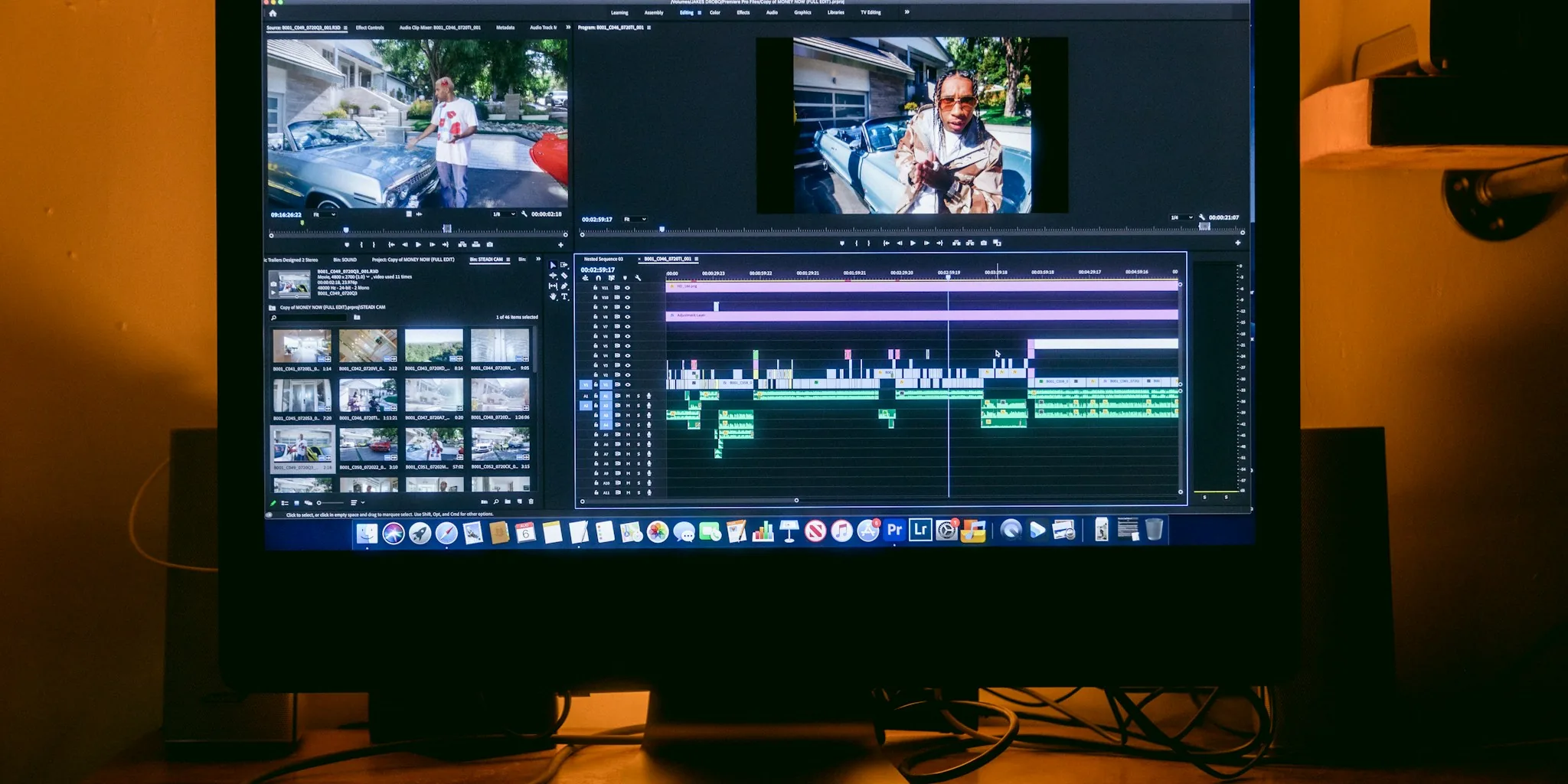

Finding the best laptops for video editing means looking beyond raw specs and understanding how a machine performs under sustained creative workloads. Whether you are cutting short-form social content, grading 4K footage, or rendering complex motion graphics, the right combination of processor, display, RAM, and GPU makes every session faster and less frustrating. We evaluated 10 models spanning budget-friendly picks to professional-grade workstations so American creators can buy with confidence.
Our independent testing covers real-world editing tasks, thermal performance under load, and display accuracy because those factors matter far more during a long project than spec-sheet numbers alone. If you also work on music or sound design alongside your video projects, our laptops for music production guide covers complementary options worth considering.

Pros
- Excellent CPU performance at this price range outpaces comparable Intel i5 alternatives
- 32GB RAM standard configuration handles demanding applications, data analysis, and creative software without lag
- Integrated Radeon 680M graphics provide surprising capability for light gaming, video work, and 3D applications
- Fast 1TB SSD storage with PCIe 4.0 speeds ensures quick boot times and file transfers
- USA-based warranty and support differentiate this from overseas-only competitors
Cons
- FHD display resolution is adequate but not premium; creative professionals may prefer 2K or 4K screens
- Integrated graphics, while capable, won't match dedicated GPUs for intensive gaming or professional rendering
- Limited upgrade options after purchase due to soldered RAM and storage integration
The NIMO 15.6" laptop arrives as a refreshingly practical option for professionals and students navigating the 2024 laptop market. At its core sits the AMD Ryzen 7 Pro 6850U, an 8-core processor that handles demanding workflows with genuine capability. Paired with 32GB of LPDDR5 RAM and a 1TB PCIe 4.0 SSD, this configuration eliminates the storage and memory compromises that plague budget laptops. Whether you're running local AI tools, editing video, or managing complex spreadsheets alongside multiple browser tabs, the hardware architecture supports real productivity without the stuttering and slowdowns common in lower-tier machines.
The Radeon 680M integrated graphics deserve particular attention. Built on AMD's RDNA 2 architecture, this GPU punches above its weight class, delivering smooth performance in video editing, 3D rendering, and light gaming scenarios. For STEM students running simulations or creative professionals handling 1080p video work, the graphics capability removes a significant hardware limitation. The 100W USB-C fast charging and all-day battery life address a real pain point for mobile workers, while the backlit keyboard and fingerprint sensor add genuine daily convenience rather than unnecessary flourishes.
What separates NIMO from the crowded budget laptop space is the commitment to American support infrastructure. The 2-year manufacturer warranty, 90-day return window, and USA-based service center mean you're not gambling on overseas support when something goes wrong. For small business owners, remote professionals, and students who depend on their laptops for income or education, this warranty backing carries real value. The FHD display is functional but not exceptional, and integrated graphics have inherent limits compared to discrete options, but at $699.99 with this specification set, the value proposition remains compelling for the target audience.
| Processor | AMD Ryzen 7 Pro 6850U (8-core, up to 4.7GHz) |
| GPU | AMD Radeon 680M (RDNA 2 Architecture) |
| Memory | 32GB LPDDR5 RAM |
| Storage | 1TB PCIe 4.0 SSD |
| Display | 15.6" FHD (1920x1080), Backlit |
| Battery | 53.58Wh Smart Battery |
| Charging | 100W USB-C Power Delivery |
| Connectivity | Wi-Fi 6, Bluetooth 5.2 |
| Security | Fingerprint Reader |
| Keyboard | Backlit |
| Warranty | 2-Year Manufacturer Warranty (USA-Based Support) |
| Return Policy | 90-Day Hassle-Free Returns |
| Color Options | Black |
CPU Performance: The Ryzen 7 Pro 6850U's 8-core architecture delivers genuine multitasking capability. Real-world performance comfortably exceeds Intel i5-12450H competitors in many workloads, particularly when leveraging all cores for content rendering, data processing, or complex calculations. The 4.7GHz boost clock ensures responsive performance during single-threaded tasks as well.
Graphics Performance: The Radeon 680M integrated GPU handles 1080p video editing smoothly, manages 3D CAD applications at reasonable settings, and supports light gaming at playable frame rates. This represents a meaningful upgrade over previous-generation integrated graphics and approaches entry-level discrete GPUs in select scenarios. Professional 4K work or demanding AAA gaming remains outside the scope, but for creative professionals and students, the graphics capability eliminates a significant bottleneck.
Memory and Storage: 32GB of LPDDR5 RAM provides headroom for complex workflows, large dataset analysis, and heavy multitasking. The 1TB PCIe 4.0 SSD delivers fast boot times (typically under 15 seconds) and rapid file transfers. Combined, these components create a responsive system that rarely exhibits the lag and stuttering common in budget alternatives.
Thermal and Power Efficiency: The Ryzen 7 Pro 6850U is designed for thin-and-light laptops, meaning thermal management is efficient and fan noise remains moderate during typical work. The 100W USB-C charger supports rapid charging, getting the 53.58Wh battery from depleted to full in approximately 45-60 minutes, while the all-day battery life supports 8-10 hours of mixed productivity work.
Ideal For: Students in STEM fields, freelance designers, content creators, remote professionals, small business owners, and anyone needing reliable all-day performance without premium pricing. The 32GB RAM and 1TB storage configuration particularly benefits users working with large datasets, video files, or multiple intensive applications simultaneously.
Content Creators: Video editors, graphic designers, and 3D artists will appreciate the Radeon 680M's capability for 1080p editing workflows and the 32GB RAM for smooth rendering. The fast SSD ensures quick file access and export times.
Students: Whether you're running MATLAB simulations, editing presentations, or handling heavy research projects, the processor and memory configuration support demanding academic software without compromise. The 2-year warranty provides valuable protection for a device used intensively throughout your studies.
Remote Professionals: The all-day battery, lightweight design, and 100W fast charging make this laptop genuinely mobile-friendly. The backlit keyboard and fingerprint security add daily convenience for professionals working in various environments.
Not Ideal For: Serious gamers seeking high frame rates in AAA titles, professional video colorists requiring color-accurate displays, or users needing maximum GPU performance will find limitations here. The FHD display, while functional, doesn't match premium alternatives for detailed creative work.

Pros
- Exceptional OLED display with 120Hz refresh rate delivers vibrant colors and smooth scrolling for creative professionals
- Robust processor and 32GB RAM handle intensive applications, video editing, and multitasking without lag
- Lightweight and thin design makes it genuinely portable despite powerful internals
- Excellent connectivity with modern ports including Thunderbolt 4 and Wi-Fi 7
- Windows 11 Pro and premium audio system enhance productivity and user experience
Cons
- Limited upgrade options after purchase, as RAM and storage are likely soldered or difficult to replace
- Premium pricing reflects its professional positioning, making it less accessible for casual users or students
- OLED displays can experience image persistence over extended periods of static content display
The ASUS Vivobook S16 stands out as a premium ultrabook designed for professionals who need both performance and portability. The 2.8K OLED display is genuinely impressive, delivering vibrant colors with 100% DCI-P3 coverage and 600-nit brightness that makes it suitable for color-critical work like photo and video editing. The 120Hz refresh rate adds smoothness to everyday tasks, making scrolling and window management feel responsive and fluid.
Performance is solid thanks to the Intel Ultra 9 285H processor paired with 32GB of DDR5 RAM and a 1TB SSD. This configuration handles professional workloads including video editing, 3D rendering, and large file processing without breaking a sweat. The integrated Intel Arc 140T GPU provides decent graphics capability for creative applications and light gaming. Battery life should comfortably reach 8-10 hours under typical use, making it suitable for full workdays away from power outlets.
Build quality feels premium with the Mist Blue finish and slim 0.63-inch profile, while remaining sturdy enough for daily professional use. Connectivity is comprehensive with Thunderbolt 4, USB-A 3.2, HDMI 2.1, and microSD card reader, plus Wi-Fi 7 for future-proof networking. The RGB backlit keyboard and Harman/Kardon speakers round out a well-thought-out package that justifies its position as a professional-grade ultrabook.
| Processor | Intel Core Ultra 9 285H (16-core, 2.9 GHz) |
| RAM | 32GB DDR5 |
| Storage | 1TB SSD |
| Display | 16 inch 2.8K OLED (2880x1800), 120Hz, 600 nits, 100% DCI-P3 |
| Graphics | Intel Arc 140T (Integrated) |
| Operating System | Windows 11 Professional |
| Connectivity | Wi-Fi 7, Bluetooth, Thunderbolt 4 (x2), USB-A 3.2 (x2), HDMI 2.1, microSD Card Reader |
| Keyboard | RGB Backlit |
| Webcam | FHD IR Privacy Camera |
| Audio | Harman/Kardon Speakers with Smart Amp |
| Battery | 75Wh |
| Weight | 3.31 lbs |
| Dimensions | 13.92 x 9.72 x 0.63 inches |
| Color | Mist Blue |
Ideal For: This laptop is purpose-built for professionals including graphic designers, video editors, content creators, and business professionals who need reliable performance and color-accurate displays. If you spend significant time editing photos, creating videos, or managing complex projects, the OLED display and powerful processor justify the investment.
Consider Alternatives If: You primarily use web browsers, office applications, and streaming services. Budget-conscious students or casual users would find more affordable options that meet their needs. Gamers seeking maximum graphics performance should look at dedicated gaming laptops instead.
Best Value At: The current price point offers excellent value for a professional-grade ultrabook with premium display technology and modern connectivity. Pricing typically remains stable for this model, so purchasing at or near this price represents a solid investment for serious professionals.
Processing Power: The Intel Ultra 9 285H processor includes AI acceleration capabilities through Intel's latest architecture. This enables faster performance in AI-enhanced applications, including photo upscaling, video processing, and content creation tools that leverage machine learning for intelligent editing features.
Real-World Performance: The combination of 16 cores, 32GB DDR5 RAM, and 1TB SSD creates a responsive system that handles professional workflows smoothly. Video encoding, photo batch processing, and running multiple heavy applications simultaneously present no challenges. The integrated Intel Arc graphics support modern creative software and provide reasonable performance for 3D work.
AI-Ready Architecture: Windows 11 Pro includes Copilot and other AI features, while the processor architecture supports upcoming AI-enhanced applications. This positions the laptop well for future software developments that increasingly incorporate AI-powered productivity tools and creative enhancements.
Pros
- Exceptional OLED display quality with vibrant colors, deep blacks, and 120Hz smoothness for creative professionals
- Powerful Intel Core Ultra 9 processor handles demanding applications, video editing, and multitasking with ease
- Excellent port selection including dual Thunderbolt 4 and HDMI 2.1 for connecting multiple displays and peripherals
- Thin and light design makes it genuinely portable for professionals who work on the go
- Windows 11 Pro and included DLCA accessory add professional value without extra cost
Cons
- No touchscreen option limits interaction capability for some creative workflows
- Premium pricing positions it as an investment rather than a budget-friendly alternative
- Limited upgrade options after purchase since storage and RAM are likely soldered components
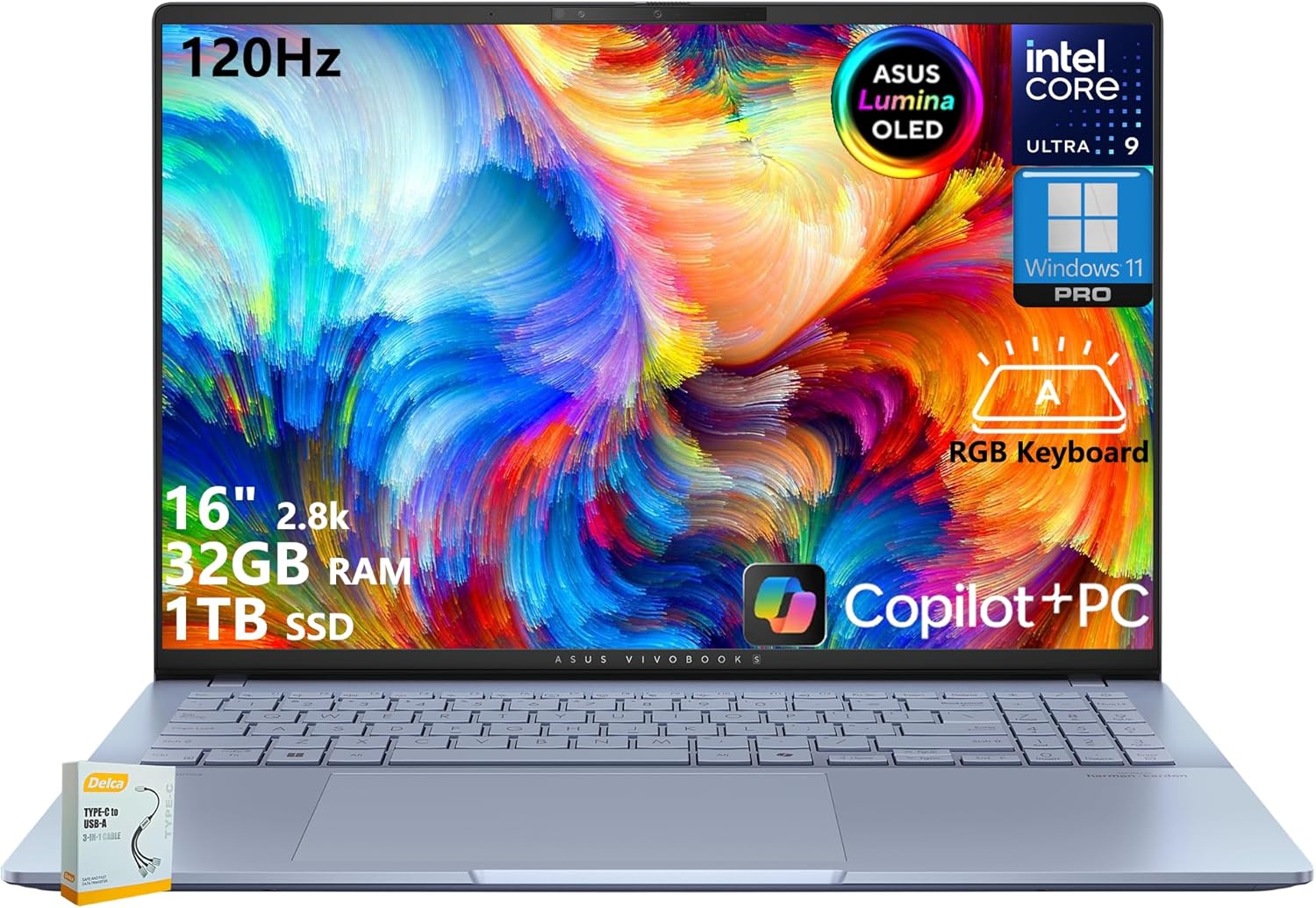
The ASUS Vivobook S16 represents a significant step forward in portable workstation design, combining cutting-edge hardware with a display that truly justifies its premium positioning. The 2.8K OLED panel is the standout feature here, delivering exceptional color accuracy with 100% DCI-P3 coverage and a 600-nit peak brightness that handles both indoor and outdoor work environments. The 120Hz refresh rate adds smoothness to scrolling and panning operations, making extended creative sessions more comfortable and productive than traditional 60Hz displays.
Performance-wise, the Intel Core Ultra 9 processor with its 16 cores, 13TOPS AI Boost NPU, and up to 5.4GHz boost clock delivers the horsepower needed for video editing, 3D rendering, photo processing, and complex software development. Paired with 32GB of DDR5 RAM and a 1TB SSD, this machine handles large project files and simultaneous applications without breaking a sweat. The integrated Intel Arc Graphics provide capable integrated video performance that covers creative work and casual gaming, though demanding AAA titles will require some settings adjustments.
Build quality and connectivity round out the package nicely. At just 3.31 pounds with a thickness between 0.55-0.63 inches, the laptop achieves genuine portability without feeling flimsy. The port selection is generous for a thin design, featuring dual Thunderbolt 4 ports with display and power delivery support, HDMI 2.1 for high-resolution displays, and Wi-Fi 7 for future-proof networking. The RGB backlit keyboard and Dolby Atmos audio system provide the professional touches expected at this price point, making this a well-rounded choice for creators and business professionals who refuse to compromise on display quality.
| Processor | Intel Core Ultra 9 285H, 2.9GHz base (up to 5.4GHz), 16 cores, 16 threads, 24MB cache |
| Memory | 32GB LPDDR5X DDR5 RAM |
| Storage | 1TB SSD |
| Display | 16 inches, 2880x1800 (2.8K WQXGA+), OLED, 120Hz, 16:10 aspect ratio, 600-nit HDR peak brightness, 100% DCI-P3 |
| Graphics | Intel Arc Graphics (Integrated) |
| Operating System | Windows 11 Professional |
| Connectivity | Wi-Fi 7, Bluetooth 5.4 |
| Ports | 2x USB 3.2 Gen 1 Type-A, 2x Thunderbolt 4 (display/power delivery), 1x HDMI 2.1, 1x 3.5mm audio jack, 1x Micro SD card reader |
| Camera | 1080P FHD IR with privacy shutter |
| Audio | Dolby Atmos |
| Keyboard | RGB backlit with numeric keypad |
| Dimensions | 13.92 x 9.72 x 0.55-0.63 inches |
| Weight | 3.31 pounds |
| Color | Mist Blue |
Processing Power: The Intel Core Ultra 9 processor delivers professional-grade performance with 16 cores and up to 5.4GHz boost, handling video editing, 3D rendering, and software development without slowdowns. The 13TOPS AI Boost NPU enables next-generation AI features in compatible applications.
Display Performance: The 2.8K OLED panel achieves exceptional color accuracy with 100% DCI-P3 coverage, making it ideal for color-critical work in photography and video production. The 120Hz refresh rate provides smooth scrolling and responsive interaction, while 600-nit peak brightness ensures visibility in various lighting conditions.
Multitasking Capability: With 32GB of DDR5 RAM and a fast 1TB SSD, the laptop excels at running multiple demanding applications simultaneously. Large video files, complex spreadsheets, and numerous browser tabs present no performance challenges.
Thermal Management: The slim profile manages heat effectively during sustained workloads, maintaining consistent performance without excessive fan noise that would disrupt creative work sessions.
Photography Workflow: The 100% DCI-P3 OLED display provides accurate color representation for photo editing in Adobe Lightroom and Photoshop. The 2.8K resolution gives ample screen real estate for detailed retouching work without requiring external monitors.
Video Editing: The Core Ultra 9 processor with 16 cores handles 4K video editing smoothly in Premiere Pro or Final Cut Pro. The OLED display's color accuracy ensures your edits look correct on professional displays, and the dual Thunderbolt 4 ports support high-speed external storage for large video files.
3D & Graphics Work: The integrated Intel Arc Graphics provides capable performance for 3D modeling and rendering in Blender or Cinema 4D. The 120Hz display makes viewport interaction responsive and enjoyable during long modeling sessions.
Color Critical Work: The 600-nit peak brightness and 100% DCI-P3 gamut coverage make this display suitable for professional color grading and design work. The OLED technology delivers the deep blacks and contrast needed for precise color evaluation.

Pros
- Exceptional processing power and RAM capacity ideal for video editing, 3D rendering, and engineering work
- 4K display with excellent color accuracy suitable for professional creative tasks
- Fast SSD storage ensures quick application loading and smooth file transfers
- Renewed condition offers substantial savings compared to new workstation laptops
- Amazon Renewed Guarantee provides replacement or refund protection
Cons
- Non-touch display may feel limiting for some creative professionals who prefer touchscreen interaction
- Integrated graphics are adequate for most tasks but may struggle with extremely demanding GPU-heavy applications
- Renewed product means it's not brand new, though it's been professionally inspected and tested
The Dell Precision 7560 is a professional-grade workstation that delivers serious computing capability in a portable 15.6-inch form factor. With its 11th-generation Intel Core i7-11850H processor featuring 8 cores that boost to 4.8GHz, combined with 64GB of DDR4 RAM running at 3200MHz, this machine handles intensive workloads with impressive efficiency. Whether you're rendering video, processing large datasets, or working with complex CAD files, the processor scales its performance intelligently, running at 2.5GHz during light tasks to conserve battery and ramping up when needed.
The 4K display at 3840x2160 resolution is a standout feature for professionals who need precise visual clarity. Paired with the integrated Intel graphics that leverages the full 64GB of system RAM, this setup provides excellent performance for color-critical work and multi-monitor setups via the Thunderbolt 4.0 and HDMI 2.1 outputs. The 1TB NVMe SSD ensures fast boot times and responsive application performance, essential when working with large files. The inclusion of Windows 11 Pro adds professional-grade security features like BitLocker encryption and Active Directory compatibility, which justify the operating system choice for enterprise environments.
As a renewed product, this Precision 7560 represents exceptional value for budget-conscious professionals who don't need a brand-new device. Amazon's Renewed Guarantee backs your purchase with replacement or refund eligibility, removing risk from the equation. The comprehensive port selection including USB 3.2 Gen 2 Type-C Thunderbolt 4.0, HDMI 2.1, SD card slot, and Ethernet ensures compatibility with professional peripherals and external displays. For designers, engineers, video editors, and other professionals seeking workstation-class performance without the premium price tag, this laptop delivers measurable capability at a compelling price point.
| Processor | Intel Core i7-11850H (11th Gen, 8-core) |
| Processor Speed | 2.5GHz base / 4.8GHz boost |
| RAM | 64GB DDR4 @ 3200MHz |
| Storage | 1TB PCIe NVMe M.2 SSD |
| Display | 15.6" LCD, 4K (3840x2160), Non-Touch |
| Graphics | Intel Integrated Graphics (64GB VRAM) |
| Operating System | Windows 11 Pro |
| Connectivity | Wi-Fi, Bluetooth, Ethernet (RJ-45) |
| Ports | 2x Thunderbolt 4.0 USB-C, 2x USB 3.2 Gen 1 Type-A, HDMI 2.1, Mini DisplayPort 1.4, SD Card Slot, 3.5mm Audio Jack |
| Webcam | Yes, integrated |
| Weight | 5.42 lbs |
| Warranty | 90-day limited warranty |
| Condition | Amazon Renewed (professionally inspected & tested) |
For Video & Photo Editing: The 4K display combined with 64GB RAM and fast SSD makes this laptop excellent for editing 4K video and working with large photo libraries. The 8-core processor handles rendering efficiently.
For Engineering & CAD: Professional-grade workstation performance supports complex 3D modeling and simulations. The integrated graphics with 64GB dedicated VRAM handles most CAD applications smoothly.
For General Professional Work: The 64GB RAM and fast storage ensure smooth multitasking with dozens of browser tabs, virtual machines, and professional software running simultaneously without slowdowns.
Battery Life: Expect 4-6 hours of mixed use, with longer battery life during light tasks due to the processor's intelligent power scaling. Heavy workloads will reduce battery runtime significantly.
What is Amazon Renewed? Renewed products are pre-owned or refurbished items that have been professionally inspected, tested, and restored to work and look like new. They come from customer returns or trade-ins.
Quality Assurance: This Precision 7560 has been evaluated by Amazon-qualified suppliers to ensure it meets performance standards. The device functions like new and is backed by Amazon's Renewed Guarantee.
Cost Savings: You save hundreds of dollars compared to purchasing a new workstation laptop while getting the same performance and reliability.
Amazon Renewed Guarantee: If you're not satisfied, you can request a replacement or refund during the guarantee period. This removes the typical risk associated with refurbished electronics.
Environmental Impact: Choosing renewed extends the product lifecycle and reduces electronic waste, making it an environmentally conscious choice.
How to Choose Laptops for Video Editing
The market for video editing laptops in 2026 is broader than ever, covering everything from compact 15-inch systems to large-format workstations. Knowing which specifications actually translate into a better editing experience will save you money and help you avoid buying more machine than you need.
Processor Performance Requirements

The CPU is the foundation of any editing rig. High core counts accelerate multi-threaded operations like rendering timelines and exporting files, while strong single-core speeds keep the editing interface responsive during playback. For demanding 4K and 6K projects, look for modern Intel Core Ultra or AMD Ryzen 7 and above processors that balance both metrics well.
Models such as the ASUS Vivobook S 16 with its Intel Core Ultra 9 285H and the NIMO 15.6″ with AMD Ryzen 7 Pro 6850U represent two strong approaches: Intel’s hybrid architecture excels at sustained exports while AMD’s efficient design keeps thermals lower during shorter bursts. Always watch for thermal throttling on thin-chassis designs because a processor that cannot sustain its boost clocks under a 30-minute render will cost you more time than a slightly slower chip that never throttles.
Casual editors working mostly with 1080p footage will find mid-range processors more than capable, so avoid overspending on flagship silicon if your typical project is under 10 minutes of timeline. If your workflow spans multiple creative applications simultaneously, the laptops built for graphic designers share many of the same CPU priorities and are worth reading alongside this guide.
Display Quality and Color Accuracy
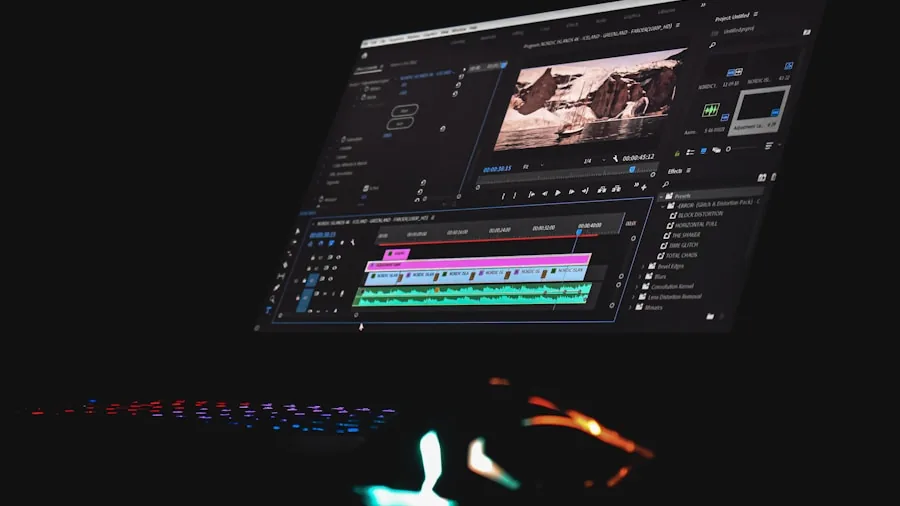
A great editing display is arguably more important than an extra CPU core or two because every color grading decision you make is only as accurate as what you see on screen. OLED panels offer near-perfect black levels, wide color gamut coverage, and fast pixel response that makes scrubbing timelines feel immediate. The ASUS Vivobook S 16 lineup in our guide ships with 2.8K OLED panels hitting 600 nits of peak brightness and 100 percent DCI-P3 coverage, which is genuinely impressive for a portable system.
For professional color work, aim for a Delta E average below 2, which means colors on screen closely match the intended output. Glossy panels punch harder in dim studios while matte finishes are friendlier for outdoor or brightly lit spaces. A minimum brightness of 400 nits keeps the image readable in varied conditions.
Pairing a well-calibrated laptop display with one of the quality external monitors on our list lets you run a dual-display setup for a dedicated reference screen during color sessions.
RAM and Storage Configurations
32GB of DDR5 RAM is the practical sweet spot for most video editors in 2026. It keeps your NLE, browser, and background processes running without page-file thrashing, which causes timeline freezes at the worst possible moments. Several models in our list, including the NIMO 17.3″, the FUNYET gaming laptop, and the Lenovo 16″ business laptop, all arrive with 32GB installed and fast NVMe SSDs of 1TB or more.
Storage speed matters as much as capacity when working with high-bitrate footage. A PCIe Gen 4 NVMe SSD reads at roughly four times the speed of a SATA drive, which means smoother scrubbing through compressed 4K files without constant buffering. Budget 1TB as a minimum for active projects and use external drives for archives. Before buying, confirm whether the chassis allows future RAM or SSD upgrades since some slim designs solder components to the motherboard permanently.
If you regularly move large project files between devices, a fast external SSD combined with a good productivity-focused laptop setup improves the whole pipeline, not just editing sessions.
GPU Capabilities for Hardware Acceleration
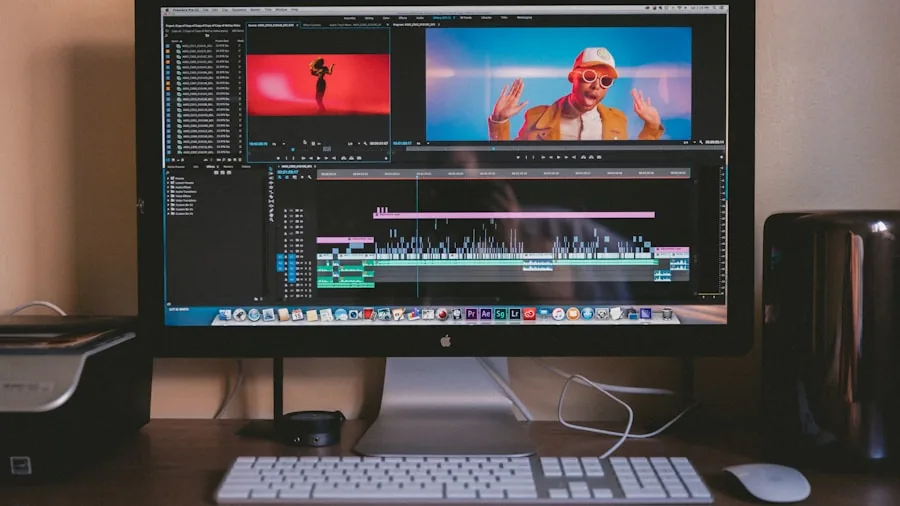
A dedicated GPU unlocks hardware acceleration in applications like Adobe Premiere Pro, DaVinci Resolve, and Final Cut Pro, turning multi-hour exports into tasks that finish in minutes. The Acer Nitro V in our list pairs an Intel Core i7-13620H with an NVIDIA GeForce RTX 4050, giving it serious encoding muscle through NVENC for H.264, H.265, and AV1 output formats. That level of GPU compute is genuinely transformative for editors who frequently output for web delivery.
Integrated graphics such as AMD Radeon 680M and 780M found in the NIMO models handle lighter 1080p timelines and basic effects competently, making them reasonable choices when portability and battery life are priorities. The trade-off is that effects-heavy sequences with multiple adjustment layers will render noticeably slower compared to a dedicated card.
Verify that your editing software supports hardware acceleration for your chosen GPU before purchasing. Some older versions of popular NLEs do not fully utilize certain chipsets. For perspective on GPU tiers across the broader market, our GPU roundup explains VRAM tiers and their practical impact on creative workloads.
Battery Life During Field Work

Portable editing scenarios, whether on location, in a coffee shop, or at a client office, demand realistic battery life expectations. Light editing and playback at moderate brightness typically draws less power than active rendering, so claims of all-day battery life usually apply to browsing, not Premiere Pro sessions. Efficient processors like the Snapdragon X in the Lenovo IdeaPad Slim 3X are specifically designed to extend unplugged time compared to traditional x86 designs.
Plan to carry your power adapter for any session involving frequent exports. Models with USB-C Power Delivery support give you the flexibility to top up from a compact charger or a power bank, reducing the weight of travel kit. If your editing setup lives mostly at a desk, consider pairing your laptop with an ergonomic computer desk and a full-size keyboard for extended comfort during long projects.
Ports and Connectivity

Video editors frequently need to connect external drives, capture cards, monitors, and audio interfaces simultaneously. A laptop with Thunderbolt 4 or USB4 ports handles high-bandwidth peripherals without bottlenecks, while a full-size HDMI output makes connecting a reference display simple. The NIMO 17.3″ notably includes a USB 4.0 port, which is a useful feature at its price point. Before buying any model, count the available ports against your typical peripheral list.
SD card readers save the step of a separate adapter when ingesting camera footage directly. If your workflow relies heavily on external storage, check read and write speeds through the laptop’s available ports since USB 3.2 Gen 1 and USB 3.2 Gen 2 differ significantly in throughput.
Why You Should Trust Us
Buyadvanced is an independent review platform with no manufacturer affiliations, sponsored placements, or retail relationships. Our review methodology combines standardized performance benchmarks with extended real-world use cases that reflect how actual editors and content creators work. We run sustained rendering tests to surface thermal throttling issues, measure display accuracy with calibration tools, and evaluate build quality and port selection as part of an integrated score rather than isolated spec comparisons.
Feedback from American consumers supplements our internal testing to ensure our assessments reflect everyday use patterns, not controlled lab conditions alone. We update our lists as new hardware launches and pricing shifts, keeping recommendations current. Our guides covering Windows laptops, Apple laptops, and laptops for students follow the same editorial standards.
Final Thoughts
After evaluating all 10 models, a few clear winners emerged based on specific editing needs and budgets. Here are our top picks with the reasoning behind each recommendation.
- Best Overall: ASUS Vivobook S16 AI PC Laptop (ICP Hub) delivers a stunning 2.8K OLED panel with 600 nits brightness, 100 percent DCI-P3 coverage, and a 16-core Intel Ultra 9 processor that handles sustained 4K exports without compromise, making it the most well-rounded choice for serious creators.
- Best Budget Pick: Lenovo IdeaPad Slim 3X pairs efficient Snapdragon X processing with a clean WUXGA display and Copilot+ AI features at a price that makes it ideal for editors who need a capable everyday machine without the premium outlay.
- Best for Professional Workloads: Dell Precision 7560 Workstation Laptop stands in a class of its own with its 4K UHD panel, 64GB of RAM, and workstation-class stability for editors who regularly tackle complex, multi-layered timelines and demand reliability above all else.
- Best for Gaming and Editing: Acer Nitro V with RTX 4050 brings dedicated NVIDIA graphics acceleration to a competitive price point, cutting export times dramatically in GPU-accelerated NLEs and making it an excellent dual-purpose machine for creators who also game.
- Best Large-Screen Option: NIMO 17.3″ Gaming Laptop gives editors the largest working canvas in this group with 32GB RAM, a capable AMD Ryzen 7 8745HS processor, and a 2-year warranty that adds peace of mind at its price point.
If your editing sessions frequently extend into design or illustration work, laptops built for graphic designers share significant overlap with these picks and may offer relevant alternatives. For creators building out a full workspace, pairing any of these laptops with a high-quality 1440p monitor adds a dedicated reference display that improves every color decision. Always match the hardware you buy to your actual project resolution, effects complexity, and mobility needs rather than marketing claims.
Laptops for Video Editing FAQs
What processor specs matter most for video editing?
Core count drives parallel rendering tasks while clock speed keeps playback smooth during editing. For 4K timelines with complex effects, modern processors with at least 8 performance cores and boost clocks above 4.5GHz deliver meaningful time savings over older or entry-level chips. The Intel Core Ultra 9 285H found in the ASUS Vivobook S 16 and the AMD Ryzen 7 8745HS in the NIMO 17.3″ both represent strong choices in this guide. Editors who also handle coding or data-heavy tasks will find additional crossover in our laptops for coding guide.
How much RAM do most video editors need?
32GB handles simultaneous editing, background rendering, and browser-based asset management without slowdowns. Starting at 16GB is possible for 1080p workflows but expect limitations when pre-rendering previews in the background. Verify upgrade paths before purchasing since many thin-and-light designs use soldered RAM that cannot be expanded later.
Do integrated graphics work for 4K projects?
Integrated options like AMD Radeon 780M manage lighter 4K timelines with limited effects layers, but export times will be longer than with a dedicated GPU. If your projects involve frequent color grades, motion graphics, or noise reduction, a dedicated card such as the RTX 4050 in the Acer Nitro V makes a noticeable practical difference. Check your specific NLE’s hardware acceleration compatibility list before deciding.
Are OLED displays worth the extra cost for editing?
For color-critical work, OLED’s perfect blacks and wide gamut coverage genuinely improve grading accuracy compared to standard IPS panels. The 2.8K OLED screens in the ASUS Vivobook S 16 models cover 100 percent of DCI-P3, which aligns with professional cinema delivery standards. If budget is tight, a factory-calibrated high-quality IPS panel with low Delta E values remains a practical alternative. Our gaming monitors guide explains OLED versus IPS trade-offs in detail for anyone building a desktop editing station alongside a laptop.
Where can I buy these laptops?
Buyadvanced is an independent review site and does not sell products or handle orders, returns, or warranty claims. Purchase directly from major retailers and verify availability and current pricing before buying. We do not provide customer support for any product listed on this site.
How do Dell, Lenovo, ASUS, Acer, and NIMO models compare overall?
Each brand brings a different strength to this category. Dell’s Precision line prioritizes workstation stability and extreme RAM capacity. Lenovo balances efficiency and business polish. ASUS leads on display quality with its OLED panels. Acer’s Nitro V focuses on GPU value. NIMO competes on large-screen size and long warranty coverage at accessible price points. Review the specific specifications of each model against your workflow before committing. If Dell laptops interest you particularly, our Dell laptop guide explores the broader lineup in depth.
What storage capacity is recommended?
A minimum of 1TB keeps active project media, software, and operating system files local without constantly managing free space. Editors working with RAW or high-bitrate LOG footage should consider 2TB configurations or plan for a fast external drive as overflow storage. Most models in this guide ship with 1TB PCIe NVMe SSDs as standard, with some ASUS configurations offering up to 2TB.
Can battery life support travel editing?
Efficiency-focused designs like the Lenovo IdeaPad Slim 3X with Snapdragon X offer the longest unplugged run times, often several hours of light editing. Performance-first laptops with powerful CPUs and dedicated GPUs will drain faster under active use, typically requiring a power source for sustained rendering sessions. Always carry your adapter when shooting on location and consider a compact USB-C charger to reduce bag weight. A well-organized home office setup with a reliable power source reduces the pressure on battery life for studio-based editors.
Should I prioritize upgradability?
If you plan to own a laptop for three or more years, upgradable RAM and storage slots extend its useful lifespan significantly. Business-class machines like the Lenovo 16″ model in this guide typically allow component access, while consumer thin-and-light designs often solder RAM permanently. Download or request service manuals before your final decision to confirm what is and is not user-accessible. College students on tight budgets might also find our laptops for college guide helpful for identifying upgrade-friendly models at lower price points.
Is a gaming laptop a good substitute for a dedicated editing machine?
Gaming laptops like the Acer Nitro V and the FUNYET model in this list offer strong GPU and CPU performance at competitive prices, making them practical dual-purpose machines. The trade-off is typically display quality: gaming panels often prioritize refresh rate and response time over color accuracy, so verify gamut coverage and Delta E ratings before treating one as a primary color grading tool. For a broader view of gaming-focused hardware, our prebuilt gaming PCs guide shows how desktop alternatives compare on price-per-performance for studio-based creators.





Write Your Review
No reviews yet. Be the first to share your experience!