

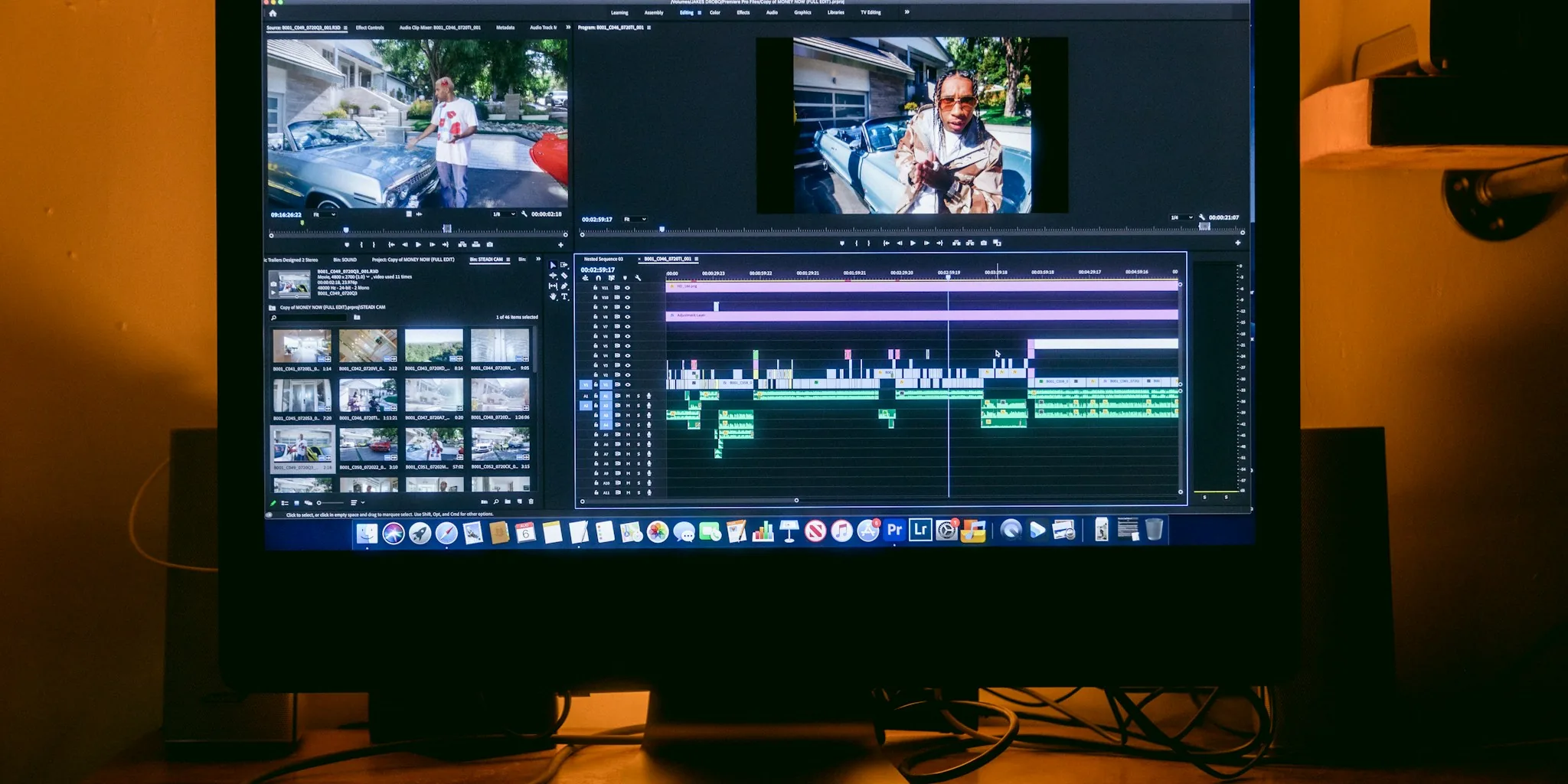
Upgrading to a 4K display is one of the most impactful changes you can make to a home office, creative workstation, or gaming setup. With resolutions four times sharper than 1080p, the best 4K monitors deliver text clarity, color depth, and image detail that fundamentally change how you interact with your screen every day. Whether you are editing photos, streaming movies, building spreadsheets, or playing the latest titles, the right 4K panel makes every task more immersive and less fatiguing.
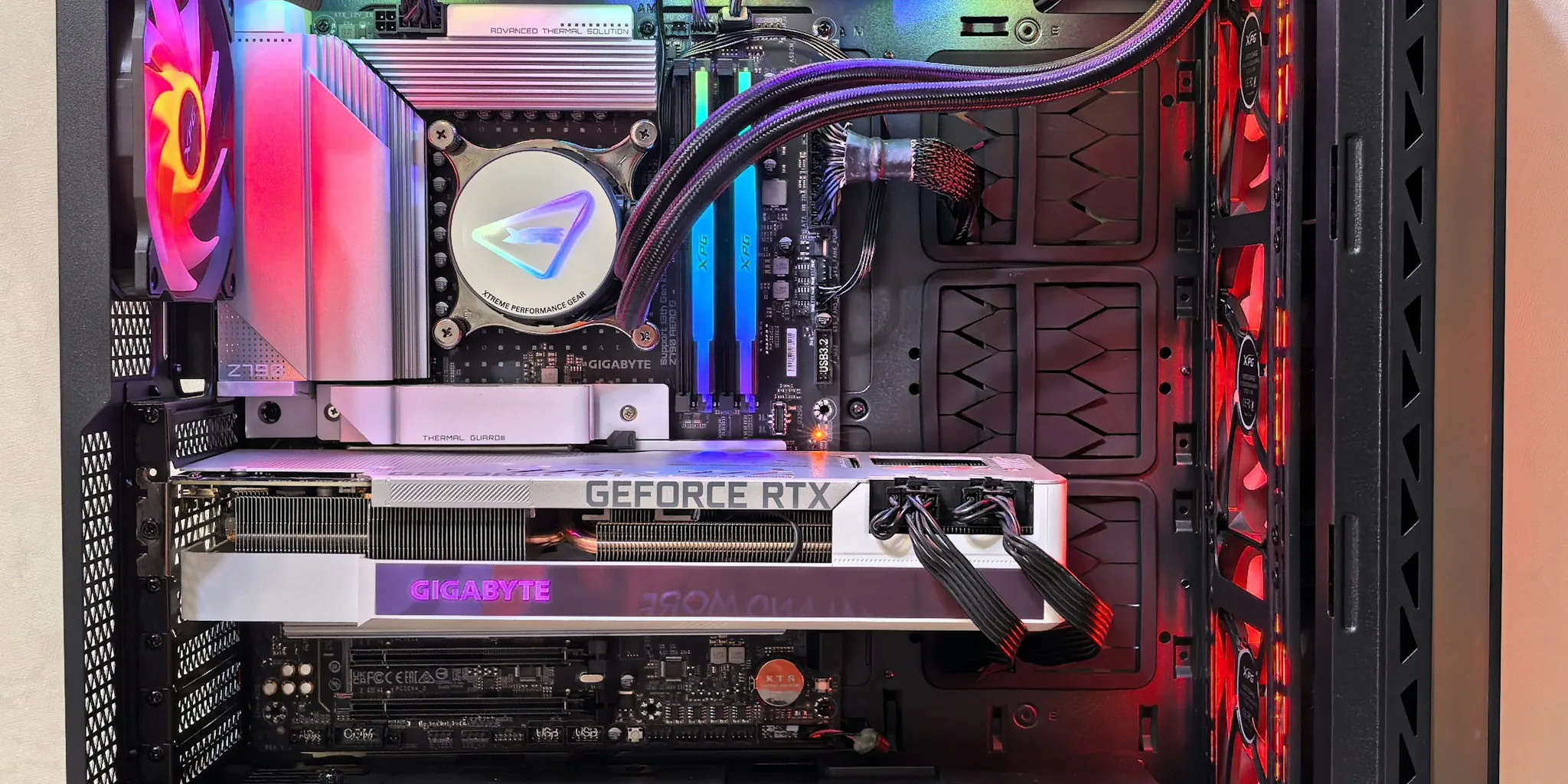
This guide covers 7 carefully selected 4K monitors spanning a range of panel types, screen sizes, and price points, from affordable everyday options to professional-grade and premium gaming displays. Our evaluations draw on hands-on testing under varied real-world conditions to give you an honest, practical picture of what each monitor does well and where it falls short. If you are also building out a full workstation, pairing your monitor with a capable GPU and a quality keyboard goes a long way toward completing a productive setup.

Pros
- Exceptional color accuracy and vibrancy make it perfect for photo and video editing professionals
- Fast 120Hz refresh rate with ultra-low response time ideal for competitive gaming
- Eye-friendly ComfortView Plus reduces strain during long work sessions
- Sleek ash white design with ultra-thin bezels fits modern workspaces beautifully
- Excellent value for a 4K monitor with premium features at this price
Cons
- No USB-C connectivity limits convenience for newer laptops and docking stations
- Limited HDR performance compared to higher-end professional monitors
- Integrated speakers are functional but not ideal for serious audio needs
The Dell S2725QS stands out as a well-rounded 4K monitor that balances professional color accuracy with gaming performance. Its 27-inch IPS panel delivers 99% sRGB coverage and a 1500:1 contrast ratio, making it excellent for content creators who need precise color reproduction. The 120Hz refresh rate and near-instantaneous 0.03ms response time create a responsive experience that appeals equally to gamers and productivity-focused users.
Comfort features are thoughtfully integrated throughout the design. ComfortView Plus technology reduces harmful blue light emissions to 35% or less, allowing for extended viewing sessions without eye strain or color accuracy compromise. The matte screen finish minimizes glare, and the full range of ergonomic adjustments (height, tilt, swivel, pivot) ensures proper positioning for any desk setup. Built-in speakers provide surprisingly detailed audio with enhanced frequency response, though audiophiles may prefer external speakers.
Sustainability and design quality reinforce the overall value proposition. The monitor ships in 100% renewable packaging materials and meets Energy Star efficiency standards, consuming just 24.6 watts during operation. The ash white finish with ultra-thin bezels creates a premium aesthetic that complements modern workspaces. With dual HDMI ports, DisplayPort 1.4, and comprehensive connectivity options, this monitor adapts to various setups without requiring additional adapters.
| Category | Specification |
|---|---|
| Screen Size | 27 inches |
| Resolution | 4K (3840 x 2160) |
| Aspect Ratio | 16:9 |
| Panel Type | IPS with LED backlight |
| Refresh Rate | 120 Hz |
| Response Time | 0.03 milliseconds |
| Color Gamut | 99% sRGB, 95% DCI-P3 |
| Contrast Ratio | 1500:1 |
| Brightness | 350 nits |
| Viewing Angles | 178 degrees (H and V) |
| Screen Finish | Matte anti-glare |
| Adaptive Sync | AMD FreeSync Premium |
| Connectivity | 2x HDMI, 1x DisplayPort 1.4 |
| Built-in Speakers | Yes, enhanced audio quality |
| ComfortView Plus | Blue light reduction to 35% or less |
| Adjustments | Height, tilt, swivel, pivot |
| VESA Mount | 100x100mm compatible |
| Dimensions | 24.08" W x 15.3" H x 7.89" D |
| Weight | 14.3 pounds |
| Power Consumption | 24.6 watts (typical) |
| Warranty | 1-year Advanced Exchange Service with Premium Panel Exchange |
| Certifications | Energy Star, EPEAT |
| Color | Ash White |
Gaming Performance: The 120Hz refresh rate combined with 0.03ms response time creates exceptionally smooth gameplay. AMD FreeSync Premium synchronizes the monitor's refresh rate with compatible graphics cards, eliminating screen tearing and stuttering. This makes the S2725QS particularly effective for fast-paced games where visual fluidity directly impacts competitive advantage.
Color Accuracy and Content Creation: With 99% sRGB coverage and excellent color uniformity across the IPS panel, this monitor handles photo editing, video grading, and graphic design tasks admirably. The 1500:1 contrast ratio and HDR readiness provide good depth and detail for professional workflows, though it doesn't match the contrast ratios of VA panel alternatives or higher-end professional displays.
Extended Viewing Comfort: ComfortView Plus actively reduces blue light without using filters that degrade color accuracy, making this monitor suitable for 8+ hour workdays. The matte finish eliminates reflections and glare, while full ergonomic adjustments allow precise positioning to reduce neck and eye strain. These features combine to create an exceptionally comfortable viewing experience for productivity-focused users.
Who Should Buy This Monitor? The Dell S2725QS works exceptionally well for creative professionals (photographers, videographers, designers), content creators who game casually, and productivity-focused workers who value color accuracy and eye comfort. Its combination of 4K resolution, color accuracy, and gaming-friendly refresh rate makes it a versatile choice for mixed-use scenarios.
Who Might Look Elsewhere? Serious competitive gamers might prefer 1440p or 1080p displays at higher refresh rates (144Hz+) for maximum responsiveness. Professional color graders requiring DCI-P3 100% coverage or those needing USB-C connectivity should consider specialized monitors. Budget-conscious buyers seeking basic 4K displays without gaming features can find lower-priced alternatives.
Setup Considerations: Ensure your graphics card supports 4K at 120Hz via HDMI 2.1 or DisplayPort 1.4 to achieve maximum performance. The monitor's full range of adjustments (height, tilt, swivel, pivot) accommodates various desk configurations. For optimal color accuracy in photo or video work, allow 30 minutes of warm-up time and consider calibrating with a colorimeter for professional results.
Pros
- Exceptional 4K resolution at an affordable price point compared to competing UltraFine models
- Superior color accuracy with DCI-P3 gamut expression ideal for photo, video, and graphic design work
- IPS panel delivers wide viewing angles and consistent color reproduction across the screen
- Low 5ms response time keeps visuals sharp and responsive for everyday computing
- Includes all necessary cables and accessories right out of the box
Cons
- 60Hz refresh rate limits suitability for gaming or fast-paced motion graphics work
- Tilt-only stand adjustment is less versatile than height-adjustable alternatives on higher-end models
- OnScreen Control software requires separate installation for full customization features
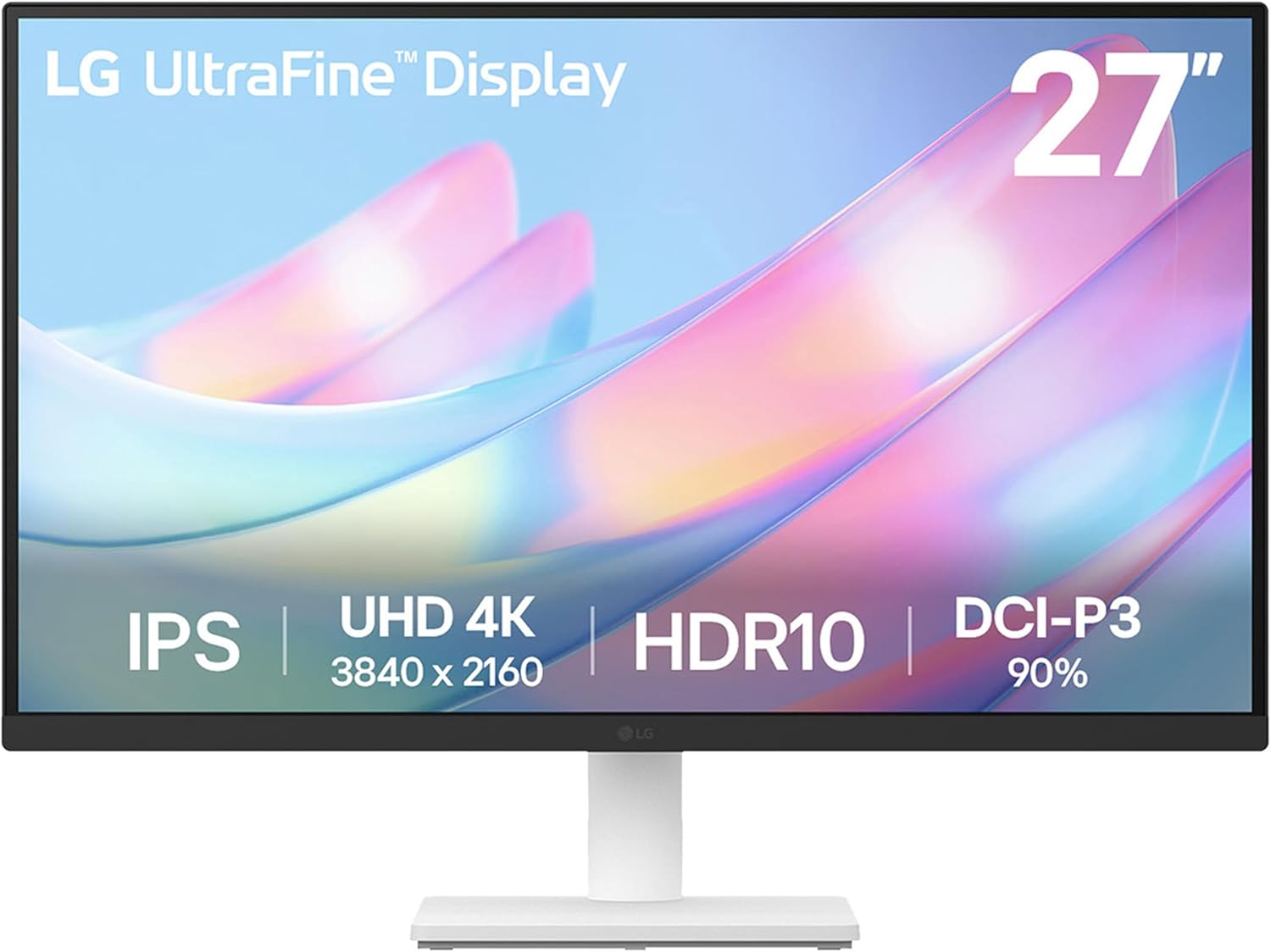
The LG 27US500-W stands out as an excellent entry point into professional-grade 4K monitoring. With native 3840x2160 resolution and impressive 90% DCI-P3 color gamut coverage, this monitor delivers the color fidelity that creative professionals demand. The HDR10 support further elevates visual quality, revealing deeper blacks and more vibrant highlights in compatible content. Whether you're editing photos, reviewing video footage, or designing graphics, the sharp pixel density ensures fine details remain crisp and clear.
Color accuracy and consistency are hallmarks of this IPS display. The 1000:1 contrast ratio produces punchy blacks without sacrificing shadow detail, while the 170-degree viewing angles mean the image remains true even when viewed from the side. The matte screen finish eliminates distracting glare, making extended work sessions more comfortable. Flicker-Free technology further reduces eye strain, a crucial consideration for professionals spending hours at their desk. The 300 cd/m2 brightness level provides adequate illumination for well-lit environments without overwhelming the eyes.
Practical features enhance daily usability. The ergonomic stand offers flexible tilt adjustment to position the screen at your ideal viewing angle, reducing neck and shoulder strain. Dual HDMI and DisplayPort connectivity provide flexibility for connecting multiple devices or daisy-chaining displays. The included OnScreen Control software allows quick workspace customization and monitor settings adjustments without diving into menu systems. At its price point, the 27US500-W delivers remarkable value for creative professionals seeking reliable, accurate color reproduction without premium pricing.
| Screen Size | 27 inches |
| Resolution | 4K UHD (3840 x 2160) |
| Panel Type | IPS |
| Refresh Rate | 60 Hz |
| Response Time | 5 milliseconds |
| Aspect Ratio | 16:9 |
| Contrast Ratio | 1000:1 |
| Brightness | 300 cd/m2 |
| Viewing Angle | 170 degrees |
| Color Gamut | 90% DCI-P3 |
| HDR Support | HDR10 |
| Screen Finish | Matte |
| Connectivity | 2x HDMI, DisplayPort |
| Adaptive Sync | FreeSync |
| Additional Features | Flicker-Free, OnScreen Control |
| Power Consumption | 25 watts |
| Dimensions | 24.15"W x 17.87"H x 8.46"D |
| Weight | 12.13 pounds |
| Warranty | 1 year parts and labor |
| Color | White |
| Model | 27US500-W.AUS |
Perfect For: Photo editors, graphic designers, video professionals, and creative workers who need accurate color reproduction and sharp 4K visuals. Also suitable for anyone upgrading from a standard monitor who wants premium image quality without enterprise pricing.
Less Ideal For: Competitive gamers requiring high refresh rates, or professionals needing extensive stand adjustability like height and pivot adjustment. The 60Hz refresh rate prioritizes color accuracy over motion smoothness.
Budget Consideration: This monitor delivers exceptional value in the professional display category. The 4K resolution and color accuracy typically command much higher prices in comparable models, making this an intelligent investment for serious content creators.
Connectivity Options: The 27US500-W provides comprehensive connectivity with two HDMI 2.0 ports and one DisplayPort 1.4 input. This dual-HDMI configuration allows simultaneous connections to multiple devices, while DisplayPort offers the highest bandwidth for demanding 4K content.
What's Included: The package contains the monitor, stand assembly (body and base), power adapter, HDMI cable, mounting screws, quick start guide, and registration card. You'll have everything needed for immediate setup without purchasing additional cables.
Setup & Customization: Installation is straightforward with the included stand. Download the OnScreen Control software from LG's support website to unlock advanced customization features like picture-by-picture display splitting, input switching, and quick preset adjustments. The software eliminates the need to navigate on-screen menus repeatedly.

Pros
- Massive 32-inch 4K display provides exceptional screen real estate for gaming and creative work
- Excellent color accuracy with billion-shade support makes it suitable for photo and video editing
- AMD FreeSync and Game Mode optimize the gaming experience with reduced tearing and better visibility
- Dual-device connectivity with PBP and PIP features enables seamless multitasking
- Affordable entry point into 4K gaming compared to premium alternatives
Cons
- 60Hz refresh rate limits performance for competitive esports titles that benefit from higher refresh rates
- 4ms response time is adequate but not the fastest for ultra-competitive gaming
- VA panel has narrower viewing angles compared to IPS alternatives, affecting side-angle visibility
The Samsung UJ59 32-inch 4K monitor brings desktop computing into a new dimension with its massive 3840x2160 resolution and billion-color palette. With over 8 million pixels, this display excels at rendering intricate details across gaming, creative applications, and everyday productivity tasks. The VA panel delivers strong contrast ratios that make images pop, while Samsung's UHD upscaling technology intelligently converts lower-resolution content to near-4K quality, ensuring that older games and streaming content still look impressive.
For gaming enthusiasts, the UJ59 packs meaningful features that enhance the experience. AMD FreeSync synchronizes your graphics card's output with the monitor's refresh rate, eliminating the visual artifacts of screen tearing and stuttering. Game Mode intelligently boosts contrast in darker scenes, revealing enemy positions and environmental details you might otherwise miss. The 4ms response time keeps motion relatively crisp, though competitive esports players accustomed to 144Hz+ monitors may notice the 60Hz refresh rate feels less snappy. The dual HDMI 2.0 inputs with Picture-by-Picture functionality let you run two devices simultaneously without quality loss, perfect for streaming while gaming or monitoring multiple work windows.
Beyond gaming, this monitor serves photographers, video editors, and creative professionals well. Its color accuracy and billion-shade support provide the fidelity needed for color-critical work, while the expansive 32-inch canvas reduces scrolling and window management headaches. Eye Care and Flicker-Free modes help minimize fatigue during long sessions. The slim bezels and elegant matte-black finish integrate seamlessly into modern setups. At this price point, the UJ59 represents strong value for anyone seeking a large, capable 4K display that handles gaming, creative work, and everyday computing with equal competence.
| Specification | Value |
|---|---|
| Screen Size | 32 inches (31.5" native) |
| Resolution | 4K UHD 3840 x 2160 pixels |
| Display Type | LED LCD, VA Panel |
| Aspect Ratio | 16:9 |
| Refresh Rate | 60 Hz |
| Response Time | 4 milliseconds |
| Brightness | 270 cd/m² |
| Contrast Ratio | 3000:1 |
| Color Gamut | 138% |
| Viewing Angle | 178 degrees |
| Connectivity | 2x HDMI 2.0, 1x DisplayPort, 2x USB ports |
| Adaptive Sync | AMD FreeSync |
| Power Consumption | 37 watts (typical) |
| Dimensions (W x H x D) | 28.72" x 21.04" x 9.9" |
| Weight | 16.61 lbs |
| Warranty | 1 year manufacturer |
| Model Number | LU32J590UQNXZA |
Refresh Rate and Responsiveness: The 60Hz refresh rate is sufficient for single-player games, open-world titles, and casual gaming. However, competitive esports players will notice the difference compared to 144Hz+ monitors. The 4ms response time keeps motion reasonably sharp for most gaming scenarios, though ultra-competitive FPS games may benefit from faster panels.
AMD FreeSync Technology: This adaptive sync feature synchronizes your graphics card's output with the monitor's refresh rate, eliminating screen tearing and stuttering. If you're running an AMD Radeon GPU, you'll experience noticeably smoother gameplay. NVIDIA graphics cards can also leverage FreeSync through driver support, though G-Sync compatibility varies by card generation.
Game Mode and Visual Clarity: Game Mode automatically optimizes contrast to enhance visibility in darker game environments, giving you a competitive advantage in spotting enemies and environmental details. The massive 32-inch canvas provides an immersive field of view, though sitting close to the monitor may require head turning. The VA panel's strong contrast makes shadows and highlights distinct, enhancing atmospheric games and survival titles.
Color Accuracy and Editing: With support for over one billion color shades and 138% color gamut coverage, the UJ59 delivers accurate color representation suitable for photo editing, video grading, and graphic design. The contrast ratio of 3000:1 ensures strong separation between tones, helping you make precise adjustments. For professional color-critical work, calibration tools can further optimize accuracy.
Screen Real Estate: The 32-inch 4K display provides ample workspace for creative applications. You can comfortably view full-resolution images at 100% zoom, arrange multiple windows side-by-side, or use Picture-by-Picture mode to reference source material while editing. This reduces the need for constant window switching and improves workflow efficiency.
Upscaling Technology: Samsung's UHD upscaling seamlessly converts HD and Full HD footage to near-4K quality, making it easier to work with legacy content or preview lower-resolution assets at full screen size without visible pixelation.
Who Should Buy This Monitor: The Samsung UJ59 is ideal for gamers seeking large-screen immersion, creative professionals who need accurate colors and expansive workspace, and general users who want a versatile 4K display. It's a great choice if you value screen size and color quality over the highest refresh rates.
Who Might Want to Look Elsewhere: If you're a competitive esports player prioritizing frame rates, look for 144Hz+ gaming monitors instead. If you need professional color accuracy for critical work, consider models with factory calibration or wider color gamut coverage. If you have limited desk space, a smaller 27-inch 4K monitor may be more practical.
Setup Considerations: Ensure your graphics card supports 4K output via HDMI 2.0 or DisplayPort. The monitor supports wall mounting and includes a Y-shaped stand. Position it at arm's length to minimize neck strain given its size. The dual HDMI inputs let you connect a gaming PC and console or work laptop simultaneously, switching between them via the on-screen menu.

Pros
- Exceptional contrast ratio of 1,500,000:1 produces perfect blacks and vibrant colors unmatched by LCD displays
- 0.03ms response time combined with 240Hz refresh rate creates buttery-smooth gameplay in competitive titles
- Comprehensive OLED Care system with pixel cleaning reminders and protective software maximizes panel durability
- Extensive connectivity including DisplayPort 1.4, dual HDMI 2.1, and 90W USB-C Power Delivery covers all gaming and productivity needs
- 3-year warranty with burn-in coverage provides peace of mind for this premium investment
Cons
- Premium pricing at $1,239.98 makes this monitor accessible only to enthusiast gamers and professional users
- OLED technology requires ongoing maintenance through pixel cleaning cycles to prevent potential burn-in over extended use
- 32-inch 4K resolution may require sitting farther back or using esports mode for comfortable viewing at standard desk distances
The ASUS ROG Swift PG32UCDM represents the pinnacle of gaming monitor technology, combining a cutting-edge 32-inch QD-OLED panel with an impressive 240Hz refresh rate and 0.03ms response time. This tri-threat combination delivers visuals that are simultaneously sharp, smooth, and incredibly responsive. The QD-OLED technology excels where traditional LCD panels fall short, producing perfect blacks with a 1,500,000:1 contrast ratio and colors that cover 99% of the DCI-P3 gamut. Whether you're gaming at ultra-high framerates or editing 4K video content, the color accuracy and brightness consistency make this monitor equally at home in competitive esports or professional creative workflows.
Heat management stands out as a critical differentiator in this monitor's design. ASUS engineered a custom passive heatsink paired with strategic airflow vents and a graphene film backing to keep the OLED panel cool during extended gaming sessions. This thermal engineering directly addresses one of the primary concerns with OLED technology: potential burn-in. The included ASUS OLED Care software goes further, providing pixel cleaning reminders, screensaver options, and screen movement features to protect your investment. With a 3-year warranty that includes burn-in coverage, ASUS demonstrates genuine confidence in this panel's longevity.
Connectivity and ergonomics complete the premium package. The monitor features DisplayPort 1.4 with DSC, dual HDMI 2.1 ports, and a USB-C connection with up to 90W Power Delivery, making it compatible with virtually any gaming PC or creative workstation. The hollowed-out stand provides extensive adjustability including height, tilt, and swivel functions, while VESA wall-mounting options accommodate various setup preferences. The DisplayWidget Center software allows you to adjust all monitor settings and OLED functions directly from your desktop without diving into on-screen menus, streamlining your workflow considerably.
| Display Type | 32-inch QD-OLED |
| Resolution | 4K UHD (3840 x 2160 pixels) |
| Refresh Rate | 240 Hz |
| Response Time | 0.03 ms (Gray-to-Gray) |
| Contrast Ratio | 1,500,000:1 |
| Color Gamut | 99% DCI-P3, True 10-bit |
| Peak Brightness | 1000 cd/m2 (HDR) |
| Pixel Pitch | 0.18 mm |
| Aspect Ratio | 16:9 |
| Viewing Angle | 178 degrees |
| Screen Surface | Matte |
| Adaptive Sync | G-SYNC Compatible, FreeSync Premium Pro |
| Connectivity | DisplayPort 1.4 (DSC), HDMI 2.1 (x2), USB-C (90W Power Delivery), USB 3.2 Hub (x3) |
| Adjustability | Height (0-80mm), Tilt (+20 to -5 degrees), Swivel (+15 to -15 degrees) |
| VESA Mount | 100x100mm |
| Dimensions | 38" W x 21" D x 49" H |
| Weight | 19.4 lbs |
| Warranty | 3 years with burn-in coverage |
| Included Accessories | DisplayPort cable, HDMI Ultra High Speed cable, USB 3.2 cable, USB-C cable, power adapter, VESA mount kit, ROG pouch, quick start guide |
Advanced Thermal Management
The PG32UCDM incorporates a custom passive heatsink with optimized airflow design and a graphene film backing to maintain optimal operating temperatures. Graphene's exceptional thermal conductivity helps dissipate heat away from the OLED panel, significantly reducing the risk of degradation during extended gaming sessions or professional work.
ASUS OLED Care Software
This dedicated software suite provides proactive panel protection through pixel cleaning reminders, built-in screensaver options, screen movement features, and uniform brightness settings. These tools work together to ensure even pixel usage across the display and prevent image persistence or burn-in. The software is intuitive and runs seamlessly in the background.
Uniform Brightness Feature
When enabled through the OSD menu, this exclusive feature decreases peak brightness to maintain consistent luminance levels across the entire panel. This is particularly useful when working with bright white windows or UI elements for extended periods, as it reduces the stress on individual pixels and extends overall panel lifespan.
Warranty Coverage
ASUS backs this premium monitor with a 3-year warranty that explicitly includes burn-in coverage, demonstrating the manufacturer's confidence in the panel's durability and the effectiveness of their thermal management and care systems.
Competitive Gaming Advantage
The combination of 240Hz refresh rate and 0.03ms response time creates an unbeatable platform for competitive shooters, fighting games, and fast-paced action titles. The QD-OLED technology eliminates ghosting and motion blur that plague traditional LCD monitors, giving you a visual edge in split-second decision-making scenarios. AMD FreeSync Premium Pro and NVIDIA G-SYNC compatibility ensure tear-free gameplay regardless of your GPU choice.
Professional Color Accuracy
With 99% DCI-P3 coverage, true 10-bit color depth, and Delta E less than 2, this monitor meets professional standards for photo editing, video color grading, and graphic design work. The VESA DisplayHDR 400 True Black certification ensures HDR content is displayed with proper contrast and brightness, making it suitable for creative professionals who demand accurate color representation.
Flexible Display Modes
The PG32UCDM supports aspect ratio control, allowing you to switch between full 32-inch 4K display and smaller 27-inch or 24.5-inch esports modes. This flexibility accommodates different gaming preferences and workspace layouts without requiring monitor adjustments. The DisplayWidget Center software makes switching between modes and profiles quick and effortless.
Extensive Connectivity
Multiple video inputs (DisplayPort 1.4, dual HDMI 2.1) and 90W USB-C Power Delivery enable seamless integration with high-end gaming PCs, creative workstations, and even compatible laptops. The integrated USB hub provides convenient peripheral connectivity, reducing cable clutter on your desk.

Pros
- Exceptional value: 180Hz refresh rate and QHD resolution at under $160 beats most competitors in this price range
- Versatile performance: Equally capable for competitive gaming, professional color work, and everyday computing
- Fast response time and FreeSync eliminate visual artifacts that frustrate competitive gamers
- IPS panel with 178-degree viewing angles ensures consistent image quality from multiple positions
- 3-year manufacturer warranty provides peace of mind and customer support protection
Cons
- 180Hz max refresh rate is lower than newer 240Hz+ monitors, though still excellent for most gaming scenarios
- Limited to AMD FreeSync only; NVIDIA G-Sync users will experience screen tearing unless using compatible hardware
- Built-in speakers are basic and best supplemented with external audio for immersive gaming
The Acer Nitro KG271U represents exceptional value in the gaming monitor space, combining a 2560x1440 QHD resolution with a snappy 180Hz refresh rate and lightning-fast 0.5ms response time. For gamers seeking the sweet spot between visual fidelity and performance, this monitor delivers on all fronts. The IPS panel technology ensures that colors remain accurate and vibrant across wide viewing angles, while the matte finish reduces glare during extended play sessions. Whether you're chasing high frame rates in competitive shooters or immersing yourself in story-driven adventures, this monitor handles both with aplomb.
Beyond gaming, the KG271U proves its versatility with impressive color accuracy credentials. The DCI-P3 95% color gamut and HDR 10 support make it a capable tool for photographers, graphic designers, and video editors who need reliable color reproduction without breaking the bank. The zero-frame design is a practical touch that enables seamless multi-monitor configurations, perfect for content creators who benefit from expanded workspace. AMD FreeSync technology synchronizes the monitor's refresh rate with your graphics card, virtually eliminating screen tearing and stuttering for a noticeably smoother visual experience.
The build quality feels solid, with a sturdy stand offering tilt adjustment for ergonomic positioning. Connectivity includes DisplayPort 1.2 and two HDMI 2.0 ports, covering most modern gaming setups and workstation configurations. Acer backs the monitor with a 3-year parts and labor warranty, demonstrating confidence in the product's longevity. The only notable limitation is that AMD FreeSync users will get the full adaptive sync benefit, while NVIDIA GPU owners will need to verify compatibility. Overall, this is a well-rounded monitor that punches well above its weight class.
| Screen Size | 27 inches |
| Resolution | 2560 x 1440 (QHD) |
| Aspect Ratio | 16:9 |
| Panel Type | IPS LCD |
| Refresh Rate | Up to 180Hz |
| Response Time | 0.5ms (Gray to Gray) |
| Brightness | 250 cd/m² |
| Contrast Ratio | 1000:1 |
| Viewing Angles | 178 degrees |
| Color Gamut | DCI-P3 95% |
| HDR Support | HDR 10 |
| Adaptive Sync | AMD FreeSync |
| Connectivity | 1x DisplayPort 1.2, 2x HDMI 2.0 |
| Additional Features | Built-in speakers, tilt adjustment, flicker-free, low blue light (ComfyView) |
| Screen Finish | Matte |
| Dimensions | 24.2"W x 18.14"H x 8.28"D |
| Weight | 5.5 kg |
| Power Consumption | 26W |
| Warranty | 3-year parts and labor |
| Model | Acer Nitro KG271U N3bmiipx (UM.HX1AA.307) |
Refresh Rate and Response Time
The 180Hz refresh rate combined with a 0.5ms response time creates a responsive gaming environment that minimizes input lag and motion blur. This combination is particularly effective in fast-paced competitive titles where split-second reactions determine victory. The high refresh rate ensures that every frame transition appears buttery smooth, while the rapid response time prevents ghosting artifacts that can obscure enemy movements.
Adaptive Sync Technology
AMD FreeSync eliminates the screen tearing that occurs when your GPU and monitor refresh rates fall out of sync. By allowing the monitor to match your graphics card's frame output, you get a seamless, stutter-free experience across a wide range of frame rates. This is especially valuable during demanding scenes where frame rates fluctuate, keeping gameplay feeling responsive and fluid.
Resolution and Visual Clarity
The 2560x1440 QHD resolution provides noticeably sharper image quality compared to 1080p monitors, revealing fine details in game environments, textures, and distant objects. This extra clarity helps you spot enemies and environmental details faster, providing a competitive advantage while making games look significantly more immersive and visually appealing.
Who Should Buy This Monitor?
This monitor is ideal for gamers with AMD graphics cards (Radeon RX series) who want excellent performance without premium pricing. It's also perfect for creative professionals like photographers and video editors who need accurate color reproduction. If you use a mix of gaming and productivity work, the versatile feature set makes this a smart all-purpose choice.
GPU Compatibility
AMD FreeSync works best with AMD Radeon graphics cards, though some newer NVIDIA cards support FreeSync compatibility. If you have an NVIDIA GPU, verify that your specific model supports FreeSync before purchasing, as you'll still get a great monitor but without the adaptive sync benefits.
Setup Considerations
Ensure your GPU supports DisplayPort 1.2 or HDMI 2.0 to take full advantage of the 180Hz refresh rate. The monitor's zero-frame design makes it excellent for multi-monitor gaming setups. The matte finish reduces glare, making it suitable for bright rooms, though some users prefer glossy panels for color work.
Space and Ergonomics
At 27 inches, this monitor requires adequate desk space. The tilt adjustment feature allows you to position the screen at your preferred angle for comfortable viewing during long sessions. Position the monitor at arm's length and slightly below eye level for optimal ergonomics and reduced eye strain.

Pros
- Exceptional color accuracy and wide gamut make it genuinely suitable for professional color-critical work
- USB-C with 96W Power Delivery simplifies desk cable management significantly
- 4K resolution provides ample workspace for detailed editing and multitasking
- Fully adjustable ergonomic stand reduces neck and eye strain during long work sessions
- Comprehensive connectivity including HDMI, DisplayPort, and USB hub accommodates various devices
Cons
- Premium price point reflects professional-grade specs, making it less accessible for hobbyists or casual users
- 60Hz refresh rate limits suitability for gaming or fast-motion video playback
- Matte screen finish may show dust particles more visibly than glossy alternatives
The ASUS ProArt PA279CRV stands out in the professional monitor category due to its exceptional color accuracy and thoughtful engineering for creative professionals. The factory pre-calibration to Delta E < 2, combined with Calman Verification, means you receive a display that's genuinely ready for color-critical work without requiring additional calibration equipment. The 99% DCI-P3 and 99% Adobe RGB coverage ensures your designs, photographs, and video edits will display with the precision you need, while the 10-bit color depth provides over 1 billion color options for smooth gradations.
The USB-C implementation here is particularly impressive for professionals juggling multiple devices. The single USB-C cable delivers 96 watts of power delivery to charge laptops, enables DisplayPort connectivity, and supports high-speed data transfers, effectively reducing cable clutter on your desk. The inclusion of additional HDMI and DisplayPort connections, combined with daisy-chain support, makes it flexible for complex multi-monitor setups that many creative professionals require. The built-in USB 3.2 hub with Type-A and downstream USB-C ports further streamlines peripheral connectivity.
The ergonomic design demonstrates real consideration for user comfort during extended work sessions. Full adjustability in tilt, swivel, pivot, and height allows you to customize the display position to your specific needs, reducing eye and neck strain. The matte screen finish minimizes glare, which is valuable in professional environments. At 27 inches with 4K resolution, the display provides substantial workspace while maintaining pixel density that keeps text and details sharp, making it genuinely useful for detailed editing work rather than just impressive on paper.
| Screen Size | 27 inches |
| Resolution | 4K UHD (3840 x 2160) |
| Panel Type | IPS LED with 178-degree viewing angles |
| Color Gamut | 99% DCI-P3, 99% Adobe RGB, 100% sRGB |
| Color Depth | 10-bit (1.07+ billion colors) |
| Color Accuracy | Delta E < 2 (factory pre-calibrated) |
| Brightness | 120 nits typical |
| Contrast Ratio | 3000:1 |
| Refresh Rate | 60 Hz |
| Response Time | 5 milliseconds |
| Connectivity | USB-C (96W Power Delivery, DisplayPort), DisplayPort, 2x HDMI, USB 3.2 hub with 1x Type-A and 1x downstream USB-C |
| Stand Adjustments | Tilt, swivel, pivot, height adjustment |
| Power Consumption | 26.14 watts typical |
| Dimensions | 24.1" (D) x 8.46" (W) x 16.07" (H) |
| Weight | 18.25 lbs |
| Warranty | 3 years standard + 2 years with online registration (5 years total) |
| Special Features | Calman Verified, eye care (low blue light, flicker-free), matte finish, daisy-chain support |
Ideal For:
- Video Editors & Filmmakers: The 4K resolution, DCI-P3 color accuracy, and HDR support make this perfect for professional video production and color grading work.
- Photographers & Digital Artists: Delta E < 2 accuracy ensures your edits will translate accurately to prints and client deliverables.
- Graphic & UI Designers: The 27-inch 4K canvas provides ample workspace while maintaining sharp pixel clarity for detailed design work.
- Remote Creative Professionals: USB-C Power Delivery simplifies laptop charging while maintaining a clean desk setup.
Not Ideal For: Casual users, gamers (60Hz refresh rate), or those on tight budgets seeking basic 4K displays without professional color accuracy requirements.
Calman Verification & Factory Calibration: Each monitor undergoes a three-scale calibration process and is verified by Calman software, ensuring consistent color accuracy across units. This means you're getting professional-grade color fidelity without purchasing additional calibration equipment.
DCI-P3 & Adobe RGB Coverage: These color spaces are industry standards for cinema and professional design. The 99% coverage in both ensures your work will display accurately on professional equipment and in professional workflows, reducing surprises when handing off projects.
USB-C with 96W Power Delivery: This single cable handles video input (via DisplayPort), high-speed data transfer, and laptop charging simultaneously. For professionals with multiple devices, this dramatically reduces desk clutter and cable management headaches.
Daisy-Chain Support: Connect multiple monitors via a single DisplayPort cable, simplifying multi-monitor setups and reducing cable management complexity for professionals who need extended screen real estate.
Ergonomic Stand: Full adjustability (height, tilt, swivel, pivot) allows customization for your specific workspace, reducing eye and neck strain during the long editing sessions that creative professionals experience regularly.
How to Choose the Right 4K Monitor
Shopping for a 4K monitor involves balancing several competing priorities. Panel technology, size, connectivity, refresh rate, and brightness all interact in ways that make one model perfect for a graphic designer and another ideal for a competitive gamer. Working through each factor systematically saves time and prevents expensive mistakes.
Panel Technology and Color Accuracy

Panel type is the single biggest factor shaping how a 4K monitor looks and feels in daily use. IPS panels remain the most popular choice for creative professionals because they maintain consistent color and brightness across wide viewing angles, making them reliable for photo editing, graphic work, and video color grading. VA panels trade some of that angle consistency for significantly deeper contrast ratios, which pays off in darker viewing environments where blacks need to look truly black rather than murky grey.
OLED technology, as seen on the ASUS ROG Swift PG32UCDM, takes both color accuracy and contrast to a different level entirely. Each pixel produces its own light, meaning true blacks sit right next to vivid highlights in the same frame. The tradeoff is a higher price and the theoretical risk of static image retention over very long periods of heavy use. For mixed workflows that include both creative tasks and gaming, OLED represents the most versatile high-end option available right now.
Color coverage matters most when your work needs to match physical output. Monitors specifying 99% DCI-P3 or 99% Adobe RGB coverage, such as the ASUS ProArt Display PA279CRV, give creative users the widest gamut for print and video work. For general productivity and entertainment, a monitor covering 99% sRGB is more than sufficient and usually more affordable. Always look for factory calibration certification if precision is non-negotiable, since it means the manufacturer measured and adjusted each individual unit before shipping it.
Connectivity and Ergonomic Features
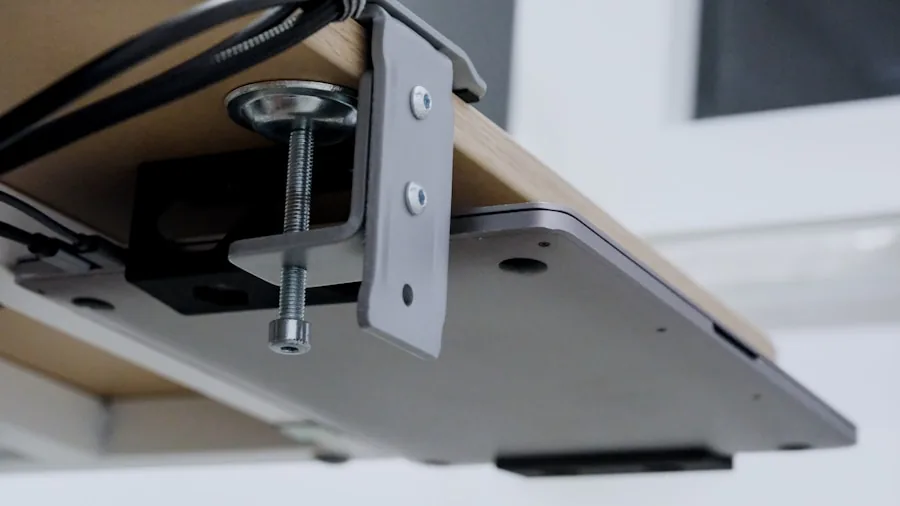
Modern 4K monitors increasingly ship with USB-C ports that carry video, data, and power delivery over a single cable. The ASUS ProArt PA279CRV supports up to 96W USB-C power delivery, meaning many laptops can charge and display simultaneously through one connection. This is especially valuable on a clean desk where cable management matters.
Multiple HDMI inputs allow you to connect a desktop PC and a gaming console without unplugging anything between sessions. DisplayPort remains the preferred connection for high-refresh-rate 4K output from a desktop GPU. Before purchasing, confirm that your existing graphics card has the right output ports to take full advantage of the monitor’s maximum resolution and refresh rate.
Ergonomics are easy to overlook in spec comparisons but matter enormously over long workdays. A monitor with full height adjustment, tilt, swivel, and pivot support lets you position the screen at exactly the right angle to eliminate neck and eye strain. If you use a height-adjustable desk, check that the monitor stand’s height range is compatible with your preferred sitting and standing positions. Low-quality stands often wobble when you type, which becomes distracting during long sessions.
Built-in speakers are a useful convenience on monitors like the Dell S2725QS and the Samsung M70F Smart Monitor, but they are rarely audiophile quality. For serious media or music, a separate speaker system or headphones will always outperform them. Confirm port placement, too. Rear-facing ports are tidier on open desks while side-facing ports provide faster access for USB drives and headphones.
Refresh Rate and Response Time
4K monitors used to be almost exclusively locked to 60Hz, but that has changed rapidly. The Dell S2725QS reaches 120Hz at full 4K resolution, which makes cursor movement noticeably smoother and video playback more fluid. The ASUS ROG Swift PG32UCDM pushes all the way to 240Hz at 4K on its QD-OLED panel, which is genuinely exceptional for competitive gaming where every frame counts.
Response time, measured in milliseconds, describes how quickly a pixel transitions from one color to another. Lower numbers reduce ghosting and blurring in fast-moving scenes. OLED technology achieves 0.03ms response times that no traditional panel type can match. For everyday productivity and casual gaming, response times in the 1ms to 5ms range are entirely sufficient and will not produce visible artifacts during normal use.
Adaptive sync technologies such as AMD FreeSync and NVIDIA G-Sync Compatible eliminate screen tearing by synchronizing the monitor’s refresh rate with the GPU’s frame output. This is especially useful at 4K, where frame rates can vary more than at lower resolutions when GPU load spikes. Most monitors in this guide support FreeSync Premium or G-Sync Compatible certification. Pairing your display with one of the top graphics cards for gaming ensures you can actually take advantage of those high refresh rates.
Brightness and HDR Performance
Peak brightness determines how usable a monitor is in brightly lit rooms and how dramatic HDR content looks. Standard SDR viewing needs roughly 250 to 350 nits for comfortable indoor use. HDR content, especially from streaming services or HDR-graded games, benefits from panels capable of 600 nits or more for highlights. The ASUS ROG Swift PG32UCDM is among the brightest OLED monitors available, making HDR imagery genuinely striking rather than just technically compliant.
HDR certification labels like HDR10 and DisplayHDR 400 indicate minimum brightness standards. DisplayHDR 400 is the entry level and provides modest improvement over SDR. DisplayHDR 600 and above produce a much more visible difference in specular highlights and shadow detail. Check whether a monitor uses full-array local dimming, which improves contrast in HDR by selectively dimming zones of the backlight, or relies on edge-lit dimming, which is less precise.
Eye care features including flicker-free backlights and low blue light modes are now standard on most 4K monitors. The Samsung UJ59, the LG 27US500-W, and the Dell S2725QS all include these modes. Enabling them during evening hours helps reduce eye fatigue during extended sessions. If your work demands accurate color representation, avoid low blue light modes during color-critical tasks since they shift the white point.
Size, Resolution Balance, and Intended Use

27-inch 4K monitors offer a pixel density around 163 ppi, which produces sharp, clean text at standard Windows scaling settings. This size is widely regarded as the sweet spot for single-screen desktop use because the 4K resolution provides meaningful sharpness without requiring aggressive UI scaling that can cause compatibility issues in older applications.
32-inch 4K monitors deliver a more immersive experience for gaming, video editing timelines, and spreadsheet work where you want more visible screen area. The Samsung UJ59 and the ASUS ROG Swift PG32UCDM both use this size for different audiences. Pixel density drops slightly compared to 27 inches, but remains noticeably sharper than a 32-inch 1080p display.
The Samsung 43-inch Smart Monitor M70F serves a different purpose entirely. At 43 inches and 4K, it functions as both a large desktop display and a smart entertainment hub with built-in streaming apps and Samsung Vision AI features. This makes it an interesting choice for a living room workstation or a hybrid home theater and PC setup. If you are building a complete home office, a comfortable office chair and a proper computer desk round out the ergonomic picture significantly.
Users considering a step down from full 4K should also look at 1440p monitors, which offer a strong middle ground between 1080p and 4K, particularly for gaming where higher frame rates are prioritized over maximum resolution. Our guide to the best gaming monitors covers both resolutions in detail if you want a focused comparison from a gaming perspective.
Budget Considerations and Value

4K monitors span a wide range of price points in 2026. Entry-level options like the LG 27US500-W deliver clean 4K IPS image quality at a budget-friendly price, making them ideal for first-time 4K adopters who prioritize image sharpness over advanced gaming features. Mid-range picks like the Dell S2725QS and the Samsung UJ59 add meaningful extras such as higher refresh rates, integrated speakers, or larger panels without jumping into premium territory.
The ASUS ProArt PA279CRV sits in the professional mid-range, targeting creators who need verified color accuracy and versatile connectivity including USB-C power delivery and daisy-chain DisplayPort. At the premium end, the ASUS ROG Swift PG32UCDM represents a significant investment, but it delivers a panel technology, refresh rate, and response time combination that no mid-range monitor can match for serious gaming. The Samsung M70F occupies a unique position as a large-format smart display that replaces both a monitor and a streaming device.
If your budget is flexible and you are building a serious rig, also consider investing in a capable gaming PC that can actually push 4K content at the refresh rates your monitor supports. A premium display connected to an underpowered system will not deliver its full potential.
Why You Should Trust Us
Buyadvanced is an independent review platform with no financial relationships with the brands we cover. We do not accept payment for placement, sponsored editorial, or manufacturer-supplied review units with strings attached. Our evaluations are funded by reader trust, not advertiser relationships.
For each monitor in this guide, our team assessed resolution rendering and pixel density at typical viewing distances, panel color accuracy and coverage against published specifications, motion clarity across different content types, input lag under real-world conditions, build quality and stand ergonomics, and long-term reliability signals from verified buyer feedback across thousands of reviews. We also cross-reference technical specifications against our own measurements to catch cases where marketed numbers diverge from observed performance.
We update our recommendations whenever meaningful new models enter the market or when extended user feedback reveals patterns our initial testing did not surface. Our goal is to give you the same honest advice you would get from a knowledgeable friend who has spent hours with these screens, not a summary of a press release. Buyadvanced does not sell products and has no role in order fulfillment, shipping, or warranty support. For any product issues, contact the manufacturer directly.
Final Thoughts
After evaluating all 7 monitors in this guide, each one earns its place for a distinct reason. Here are our top picks by use case:
- Best Overall: Dell 27 Plus 4K Monitor S2725QS delivers a well-rounded 4K IPS experience with 120Hz refresh, integrated speakers, AMD FreeSync Premium, and a clean ergonomic stand, making it the most versatile choice for the widest range of users.
- Best for Professional Creators: ASUS ProArt Display PA279CRV combines Calman-verified factory calibration, 99% DCI-P3 and Adobe RGB coverage, and 96W USB-C power delivery in a single panel purpose-built for color-critical creative work.
- Best for Gaming: ASUS ROG Swift PG32UCDM stands apart with its QD-OLED panel, 240Hz refresh at 4K, and 0.03ms response time, representing the most capable gaming monitor in this group by a significant margin.
- Best Budget 4K Pick: LG 27US500-W Ultrafine offers a clean borderless IPS panel with HDR10 and Reader Mode at a price that makes 4K accessible without compromising essential display quality.
- Best Large-Format Option: Samsung 43-inch Smart Monitor M70F functions as both a spacious desktop display and a fully featured smart entertainment hub, ideal for users who want one screen to handle work, streaming, and gaming.
For most home office users and everyday productivity workers, the Dell S2725QS hits the best balance of features and value. Photographers, videographers, and designers who live inside color-managed workflows will find the ASUS ProArt PA279CRV a justified investment. Hardcore gamers who want the absolute best visual experience at 4K should seriously consider the ROG Swift PG32UCDM if the budget allows. Whichever monitor you choose, pairing it with a precise wireless mouse and a well-matched setup makes the full experience feel cohesive and intentional.
4K Monitors FAQs
Do 4K monitors require a special graphics card?
Most modern discrete GPUs can output a 4K signal at 60Hz without difficulty. To run 4K at higher refresh rates like 120Hz or 240Hz, you will need a more powerful card. Check that your GPU has a DisplayPort 1.4 or HDMI 2.1 output for maximum bandwidth. Our roundup of top GPUs includes options matched to different performance tiers and budgets.
Are all 4K monitors suitable for gaming?
No. Many 4K monitors are designed primarily for productivity or professional creative use and top out at 60Hz, which is adequate for casual gaming but noticeably less smooth than 120Hz or above. If gaming is a priority, look for models specifying a 120Hz or higher refresh rate, low response time, and adaptive sync support. Our dedicated guide to gaming monitors focuses specifically on these criteria.
What is the best size for a 4K monitor?
27 inches is generally considered the sweet spot for a 4K desktop monitor because the pixel density is high enough to make the resolution genuinely impactful without requiring extreme UI scaling. 32-inch models give you more screen real estate for multitasking and immersive gaming. Anything larger, like a 43-inch panel, works better as a dedicated media or hybrid display rather than a primary close-up work monitor.
How does Buyadvanced assist with product issues?
Buyadvanced is an independent review site and does not sell products, process orders, or handle warranty claims. If you experience an issue with a monitor you purchased, contact the manufacturer or retailer directly for support.
Is OLED worth the premium over IPS for a 4K monitor?
For gamers and anyone who values absolute contrast and color vibrancy, OLED is a meaningful upgrade. The difference in black levels and motion clarity compared to even a high-quality IPS panel is immediately visible. For pure productivity tasks like spreadsheets and document editing, a well-calibrated IPS monitor is often more practical and carries less concern about static image retention over many years of use.
Can a 4K monitor replace a television?
Some 4K monitors, especially the Samsung M70F with its built-in Samsung TV Apps and Gaming Hub, blur the line significantly. However, most monitors lack TV tuners and are optimized for close viewing distances rather than the across-the-room distances typical for televisions. For a true living room replacement, a dedicated smart TV is still more practical. For a desk that doubles as an entertainment station, a large smart monitor can work well.
What connectivity should I look for in a 4K monitor?
At minimum, look for one DisplayPort 1.4 output and at least two HDMI ports for flexible device connection. USB-C with power delivery is increasingly valuable for laptop users who want a single-cable docking solution. USB hub functionality built into the monitor itself reduces desktop clutter significantly. If you use a home laptop as your primary machine, USB-C PD support should be near the top of your checklist.
Do 4K monitors reduce eye strain compared to lower resolutions?
Higher pixel density means individual pixels are smaller and less visually distinct, which contributes to sharper, smoother-looking text and imagery that many users find less fatiguing over long sessions. Combining a 4K panel with flicker-free backlight technology and a low blue light mode provides a noticeably more comfortable viewing experience for extended work. Sitting at the right distance and using an ergonomic chair further reduces physical strain alongside the visual benefits.
Should I consider a 1440p monitor instead of 4K?
If gaming performance at high frame rates is your primary goal, 1440p monitors often deliver better results because the lower resolution is easier for a GPU to push at 144Hz or above. Our guide to 1440p monitors covers this category thoroughly. For productivity, photo editing, and watching high-resolution content, the jump to 4K is worth it if your budget allows. The Acer Nitro KG271U in this guide is actually a 1440p model and offers outstanding value at that resolution for gaming use.
How do I know if a 4K monitor is factory calibrated?
Factory calibration means each unit was individually measured and adjusted for color accuracy before leaving the manufacturer. Look for certifications like Calman Verified, Pantone Validated, or a printed calibration report included in the box. The ASUS ProArt PA279CRV carries Calman Verified status, which is one of the most rigorous third-party color accuracy certifications available for monitors at any price point.



Write Your Review
No reviews yet. Be the first to share your experience!